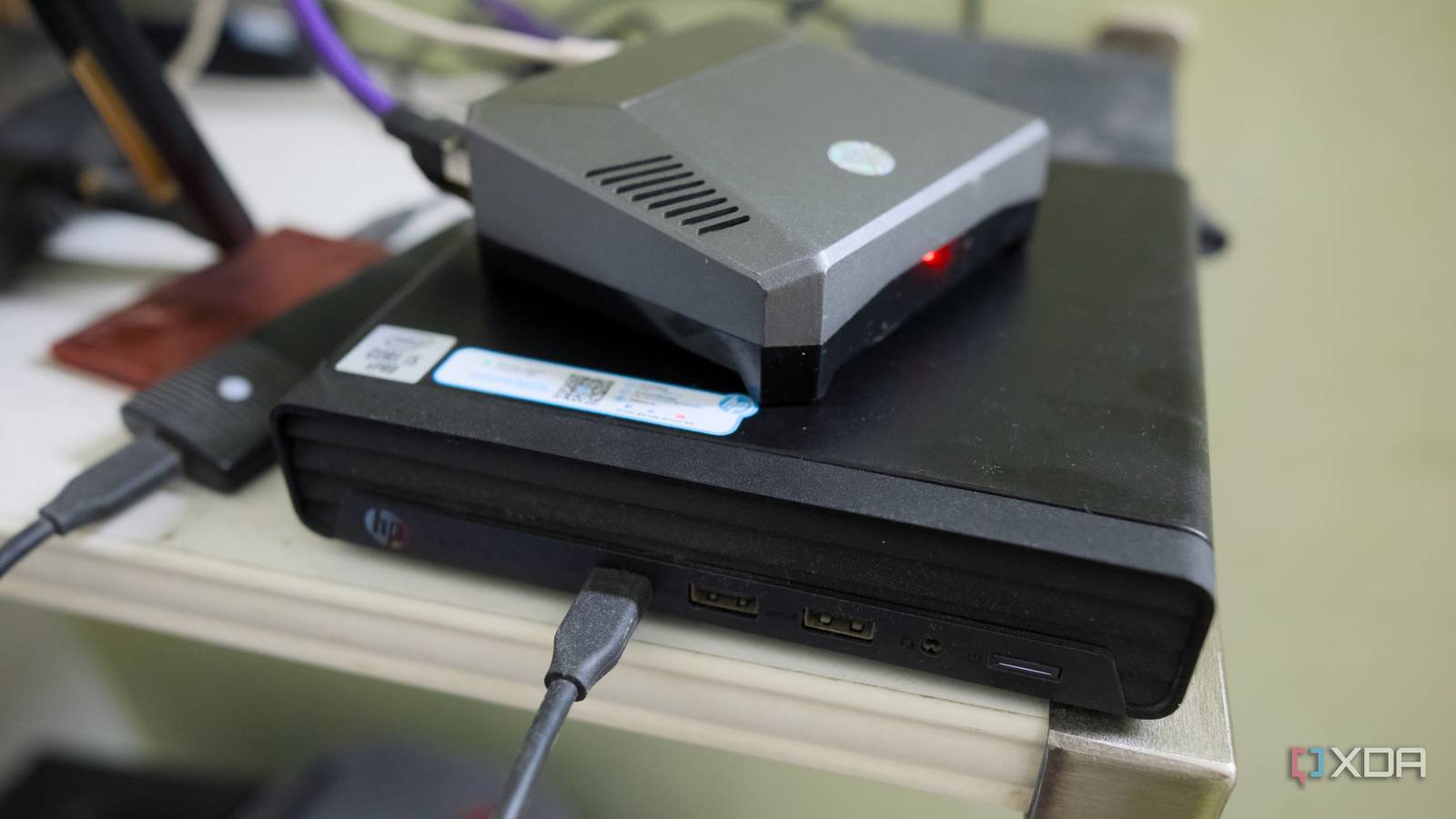
Published Jul 26, 2026, 11:00 AM EDT Samir Makwana is a technology journalist and editor from India since past 18 years and his work appears on MakeUseOf, HowToGeek, GSMArena, BGR, GuidingTech, The Inquisitr, TechInAsia, TechWiser, and others. He has written news, features, and gadget reviews for national technology media publications. His passion is to help people with their technology problems and gadget purchases. For that, he has worked for some of the biggest international technology publications, covering news, explainers, how-to guides, listicles, and product-buying guides. He has worked as an editor and managed teams since 2015. His expertise broadly covers computers, smartphones, game consoles, headphones, smart home products, browsers, and apps. When I outgrew my Raspberry Pi 4 for my home lab, I assumed upgrading would cost a lot. I’d had Pi-hole and Tailscale running happily on that board for a few years. The moment I started experimenting with Jellyfin and a proper Docker stack, the SBC wasn’t cutting it anymore. So I weighed my options, which ranged from enterprise workstations to mini PCs everyone in the home lab community loves to talk about. Pricing for either ran well past what I’d spent outfitting the Pi in the first place. Then I found a stack of decommissioned office PCs going for a fraction of that. Almost a year later, I don’t feel like I’m missing anything, and I haven’t upgraded a single one of my boxes. These units were sold off without warranty the moment a corporate refresh cycle moved on from them. That turns out to be exactly the point where they become perfect candidates for a home lab. Hardware refresh cycles flood the used office PC markets Where these machines actually come from Most businesses replace desktops on a three-to-four-year cycle, at most. IT departments don’t want to deal with machines that are out of warranty or past their security update window. That explains the influx of small-form-factor and tiny profile units from HP, Dell, and Lenovo hitting the used office PC market. Typically, they’re available through local surplus auctions, IT asset resellers, refurbished computer vendors, and marketplaces like eBay and Facebook Marketplace. You can find these boxes with Intel 6th- to 10th-generation Core i5 chips, 8GB of RAM, and a small NVMe or SATA boot drive already installed. During my research, I also found several units with an active Windows 10 Pro license. The only thing those units needed was a fresh OS install before using them in home lab experiments. Built to outlast the offices they came from Designed for round-the-clock operation An office PC isn’t the flimsy, corner-cut box people assume it is. In fact, it’s the opposite. These units survived tight spaces on or under desks with terrible airflow. They ran Outlook all the time with a dozen browser tabs every day for years and worked without a single reboot, unless absolutely necessary. Despite packing low-power desktop-grade chips, these machines still have decent VRMs. Their power supplies and adapters can handle continuous duty rather than a burst of workload. Their chassis design assumes dust and heat will be part of the environment rather than the exception. A budget mid-tower build from the same era might look better on a desk, but it wasn’t built for the same round-the-clock duty these used machines handled daily. A few office PCs handle everything my old single box did Separating the networking layer, media, apps, and services Coming from Pi 4, it felt natural to build a single big box to run an entire home lab. Splitting the workload based on the nature of the task made more sense than consolidating everything. One box handles the networking layer, running OPNSense for VLANs, Pi-hole for DNS filtering, and a Tailscale exit node for remote access. A dedicated box handles media server experiments with Jellyfin, Plex, and Emby (still evaluating my long-term option), leaning on Intel Quick Sync support for occasional transcoding. Naturally, transcoding is better than a Pi 4 could manage. Another unit takes care of the Docker stack, which includes Immich for photos, Vaultwarden for passwords, and Syncthing, which keeps all the important folders in sync across every device. Splitting duties made maintenance and troubleshooting manageable. Now, any updates for media servers or other software happen smoothly, without touching the DNS for the whole network. If I had to buy special new hardware for that kind of redundancy, that would cost real money. Splitting the workload across used office PCs costs far less than one new, fully-upgraded mini PC would have. The trade-offs are real, but they don’t bite It’s not a compromise-free build I’ll be honest and won’t pretend that I haven’t given up anything. Otherwise, I’d be giving used hardware a bad name by overselling it. These retired machines were built for corporate use and are mostly proprietary. Right from motherboards to power bricks, most components are OEM-specific. I can’t swap out components that easily. Memory is capped at two SODIMM slots, usually topping out at 32GB to 64GB depending on the model. Typically, there’s no PCIe slot to add a NIC directly. So a USB-to-2.5GbE Ethernet adapter is often the only way to get faster networking onto these boxes. That’s what I did with one of my boxes handling the networking part. Storage expansion is similarly limited since most of these units have just one M.2 slot and no easy way to add more. On top of that, even the BIOS is locked down enough that serious tuning isn’t an option. Since I don’t plan to put a GPU in one of the boxes to host local AI, none of that bothers me. Other than that, media serving, password management, and file sync don’t ask for extra RAM, storage bandwidth, or PCIe lanes. The trade-off of limited upgradability exists, but it doesn’t affect my use case. That said, there's no shying away from the power bill that follows after bagging those office PC deals and hardware for building a modern home lab. Starting off with used office PCs is the best bet Every buck I saved by not spending on new hardware went into upgrades that mattered. I added a bigger NVMe drive, higher-capacity memory, and a proper UPS. So far, the performance of these machines has never been a bottleneck, and they run reliably just as they did in an office. Stepping up from an SBC like the Raspberry Pi to something bigger need not mean splurging on expensive new PC gear. Nor does it mean buying beefed-up enterprise workstations. It’s worth checking the local classifieds and popular home lab communities for decommissioned office PCs first. That’s the smart option for a home lab, not a compromise.
Decommissioned office PCs are the secret home lab upgrade nobody talks about
Full Article
Original Source
Read the full article at Xda-developers →KhanList aggregates and links to publicly available news content. We do not host full articles from third-party sources. Always verify important information with original sources.