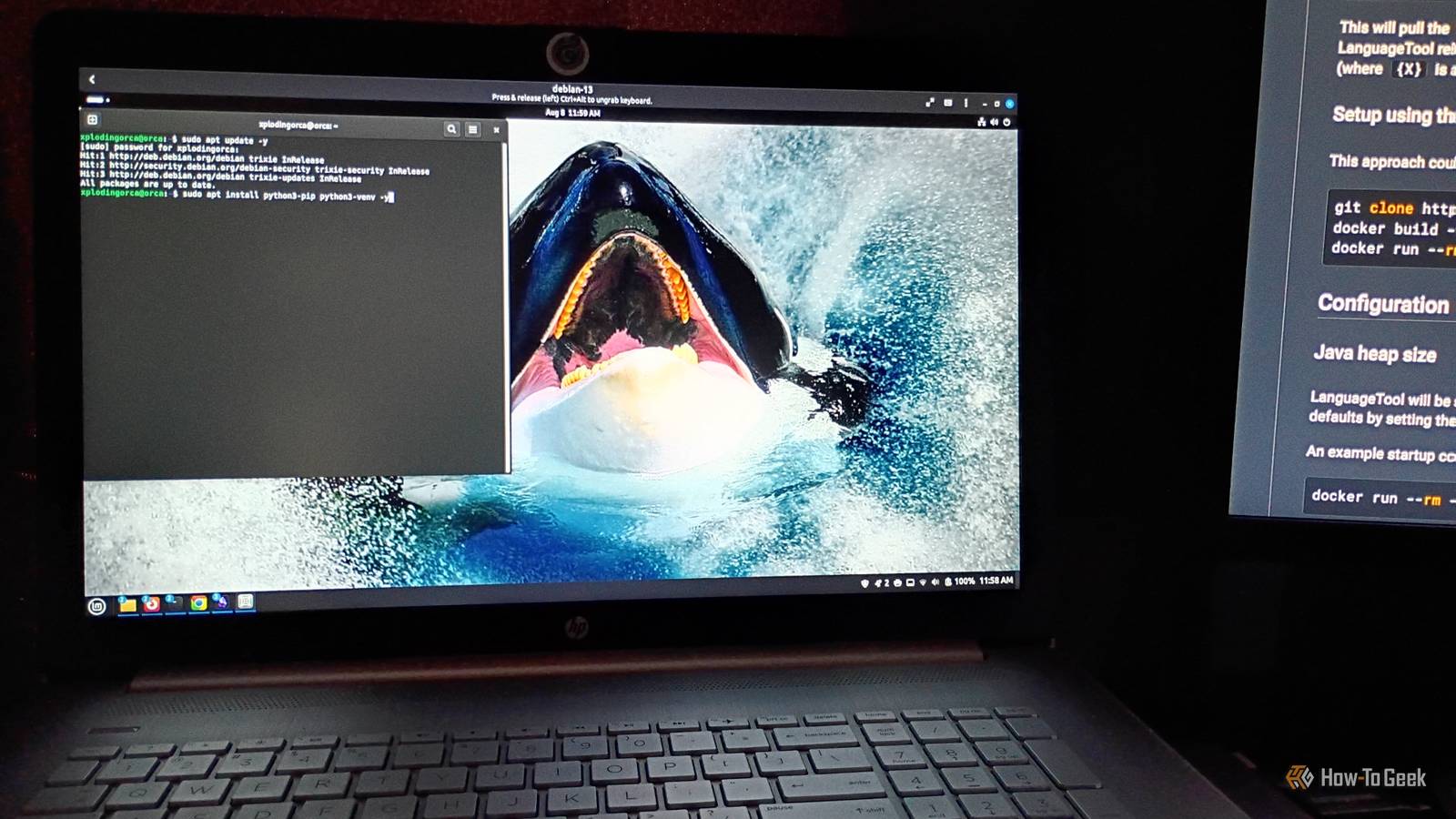
Published Aug 14, 2026, 7:30 AM EDT Former radio and TV guy (I Heart Radio and PBS). Now a writer, researcher, and musician who writes about the absurdity of our modern world and other offbeat topics. Specializes in weird music, the old web, retro video games and tech, and researching strange, yet interesting things. His work has appeared in Vice, Tedium, Star Trek.com, Today I Found Out, Typebar, SyFy Wire, and How To Geek. Currently working on a variety of music, web, and writing projects. Visit him on the web at https://djbuckfreelance.neocities.org/. I'm a big fan of the Linux Operating System. I have been using it in some form or another for about two decades (starting with Red Hat). I enjoy working with it and experimenting with different distros. I even occasionally teach beginner-friendly Linux courses. While Mint has been my daily driver for a while (and is, itself, a derivative of Debian, according to Debian.org), I'm always open to test-driving a different distro and found myself pleasantly surprised when I took Debian 13.6 (released July, 11 2026) for a spin a few weeks ago. Debian is a natural secondary OS for my setup A secondary operating system for learning and development Credit: David J. Buck / How-To Geek The last time I even thought about Debian was during my Raspberry Pi phase back in 2013. I had great fun messing with the device at the time. Naturally, I set it up to play retro games, but it was more than that. I learned some basic coding from a program called Scratch and started truly diving deeper into its operating system: Raspbian. Later, I converted my son's discarded Lenovo laptop into an Ubuntu machine. But at some point, life, work, college, and time got in the way of the hobby. I was stuck with Windows for several years, with little time to continue exploring Linux. Then one day, I logged back into a Terminal. I haven't logged out since. Since I've become quite experienced with Mint and had some background with Raspbian, I felt like Debian would be ideal. Not just for a change of scenery, but as a place where I can run different tests or try out software in a unique distro. Debian's installation seemed smoother than some other distros I've tried With Gnome Boxes and a little time, the OS was ready to go When I switched over to Linux Mint for the first time, I installed it from an ISO on a USB drive. It was a more or less guided installation, but it took a little while to get going on my machine. When I set up Arch and Fedora (two distros I absolutely adore), I did everything through the command line. On my phone and tablets, I use either Linux-on-Android or proot-distro to get Linux going on those devices. I did the installation inside of Gnome Boxes, which I installed on my Mint machine via apt (sudo apt install gnome-boxes). Gnome Boxes is also available as Flatpak via Flathub. The app is more streamlined than something like VirtualBox and can interact with the host machine with a quick setup through preferences. Gnome Boxes runs on QEMU/KVM, but has a sleek and user-friendly feel to it. Not only can you copy and paste between the host and the virtual machine (which is very helpful for installation scripts), but you can also set up a shared folder between machines. That's on top of the typical features most virtual machines offer. Setup only took a few minutes, and it was guided the entire time, unlike the other distros I've installed, which were a bit more hands-on. The software bundled with this version (called "Trixie") included almost everything I need out of the box. But there are also curated package sets you can install that are relevant to hobbies, like Astronomy or Ham Radio. I chose to install Debian HamRadio, for reasons I'll disclose at a future date. The desktop environment is smooth and customizable Credit: David J. Buck / How-To Geek Now that I was up and running, I customized things. The desktop has similarities to Cinnamon, but feels very smooth. The first thing I did was add a wallpaper image. I simply dragged and dropped the image from the host system to the VM and set it up. I found the Multitasking setup to be very useful as well. I'm a fan of Hot Corner and Active Screen Edges, so I toggled both of them on. The lack of a “start menu” in this virtual instance didn't bother me. I found all the apps easily through the search function (a little white bar in the upper-right of the screen). There's a macOS-style “apps bar” with programs like Firefox, File Manager, Calculator, and a note-taking app. Credit: David J. Buck / How-To Geek Internet use is pretty straightforward. The File Manager feels smoother than Mint's and I didn't have to install Sushi or Flameshot to have access to image previews within the folder or decent screenshot-capturing ability. The desktop and terminal environments will work wonders for my workflow, and I'm excited to use them more regularly. Credit: David J. Buck / How-To Geek Debian handles my workflow exceptionally well From basic scripts to audio work, it's an ideal environment I'm using Debian primarily to refine my coding ability, experiment with Python, amateur radio, and minimalist audio production. There are a number of apps, like CHIRP and PyQSO, that will be very useful for getting back into ham radio. I executed my workbench tools script (a variety of apps I like to experiment with) and all of them work well on Debian. Now, I have another addition to my home lab, which is fantastic. Working in the terminal on Debian is great, I love the interface, and I did a quick test with Textual to see how Debian fared with my coding. I played around with it for a bit, listened to some music, and took some screenshots. I am pleasantly surprised and find it more intuitive and interesting than Mint. In the future, I plan to run Debian for a while on a dedicated machine Recently, I talked about my humbling experience trying to install Gentoo on a virtual machine. Debian was the polar opposite of that experience and even has me reconsidering Mint as a daily driver. Granted, I still love Mint, but I'm beginning to feel like I wish I'd spent more time with this one before settling on it. Either way, now I have two distros running for work purposes. And I'm 100% putting Debian as my primary partition on my next device (office, home lab, or otherwise).
Debian 13 fixed my biggest complaints with Linux Mint, and I'm not looking back
Full Article
Original Source
Read the full article at Howtogeek →KhanList aggregates and links to publicly available news content. We do not host full articles from third-party sources. Always verify important information with original sources.