
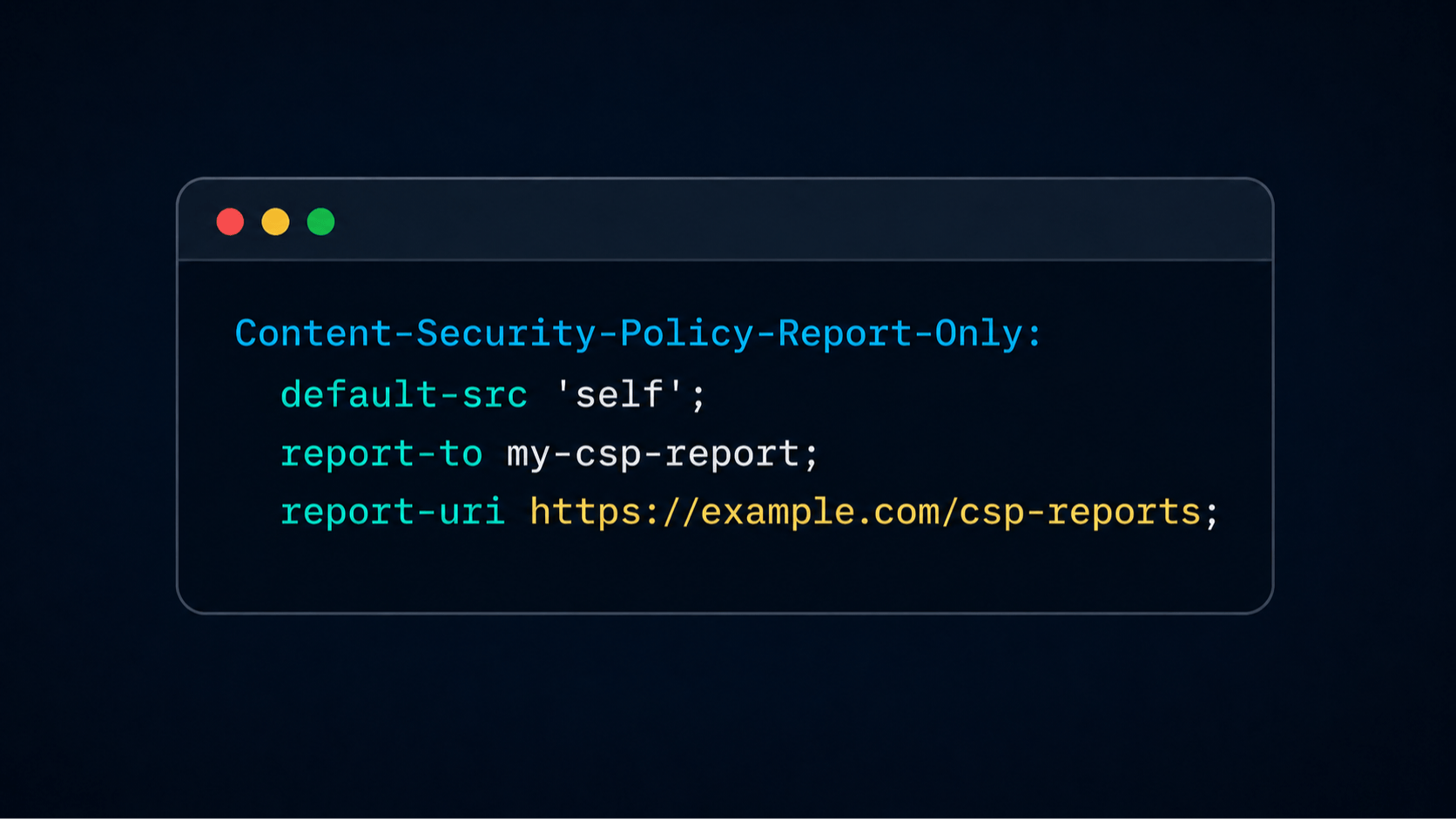
Before we enable new Content Security Policy on a working site, we need to make sure it will not break any existing flows. Report-Only mode solves that problem. It lets browsers report CSP violations without enforcing the rules or blocking code execution. Adding Report-Only policy headers is easy, but to use reports effectively and safely, you need to take a few additional steps. The full flow usually looks like this: Configure the reporting endpoint and add the reporting directive to the CSP policy. Make sure the reporting endpoint is secure. Normalize, validate, and sanitize the report data. Group related violations and investigate them. Fix the reported violations. Enforce the policy. In this article, we’ll walk through these steps and look at some live examples. This post is a part a series of posts about CSP, earlier we looked at how Content Security Policy affects application development and how script-src controls JavaScript execution. To test a new policy we want to add, we need to define the this policy in the Content-Security-Policy-Report-Only header and tell the browser where to send the reports. In browsers that support the Reporting API, the endpoint can be provided in the Reporting-Endpoints header and referenced by the CSP’s report-to directive. Reporting endpoints are defined using the Reporting-Endpoints header like this: Reporting-Endpoints: my-csp-report="https://example.com/csp-reports" Now the name my-csp-report can be used in the report-to directive. MDN also recommends adding the legacy report-uri directive to support older browsers. report-uri expects an actual URI unlike the report-to directive. Note that when both directives are present in the same policy, browsers that support report-to ignore report-uri.Here’s an example of including both report-to and report-uri: Content-Security-Policy-Report-Only: default-src 'self'; script-src https://example.cdn.com; report-to my-csp-report; report-uri https://example.com/csp-reports; The same directives can also be included in a Content-Security-Policy directive so that blocked behaviour is reported: Content-Security-Policy: default-src 'self'; script-src https://example.cdn.com; report-to my-csp-report; report-uri https://example.com/csp-reports; Report Format The report-to directive and the legacy report-uri directive produce different report formats. Let’s look at the Reporting API format first, and then the report-uri structure. Reporting API Format The Reporting API sends POST requests with the application/reports+json content type. The request body is always an array, even when it contains only one report. A CSP violation report includes information about where the violation happened, what the browser would have blocked, and which directive caused the violation. Let’s look at some fields that the report can contain: url is the URL of the context that generated the report. For a normal page violation, this is usually the page URL. body.documentURL is the document or worker URL. body.blockedURL can represent a blocked resource URL or a special value such as inline or eval. body.effectiveDirective is the actual CSP directive that was violated. It may be more specific than the directive we provided in the CSP header. body.originalDirective is the text of the original directive that was violated. Look at live examples of violation reports here. The values of url and body.documentURL are often the same. For example, if the page https://example.com/orders/93847?mode=edit contains an inline script that would be blocked, both fields will point to that page, while the value ofbody.blockedURL would be inline. Let’s look at another example. The page https://example.com/app loads a worker at https://example.com/worker.js, and that worker tries to load a script from https://untrusted.example/tool.js. In the resulting CSP report, body.documentURL will point to the worker where the violation occurred. A report will include values like these: { "url": "https://example.com/app", // context URL associated with the report "body": { "documentURL": "https://example.com/worker.js", // URL of the worker "blockedURL": "https://untrusted.example/tool.js", // the actual blocked URL … } } Now let’s discuss the difference between the effectiveDirective and originalPolicy fields. For example, suppose the policy contains only: Content-Security-Policy-Report-Only: default-src 'self'; report-to my-csp-report If the page contains an inline element, the report will contain the following fields: { "body": { "blockedURL": "inline", "effectiveDirective": "script-src-elem", "originalPolicy": "default-src 'self'; report-to my-csp-report" } } The browser reports script-src-elem as the effective directive because that is the actual directive that was violated. The originalPolicy field shows the policy text that was included in the CSP header. See a live demo for effectiveDirective vs originalPolicy. Comparing the report-to and report-uri Formats The report-to directive and the legacy report-uri directive produce different request content types and use different JSON structures. Suppose the page https://example.com/orders/93847?mode=edit contains an inline script that would be blocked by the proposed Report-Only policy. When using report-to the browser sends a request with the application/reports+json content type. The body is an array of reports that looks like this: [ { "age": 0, "type": "csp-violation", "url": "https://example.com/orders/93847?mode=edit", "user_agent": "Mozilla/5.0 ...", "body": { "blockedURL": "inline", "columnNumber": 5, "disposition": "report", "documentURL": "https://example.com/orders/93847?mode=edit", "effectiveDirective": "script-src-elem", "lineNumber": 18, "originalPolicy": "default-src 'self'; report-to my-csp-report", "referrer": "https://example.com/account", "sample": "", "sourceFile": "https://example.com/orders/93847?mode=edit", "statusCode": 200 } } ] The report-uri directive sends POST requests with a different content type - application/csp-report. The body is a single object, not an array: { "csp-report": { "document-uri": "https://example.com/orders/93847?mode=edit", "referrer": "https://example.com/account", "blocked-uri": "inline", "violated-directive": "script-src-elem", "effective-directive": "script-src-elem", "original-policy": "default-src 'self'; report-uri https://example.com/csp-reports", "source-file": "https://example.com/orders/93847?mode=edit", "line-number": 18, "column-number": 5, "script-sample": "", "disposition": "report", "status-code": 200 } } Observing Reports in the Page ReportingObserverlets you view CSP reports directly in the browser. It can be useful during local development or automated testing. Keep in mind that this feature is relatively new, so it may not be available in older browsers.Adding aReportingObserver to the page is simple: const observer = new ReportingObserver( (reports) => { for (const report of reports) { console.log(report.type, report.body); } }, { types: ["csp-violation"], buffered: true, } ); observer.observe(); Let’s look at the reports argument accepted by the ReportingObserver callback. For CSP violations, Each item in this array has type property equal to csp-violation and body is a CSPViolationReport object. Securing the Reporting Endpoint From a security perspective, a CSP reporting endpoint should be treated like any other public endpoint. Browsers generate and send legitimate reports, but any client can imitate the request and abuse the endpoint. To secure our reporting endpoint, we should follow the same best practices as we would for any other publicly available endpoint. OWASP recommends that public API endpoints accept only expected HTTP methods and content types, validate all client-supplied data, and set limits on request size, request rate, and server-side resource consumption. For an endpoint that receives CSP reports, that means the following: Accept only POST requests. Accept only supported CSP report content types: application/reports+json and application/csp-report. Limit the accepted body size, the maximum number of reports in the array, and the lengths of string and numeric fields. Validate the payload structure and process only the expected fields. Avoid storing tokens and personal data that may be sent in the report. Keep expensive processing out of the request by queuing reports and analyzing them asynchronously, so abusive or high-volume traffic will not easily exhaust server resources. Apply rate limits. There are no universal limits for CSP reports. Start with reasonable numbers, monitor real report volume and payloads, and adjust the limits when necessary. Normalizing Reports The report-to and legacy report-uri formats describe the same violations, but they have different structures and field names. Converting both formats into one structure makes it easier to store and analyze reports later. The two input formats can be normalized like this: body.documentURL / csp-report.document-uri → documentUrl body.effectiveDirective / csp-report.effective-directive → directive body.blockedURL / csp-report.blocked-uri → blockedUrl body.sourceFile / csp-report.source-file → sourceFile body.sample / csp-report.script-sample → sample Other fields can be normalized the same way. After normalization, we get the same report format regardless of which reporting directive was used: { "documentUrl": "https://example.com/orders/93847?mode=edit", "directive": "script-src-elem", "blockedUrl": "inline", "sourceFile": "https://example.com/orders/93847?mode=edit", "line": 18, "column": 5, "disposition": "report", "originalPolicy": "default-src 'self'; report-to my-csp-report", "referrer": "https://example.com/account", "sample": "", "statusCode": 200 } Normalization makes the format consistent, but the data still needs to be sanitized before we store it. Let’s look at sanitization next. Sanitizing Reports CSP reports can contain personal data, tokens and other sensitive values. Sanitize the data before storing it or using it for analysis. It also helpful to clean up overly specific values like order ids - both to avoid storing potentially sensitive information, and make it easier to group and analyze the reports later. URL paths and query parameters can often include sensitive or just redundant data. For example, storing /orders/93847?mode=edit as /orders/:orderId not only removes the specific order ID which can be sensitive, but also allows to group violations more efficiently. A blocked third-party URL such as https://analytics.example/collect?token=abc can be reduced to https://analytics.example if we know that it’s the only file we load from this domain. Code samples in the report can also expose user data, so they should be also sanitized and stored with caution. Consider this normalized report: { "documentUrl": "https://example.com/orders/93847?mode=edit", "directive": "script-src-elem", "blockedUrl": "https://analytics.example/collect/customer-123?token=abc", "sourceFile": "https://cdn.example/assets/checkout.83af28c993.js?signature=secret", "sample": "window.currentUserEmail = \"person@email.com" } The sanitized record for this product could look like this: { "directive": "script-src-elem", "documentRoute": "/orders/:orderId", // removed the order number and params "blockedSource": "https://analytics.example", // only left third-party resource the domain "sourceFile": "https://cdn.example/assets/checkout.83af28c993.js", // removed secret "sample": "window.currentUserEmail = \"[redacted]\"" // removed injected email } This transformation removes sensitive data and makes reports easier to group by behavior. Interpreting the Results The main purpose of using Report-Only mode for CSP is to understand what would break if the policy we want to use would be enforced. Before you start analyzing the reports, group the reports by values such as directive, normalized route or blocked source. Each group should represent one possible issue to investigate. For example, these grouped reports now represent one issue where inline script is blocked on these specific route: /orders/:orderId | script-src-elem | inline /orders/:orderId | script-src-elem | inline /orders/:orderId | script-src-elem | inline For each group, ask: What violation has occurred? Use the directive and blocked source to understand what violations actually exist on the page. script-src-elem | inline means the page contains an inline that violates the policy. script-src | eval means the page uses an eval expression. frame-src | https://payments.example means the page embeds a frame from this origin. worker-src | blob: means the page creates a worker from a blob: URL. Where does the violation happen? Use the normalized route to identify the affected application flow and decide how critical is the flow. For example, a violation on route /checkout may be more urgent than the same violation on /admin/test-page even if the test page produces more reports. What is the exact code or resource caused it? Use the source file, build version, line and column number if available to find the root cause. For example: Route: /orders/:orderId Directive: script-src Blocked source: eval Source file: https://cdn.example/assets/checkout.83af28c993.js Line: 418 When javascript is minimized, line number doesn’t always point you to the exact place in the code that caused the violation, but it can be give you valuable hints. Also, knowing the source file and the route where the issue occurs, you can now run the page locally with the same CSP rule and unminified javascript files, which can help you find the exact root cause of the issue. Also, don’t forget to filter out the noise. Use a clean browser profile when possible so reports from browser extensions or local configuration do not get mistaken for application behavior. For example, the following group is probably noise, not a real problem in the application: Directive: script-src-elem Blocked source: chrome-extension://... What should change? The result of the investigation should lead to a specific decision. Common outcomes include: Fix first-party code. Update a dependency. Remove an obsolete third-party script. Adjust the CSP policy because the behavior is required and understood. Classify the violation group as confirmed environmental noise and ignore it. Add a test with specific policy enabled. Prioritize issues by affected flow, security impact, and whether the behavior is required. Report volume is a useful metric, but it should not determine priority by itself. A browser extension can generate thousands of irrelevant reports, while a rare but important failure in account recovery flow may produce only a few. Policy Enforcement Once most of the violations understood and fixed, it’s time to enforce the new Content Security Policy in production. Move from Content-Security-Policy-Report-Only to an enforced policy gradually. Test the final policy before enforcement. Run the application with the policy in all the browsers you support and test both authenticated and unauthenticated states. Pay special attention to the flows that depend on popups, embedded content, Web Workers, and dynamically loaded resources. Start with a limited rollout. Start with a small traffic percentage, or a limited set of pages first. Leave the reporting directives in place even after the policy is enforced. Reporting directive can be added to usual CSP rules, not only those in Report-Only mode.Production traffic may still reveal violations that were not covered during testing, and it will be easier to catch and fix them earlier while reporting is on. Monitor the production traffic. Watch for sudden decrease in number of requests or conversion after the rollout, and increase in errors. Make rollback easy. Make it possible to change or switch back to Report-Only mode quickly. To start enforcing the policy, you don’t have to wait until you the report amount will drop to zero. You need to understand the remaining report groups, confirm that important user flows work, and have thorough monitoring and easy rollback mechanism in place. You can also introduce CSP gradually, starting with a more permissive policy while evaluating a stricter version: Content-Security-Policy: Content-Security-Policy-Report-Only: Conclusion CSP Report-Only mode lets you test a policy without breaking existing production flows. To use reports safely and effectively, protect the reporting endpoint, sanitize the data, normalize the report formats and group the violations. Once you understand and fix the violations, you can enforce the policy with more confidence, and keeping reporting enabled to catch future issues.
Content Security Policy Report-Only: How to Collect and Analyze CSP Violation Reports
Full Article
Original Source
Read the full article at Hackernoon →KhanList aggregates and links to publicly available news content. We do not host full articles from third-party sources. Always verify important information with original sources.