
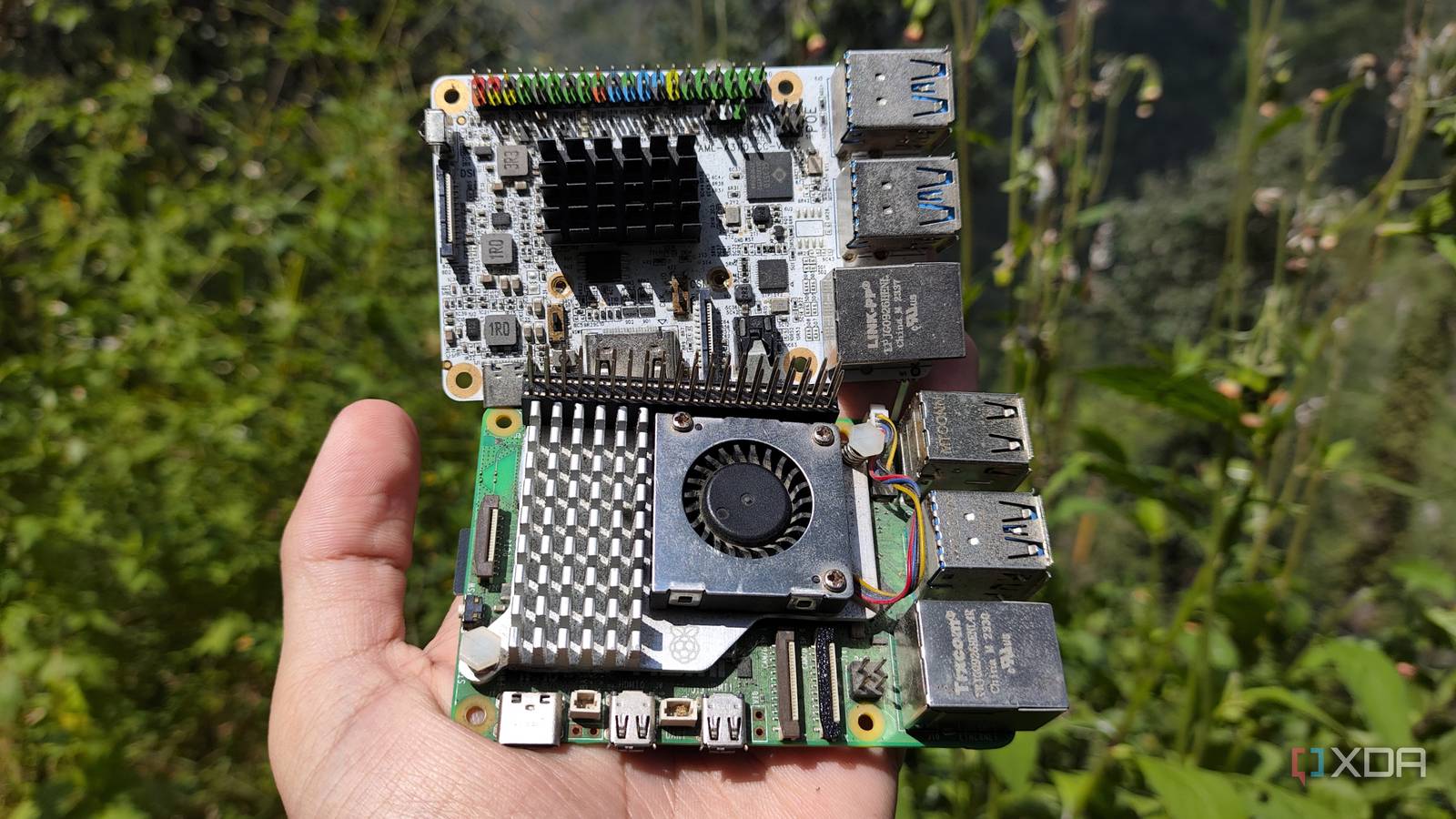
Published Sep 25, 2026, 3:30 PM EDT Ayush Pande is a PC hardware and gaming writer. When he's not working on a new article, you can find him with his head stuck inside a PC or tinkering with a server operating system. Besides computing, his interests include spending hours in long RPGs, yelling at his friends in co-op games, and practicing guitar. Despite being an avid user of the Raspberry Pi back in the day, modern RPi single-board computers have a lot of issues on the pricing front. For one, even the latest and greatest Raspberry Pi 5 has extremely outdated specifications, especially when compared to rival boards that have started cropping up everywhere as of late. With the ongoing RAM apocalypse causing Raspberry Pi SBC prices to shoot up beyond control, it’s getting harder to justify grabbing one of these boards just for simple projects. But as someone who owns several Raspberry Pi rival SBCs, I have to admit that it’s not all sunshine and rainbows on this side of the fence. Sure, if we were to go with the spec sheets, you’ll find plenty of similarly-priced boards outperforming the Raspberry Pi family. But once you bring software (and hardware) compatibility into the mix, things start to get a lot murky for Raspberry Pi rivals. OS compatibility is still an issue on ARM-based Raspberry Pi rivals Their documentation also tends to be lackluster compared to RPi boards Before you can get started on your tinkering escapades with a brand-new SBC, you’ll have to equip it with the right OS, and that’s not much of a problem on the Raspberry Pi series. After all, the Raspberry Pi OS is the ol’ reliable solution for this SBC family, and you get dozens of options to choose from inside the RPi Imager. And that’s before you include all the community-created OS options that, despite not being official, tend to work well as long as you follow the documentation. Speaking of documentation, the Raspberry Pi has significantly better learning resources for newcomers. The official Raspberry Pi docs alone are a treasure trove of information when you’re starting out, and you have an active community of tinkerers constantly putting out new projects and experiments. The same goes for troubleshooting, as you can find solutions for most ailments plaguing your Raspberry Pi experiments just by looking up the official forums. However, things are radically different when you switch to other SBC families, especially on the ARM front. Finding the right distros that work with your board can be a real problem, to the point where you can easily encounter random compatibility problems on images that are otherwise classified as “fully-supported” by the manufacturer. If it’s something as popular as the Orange Pi, you might have decent luck on the image front, but when it comes to other ARM offerings from obscure manufacturers, their image selection tends to be extremely limited. If that’s not enough, non-Raspberry Pi manufacturers typically stop maintaining these images within a few months after releasing their SBCs. Combine that with lackluster forum activity and a dearth of documentation, and you can see why I’m a bit apprehensive of picking up ARM boards that, despite packing better specs and cheaper price tags than a Raspberry Pi, deliver a significantly worse experience when I tried building projects with them. HATs and cool GPIO accessories don’t mesh well with non-Raspberry Pi boards It’s all trial-and-error with these SBCs Besides the Raspberry Pi’s superior software compatibility, they also mesh well with typical SBC accessories. Cases, for example, are a dime a dozen for every Raspberry Pi SBC out there, and if you’re as fond of 3D printing as I am, you can also find STL files for modular cases. Likewise, sensor modules that require drivers work seamlessly on a Raspberry Pi, and most CSI cameras and DSI screens deliver a plug-and-play experience with these uber-popular SBCs. However, there’s no guarantee that these drivers would even compile on a rival x86 board, let alone an ARM variant. Then you’ve got Hardware Attached on Top accessories, which slot into the GPIO pins of your SBC and unlock additional functionality. A Raspberry Pi SBC, that is. Sure, boards with 40 GPIO pins may have the same number of physical connections as a typical Raspberry Pi, but they often have different pinout arrangements. As such, a cool SATA adapter HAT might not work on a no-name Raspberry Pi competitor, even if it can physically align with the pinouts. Sometimes, it's better not to stick to the SBC form-factor Despite all the perks I’ve highlighted so far, there’s no denying that Raspberry Pis are massively overpriced these days. Sure, if I had to pick SBCs for circuit-heavy experiments, robotics projects, or DIY smart home devices, I’d prioritize a Raspberry Pi (preferably a Zero unit) over other ARM boards. But if I could replicate these projects on inexpensive microcontrollers, I’d switch to a cheap ESP32 in a heartbeat. Likewise, I can technically run a bunch of server-centric tools on ARM boards like the Raspberry Pi, but doing so involves a bunch of performance and compatibility workarounds. That’s why, I stick to x86 SBCs and mini-PCs for projects requiring full-on VMs and home server platforms, especially since refurbished thin clients sell at cheaper rates than weak Raspberry Pi boards.
Cheap Raspberry Pi rivals keep beating it on specs, but they can't copy its biggest advantage
Full Article
Original Source
Read the full article at Xda-developers →KhanList aggregates and links to publicly available news content. We do not host full articles from third-party sources. Always verify important information with original sources.