
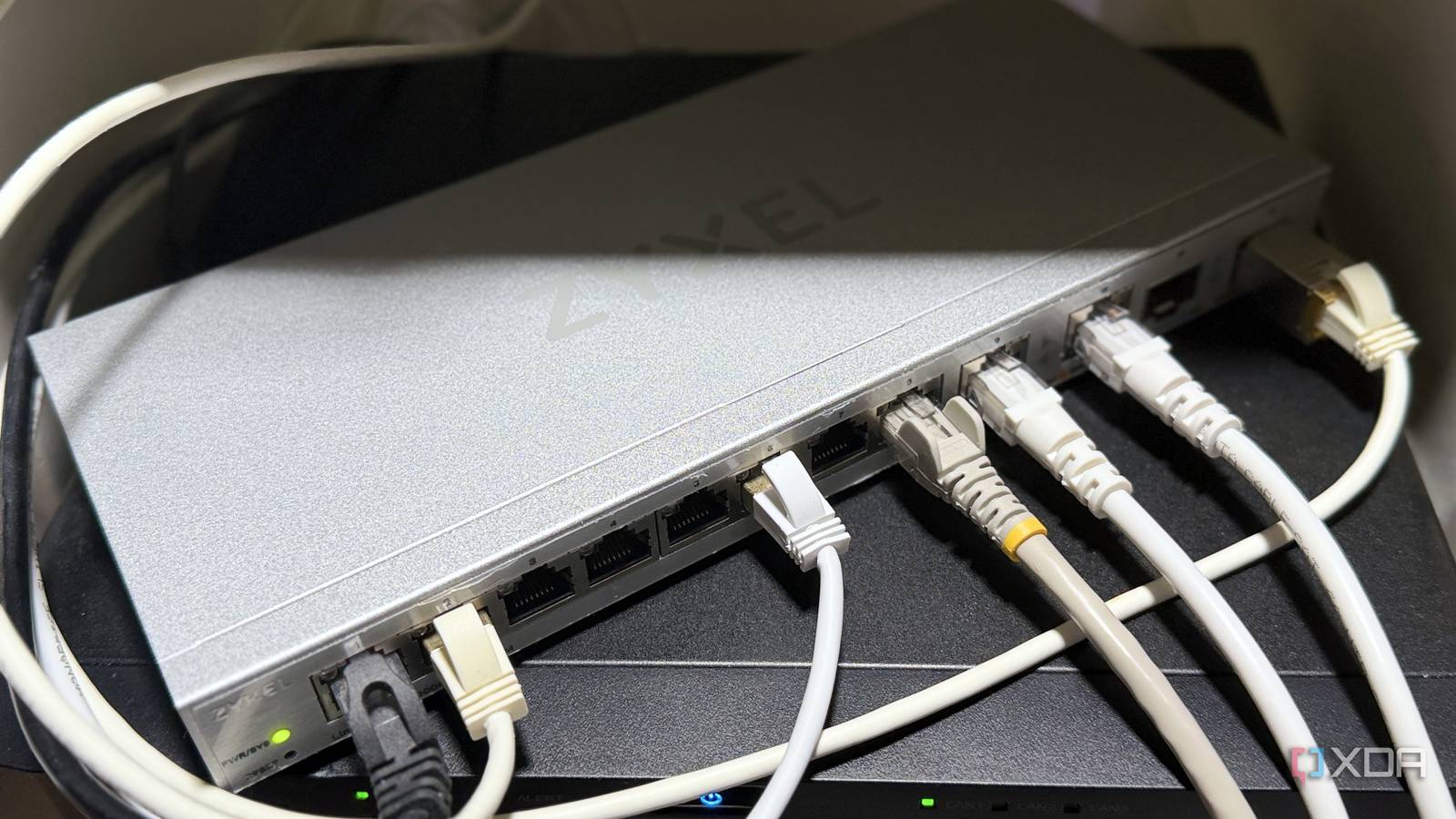
Published Sep 18, 2026, 5:00 PM EDT Maker, meme-r, and unabashed geek, Joe has been writing about technology since starting his career in 2018 at KnowTechie. He's covered everything from Apple to apps and crowdfunding and loves getting to the bottom of complicated topics. In that time, he's also written for SlashGear and numerous corporate clients before finding his home at XDA in the spring of 2023. He was the kid who took apart every toy to see how it worked, even if it didn't exactly go back together afterward. That's given him a solid background for explaining how complex systems work together, and he promises he's gotten better at the putting things back together stage since then. When a home network starts feeling sluggish, the reflex is to buy a new router. Wi-Fi 7 routers are everywhere; the marketing is loud, and it feels like the obvious fix. But for most homes, the router is not the bottleneck, and a $500 flagship won't fix what's actually wrong. The better upgrade costs about $30. A cheap managed switch gives you more wired ports, real network segmentation, and visibility into what your devices are doing, all things a router upgrade rarely touches. It's the unglamorous box that makes everything else on your network work better, and it'll outlive the next two routers you buy. Your router probably isn't what's slowing your network down The best Wi-Fi upgrade is actually less Wi-Fi Most slow-network complaints come down to Wi-Fi, not routing. Walls, distance, neighboring networks, and a dozen devices all competing for airtime drag things down long before the router's processor breaks a sweat. A new router with a faster radio helps a little, but it can't change the physics of your house. And the money goes to the wrong place. Current Wi-Fi 7 picks can be several hundred dollars, and a big slice of that pays for wireless throughput your phones and laptops can't use yet. That's a lot of cash for headline numbers. Every device you move to a cable is one fewer device fighting for airtime. The TV, the game console, the desktop, and the NAS don't move, so they have no business being on Wi-Fi in the first place. Wire them up, and the devices that actually need wireless, like phones and laptops, get more of the spectrum. The catch is that most routers ship with four or five LAN ports, and those fill up fast. A switch removes that ceiling. Even an unmanaged one does, but the managed kind brings a lot more to the party for barely any extra money. Network switches will outlive your router Wi-Fi standards change every few years, and the router gets swapped every time you chase the new one. A switch doesn't care. It'll sit in the closet as the backbone of your network for a decade, while routers, mesh systems, and access points come and go on top of it. It's the one purchase that keeps paying off through every upgrade after it. YuanLey 6 Port 2.5G Network Switch Managed switches aren't expensive anymore, and you can add plenty of ports and advanced features for not much money. What a $35 managed switch gets you More advanced features than you'd think Credit: The headline feature is 802.1Q VLAN support. The TP-Link TL-SG108E sells for about $25, supports 32 VLANs, and the Netgear GS308E is roughly the same price and supports 64. Both let you tag traffic and run a trunk to your router, which is the foundation for splitting your network into separate zones. That matters most for smart home gear. Cheap cameras, smart plugs, and TVs with questionable update histories can live on their own VLAN, away from your laptop and your NAS. Guests get their own segment, and a home lab can have its own too. It's the kind of separation consumer routers rarely offer on their own. You also get faster ports, with 2.5 GbE now the standard even on cheaper switches, and devices on the same switch can pass traffic between them without looping out to the router. PoE to power things like security cameras or access points is also another common feature.10 GbE still costs more, and you probably don't need it yet, but if you see a good deal, it's worth considering. Ethernet standards don't change as often as Wi-Fi ones, and 10 GbE will be relevant for years to come. And then there's the managed aspect, with Quality of Service to better allocate your bandwidth, IGMP snooping to prevent multicast traffic from flooding every port on the switch, and link aggregation to bond two ports together for a more consistent experience when users access files on your NAS. Cheap managed switches come with some strings attached Budget firmware can be rough The budget tier is usually sold as "easy smart" or "web managed," and that label is doing some heavy lifting. You get a web interface and the core features, but typically no command line, limited or no SNMP, and fewer VLANs and access controls than a proper managed switch. Some cheap "smart" switches only offer port isolation rather than true 802.1Q tagging, so check the spec sheet before you buy. For most homes, that's fine. For a serious homelab, you'll eventually outgrow it. Security on these switches isn't great. A researcher's report on TP-Link's Easy Smart line found that the configuration utility broadcasts traffic using a static encryption key, and anyone on the same segment who captures and decrypts it can read the admin credentials in plaintext. With admin access, an attacker could rewrite the VLAN config and walk right out of the segment you built. The report lists at least 12 affected models, including the TL-SG108E, and says the underlying issue hasn't been properly fixed. That doesn't make these switches useless, but it does change how you set them up. Change the default password, skip the desktop utility, and keep management access on a trusted VLAN that your IoT devices can't reach. Default VLAN 1 behavior can also be confusing on older hardware revisions, so plan your VLAN layout before you start clicking. Most cheap 2.5 GbE managed switches use Realtek silicon, which is solid enough. The firmware can be wildly different. You could end up with a management interface with features that don't work, or even settings that don't stick after a reboot. They also draw more power, but only compared to unmanaged switches. Hardly a dealbreaker but worth knowing about. Buy the switch first, then decide if you need a new router A cheap managed switch won't make headlines, and it won't put a bigger number on your speed test. What it does is fix the problems that actually make home networks feel bad: too many devices on Wi-Fi, not enough ports, no separation between your laptop and a $15 smart plug, and no idea what anything is doing. For $25 to $90, that's a better return than almost any router on the market. Plus, wiring up any device that isn't meant to be mobile will take it off your Wi-Fi, which might give the rest of your devices enough airtime to breathe.
Cheap managed switches are the real networking upgrade nobody talks about
Full Article
Original Source
Read the full article at Xda-developers →KhanList aggregates and links to publicly available news content. We do not host full articles from third-party sources. Always verify important information with original sources.