
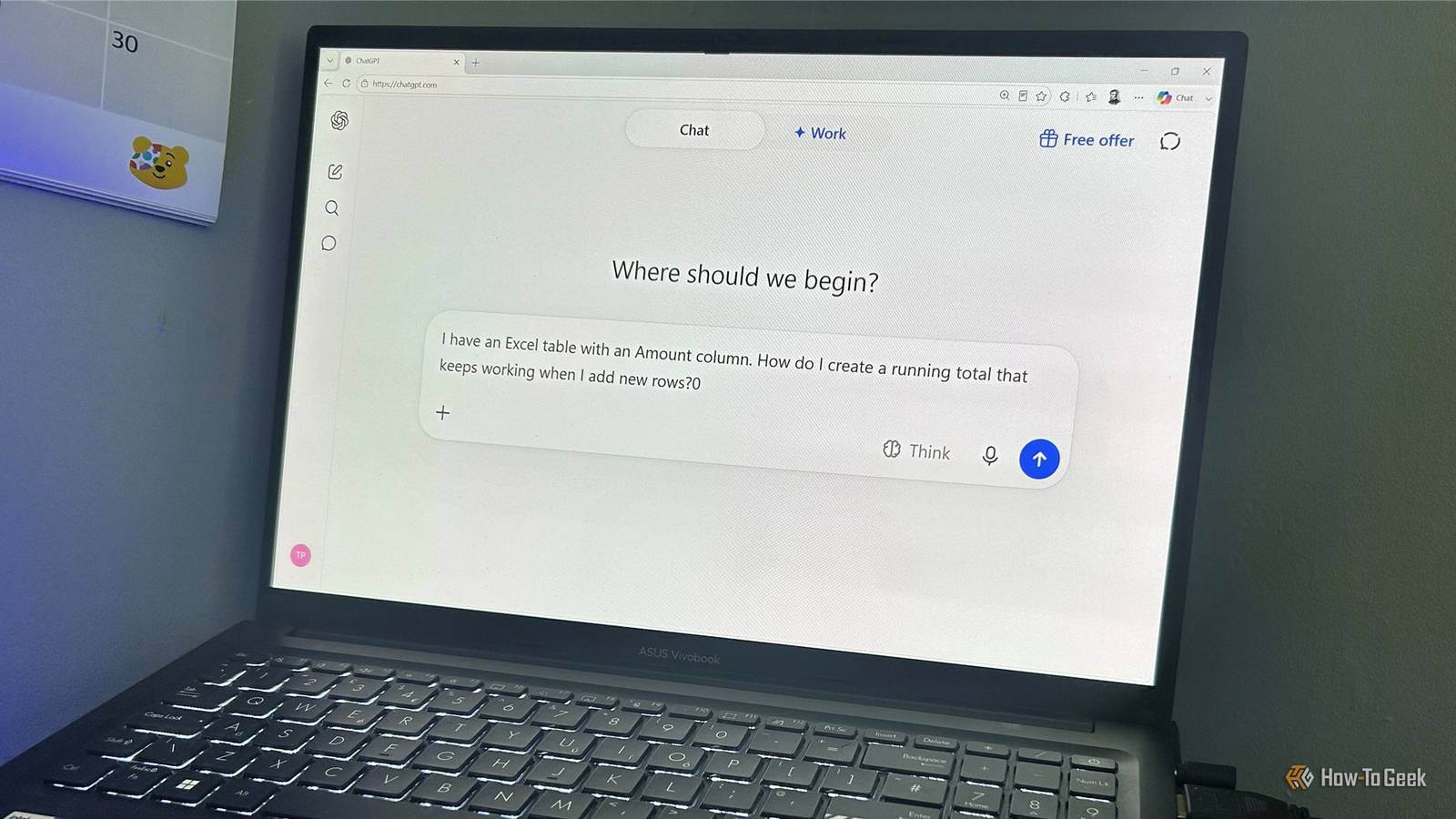
Published Sep 2, 2026, 5:30 PM EDT Tony Phillips is an experienced Microsoft Office user with a dual-honors degree in Linguistics and Hispanic Studies. Prior to starting with How-to Geek in January 2024, he worked as a document producer, data manager, and content creator for over ten years, and loves making spreadsheets and documents in his spare time. Tony is also an academic proofreader, experienced in reading, editing, and formatting over 3 million words of personal statements, resumes, reference letters, research proposals, and dissertations. Before joining How-To Geek, Tony formatted and wrote documents for legal firms, including contracts, Wills, and Powers of Attorney. Tony is obsessed with Microsoft Office! He will find any reason to create a spreadsheet, exploring ways to add complex formulas and discover new ways to make data tick. He also takes pride in producing Word documents that look the part. He has worked as a data manager in a secondary school in the UK and has years of experience in the classroom with Microsoft PowerPoint. He loves to encounter problems in Microsoft Office and use his expertise and legal-level training to find solutions. Outside of the Microsoft world, Tony is a keen dog owner and lover, football fan, astrophotographer, gardener, and golfer. I used to spend ages crafting ChatGPT prompts, telling it exactly how to behave, what steps to follow, and how to format the answer. But ChatGPT has changed, and so has OpenAI's prompting advice. With the release of GPT-5.6, OpenAI's newest model guidance puts more emphasis on clearly stating your goal and less on micromanaging how ChatGPT gets there. That led me to revisit some of the prompting habits I've picked up over the past couple of years and see where I could simplify the way I use ChatGPT. I'm using Excel examples throughout because it's one of the areas where I've spent the most time using ChatGPT, and it's a good test of how prompting has changed. The same shift applies, though, whether you're asking ChatGPT to write an email, plan a trip, analyze some data, or solve a coding problem. I stopped front-loading my prompts I start with the task instead I used to front-load everything. If I wanted ChatGPT to analyze a spreadsheet, I might give it a long persona, explain the process I wanted it to follow, specify how it should structure its answer, and add a list of things it shouldn't do. For example, previously, after uploading the spreadsheet to ChatGPT, I might have said: You are an expert Excel consultant with 20 years of experience. Analyze the following spreadsheet and identify any errors. Do not make assumptions about the data. Explain each issue clearly, provide a recommended solution for each one, and format your response as a table. Be thorough but concise, and don't make any changes until I've approved your recommendations. But OpenAI's GPT-5.6 developer guidance recommends favoring "leaner prompts," saying that "removing repeated instructions and examples [...] can improve task performance and token efficiency." So, today, I'd start here: Look through this spreadsheet and tell me what looks wrong or needs fixing. The point isn't that I can never give ChatGPT detailed instructions. It's that I no longer feel the need to put every instruction into the opening prompt. I stopped telling ChatGPT how to do the job I just give it the destination For a long time, I assumed that if I knew how I wanted a task completed, I should tell ChatGPT exactly how to do it. For an Excel task, I might have given the spreadsheet to ChatGPT and written: First, create a list of all the unique transaction descriptions in Excel. Then group similar descriptions together and assign each group a category. Create a lookup table containing the descriptions and categories, then add a new Category column to the transaction table and use XLOOKUP to assign each transaction to the appropriate category. Make sure the formula automatically fills down when new transactions are added. However, OpenAI's GPT-5.6 developer guidance says the model can "better infer the user's underlying goal and intended level of work from context, so you often do not need to prescribe every step." It also recommends describing the desired outcome and success criteria. So, I'd write something like this instead: I have a transaction list in Excel with inconsistent descriptions. I want to automatically categorize each transaction, and I need the solution to keep working when I add new transactions. What's the best way to do that? I don't even need to upload the file for this. I'm asking ChatGPT to work out the best approach based on my description of the data, rather than to categorize the actual transactions. That means I'm giving it only the information it needs for this particular question. I'm not saying you should never specify a process. If I'm asking ChatGPT to follow a particular procedure, comply with a legal or technical requirement, or produce something in a specific sequence, I'll tell it exactly what to do. But when how the task gets done isn't important to me, I've stopped micromanaging the route. I tell ChatGPT where I want to end up, give it any constraints that matter, and let it work out the route. I stopped trying to get everything right at once Now I let the conversation do some of the work This is probably the biggest change in how I use ChatGPT. I no longer think of the first answer as the finish line. I use ChatGPT's response to work out what I need to ask next, rather than trying to anticipate the entire solution beforehand. In the past, I might have tried to get everything into the first prompt, especially if I didn't want to upload my Excel file: I have an Excel table containing transaction dates, descriptions, and amounts. I need a formula that identifies duplicate transactions based on the date, description, and amount, ignores blank rows, works inside the table, automatically fills down when new transactions are added, and returns "Duplicate" or "OK". Please explain the formula and any limitations. OpenAI's ChatGPT guidance says, "Treat prompting as a conversation: refine your requests based on initial answers and keep experimenting." That's changed how I think about the first prompt. It doesn't have to contain everything I will eventually want from ChatGPT. I can start with the problem, see what information ChatGPT needs, and use its response to decide what to provide next. See how much shorter this prompt is: My Excel formula is flagging some transactions as duplicates when they aren't. Can you help me work out why? ChatGPT can then ask for the information it needs to diagnose the problem. In my case, it asked for the formula and examples of incorrectly flagged transactions. After I provided those, it identified a possible issue with the underlying date values and suggested some tests to check whether Excel was actually storing the dates as I expected. That's the part I find useful about treating prompting as a conversation. I don't have to guess in advance whether the problem is the formula, the data, or something else. I can give ChatGPT the information it asks for, see what it finds, and then decide what to investigate next. I stopped worrying about the perfect wording I focus on what I'm actually trying to do I've also stopped worrying so much about the wording of my prompts. Previously, I'd rewrite a request, swap words around, add more detail, and try to anticipate how ChatGPT might interpret each sentence. For example, if I wanted a formula to calculate a running total in an Excel table, I might have agonized over something like: I need assistance in creating a formula for the RunningTotal column in an Excel table to calculate a cumulative running total. The formula should reference the Amount column within the same table, use structured references, and automatically extend to newly added rows. Please provide the appropriate formula and a detailed explanation of its construction and operation. But OpenAI's Help Center guidance says, "As ChatGPT grows more intuitive, you can rely more on natural, goal-driven language and less on perfect phrasing." It still recommends being specific about what you want, but the emphasis is on communicating the objective rather than finding the perfect combination of words. There's nothing wrong with the longer prompt, and I'd still include those details if they were important to the result. But these days, I'd probably just write: I have an Excel table with an Amount column. How do I create a running total that keeps working when I add new rows? This isn't carefully engineered. It simply tells ChatGPT what I'm trying to accomplish and gives it the important constraint. In this case, both prompts produced the same formula, even though the second one gave ChatGPT far fewer instructions about how to respond. But the important thing is that I'm giving ChatGPT less micromanagement, not less useful information. OpenAI's guidance still recommends providing the context, constraints, and level of detail a task actually requires. If the answer isn't quite what I need, I can clarify. If it is, I've saved myself the time I would otherwise have spent trying to construct the perfect request before asking the question. The goal matters more than the prompt The biggest change to my ChatGPT prompts is that I spend less time trying to engineer them. Whether I'm building an Excel dashboard, creating a résumé, or building an offline Kanban board, I give ChatGPT the goal and relevant context, then let the conversation do some of the work. That doesn't mean I automatically trust the result—I still check ChatGPT's answers before I rely on them.
ChatGPT got smarter, so I stopped trying to write the perfect prompt
Full Article
Original Source
Read the full article at Howtogeek →KhanList aggregates and links to publicly available news content. We do not host full articles from third-party sources. Always verify important information with original sources.