
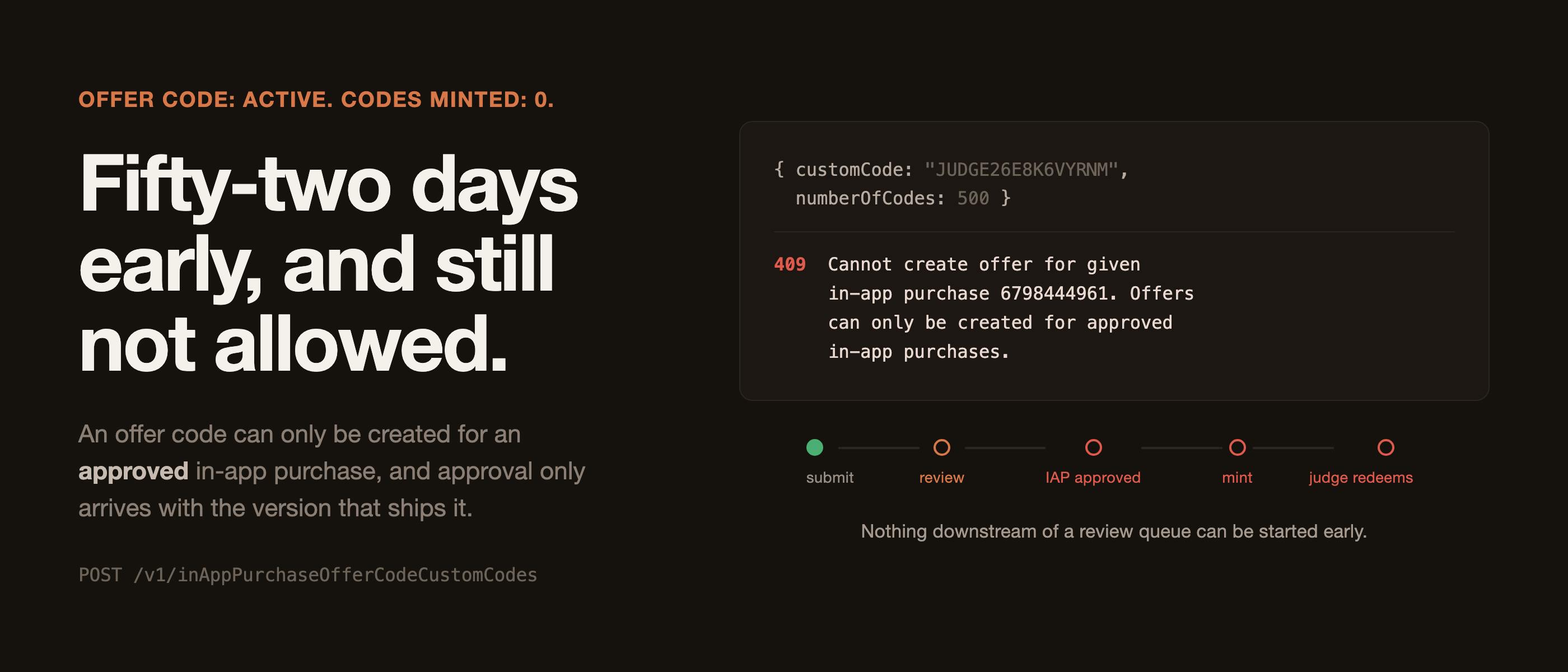
Work out what a judge sees when they install your app on the day you release it. Not what you see. Not what a tester on TestFlight sees. What a stranger sees on a clean device, three weeks before they are asked to score you. I did that on 7 August and found that my plan had a hole in it that no amount of building could close. Fingertips is free to download with a single $9.99 non-consumable unlock and a 14-day trial in front of it. That trial was the judge access plan, and the plan was written down as "14 days is longer than judging runs, which is 1 to 13 October". That sentence is true and it is also useless, because it only holds if a judge installs on the first day of judging. The trial clock starts at install. It does not start at judging. The calendar that cannot work Judging runs 1 to 13 October. For a 14-day trial to still be alive on the last day of judging, a judge has to install on or after 29 September. The submission deadline is 30 September. Release Judge installs Trial ends State on 13 Oct 15 Sep 15 Sep 29 Sep locked, two days before judging opens 22 Sep 22 Sep 6 Oct locked, mid-judging 29 Sep 29 Sep 13 Oct just barely alive 15 Sep 1 Oct 15 Oct alive, if they wait two weeks to install The only release date on which a trial covers judging is the last possible day, which is the one date a sane schedule tells you not to aim for. My internal gate is "in App Review by 7 September", specifically because two prior rejections on another app taught me to budget two review rounds. Every calendar that protects me from a rejection also guarantees the judge hits a paywall. And in this app "locked" is not read-only. The expired state replaces the library with the paywall. A judge scoring me would open a snippet app containing nothing, having been told it is a snippet app. That is the single worst way to lose a competition and it is entirely self-inflicted. So the trial cannot be the judge access route. Something else has to be. Two of the three routes are already gone App-level promo codes are the thing everyone reaches for first. Apple gives you 100 per version. They are useless here, because they promote the app, and my app is free. The money is in the in-app purchase, and a promo code for a free app grants a judge exactly the free download they could have had anyway. In-app purchase promo codes would have been the right tool, and Apple stopped allowing them to be created on 26 March 2026. If you are reading a tutorial that tells you to generate IAP promo codes, check its date. A RevenueCat promotional entitlement is the third route and it is genuinely good, but it has a shape problem worth naming, because it is not obvious until you try to hand one out. Here is what the grant needs: POST /v1/projects/{project_id}/customers/{customer_id}/entitlements/{entitlement_id}/actions/grant { "expires_at": 1760000000 } Two things fall out of that signature. First, it is keyed on customer_id, the RevenueCat app user ID. My app calls Purchases.configure(withAPIKey:) with no app user ID, which is the right default, so every customer is an anonymous $RCAnonymousID: string generated on device. To grant a judge access I need them to read that string out of my app and send it to me, and my app does not display it anywhere. I checked. There is no screen, no diagnostics sheet, no copy button. Second, expires_at is required. There is no permanent grant. For a subscription app that is fine and correct. For a non-consumable "buy it once" app it means the promotional route can never actually model the thing being sold. Neither is a criticism of RevenueCat. Both are reasons this cannot be the primary route for a stranger you have never met. If you want it as a backup, and you should, put the app user ID somewhere a user can copy it from before you need it. That is a ten-minute change now and an impossible one during judging week. Offer Codes, and the sentence that blocks them That leaves App Store Offer Codes. They started life as a subscription mechanism, which is why most of what is written about them assumes a subscription, but they cover non-consumables too: mine is NON_CONSUMABLE and it took the offer code without complaint. They are the correct answer. A judge types a code into the App Store, the purchase lands, the entitlement is granted, and no trial clock is involved at all. I built the whole thing on 10 August. The offer code exists, it is called Shipaton Judges, it is active: true, and it is free in every territory Apple sells in. That last number is worth reading off the API rather than trusting the UI: GET /v1/inAppPurchaseOfferCodes/f0e7b0da-.../prices?limit=200 // meta.paging.total: 175 175 territories, each one its own price row. Configured, active, correct. Then you mint the actual redeemable codes, and this is where it stops. Here is that call, run today, 25 August, fifteen days after the offer code was created: POST /v1/inAppPurchaseOfferCodeCustomCodes { data: { type: 'inAppPurchaseOfferCodeCustomCodes', attributes: { customCode: 'JUDGE26E8K6VYRNM', numberOfCodes: 500, expirationDate: '2026-12-31' }, relationships: { offerCode: { data: { type: 'inAppPurchaseOfferCodes', id: 'f0e7b0da-72c4-4d05-98e8-0af261c0412d' } } } } } API Error (409): Cannot create offer for given in-app purchase 6798444961. Offers can only be created for approved in-app purchases. And the offer code itself, read back in the same session: { "name": "Shipaton Judges", "active": true, "productionCodeCount": 0 } Active, and zero codes. It has been active with zero codes for fifteen days. Why starting early does not help app.fingertips.pro is WAITING_FOR_REVIEW. It has been since 12 August. It is not APPROVED, and the states that feel like approval are not it: READY_TO_SUBMIT is not approved, WAITING_FOR_REVIEW is not approved, and an IAP that has been sitting perfectly configured with a validated review screenshot for two weeks is not approved. An in-app purchase is approved when an app version that ships it clears App Review. That is the whole mechanism, and it is the reason this cannot be parallelised: screenshots -> submit the version WITH the IAP attached -> review -> IAP APPROVED -> mint the codes -> redeem one on a real device -> hand a code to a judge Every arrow is a queue you do not control. There is no step in that chain you can pull forward, because the thing you are waiting for is not work, it is a state transition on Apple's side that only your submission can trigger. This is the part I would want another builder to take away, and it generalises well past Apple. I am good at working ahead. I had judge access on the board six weeks early, fully specified, with the exact request body written down. It bought me nothing, because the blocker was never effort. When your dependency is a review queue, "start early" is not a strategy. Work out the dependency order before you work out the calendar, because a task that is downstream of a state transition is not early or late, it is simply not yet possible. Nine constraints, found by probing None of what follows is in a tutorial. All of it is measured against the live API, and every error string below is verbatim from a call I ran on 25 August 2026. 1. The relationship is inAppPurchase, not inAppPurchaseV2. The IAP resource itself moved to /v2/inAppPurchases, so the v2 name is the natural guess and it is wrong. 2. Offer prices are their own resource. The type is inAppPurchaseOfferPrices and each row carries a territory and a pricePoint. 3. Price point IDs are base64 JSON, and you can read them. This is the single most useful thing I found, because it turns an opaque identifier into something you can construct and verify: $ echo 'eyJzIjoiNjc5ODQ0NDk2MSIsInQiOiJVU0EiLCJwIjoiMTAwMDAifQ' | base64 -D {"s":"6798444961","t":"USA","p":"10000"} s is the IAP id, t is the territory, p is the price tier. Tier 10000 is free. I confirmed that by reading the ladder back: price point customerPrice {"s":...,"t":"USA","p":"10000"} 0.0 {"s":...,"t":"USA","p":"10001"} 0.29 {"s":...,"t":"USA","p":"10002"} 0.39 The offer price rows use a different key in the same shape, o for the offer code id instead of s for the IAP id: $ echo 'eyJvIjoiZjBlN2IwZGEtNzJjNC00ZDA1LTk4ZTgtMGFmMjYxYzA0MTJkIiwidCI6IkFGRyIsInAiOiIxMDAwMCJ9' | base64 -D {"o":"f0e7b0da-72c4-4d05-98e8-0af261c0412d","t":"AFG","p":"10000"} 4. numberOfCodes has a floor of 500. I wanted 50. I asked for 50: API Error (409): Given number is not supported, must be one of [500, 1000, 1500, 2000, 2500, 5000, 7500, 10000, 15000, 20000, 25000] You cannot mint a small batch. Which means the exposure controls are not the quantity: they are an unguessable code, an expiry date, and PATCH active: false the moment judging closes. 5, 6 and 7. The custom code itself is 4 to 64 alphanumeric characters. Each of these took one call: customCode: 'ABC' -> 'customCode' cannot be shorter than '4' characters. customCode: 'A' * 65 -> 'customCode' cannot be longer than '64' characters. customCode: 'JUDGE26-E8K6VYRNM' -> Only alphanumeric characters are allowed. No dashes. Lowercase is accepted, which surprised me, though I would not use it on something a human types. 8. The machine-readable spec will not tell you any of this. I went looking before I started probing. The OpenAPI description of that endpoint's request body, in the copy I had in front of me, is: "requestBody": { "required": true, "schema": { "type": "object", "properties": { "data": { "type": "object", "description": "" } } } } data is an object. That is the entire contract. Every field name and every constraint above came from sending something wrong and reading what came back, which is why the 409 body matters so much and why I now always log it in full. 9. And the validation order means you may never see the real blocker. Look again at what happened when I sent numberOfCodes: 50. I got the enum error. I did not get the approval error, even though the approval error was also true at that moment and is the one that actually mattered. The order, measured by sending one wrong thing at a time: customCode length -> customCode charset -> numberOfCodes -> IAP approved? The approval check is last. So every earlier mistake masks it. If you had spent an afternoon fighting the code format, fixed it, and then finally seen Offers can only be created for approved in-app purchases, you would reasonably conclude you had broken something new. You had not. That error was always going to be there, waiting behind the other three, and an API that validates cheap things first will hand you your blockers in the least useful order. The code a human has to type A judge does not paste this code. They read it off a slide or a submission page and type it into the App Store, possibly on a phone, possibly at speed, definitely while doing something else. So the alphabet matters more than the length: import secrets # Every glyph a human confuses with another one is gone: no 0/O, no 1/I, # no 5/S. An ambiguous character is not a typo, it is a support email you # get to answer during judging week. ALPHABET = "ABCDEFGHJKLMNPQRTUVWXYZ2346789" def judge_code(prefix: str = "JUDGE26", n: int = 9) -> str: return prefix + "".join(secrets.choice(ALPHABET) for _ in range(n)) if __name__ == "__main__": assert not set(ALPHABET) & set("01IO5S"), "ambiguous glyph in alphabet" print(judge_code()) print(f"{len(ALPHABET)}^9 = {len(ALPHABET) ** 9:.3g} codes") $ python3 gen.py JUDGE26E8K6VYRNM 30^9 = 1.97e+13 codes Nine random characters out of thirty is about 2e13 possibilities. Since the floor of 500 means I cannot limit exposure by quantity, the code itself is the access control, so it is worth being able to say that number out loud rather than hoping nobody tries. secrets rather than random, for the same reason. And for the same reason every code printed in this article was generated while writing it: the real one is not in here, because putting it in a public post would be handing it out. Three links in the chain I did not know were links The dependency chain above is the version I understood on 10 August. Between then and now it got longer, and each of these cost me real days. An in-app purchase can be in exactly one review submission at a time, and App Store Connect makes one review submission per platform. On 12 August my iOS submission went in at 20:36:28 UTC and the macOS one followed 28 seconds later. The iOS one carried two items, the version and the IAP. The Mac one carried one item, the version only. Reading the submission item IDs back today shows it plainly, because they are base64 of submissionId|typeCode|resourceId: 584d1fda-...|17|14a3e19a-... iOS submission, the IAP 584d1fda-...|6|889365739 iOS submission, the version 7eda9bf6-...|6|889365740 Mac submission, the version, and nothing else On 20 August the Mac was rejected, and one of the three guidelines was 2.1(b): the reviewer looked for app.fingertips.pro in what they had been given and correctly found nothing. The IAP was never broken. It was in the other queue. Two platforms and one IAP is a distribution problem nobody warns you about. A rejected submission is not resumed, it is replaced. I tried to add the missing item to the rejected Mac submission: API Error (409): reviewSubmission state does not allow adding more items. A submission sitting in UNRESOLVED_ISSUES is closed to new items. Pressing Submit in the web UI opens a fresh review submission, which is the only place the IAP checkbox appears. And you cannot do it from the API at all. I tried all three plausible relationship names on reviewSubmissionItems: 'inAppPurchase' is not a relationship on the resource 'reviewSubmissionItems' 'inAppPurchaseV2' is not a relationship on the resource 'reviewSubmissionItems' 'inAppPurchases' is not a relationship on the resource 'reviewSubmissionItems' The IAP is attached by ticking a box in the App Store Connect submission dialog, and nowhere else. If your release is scripted, this is the step that is not, and it is the step that decides whether your judge access unblocks at all. The other door: TestFlight, and the fact that it has its own queue The obvious workaround to all of the above is to skip the App Store and put judges on TestFlight. It works, and it has one gate people consistently misjudge. Individual testers need no Apple Developer account. That part is real and useful: you can add any email address, and the person on the other end does not need to be in your team or in any group. I confirmed it with an address that has no App Store Connect account at all. But individual testers do not skip Beta App Review. Adding one in the UI auto-submitted my iOS build. externalBuildState went READY_FOR_BETA_SUBMISSION to WAITING_FOR_BETA_REVIEW, and the tester sat at NOT_INVITED, which is to say the invitation email does not send until Apple clears the build. The reason this feels instant to everyone who has an established app is the detail that actually matters: Beta App Review is per app version, not per build. Once a version has cleared, later builds under it go straight through. A brand new app has never cleared it, so the first external tester you add costs you a review round. You can watch that distinction happen. Here are three builds from my account, read today: build version record platform externalBuildState 20 1.2.0 iOS IN_BETA_TESTING 20 1.2.0 macOS IN_BETA_TESTING 22 1.0 macOS READY_FOR_BETA_SUBMISSION Build 22 is newer than build 20 by six days. It is still waiting, because it belongs to the 1.0 version record and 1.0 has not cleared beta review. Version, not build. iOS and macOS are also separate submissions, which is the same two-platform tax as the App Store side. And two fields block all of this silently, because nothing in the "add a tester" flow mentions either one: betaAppLocalizations was completely empty. It needs at least an en-US entry with a description, feedback email, marketing URL and privacy URL. betaAppReviewDetail was all nulls. It needs a contact name, phone number and email, plus your review notes. Both were empty for weeks while I was happily uploading builds. Nothing failed. Nothing warned. They simply had to be filled before an external tester could ever be invited. The in-app half, which you cannot test until you ship One last trap, and it is the one that would actually have burned me. RevenueCat has a documented failure where an offer code is accepted by the App Store and the entitlement is never granted, because the app was not listening for CustomerInfo updates. Redemption happens in the App Store, not in your app, so nothing in your process is on the call path: /// An offer code is redeemed in the App Store, not in here, so nothing in /// this app is on the call path. refresh() runs once per process and would /// not notice until the next cold launch, and the Mac build is a menu-bar /// accessory that is never quit, so "next cold launch" can mean next logout. /// Someone redeeming a code while looking at the paywall would watch nothing /// happen and conclude the code was bad. This is also the only route by which /// a judge's code can work at all. /// /// Only ever upgrades to .purchased. The stream is not a better-informed /// refresh(), and letting it write any other state would hand it the power to /// lock out a payer on a bad reply. private func observeCustomerInfo() { Task { for await info in Purchases.shared.customerInfoStream where info.entitlements[Self.entitlementID]?.isActive == true { state = .purchased } } } Note the second half of that comment. A menu bar app that is never quit turns "it will pick it up next launch" into "it will pick it up next time you log out", which is a week. The same process-lifetime problem that made an unrelated entitlement bug permanent on macOS shows up here as a judge staring at a paywall after typing a code that worked perfectly. I also gave the paywall an actual Redeem button rather than a footnote, on iOS via StoreKit's .offerCodeRedemption sheet and on macOS via a link to https://apps.apple.com/redeem, because macOS has no in-app redemption sheet at any API level. A judge has to find it without being told where to look. And here is the honest part: none of that code has ever run. Offer codes do not function in the Simulator, in an Xcode build, or in TestFlight. It compiles, it ships, and the first time it will ever execute is when a real code meets a real App Store install. Which is why "redeem one yourself on a real device" is a step in the plan and not an optional extra. The order that actually works If you are shipping a trial into a judged competition, this is the sequence, and the only variable you control is where you start it: Now. Create the offer code itself. It does not need approval, only the codes do. Set eligibility to NON_SPENDER, ACTIVE_SPENDER and CHURNED_SPENDER, because a judge who has bought something from you before is otherwise excluded, and that is exactly the judge you least want to lock out. Now. Fill betaAppLocalizations and betaAppReviewDetail, and add one external tester, so your app clears Beta App Review once while it costs you nothing. Now. Surface your RevenueCat app user ID somewhere copyable, so the promotional grant is available as a backup. Submit with the IAP attached, ticked in the submission dialog, on the platform you most need approved. Check the other platform's submission has it too, or accept that it goes second. On approval, and not one minute before, mint the codes. Redeem one on a real device, on a real App Store install, before any code reaches a judge. PATCH active: false when judging closes. Steps 1 to 3 are the only ones you can do early. Everything from 4 on is Apple's clock. Budget for it. What to take away Work out the dependency order before you work out the calendar. Starting early is worth nothing when the blocker is a state transition you cannot trigger. I had this fully specified 52 days before judging and it made no difference at all, because effort was never the constraint. Read the whole error body, always. Nine constraints in this article came out of 409 response bodies. The status line said Conflict and nothing else. If your HTTP client throws away the body, you are choosing to debug an API by guessing. Assume the real blocker is behind the cheap ones. Validation runs in order of cost, so the constraint that decides whether your feature is possible at all is the last one you will be shown. When you fix a validation error and a completely different error appears, that is not a new problem. That is the queue draining. And the specific one, for anyone in Shipaton right now: if you have a trial in front of a paid unlock, your judges cannot use it. Go and check today whether your in-app purchase is APPROVED, because everything else in this article is downstream of that one word, and it is the last week of August. Fingertips is a snippet library for iPhone, iPad and Mac, built for RevenueCat's Shipaton 2026. It is at usefingertips.com. The first article in this series, on an entitlement check that turned an unreachable RevenueCat into an unlimited licence, is here. #shipaton
Can You Give a Hackathon Judge a Free Unlock Before You Submit? No, and Here Is the Exact 409
Full Article
Original Source
Read the full article at Hackernoon →KhanList aggregates and links to publicly available news content. We do not host full articles from third-party sources. Always verify important information with original sources.