
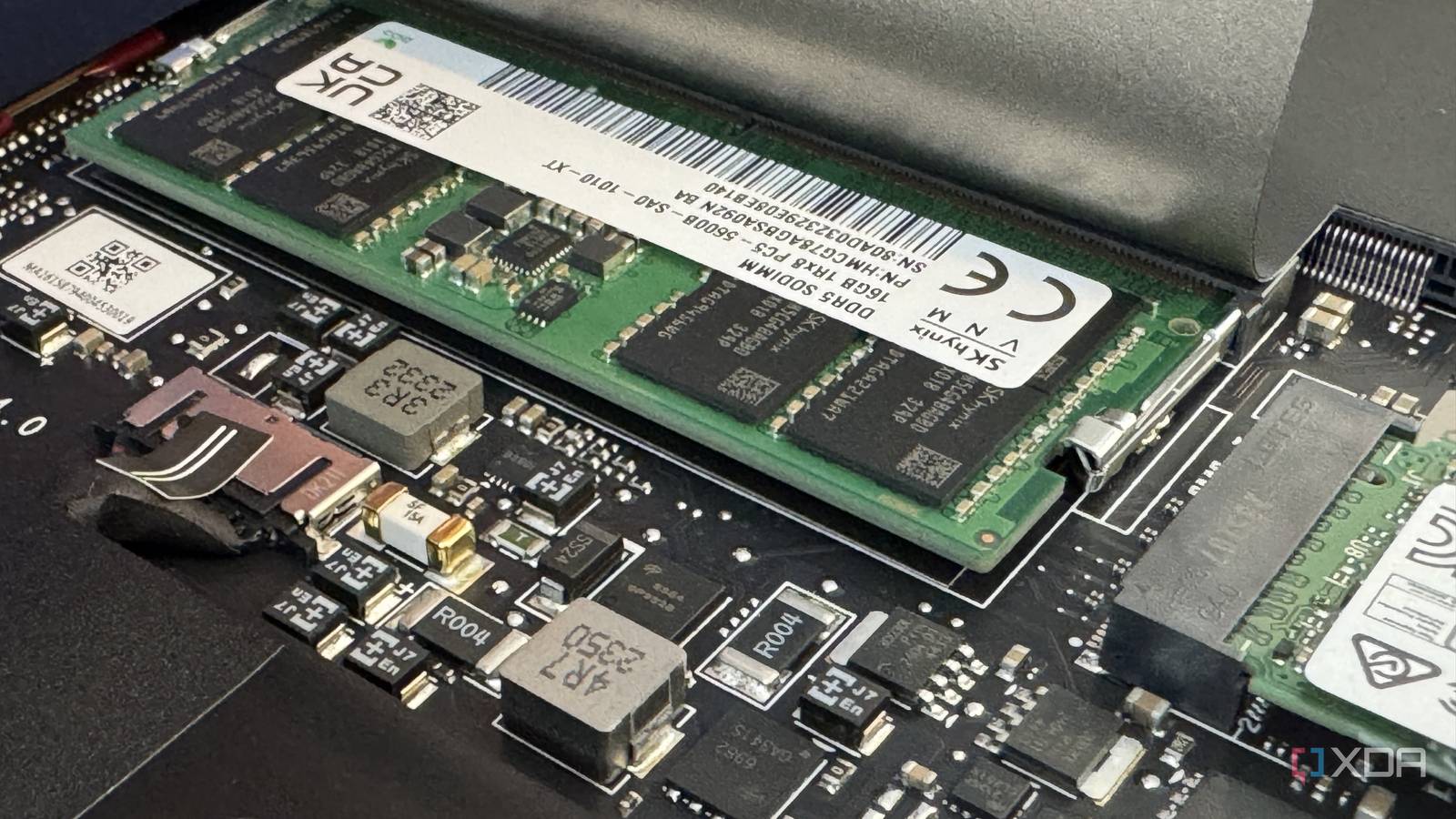
Published Aug 25, 2026, 4:30 PM EDT Anmol has been interested in tech for close to two decades now and has been covering all things tech for more than a decade. He started his journey with a blog post, when Google Blogger used to be cool and has covered everything from Windows Phone to Windows 11. Anmol has written for MSPoweruser and Neowin in the past, and is always keen to get his hands on the latest gadgets. When not doomscrolling, you would find him playing video games, reading or catching up on football. Over the last year or so, hardware prices have skyrocketed, driven by the rapid adoption of AI and demand for the latest chips. This has had an impact across the industry, with an increase in prices for laptops, desktops, and even individual components like SSDs and RAM. With an increase in prices, it is more important than ever to get your hardware right the first time. If you're shopping for a new laptop or have looked at options recently, you've probably heard of CAMM2, soldered RAM, or even SO-DIMM. This may sound straightforward to a seasoned tech enthusiast, but it can be overwhelming to an average Joe who is looking to buy a new laptop. There are multiple memory standards available It’s not as complicated as it sounds Currently, manufacturers offer various options, which are often determined by the overall price and the target audience. Apple, for instance, provides soldered RAM in MacBooks, which is great for a thin-and-light laptop but comes with its drawbacks. Other OEMs like Asus or HP provide a mix of RAM options at different price points. Before deciding which one suits you the best, we need to understand what these are and how they differ from each other. Soldered RAM, as the name suggests, is basically memory chips soldered directly onto the motherboard. They are sometimes stacked with the CPU or soldered right next to the CPU die. Apple is famous for using this method on both the MacBook Air and the MacBook Pro. Recently, this has become a go-to option for companies like Dell and HP for their thin-and-light laptop lineup as well. This is because soldered memory doesn't require sockets, additional modules, or cutouts, saving space inside the chassis. On the flip side, because it is soldered directly to the motherboard, there is no way to upgrade, change, or modify the capacity later. This becomes one of the biggest challenges for soldered memory, as there is no way to repair or replace it down the line. Credit: Team Group Inc In contrast, CAMM2 (Compression Attached Memory Module) is a JEDEC (Joint Electron Device Engineering Council) standard (JESD318) that started out as Dell's proprietary design, first shipping with Precision workstations in 2022. JEDEC later standardized it, opening it to other manufacturers. Instead of soldering the memory directly on the motherboard, CAMM2 uses compression contacts that sit flat on the motherboard with the memory module screwed on top. This new standard also natively supports dual-channel memory, delivering more space savings. CAMM2 also supports higher capacity, up to 128GB per slot. As for LPCAMM2 (Low Power Compression Attached Memory Module), you can think of it as a brother of CAMM2, with slightly different characteristics and use cases. It also uses flat connectors and is based on the JESD318 standard but is wired for low-power LPDDR5 or LPDDR5X instead of the standard DDR5 memory. LPCAMM2 targets thin, power-efficient devices that prioritize battery life over raw performance. Though both CAMM2 and LPCAMM2 share the same design, they have different internal pinouts and are therefore mutually incompatible. SO-DIMM has been around forever Not everything ages like fine wine The SO-DIMM (Small Outline Dual In-line Memory Module) standard has been around for more than two decades and has worked well for the most part. However, as technology advances and demand for higher speeds and more bandwidth grows, it has fallen behind. With increased AI adoption and the need to run local models, SO-DIMM has reached its upper limit. Its support for a maximum of 48GB to 64GB per module and up to 6400MT/s on DDR5 has become a bottleneck for resource-hungry AI models. Not to mention, it natively supports single-channel, so you will need two modules to have dual-channel support, which takes up even more space, which is limited in thin laptops. Furthermore, retention clips with angled connectors can introduce signal integrity issues that worsen with DDR5’s bump in speeds. CAMM2 and LPCAMM2 fix many of these issues by increasing capacity up to 128GB and using a flat compression contact with shorter, cleaner trace lengths that support higher clock speeds with fewer headaches. Soldered memory also addresses many of these issues by connecting the memory directly next to the CPU die. However, soldering removes the option to upgrade the memory later and makes repairing a device extremely hard, if not impossible. CAMM2 and LPCAMM2, on the other hand, offer the best of both worlds by letting you swap modules later while taking up less space than an SO-DIMM. Soldered RAM CAMM2 (DDR5) LPCAMM2 (LPDDR5/5X) SO-DIMM Upgradable No Yes Yes Yes Memory Type LPDDR4X/LPDDR5/LPDDR5X Standard DDR5 Low-power LPDDR5/LPDDR5X Standard DDR4/DDR5 (or LPDDR5) Max Capacity Chip-dependent Up to 128GB on a single slot Up to 128GB on a single slot Typically, up to 32GB or 48GB Primary target Ultra-thin laptops Desktops, high-end performance laptops Thin-and-light laptops Mainstream & gaming laptops Trace length Ultra-short Short Short Long (may cause signal integrity issues) Current limitations No repairability or option to upgrade Early adopter pricing premium Early adopter pricing premium Limited top speeds and memory size Thickness/Space taken Thinnest Thinner than SO-DIMM Thinner than SO-DIMM Thickest. Sockets and retention clips take up a lot of space Availability Widely available, mostly in thin laptops like MacBooks and Dell XPS Demo and desktop-specific motherboards from Asus, Gigabyte, and MSI Available with some new laptops from HP, Lenovo, Framework, and Asus Most common form of memory available LPCAMM2 is the format worth watching for on your next laptop A quick guide to picking the right RAM for what you actually need There are multiple formats to choose from, but it comes down to what suits you and your wallet best. Right now, memory prices are hitting an all-time high, thanks to the AI boom, making it not an ideal time to buy laptops. However, if you are in the market right now looking for the best options, then the ideal approach would be to get a laptop with LPCAMM2 memory. This gives you all the benefits of the new standard while not locking you down to the capacity that you will pick right now. CAMM2 currently remains mostly confined to trade shows and prototype desktop motherboards. While it offers significant improvement compared to the existing standard, it is still a work in progress and is not widely offered by manufacturers. Right now, you can't buy a laptop with it, which is why LPCAMM2 matters far more for anyone shopping today. Soldered RAM, on the other hand, is great for those who aren't concerned about upgradability and want the thinnest laptop possible. Just make sure you keep some buffer when selecting memory, since you can't expand or upgrade it later. The LPCAMM2 standard intends to replace the SO-DIMM design, which is reaching its technical capacity. CAMM2, on the other hand, intends to replace DIMM memory modules on desktops/workstations. Both standards exist as an alternative to soldered RAM, offering more repairability and the option to upgrade in the future. If you are still unsure what to choose, sticking with SO-DIMM may be the best approach. It is still widely used and provides the option to upgrade down the line, which is important given the current DRAM prices.
CAMM2 vs. LPCAMM2 vs. soldered RAM: what actually matters when buying a laptop right now
Full Article
Original Source
Read the full article at Xda-developers →KhanList aggregates and links to publicly available news content. We do not host full articles from third-party sources. Always verify important information with original sources.