
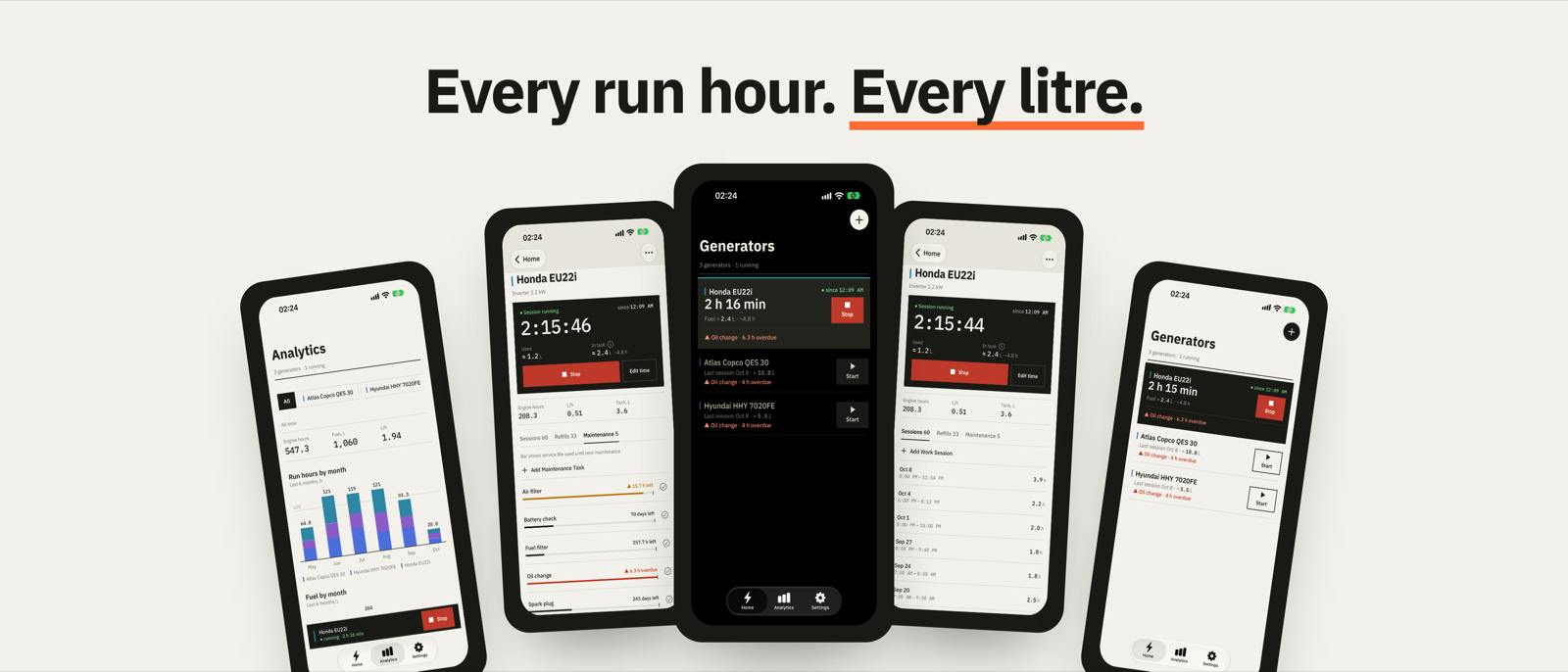
When the power goes out on a schedule, a generator runs every day — and it comes with a maintenance schedule: oil, filters and spark plugs, all by engine hours. Most portable generators have no hour meter, so I built Generator Tracker: a one-tap Start/Stop logbook with fuel tracking, maintenance reminders and monthly charts. The code is open source (MIT): https://github.com/yuri-val/GeneratorTrackerThis post isn't about the app itself, but about the part that turned out to be the most interesting engineering problem: sync for an app people use precisely when there's no connection. Stack Expo SDK 57, React Native 0.86, React 19.2, TypeScript. AsyncStorage as the local store; Firebase Auth + Firestore for optional sync. iOS: native SwiftUI forms via @expo/ui and system tabs with Liquid Glass. Android: Material 3. Web stays on React Native Paper. Principle 1: the phone is the source of truth During a blackout mobile internet is often down too. So every operation goes to local storage first, and the cloud is just a copy for the same user's other devices. The UI never waits for the network. Every write to AsyncStorage goes through one FIFO mutex. Without it, two concurrent operations — say, a "Stop" tap and a cloud pull — read the same version of the data and overwrite each other's changes. Principle 2: state, not a queue The first version had a classic sync queue: every change was appended to @sync_queue, to be drained later. In practice the queue drifted away from the data, and changes that failed to upload three times were simply dropped — silently lost. There's no queue now. Every created or edited record is stored with status pending and a monotonic lastModified set by the storage layer, not by the caller. Sync just takes everything that's pending. Deletes record a tombstone — even when the user isn't signed in — so the deletion eventually reaches the cloud and a pull can never resurrect the record. Old installs migrate automatically: queued deletes become tombstones, queued updates become pending. Sync: push, then pull performFullSync is a push followed by a pull, never both at once: Push: tombstones → cloud deletes (a generator with all its subcollections), then generators, then the children of generators that already exist in the cloud. Successful writes are marked synced only if the record wasn't edited while the request was in flight. Failures stay pending until the next sync. Pull: a complete snapshot via getDocsFromServer (child collections before generators), merged by a pure function. Every network call has a 30-second timeout — on a bad connection Firestore can hang for a very long time. Merge rules The most important decision was to make the merge a pure function with no I/O. The rules: Last write wins on the client ISO lastModified. Firestore stores the client time unchanged (server time goes to a separate serverUpdatedAt), and documents are written with a full set so cleared fields propagate too. Equal timestamps mean the remote copy is this version, and the local record becomes synced. A local tombstone always wins — a record deleted on this device never comes back. A remote deletion wins too, but absence from a snapshot only deletes records known to be in this account's cloud (userId === uid and synced before the snapshot was taken). Otherwise a brand-new local record, or another account's data, would vanish. Orphans — child records without a generator, left behind by older versions — are not stored. This is what the "known to be in the cloud" check looks like (src/services/syncMerge.ts): const isConfirmedInCloud = (record: SyncEntity, ctx: MergeContext): boolean => { if (record.userId !== ctx.uid) return false; if (record.syncedAt) return compareTimestamps(record.syncedAt, ctx.snapshotTime) inside a on web — invalid HTML and odd clicks. Two editions (a paid one without ads and a free one with limits) come from one codebase: app.config.js picks the edition at build time, and screens only ask a useEntitlements() hook. Try it iPhone / iPad — free on the App Store: https://apps.apple.com/app/id6819560707 Android — the free Lite edition is in closed testing (Google needs 12 testers for 14 days): join https://groups.google.com/g/generator-tracker-lite Code and issues — https://github.com/yuri-val/GeneratorTracker How do you handle offline sync in your apps — CRDTs, your own queue, or something like WatermelonDB or PowerSync?
Building an Offline-First App With React Native and Firebase
Full Article
Original Source
Read the full article at Hackernoon →KhanList aggregates and links to publicly available news content. We do not host full articles from third-party sources. Always verify important information with original sources.