
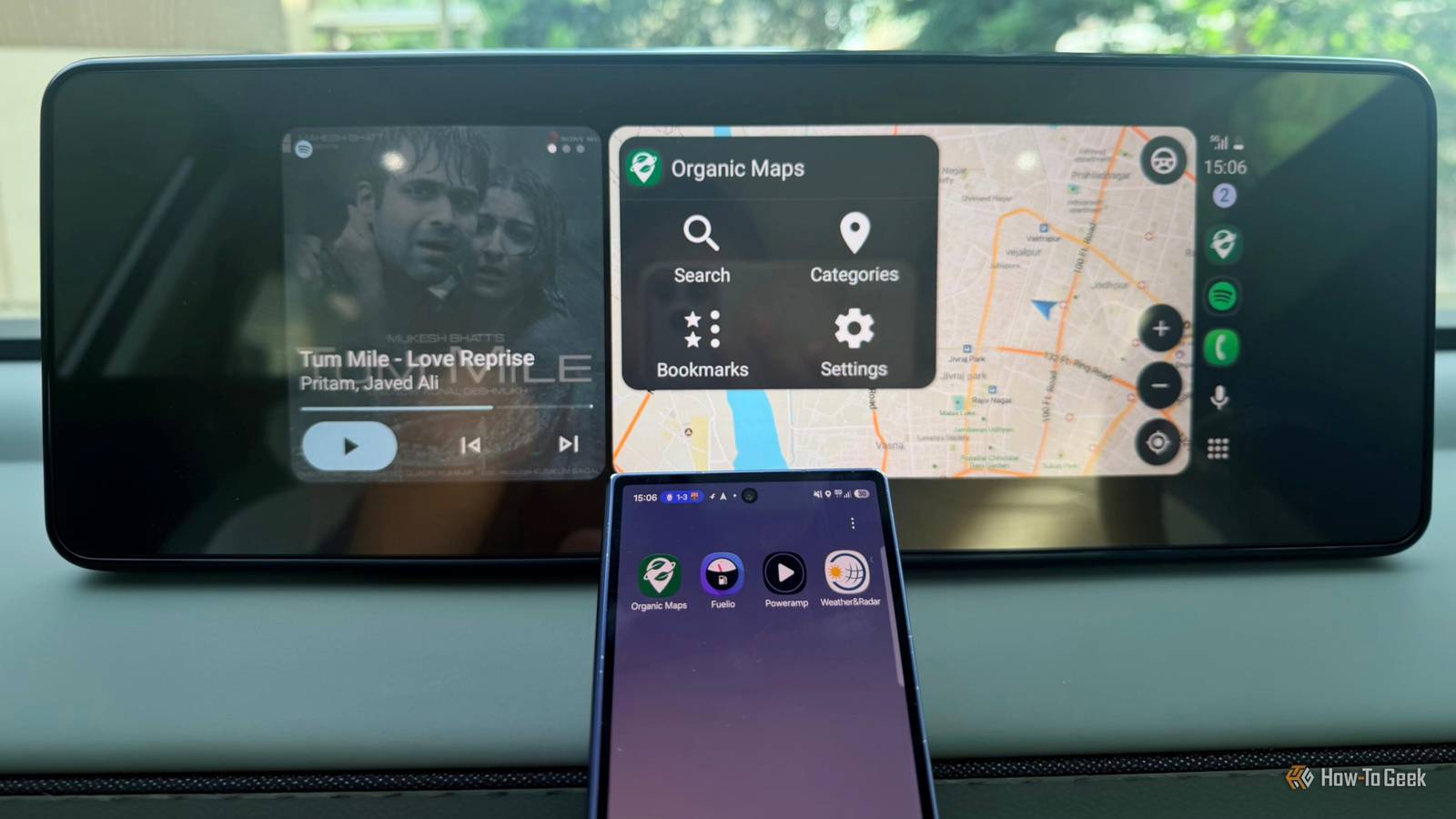
Published Oct 14, 2026, 7:00 PM EDT A Computer Engineer turned tech-savvy. Sanya is part of the How to Geek team, and she covers Android, Samsung, Google, apps, and everyday technology, combining hands-on experience with thorough research. She helps readers understand technology without getting lost in technical jargon. Let’s be honest: I’m bored with Google Maps and Spotify. On my phone, in my car, everywhere. I open Maps, follow the blue line, switch to Spotify, skip a few songs, and repeat the same routine the next day. Both apps do their jobs well, but using the same two apps for almost everything gets old. And in my car, I keep reaching for the same familiar options. I wanted to see what else was out there. Some apps can help me track fuel expenses, navigate offline, and get more control over my music. Why stick to the usual two when my car’s display can do more? These four Android Auto apps add something different to your drive. Android Auto compatibility and features may vary by phone, car, and region. Check Google Play to confirm availability for your device. Fuelio It helps me track every drop I know how much I spend when I fill up my car, but I rarely think about how those costs add up over weeks and months. That’s where Fuelio comes in. It tracks fuel purchases, mileage, fuel economy, and other car expenses, including servicing, parking, and insurance. Instead of guessing how much my daily drives cost, I can check my records and see the numbers. Say I’m filling up my car before a weekend road trip. Fuelio’s Android Auto integration lets me access a simplified fuel fill-up screen on my car’s display, along with nearby fuel prices, mileage, trip logs, and GPS trip-recording controls. I can log a fill-up without my phone, but I’ll still need it to manage expenses like parking, servicing, and insurance. Unfortunately, Fuelio won’t make petrol cheaper. But it can help me understand where my car expenses are going, which is a useful start. Organic Maps No signal? No problem Imagine I’m driving to a resort outside the city, and my mobile data drops just when I need to find the last turn. Organic Maps can save me a lot of hassle. I can download the map before leaving and use it to search for places and get turn-by-turn voice directions without an internet connection. Android Auto with Organic Maps is a deadly combination. Offline navigation isn’t its only selling point. Organic Maps is free, open-source, and ad- and tracker-free, which appeals to me when I want a simpler, more private alternative to Google Maps. I can save favorite places as bookmarks, find nearby coffee spots, and explore hiking and cycling trails. Its outdoor map details are also handy when I’m exploring somewhere new on vacation. I love Google Maps for live traffic, but Organic Maps is a useful backup when I want offline directions without the extra clutter. Poweramp I prefer more control over my music I’m not ready to give up my music during my drives, but I am ready to give Spotify a break. Poweramp is a great alternative if, like me, you prefer having your own music collection instead of relying entirely on streaming. I can play songs stored on my phone, browse my library by folders or albums, create playlists, and keep the music going without worrying about mobile data dropping mid-song. What makes Poweramp stand out is its audio customization. It offers a powerful equalizer, bass and treble controls, and audio effects that let me fine-tune the sound. I can tweak the settings to bring out the bass on my favorite tracks or make vocals clearer. It supports gapless playback, crossfade, replay gain, and lyrics, along with customizable themes and skins. Poweramp isn’t a Spotify replacement if I want to discover new releases or stream millions of songs. But when I want to play music I already own and fine-tune how it sounds, it’s a welcome change. Weather & Radar It helps me see the rain coming I’ve had days when I leave home under clear skies and end up driving through heavy rain an hour later. It’s annoying, especially when I’m heading somewhere unfamiliar and have no idea how long the rain will last. Weather & Radar gives me forecasts and radar so I can check what’s happening before I set off. The app supports Android Auto, so I can access supported weather information on my car’s display. I can also check detailed radar maps and forecasts on my phone before leaving home. I’m always in a hurry, and mornings are hectic with a kid. I often forget to check the weather before leaving, so being able to check it in the car is iconic. Same car, different driving experience I’m not deleting Google Maps or Spotify anytime soon, but it’s nice to have other options when I want something different. I don’t need all four on every drive, but knowing they’re there makes Android Auto more useful. Sometimes, a few new apps are all it takes to break out of the same old routine.
Bored with Google Maps and Spotify? Try these 4 Android Auto apps
Full Article
Original Source
Read the full article at Howtogeek →KhanList aggregates and links to publicly available news content. We do not host full articles from third-party sources. Always verify important information with original sources.