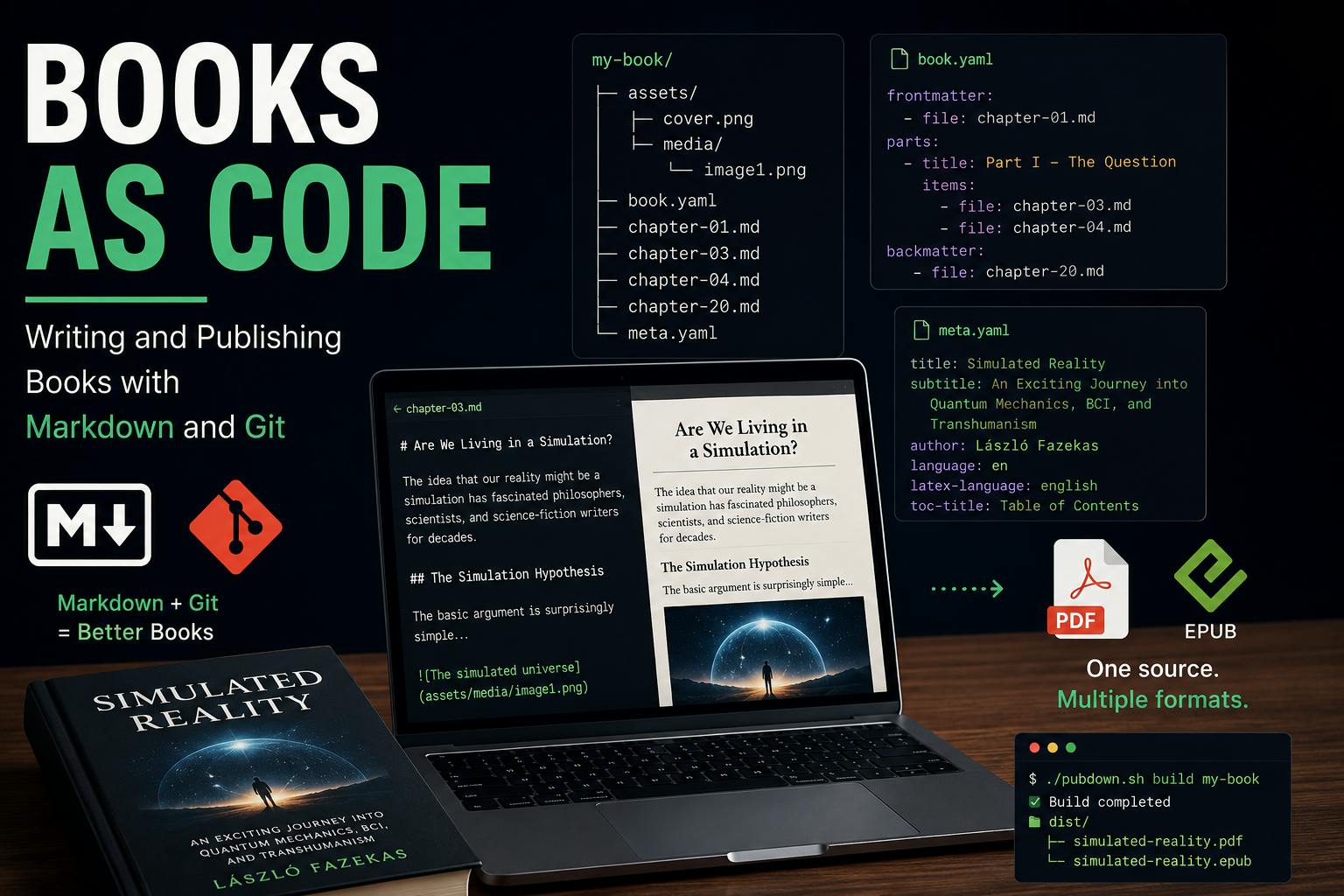
After finishing my first book and successfully publishing it through Amazon KDP, I started thinking about translating it into other languages. English may be the largest book market in the world, but it is also one of the most crowded. There are already plenty of books exploring the simulation hypothesis, transhumanism, and related ideas, which makes it difficult for a new title to stand out. Other languages, however, open up entirely different audiences—and often far less saturated markets. More importantly, even when readers are perfectly comfortable with English, many still prefer reading a full-length book in their native language. That translated feel like a natural next step. I decided to start with a German edition. I had used the Reedsy Book Editor to produce the English version, and it had worked really well. It’s a great little tool—but it wasn’t quite the right fit for what I wanted to do with the German edition. At the same time, I had been thinking for a while about building a publishing tool that would treat books more like software projects. I wanted Markdown files as the source, with everything stored in GitHub and managed through Git: full version history, branches, collaborative editing, and all the other tools developers take for granted when working on code. I had already taken this approach with SceneDown, my Markdown-based video generation tool, and it worked surprisingly well. A video project could be edited, versioned, branched, reviewed, and merged almost like a piece of software. So I started wondering: why not do the same thing for books? That idea became PubDown. PubDown is, at its core, a simple collection of scripts that turns Markdown files into print-ready PDFs and EPUBs suitable for Amazon KDP and other publishing platforms such as Lulu, Google Play Books, and Apple Books. It also includes a separate DOCX importer that converts an existing Word manuscript into a structured Markdown project. This made it possible for me to take a backup of my original book from Reedsy and move it into PubDown without having to rebuild everything from scratch. And you don’t necessarily have to start with Markdown. If Markdown isn’t your thing, you can write and edit your manuscript in Word—or any other tool that can export to DOCX—and convert it to Markdown later. From there, PubDown takes over and builds the final PDF and EPUB editions. In other words, Markdown is the foundation of the PubDown workflow, but it doesn’t have to be where your writing begins. Just like SceneDown, the source of a PubDown book is simply a directory containing the Markdown files that make up the book, along with a few YAML files describing its structure and metadata. A typical project looks like this: ├── assets │ ├── cover.png │ └── media │ └── image1.png ├── book.yaml ├── chapter-01.md ├── chapter-03.md ├── chapter-04.md ├── chapter-20.md └── meta.yaml The chapters themselves are plain Markdown files, while book.yaml defines how those files are assembled into a book and meta.yaml contains information such as the title, author, language, copyright notice, and other publishing metadata. Images, the cover, and other resources live under assets. That’s essentially the entire source code of the book. There is no proprietary project format and no binary document hiding the actual content. Everything important is stored as plain text, which means the whole project can be committed to Git, diffed, branched, merged, and backed up just like source code. The book.yaml file describes the structure of the book. Its format is intentionally simple: frontmatter: - file: chapter-01.md parts: - title: Are We Living in a Simulation? items: - file: chapter-03.md - file: chapter-04.md backmatter: - file: chapter-20.md It simply tells PubDown which Markdown files belong to the front matter, how the main content is divided into parts and chapters, and which files should appear in the back matter. The frontmatter and backmatter sections contain everything that sits outside the main chapters of the book. This is where you would typically place content such as a foreword, preface, afterword, acknowledgements, an author bio, or similar material. The parts section defines the main body of the book. Each part can have its own title and contains a list of chapters, with each chapter simply pointing to its corresponding Markdown file. This makes it easy to reorganize even a fairly complex book: moving a chapter from one part to another, changing the order of chapters, or adding new material usually means editing just a few lines of YAML. A PubDown chapter is just a regular Markdown file. The only important requirement is that every chapter must start with a top-level heading (#), as this becomes the chapter title and is also used in the table of contents. For example: # Are We Living in a Simulation? The idea that our reality might be a simulation has fascinated philosophers, scientists, and science-fiction writers for decades. ## The Simulation Hypothesis The basic argument is surprisingly simple...  As you can see in the example, images can be embedded using standard Markdown syntax. Image files can simply be stored under the assets directory and referenced from the chapter using their relative path. Apart from that, you can write your chapters much like any other Markdown document, keeping the actual content clean, readable, and independent of the final output format. The book’s metadata is stored in meta.yaml. A typical configuration looks like this: title: "Simulated Reality" subtitle: "An Exciting Journey into the World of Quantum Mechanics, Brain-Machine Interfaces, and Transhumanism" toc-title: "Table of Contents" author: "László Fazekas" language: en latex-language: english rights: "© 2026 László Fazekas" copyright-page: | Copyright © 2026 by László Fazekas All rights reserved. No part of this publication may be reproduced, stored, or transmitted in any form or by any means without written permission from the publisher. dedication: | I am grateful to my family... dedication-ebook: | Dear Reader, Thank you for downloading this eBook... Most of these fields are self-explanatory. title and subtitle define the book’s title and subtitle, while language and latex-language specify the language used by Pandoc and the LaTeX typesetting engine. toc-title lets you provide the localized title of the table of contents. The author, rights, and copyright-page fields contain the author and copyright information in the language of the particular edition. There are also optional dedication fields. dedication is used for the print edition, while dedication-ebook allows you to provide separate content specifically for the EPUB version. This is useful when the digital edition needs a slightly different message—for example, links or calls to action that make sense in an eBook but not on a printed page. Once the book project is ready, building it works much as it does in SceneDown: a simple shell script takes care of the entire process. ./pubdown.sh build my-book You can also build only one of the output formats: ./pubdown.sh build my-book --format pdf ./pubdown.sh build my-book --format epub PubDown then assembles the chapters in the order defined by book.yaml, applies the metadata and formatting, and runs the necessary publishing pipeline. Once the build is complete, the dist directory contains the final print-ready PDF and EPUB files: dist/ ├── simulated-reality.pdf └── simulated-reality.epub That’s it: the Markdown project is the source, and a single build command turns it into the files you can upload to a publishing platform. If you already have a manuscript in DOCX format, PubDown can generate the Markdown project for you using the included importer: tsx scripts/split-docx-to-book.ts manuscript.docx my-book The structure of the DOCX document matters here. PubDown uses the document’s heading hierarchy to understand the logical structure of the book. Top-level Heading 1 elements are interpreted as book parts, while Heading 2 elements become individual chapters. The importer then splits the document accordingly, creates separate Markdown files for the chapters, extracts embedded images, rewrites their references, and generates the corresponding book.yaml. There are also two special part names: @Frontmatter and @Backmatter. Chapters placed under these headings are not treated as part of the main body. Instead, they are automatically added to the frontmatter and backmatter sections of book.yaml. This makes migrating an existing manuscript fairly straightforward: as long as the DOCX document has a clean heading structure, PubDown can turn it into a version-control-friendly Markdown book project automatically. As you can see, PubDown is a deliberately simple tool, but that simplicity makes it surprisingly powerful for writing and building books. Because the entire manuscript is stored as Markdown and YAML, you can take full advantage of Git and GitHub. You get proper version history, branches and tags, but you can also build collaborative workflows around the book: multiple authors can work on different chapters, editors and proofreaders can review changes through pull requests, and experimental rewrites can live safely on separate branches until they are ready to be merged. In other words, you can treat a book much like a software project—without turning the writing itself into a complicated technical process. PubDown is open source and available under the MIT License. Everything you need to get started is documented in the project’s README. Feel free to use it, modify it, or build something better on top of it. PubDown started as a small tool I needed for my own book, but if it helps even a few other authors turn their ideas into finished books, then this little project will have done something worthwhile.
Books as Code: Writing and Publishing Books with Markdown and Git
Full Article
Original Source
Read the full article at Hackernoon →KhanList aggregates and links to publicly available news content. We do not host full articles from third-party sources. Always verify important information with original sources.