
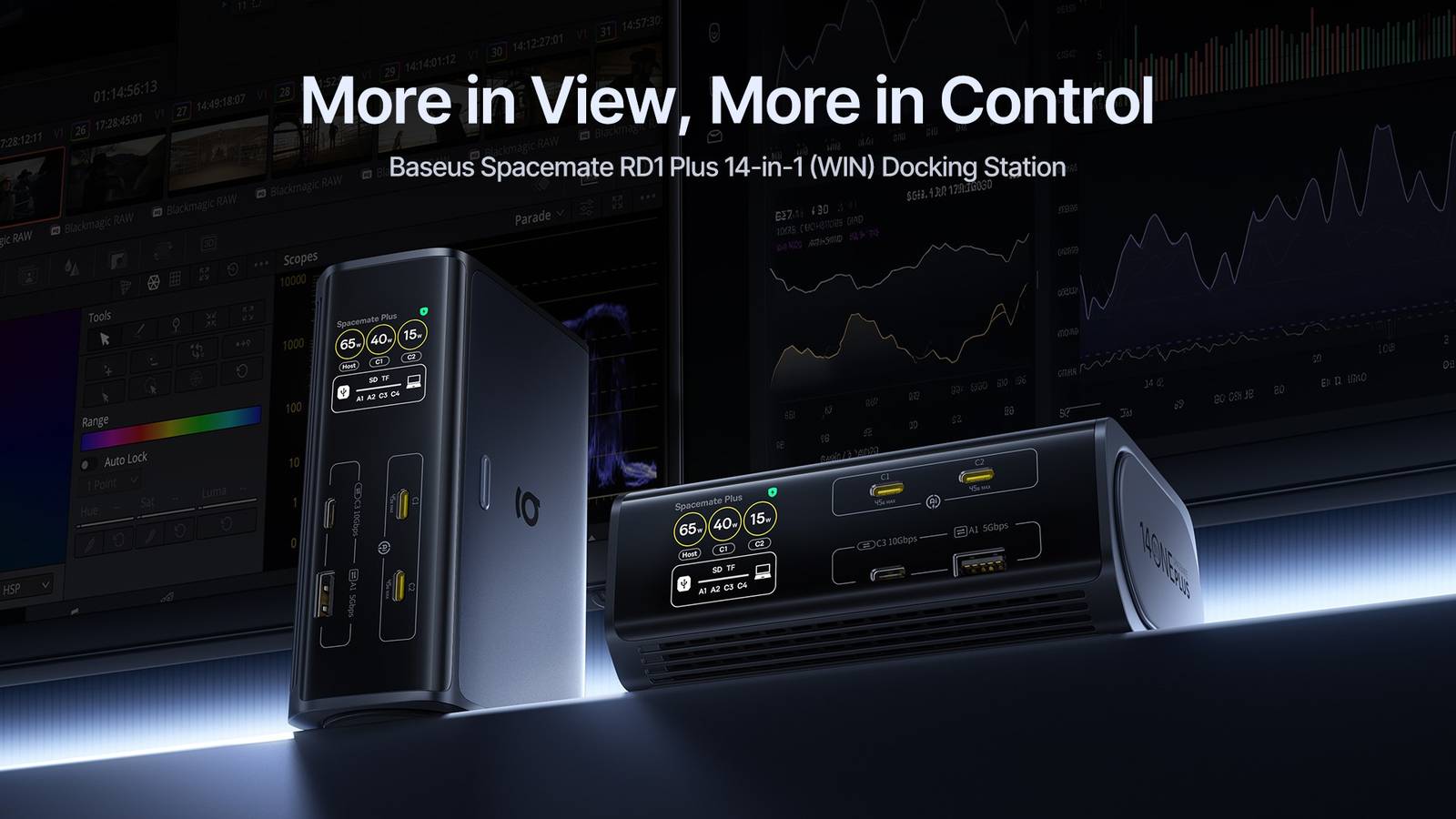
Laptops are designed to leave the desk. The friction comes when they return, and you’re faced with a monitor cable, a charger, an Ethernet adapter, a hub for your keyboard and mouse, and whichever SSD you were using yesterday. A docking station solves this by collecting everything in one place and connecting it to your laptop over a single USB-C cable. The Baseus Spacemate RD1 Plus is a 14-in-1 dock built around that idea, with a few additions that set it apart from a plain strip of ports. It has a built-in 140W GaN power supply, support for a 4K monitor at 120Hz, and a small screen that shows what’s connected and how much power each device is drawing. It can also stand upright like a small tower or lie flat on the desk, depending on how much space you have. Who the Spacemate RD1 Plus is designed for Baseus Spacemate RD1 Plus Ports 14 Dimensions 3.72"L x 0.98"W x 5.44"H weight 3 lbs Baseus streamlined the docking station with the Spacemate RD1 Plus; the dock offers 14 ports to accommodate everything from displays to storage to charging. Aside from that, it also has a built-in 140W GaN power supply and can be positioned horizontally or vertically to fit well in any desk setup. Baseus is aiming the dock at those who earn a living from their desk setup: designers, video editors, writers, and other content creators. These users tend to have a dedicated home office or studio, spend long stretches at their computer, and keep adding to their setup over time. Many also use a single laptop for work during the day and gaming in the evening. That’s partly why Baseus calls the Spacemate RD1 Plus a desk tower. Stood on its end, it takes up a small footprint next to a monitor or speaker, which helps on a crowded desk. It can also lie flat if you have more room to spare. The appeal for this group is the single-cable workflow. Monitors, external drives, Ethernet, a keyboard, and anything else you rely on stay plugged into the dock. When you sit down, you connect one USB-C cable to your laptop and the whole workstation comes back. When you leave for a coffee shop or a client meeting, you unplug that one cable and go. What you can plug into it Credit: Baseus The 14 connections cover displays, storage, networking, and charging. The laptop connects through a dedicated USB-C host port, which handles data and video and can deliver up to 100W of power to the laptop. For displays, there are two HDMI ports on the back of the dock, so monitor cables can stay tucked out of the way. The two USB-C charging ports sit on the front, where they’re easy to reach when you want to top up a phone or tablet. Each one delivers up to 45W, which is enough for most phones and tablets, including Android devices that support USB Power Delivery. Data gets its own set of ports. Two USB-C ports run at up to 10Gbps, which suits external SSDs and fast card readers. Two USB-A ports run at 5Gbps, and another two USB-A ports run at 480Mbps, which is all a keyboard, mouse or wireless dongle needs. Separating slower accessories from faster ports means you don’t have to give up a 10Gbps slot just to plug in a mouse. Photographers and videographers will appreciate the SD and microSD card slots, both supporting cards up to 2TB. A Gigabit Ethernet port rounds things out for anyone who wants a wired connection for large uploads or video calls. 4K at 120Hz, with some caveats worth knowing Credit: Baseus The Spacemate RD1 Plus can drive a single 4K display at up to 120Hz, or two 4K displays at up to 60Hz each. The 120Hz output comes from the second HDMI port, while the first tops out at 4K at 60Hz. A higher refresh rate makes ordinary tasks feel smoother. Mouse movement, fast scrolling through long documents, scrubbing a video timeline, and previewing footage all benefit from a 120Hz panel, and it’s a noticeable step-up if you’re used to 60Hz. How you can use two monitors depends on your operating system. On Windows and Linux, each external display can show different content, so you can extend your desktop across both screens. On macOS, the dock supports a single external display at up to 120Hz, so Mac users still get the smoother refresh rate on one monitor. With two displays connected, both will mirror the same content. That’s a limitation of how Macs handle this kind of dock, and the “WIN” in the product’s full name reflects that it’s tuned for Windows machines first. It’s also worth verifying if your laptop’s USB-C port supports video output and charging, as not every port does. The dock can help you work this out, which we’ll get to below. Power without the power brick Credit: Baseus Most docks need a large external power adapter, which adds another box under the desk. Baseus has built a 140W GaN power supply into the Spacemate RD1 Plus itself, so it plugs straight into the wall with a standard power cable. The dock provides up to 120W in total, shared between the laptop and the two USB-C charging ports. Baseus’s PowerTune 3.0 system decides how that power is divided. It prioritizes the laptop, then shares what remains with whatever else is connected, adjusting based on how many devices are plugged in and what they need. In practice, that means a phone or tablet topping up on the desk shouldn’t take power away from your laptop while it’s exporting video or running a heavy design app. The trade-off of a shared pool is that when the laptop is drawing a lot, other devices may charge more slowly, but for most desk setups that’s the sensible order of priorities. A screen that tells you what’s going on Docks are usually black boxes. When a monitor doesn’t wake up, or a drive doesn’t appear, you’re left unplugging things one at a time to find the culprit. The Spacemate RD1 Plus has a small LCD that removes some of that guesswork. The display shows how many watts the laptop and each USB-C charging port are drawing, along with the total output. It also shows which data ports are in use, with a brief animation when a device is detected and a solid line once it’s connected. If the dock detects overcurrent, overvoltage, or a short circuit on a charging port, the affected port and a shield icon turn red on the screen. There’s also a host port detection feature for when a laptop’s USB-C port doesn’t support everything the dock offers. The screen checks whether video, data, and power are working, and lights up an icon for each one that is, so you can see at a glance whether the problem is the dock or the laptop’s port. The display rotates automatically depending on how the dock is positioned, so the readout stays upright whether it’s lying flat or standing on its end. Upright, flat, and a button for stepping away The ability to stand the dock upright is more practical than it might sound. Creator desks tend to fill up quickly with monitors, speakers, cameras, drives, and drawing tablets, and a tower takes up far less surface area than a flat hub. If you have more room, laying it flat works just as well, so you won’t need a different dock if you rearrange your desk later. There’s also a privacy feature that’s easy to overlook. Pressing and holding the dock’s button for two seconds locks the connected computer and its screen. If your laptop is closed and tucked to the side while you work on external monitors, reaching for a keyboard shortcut isn’t always convenient, so having a lock button in the middle of the desk is a small but genuinely useful addition. Cooling vents help release heat when the dock runs for long periods with two displays, fast storage, Ethernet, and charging all active at once. Docks working this hard can sometimes drop connections as they heat up, so the vents help keep performance steady throughout a full workday. Is the Spacemate RD1 Plus right for your desk? The Baseus Spacemate RD1 Plus makes the most sense if you have a permanent desk setup with at least one high-refresh monitor, several accessories, and a laptop that regularly comes and goes. The built-in power supply, priority charging for the laptop, and the status screen address the everyday problems that come with that kind of setup, rather than simply adding more ports. If you only need one monitor and a couple of USB-A ports, a smaller travel hub may cover you. Mac users who want two independent extended displays should also bear in mind the macOS limitations above. For Windows and Linux users who want one cable to bring back a full workstation, including a 4K display at 120Hz, the Spacemate RD1 Plus is designed with exactly that routine in mind. And until December 31, customers can get 42% off the 259.99 MSRP, for a discounted price of just $149.99 with code RPLUSAP.
Baseus' Spacemate RD1 Plus is a 14-in-1 dock that works flat on a desk or upright
Full Article
Original Source
Read the full article at Androidpolice →KhanList aggregates and links to publicly available news content. We do not host full articles from third-party sources. Always verify important information with original sources.