
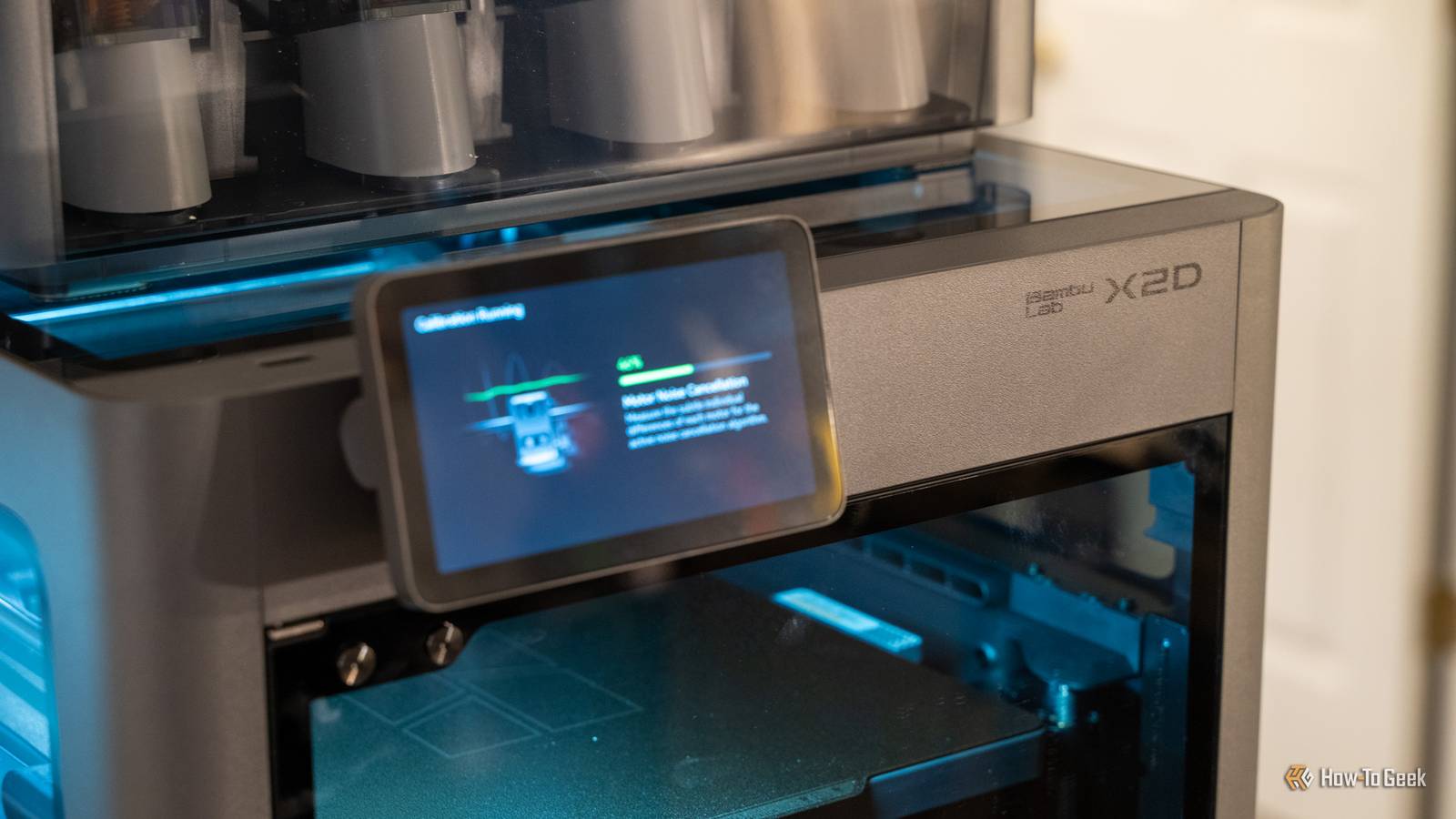
Published Aug 27, 2026, 6:00 AM EDT Patrick Campanale has been in the tech space for well over a decade, specializing in PC/gaming news and reviews, as well as maker-focused products to build small businesses. With a start in technology back in 2010 surrounding the Palm/webOS ecosystem, Patrick spent his formative years developing mobile applications as well as blogging for various publications, eventually leading to starting his own website in 2014. After running a technology blog for a few years, he stepped out of that role and into the world of high-end custom PC manufacturing and building, with a focus on YouTube video production and overclocking. Then, six years ago, Patrick joined the 9to5Toys team as an editor/writer/reviewer with over 14,000 articles being published there there, ranging from deals and roundups to in-depth reviews on the latest technology, video games, 3D printers, and more. In his free time, Patrick loves to create projects from wood using various robots and methods, including leveraging the technologies of CNCs and lasers. If Patrick isn't working on a computer or playing video games, he's likely in his 2-car garage workshop creating something unique. In addition to all this, Patrick is also a youth pastor at his local church where he feels God has called him to serve, and he loves every minute of it. It's been nearly four years since Bambu Lab did a refresh of its X series of 3D printers, and the X2D definitely lives up to the hype. It improves on the X1 Carbon in every way, except for the one area where it lowers the bar—price. Here's why the X2D just became my go-to recommendation for anyone wanting to get into 3D printing. Bambu Lab X2D Combo 9/10 Brand Bambu Lab Build Volume 256 × 256 × 260 mm Printing Accuracy 50 μm with optional Vision Encoder Connectivity Dual-band Wi-Fi The Bambu Lab X2D Combo is a mid-range 3D printer with dual-nozzle 3D printing for faster print speeds and better support printing. The nozzle reaches 300°C while the actively-heated chamber hits 65°C which is perfect for engineering-grade filaments. The printer comes with Bambu Lab's signature ease of use, AI fail detection, and has a maximum print volume of 256 × 256 × 260 mm. The combo package comes with the AMS2 multi-material system and filament dryer. Pros & Cons Heated chamber Included 3-stage air filtration Dual nozzles are great for changing support material without added waste Auxiliary nozzle is a Bowden drive extruder, not direct drive No real benefits over the P2S for basic PETG or PLA printing Price and availability The Bambu Lab X2D comes in two versions: the printer only for $649, or the Combo with the AMS 2 Pro for $899. It's available to purchase directly from Bambu Lab, MatterHackers, and Best Buy. Specifications Brand Bambu Lab Build Volume 256 × 256 × 260 mm Printing Accuracy 50 μm with optional Vision Encoder Connectivity Dual-band Wi-Fi Heated Build Plate Yes Feed Type Direct drive (main) and Bowden (auxiliary) Dimensions 392 × 406 × 478 mm Weight 16.25 kg Dual-Color Printing Yes Multifunction No Top Print Speed 1,000 mm/s Max Extrusion Flow 40 mm³/s Max Plate Temperature 120°C Max Print Temperature 300°C MULTICOLOR PRINTING Yes The X2D is more than a P2S Plus But the differences really don't matter if all you print is PLA The Bambu Lab X1 and X1 Carbon were the brand's first 3D printers. Since the release in 2022, Bambu has launched many new printers, but the X series of printers saw barely any improvements or new additions. The P series got the P1P, P1S, and then P2S. The A series got the A1, A1 mini, and A2L. The H series has the H2C, H2D, and H2S. The X2D is taking over as the successor to the X1 Carbon, but it fell short of the lofty heights of the X1C in one very good area—price. I wasn't quite sure where the X2D would land on price when it was first announced. It has far better specs than the P2S, but it wouldn't make sense for it to be at the same price point as the H2C. Thankfully, Bambu knew this, and made it only a small upgrade charge over the P2S. Some might think the X2D is a P2S Plus—and it kind of is, depending on how you look at it. The X2D is the P2S with extra features, whereas the P1S was not just an X1 Carbon with a few features removed, it was a very stripped down X1 Carbon with a lot of the core functionality that made the X1 Carbon special removed. The X2D and P2S share a lot of the same features. They both use the same direct-drive PMSM servo extruder motor, ship with hardened steel nozzles from the factory, have a similar 5-inch touchscreen, reach 300°C on the nozzle, and can extrude plastic at 40mm³/s. While there are even more similarities, the differences are what set these printers apart. The P2S just has "heat management" for the chamber, circulating the chamber's existing warm air to try and keep the chamber heated. The X2D has active chamber heating up to 65°C, which means that there is a dedicated heater keeping the chamber warm instead of using ambient heat. The bed can also get an additional 10°C hotter, hitting 120°C. The X2D also ships with proper filtration from the factory, while it's an add-on for the P2S. The active chamber heating paired with active filtration makes the X2D much better suited for engineering-grade filaments like ABS, ASA, or PA-CF. However, these differences are mainly for printing more challenging filaments. If all you print is PLA, PETG, and TPU, then the X2D only offers one main advantage over the P2S—dual nozzles. The second nozzle is useful, but more specialized than it sounds The second nozzle is perfect for support material, not everyday multicolor printing The biggest change that the X2D brings to the table is dual-nozzle printing for under $1,000, which, until now, was unheard of in the Bambu lineup. The X2D's second nozzle is what's called a Bowden drive extruder, which means the motor pushing the filament is back where the filament is fed in. This is actually a pretty big step down, all things considered. Material like normal TPU can't be fed through a Bowden extruder, and there are just more issues with Bowden extruders compared to direct drive. This fits what Bambu is selling the X2D's auxiliary as, though. Bambu isn't saying that this is a second main nozzle, they're saying it's for support material and other things like that. For those jobs, it does great. You see, supports are one of the worst things in 3D printing. I actively hate having to use supports because I just hate removing them. If you're printing with PLA or PETG, you can use the other material as the support interface as they don't stick to each other, which makes the supports remove way cleaner. Normally, this has to be done by swapping the filament which causes purge waste, but the X2D can do that without any repeated purge waste as it just switches to the second nozzle. However, while the X2D excels at switching nozzles for things like supports, doing multicolor prints with that second nozzle is not quite as ideal. The Bowden extruder just leaves more room for ooze and stringing. It doesn't happen on every print, but it absolutely can happen far more than when using a direct drive extruder. This is because the Bowden extruder has a lot more filament to pull back and the filament can somewhat have a spring in it inside the Bowden tube it's pulling from. With a direct drive extruder, the filament is just pulled back right out of the tip with no wiggle room. The AMS 2 Pro is integral to the experience A second nozzle doesn't replace the AMS 2 Pro Credit: Patrick Campanale / How-To Geek My X2D review unit came with the AMS 2 Pro. I already have the original AMS on my P2S (got it as a bundle when I bought my P1S on Marketplace) and the AMS Lite, so the AMS 2 Pro wasn't much different from what I'm used to. However, the AMS 2 Pro is still integral to the X2D experience if you plan to do multicolor printing. Because of the Bowden extruder on the auxiliary nozzle, I simply only used the auxiliary nozzle for support material, not multicolor printing. If I wanted to print in multiple colors, the X2D was essentially a slightly better version of my P2S—and I'm okay with that. If I only had two colors to print, and I wasn't worried about stringing or retracting, then I definitely could use the auxiliary nozzle in those instances and it would save a lot of purge waste. However, for true multicolor printing, I simply rely on the AMS 2 Pro because it's more reliable for a quality print. The successor to the X1C, but actually affordable Credit: Patrick Campanale / How-To Geek The X1C used to be the go-to if you wanted a traditional-sized 3D printer with all the bells and whistles. Then, the P2S came out and became the printer to recommend. Now, I think the X2D sits in the perfect spot of Bambu's lineup. If you look at the entire lineup, it's about a $200 upgrade for each major jump. For example, it's $180 to go from the P1S to the P2S, and you get a lot of great upgrades there. It's $170 to go from the A1 to the A2L. It's $100 to go from the P2S to the X2D. But, it's $600 to go from the X2D to the H2S—which only has one nozzle. The H2D is $1,100 more than the X2D, which means you could buy one X2D Combo, and then another X2D non-combo, and have money leftover. The X2D is sitting in the perfect spot, I think, coming in at $50 below what the P1S launched, $100 above the P2S, and many more features than the P series ever offered. Should you buy the Bambu Lab X2D Combo? Credit: Patrick Campanale / How-To Geek Whether you're wanting to get started with 3D printing or are already in the hobby, I think the Bambu Lab X2D is the best 3D printer on the market right now. At $649 for just the printer or $899 for the Combo with the AMS 2 Pro, I think it has among the best value of any 3D printer around. The only thing I'd say is the P2S offers most of the same features for $100 less, but if you need a heated chamber or the dual nozzle sounds intriguing to you, then the X2D is hard to beat. On the more expensive side, something like the Flashforge Creator 5 Pro could be a competitor as it's around the same price as the X2D Combo, but the Bambu software and ecosystem is still better than what Flashforge is offering in mid-2026. So, if you're looking for a new 3D printer, you really can't go wrong with the X2D. This is going to become the main printer I recommend to people who are in the sub-$1,000 range but above-$500 range. For the $100 premium over the P2S, I'd recommend going with the X2D if you have the extra cash. The extra features, like the built-in filtration, are simply worth it. Bambu Lab X2D Combo 9/10 Brand Bambu Lab Build Volume 256 × 256 × 260 mm Printing Accuracy 50 μm with optional Vision Encoder Connectivity Dual-band Wi-Fi The Bambu Lab X2D Combo is a mid-range 3D printer with dual-nozzle 3D printing for faster print speeds and better support printing. The nozzle reaches 300°C while the actively-heated chamber hits 65°C which is perfect for engineering-grade filaments. The printer comes with Bambu Lab's signature ease of use, AI fail detection, and has a maximum print volume of 256 × 256 × 260 mm. The combo package comes with the AMS2 multi-material system and filament dryer.
Bambu Lab X2D review: The new sweet spot in Bambu’s 3D printer lineup
Full Article
Original Source
Read the full article at Howtogeek →KhanList aggregates and links to publicly available news content. We do not host full articles from third-party sources. Always verify important information with original sources.