
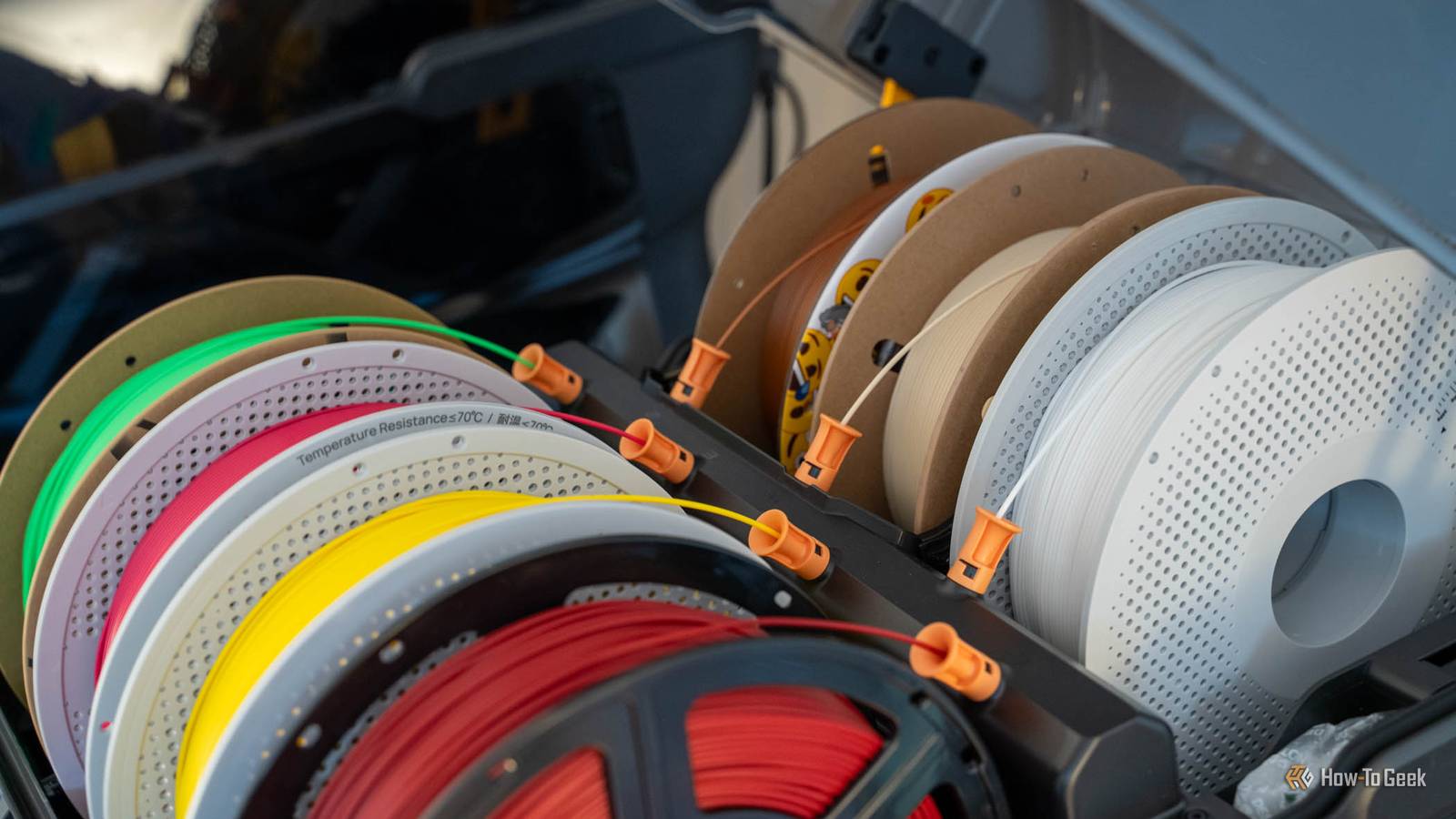
Bambu Lab is ending 2026 with a bang. First the H3C at the beginning of November, and now the P3C at the end of November. The Bambu Lab P3C takes everything that I loved about the H3C with its multi-toolhead design and makes it more affordable at $1,149. Shipping with five toolheads out of the box (with support for up to seven total), the P3C finally makes multi-color printing a simpler reality for the masses. If you’re like me and have skipped doing longer multi-color prints because of both the time they took and the waste generated, the P3C fixes all of those issues and then some to earn the #1 spot on my recommended 3D printer list for beginners and experts alike in 2026. Bambu Lab P3C 9/10 Brand Bambu Lab Build Volume 256 x 256 x 260 mm Connectivity Wi-Fi, Bambu Cloud, LAN mode Heated Build Plate Yes The Bambu Lab P3C takes everything we loved with the P2S, and everything we loved with the H3C, and puts them together in an affordable, yet capable multi-toolhead printer with support for up to seven toolheads, each with their own individual filament path. Pros & Cons Multicolor printing with almost no purge waste Color swaps take about six seconds Ships with five tool heads, expandable to seven Same reliable Bambu print quality Strong value for a multi-toolhead printer ## No automatic filament loading No heated chamber or filtration Price and availability The Bambu Lab P3C is available directly from Bambu Lab for $1,149 as the P3C Combo. It ships with five PrintTools (toolheads) with support for up to seven, with each extra PrintTool costing $99. Specifications Brand Bambu Lab Build Volume 256 x 256 x 260 mm Connectivity Wi-Fi, Bambu Cloud, LAN mode Heated Build Plate Yes Feed Type Direct Drive Dimensions 413 x 538 x 540 mm Weight 26.5 kg (58.4 lbs) with AMS 3P Dual-Color Printing Yes, up to 7 colors Multifunction Yes, with optional CutTool, DrawTool and DebossTool Top Print Speed 1,400 mm/s Max Extrusion Flow 40 mm³/s Max Plate Temperature 110°C Max Print Temperature 300°C MULTICOLOR PRINTING Yes, 5 PrintTools included, up to 7 I've printed a whole game night on the P3C this month Catan pieces were the first multicolor job I didn't think twice about I have always looked at the Catan game pieces and thought, “I want to print those, but I really don’t want to have to deal with the waste that comes along with that many filament swaps.” So, I simply never printed them. Multicolor printing was always out of reach for me, even after I got 3D printers with automatic material systems, because the waste was just too much. With the P3C, purge waste (poop) is essentially gone for multicolor printing. In the past, with single toolhead printers (or even some other multi-toolhead printers), the printer had to purge the filament out the “poop chute” every time the color changed. With the P3C, that’s a worry of the past thanks to the multiple toolheads the printer has. The P3C ships with five toolheads stock, but you can add up to two more for a total of seven toolheads. The seven toolheads are honestly my favorite part of this printer. Back to Catan. I decided to start out on the simpler side of things with Catan and print individual pieces rather than try to print the entire game and all the tiles, as printing all the tiles can take over a kilogram of filament. So, I started with things like the robber and a scoring card which took quite a few filament changes to do. The robber really made the P3C shine though. I didn’t have the exact colors I needed to make the robber work, so I took the original 3MF file that was built for specific colors and converted it to CMYKW—cyan, magenta, yellow, key (black), and white. With these five colors, you can create almost any other color. Normally, printing CMYKW isn’t possible on a standard four-spool printer because it can’t hold five spools. That’s a no-brainer, but it also creates a ton of purge waste because sometimes there are four or five color changes on just one layer. The P3C doesn’t need to purge poop waste for each color change, as it only has to do the purge tower (which older printers had to do too), so it saves an insane amount of filament for that. After about an hour, I had the robber piece printed and ready to go and couldn’t believe how good it looked. I used 0.4mm nozzles, so the layer lines weren’t quite as fine as I wish they were to get a more detailed result, but overall it did come out fantastic for only printing with base colors. Color swaps are so fast I stopped worrying about waste About six seconds a swap, and the purge tower is all that's left Okay, so I was able to print a robber in CMYKW, but that could also have been done with multiple AMS units on an older machine, so why else did I wait until now to start doing multicolor printing? Well, color swaps also used to take quite a long time—up to a minute or longer in some scenarios, in fact. So, doing a print that had 600 filament changes could add hours and hours to the base print time compared to just doing a single-color print. I’m a fairly impatient man, so I never wanted to wait 20+ hours for a print to finish when I could have it finish in just 10 hours overnight, waking up to a completed print the next morning. With the P3C, color changes only take about six seconds to happen. The P3C has a unique system that pre-heats the next nozzle the printer will need so when it goes to dock the old nozzle and pick up the new one, it’s ready to go right away. This is impressive to watch happen in person, and it is what helps it only need six seconds to switch the filament. I did mention the purge tower already, but let me talk more about what that is here. The purge tower is a necessary evil for the most part. Essentially, the nozzle needs to get up to the proper pressure so the filament is right at the tip and ready to go before it starts printing. This is accomplished by running a few small purge lines into a purge tower before printing actually starts. This wastes far less than the pooping plus purge tower that single nozzle printers fight with, but it is still some waste. You do have the option to disable the purge tower, though print quality might suffer if the nozzle isn’t primed and ready to go. Another option is to simply purge into infill, which saves on the purge tower by just purging inside of the print itself. I thought my P3C was broken the first time I loaded filament I just wish Bambu hadn't cut auto loading When my P3C first arrived, I went to load up multiple spools of filament in it. I’ve had multiple printers with AMS systems from Bambu, and you’ve always just had to barely insert the filament into the AMS and it pulls it the rest of the way, so that’s what I did with the P3C. It didn’t work. At first, I thought that it would just wait until it started printing to pull it in, so I sent a print job to the P3C and…it didn’t print. I started trying to figure out what was wrong. Was my unit broken? Did I forget to plug something in? Nope, everything looked functional. Then I saw it in the spec sheet—no automatic filament loading. The H3C has a system that handles loading, but not unloading. The P3C has neither system. You have to tell the printer to load filament on the touchscreen and then, once it has the nozzle pre-heated, push the filament through the PTFE tubing and into the head for it to grab it then purge out the back. This is honestly fairly frustrating. I get that Bambu had to cut corners here, but every the AMS, AMS 2 Pro, AMS Lite, and AMS 3H all support automatic filament loading even if they don’t have automatic filament unloading. I think Bambu cut the wrong corner here. My functional prints printed just like they do on my X2D Single-color quality is still the same Bambu quality I already trust One thing I love about Bambu Lab printers is they all basically print the same quality across the board. From the A1 mini up to the H3C, they all print fantastically. The P3C is no different. Single-color prints look identical to my A1 mini, P1S, P2S, X2D, and H3C. Similarly, the multicolor results of the P3C match that of my H3C, just on a smaller scale. I recently took over a product line from my best friend as he moved on to another line and wanted to keep his original invention going still, and, after spending time dialing in the prints for my equipment, the P3C prints them just as well as my X2D and H3C do. The one thing to keep in mind with the P3C over the X2D or H3C is that the chamber isn’t heated nor is it purified from the factory. For my printing, that doesn’t actually affect anything as even my functional parts are printed with PLA (Polymaker PLA Pro). But, if you are printing something like ABS, ASA, or other engineering-grade filament that needs a heated chamber or purification, the P3C isn't ideal for those tasks. Should you buy the Bambu Lab P3C? Coming in at $1,149, the Bambu Lab P3C Combo I think is actually a fairly fantastic deal. It’s Bambu’s first affordable multi-toolhead printer and I think they did a great job with it. I was really hoping to see it hit the sub-$1,000 price point, but $1,149 is a solid price for everything that it offers. If you’re someone who has been on the fence about a multi-toolhead printer, it’s time to pull the trigger. The P3C is everything I love about the H3C and the P2S/X2D but in a more capable and more affordable form factor. If you only print single-color prints with the rare multi-color print, then the P3C might not be the right machine for you. I’d consider the P2S or X2D instead if that’s the case, as those printers can do multiple colors and they’re far more affordable than the P3C. Bambu Lab P3C 9/10 Brand Bambu Lab Build Volume 256 x 256 x 260 mm Connectivity Wi-Fi, Bambu Cloud, LAN mode Heated Build Plate Yes The Bambu Lab P3C takes everything we loved with the P2S, and everything we loved with the H3C, and puts them together in an affordable, yet capable multi-toolhead printer with support for up to seven toolheads, each with their own individual filament path.
Bambu Lab P3C review: Six-second tool swaps finally make waste-free multicolor printing affordable
Full Article
Original Source
Read the full article at Howtogeek →KhanList aggregates and links to publicly available news content. We do not host full articles from third-party sources. Always verify important information with original sources.