
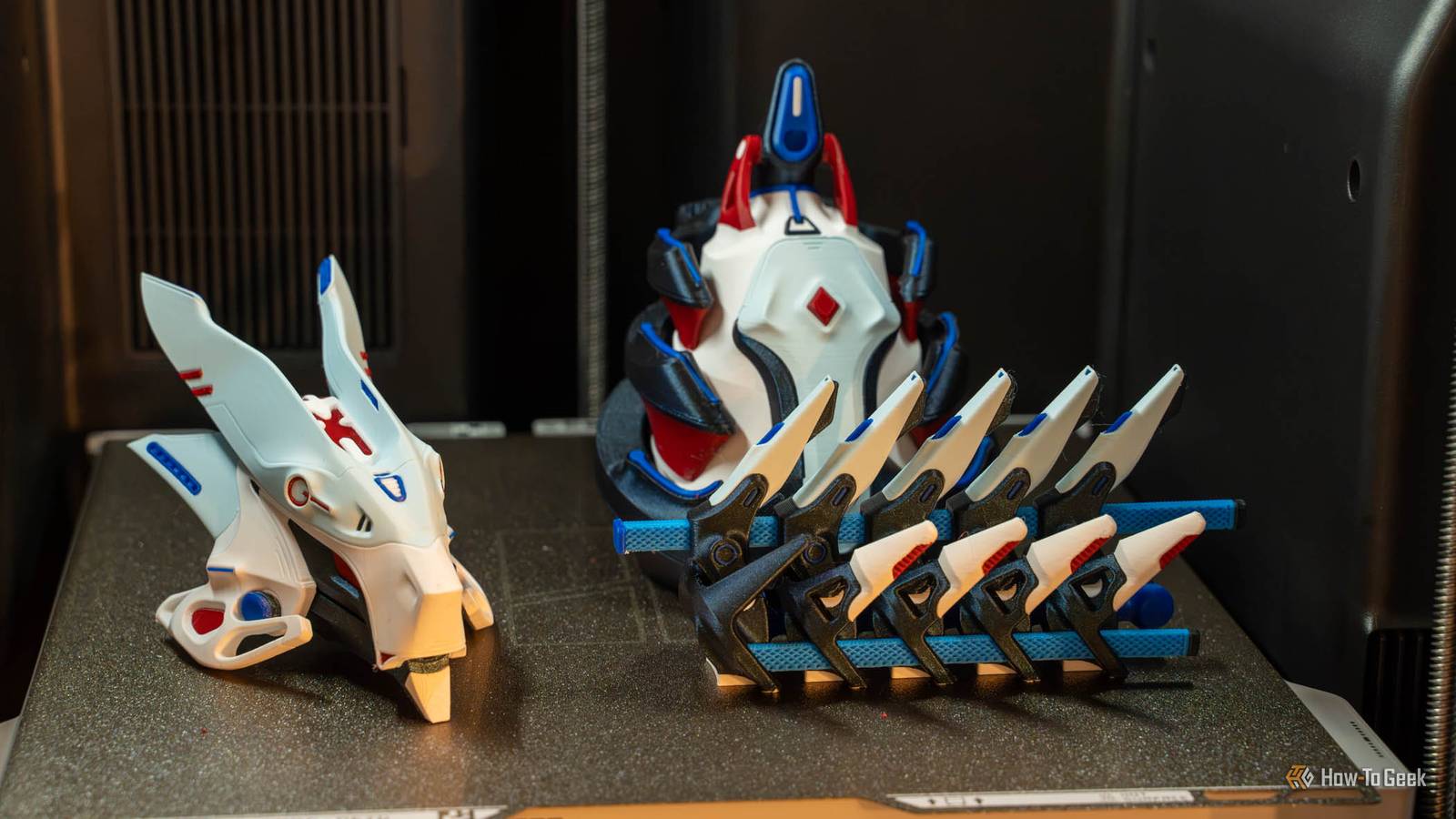
Bambu Lab just unveiled its most impressive 3D printer yet with the H3C, and I’ve spent the last month testing it. This is Bambu Lab’s latest flagship, and it brings some all-new features to the table, like the Swaptek 9-nozzle system with individual filament tubes for each print head and an all-new AMS 3H system that can print while drying. Here’s everything you need to know about the H3C—and why this printer completely changed the game for me on multicolor and multi-material prints. Bambu Lab H3C 9/10 Brand Bambu Lab Build Volume 330 x 320 x 325mm Connectivity Wi-Fi 6, USB Heated Build Plate Yes The Bambu Lab H3C features Bambu's all-new Swaptek nozzle-swapping system, changing between any of nine nozzles in under six seconds. With the all-new AMS 3H, you can store up to nine filaments at a time in the system, each with its own dedicated filament path. Pros & Cons Nine pre-heated toolheads swap in about six seconds Far less waste and much faster multicolor prints Dries two spools while printing Two 1080p cameras and HEPA/carbon filtration included - 2.85mm TPU support out of the box ### No automatic filament rewinding Only two of nine slots dry filament Nearly 50 inches tall with the AMS lid open - Expensive if you only print multicolor occasionally ### Price and availability The Bambu Lab H3C is available only as the H3C AMS Combo with the AMS 3H for $2,499 directly from Bambu. Specifications Brand Bambu Lab Build Volume 330 x 320 x 325mm Connectivity Wi-Fi 6, USB Heated Build Plate Yes Feed Type Direct Drive Dimensions 493 x 571 x 587mm (printer only) Weight 80 pounds (36.28kg) with AMS 3H Dual-Color Printing Yes Multifunction Yes, with optional CraftTools (cutting and drawing) Top Print Speed 1,400mm/s Max Extrusion Flow 40mm³/s Max Plate Temperature 120°C Max Print Temperature 350°C MULTICOLOR PRINTING Yes, up to 9 colors (up to 24 with extra AMS units) Bambu Lab finally built the multicolor printer I've been waiting for Nine toolheads that swap in about six seconds Ever since the original Bambu Lab X1 Carbon was released, I’ve wanted so badly to do multicolor printing. I had an Ender 3 V2-style printer at the time, which required manual filament swaps, and it was just something I had no intention of doing. Then, I joined the Bambu ecosystem with an A1 mini, and still wanted to do multicolor printing, but I didn’t have an AMS. I thought once I got an AMS I would do multicolor printing. I was wrong. I eventually got a P1S with an AMS, and then an X2D with an AMS 2 Pro, and quickly realized that multicolor printing looked cool, but the waste was insane. The first time I sliced a small multicolor print and saw that the waste was about five times as much as the print itself I realized that multicolor printing just wasn’t for me. That is, until I realized that multi-toolhead printers were the actual ticket to multicolor prints. Sure, other companies have made multi-toolhead printers. I’ve even reviewed some before. But, there’s just something about Bambu Lab’s software and hardware experience that I’ve never really felt with another printer. The H3C is the first true multi-toolhead printer from Bambu Lab that actually delivers on the benefits of the individual toolheads. Sure, the H2C exists, and it has a swapping toolhead system on it, but you still have the hassle of filament loading and unloading through the AMS because there was only one PTFE tube coming from the AMS to the print head. With the H3C, Bambu Lab is introducing its all-new Swaptek system. This system gives each of the nine PrintTools its own dedicated filament path and heater. The filament always stays loaded into the print head, and it actively pre-heats the next PrintTool that will be needed through the G-code. Bambu claims under six seconds per switch, and that holds up. I have never seen a printer swap the heads as fast as the H3C does. It just parks, picks up, and goes. Every nozzle is hardened, and Bambu has nozzle sizes ranging from 0.2 to 0.8mm, and you can even run multiple nozzle sizes at the same time. There’s also support for 2.85mm filament on the H3C natively out of the box, which is something that most other printers simply can’t claim. Build volume is the same as the H2C at 330 x 320 x 325mm, with the nozzles able to reach 350°C, the bed 120°C, and the chamber can even hit 65°C with active heating. The INDX looks cheaper until you add up what Bambu includes A camera, filtration, and a ninth tool for $250 more I can already hear it now, “But Prusa offers a multi-toolhead printer for less!” Well, that’s partially true. Right now, the Prusa CORE One+ (Gen 2) INDX 8-tool 3D printer goes for $2,249 pre-assembled. That includes no camera, no advanced filtration, only eight heads, and no support for 2.85mm filaments out of the box. The Bambu Lab H3C supports nine filaments, includes a fantastic camera, has advanced filtration, and includes a 2.85mm-compatible 0.4mm nozzle out of the box. Oh, and the H3C has two actively heated filament spots to dry while printing. For the extra $250, I think you get a much better printer. Prusa is known for its open source software compatibility, which, sadly, Bambu Lab doesn’t officially support quite as much. But, if you’re planning to use it with first-party software anyway (or put it in developer mode with LAN only toggled on), then the H3C is the better buy, hands down. Just the fact that it can actively dry two spools of filament while printing out of the box is a huge bonus. Plus, the 1080p live-view camera and 1080p toolhead camera and the H11 HEPA and coconut-shell activated carbon filters just seal the deal for me. Print quality is exactly what I expected from a Bambu My X2D comparison print failed, and that told me plenty This is a Bambu Lab printer, so I expected fantastic prints out of the box, and that’s exactly what I got. I planned on doing a side-by-side print-off with my X2D and the H3C to show just how much filament the X2D wastes compared to the H3C but the X2D failed spectacularly during the test. I was about 10 hours into a 24-hour print on the X2D, and went to bed with everything looking great. I woke up about seven hours later to a notification that the front cover had fallen off. Odd, but not unheard of for me. I went into the office to find the prime tower toppled over, the head of the X2D broken, the fan mount broken, and the print completely failed. The X2D filled up the purge chute overnight with the long multicolor print I was running, and purge detection failed to catch it and stop the print in time. This then caused the rest of the failures down the line. While I didn’t do the comparison print on the H3C, I did a more strenuous one. The X2D print had a total of 850 filament changes, with 82g of filament needed for the print, another 6.5g of filament for supports, 375g of filament for the purge chute, and 54g of filament for the tower—all across four colors. The H3C print I did, however, used seven total colors, and had 3,595 filament changes. The model itself was 470g of filament, with an additional 35g of support and 225g of a purge tower. It also printed on one build plate instead of three like it would have taken on any of the normal sized printers. I wasn’t surprised to see the H3C finish the print flawlessly. The purge tower was chunky, but it had to be with swapping between seven different colors. While it doesn’t have to purge out the chute, it does need to prime the nozzle to make sure it’s up to pressure. The real magic is that it only took around six seconds per filament swap. The H3C took 28 hours to complete the print, while slicing the print with an H2C showed that it would take 62 hours with a 258g purge tower. So, overall, the H2C only wastes slightly more on the purge tower, but it takes more than twice as long to print because of how long filament swaps take. Not having to purge for each color change and not having to retract and re-feed the filament for each color change really does make multicolor printing so much more approachable. While it used to be something I avoided because of the waste, now I think I’ll be doing a lot more multicolor printing. The AMS 3H is smart, but it has a few quirks Only two slots dry while printing, and unloading is on you Before the H3C, if you wanted more than four colors in a print, you needed multiple AMS units. Now, the H3C ships with the AMS 3H, which is a 9-slot unit right out of the box. It’s a pretty unique system compared to other AMS platforms from Bambu Lab. The entire AMS is enclosed like the AMS and AMS 2 Pro, but only two of the nine slots are capable of drying filament. The two slots that can dry filament don’t have RFID readers in them, but they can dry filament while printing out of the box, so it’s a little bit of a give and take. The drying slots can reach 85°C, which is pretty impressive. All of the slots share the same annoyance though—manual unloading. With the other AMS systems, when a print is done, the filament unloads and rolls back onto the spool so you can just pick the spool up and swap it out when you want to change the color. This happens through automatic rewinding (on the AMS and AMS 2 Pro, not the AMS Lite). The AMS 3H doesn’t have automatic rewinding. When I went to change a color for the first time, this surprised me. I had to use the touchscreen to unload the filament as it was still loaded into the nozzle. Once I unloaded the filament, I expected it to wind back up, but it did not. I had to pull what felt like a mile of filament out of the tube and then wrap it back on the spool myself. It’s not a big deal, and with nine spools there, I don’t think I’ll be changing spools often. But, it is an annoyance—though not a dealbreaker at all. Bambu did do something with the AMS 3H that I didn’t expect though. This new-style AMS is actually compatible with old-style AMS units. You can add up to four extra AMS units through a buffer to achieve 24-color printing. I wasn't prepared for how tall this thing is It hit 49 inches with the AMS lid open The Bambu Lab H3C is the same footprint as the H2 series printers, which I’ve seen at my buddy’s print farm. But, what the H2 series printers don’t have is a massive 9-spool AMS on the top of them. The AMS 3H adds an insane amount of height to the H3C. I measured from my table to the top of the AMS 3H with it open and it measured 49 inches tall. Yes, this printer is over four feet tall when open. You do need a bit more than that to get the lid open as it has a click mechanism that locks it open or closed, so have around 52 inches of clearance available wherever you install it. The fully assembled system is also about 80 pounds, so don’t try to move it by yourself. This 3D printer is just simply more than I expected it to be, and that’s okay, but it’s definitely something you should measure before buying if you have any reservations as to whether it’ll fit or not. Should you buy the Bambu Lab H3C? The Bambu Lab H3C is not a cheap printer by any means at $2,499, but it is a very capable printer. I don’t think this is the printer for everybody. I think most people will be happy with a P2S or X2D with the occasional multicolor prints. However, if you want to do multicolor or multi-material printing often, then there really is no other printer on the market right now that can match what the H3C brings to the table. There are other multi-toolhead printers on the market for sure, but the H3C stands in a league of its own with a built-in drying system for two filaments, 2.85mm filament support out of the box, nine toolheads, included air filtration, and six-second nozzle swaps. Bambu Lab H3C 9/10 Brand Bambu Lab Build Volume 330 x 320 x 325mm Connectivity Wi-Fi 6, USB Heated Build Plate Yes The Bambu Lab H3C features Bambu's all-new Swaptek nozzle-swapping system, changing between any of nine nozzles in under six seconds. With the all-new AMS 3H, you can store up to nine filaments at a time in the system, each with its own dedicated filament path.
Bambu Lab H3C review: Nine toolheads and six-second swaps make multicolor printing practical
Full Article
Original Source
Read the full article at Howtogeek →KhanList aggregates and links to publicly available news content. We do not host full articles from third-party sources. Always verify important information with original sources.