
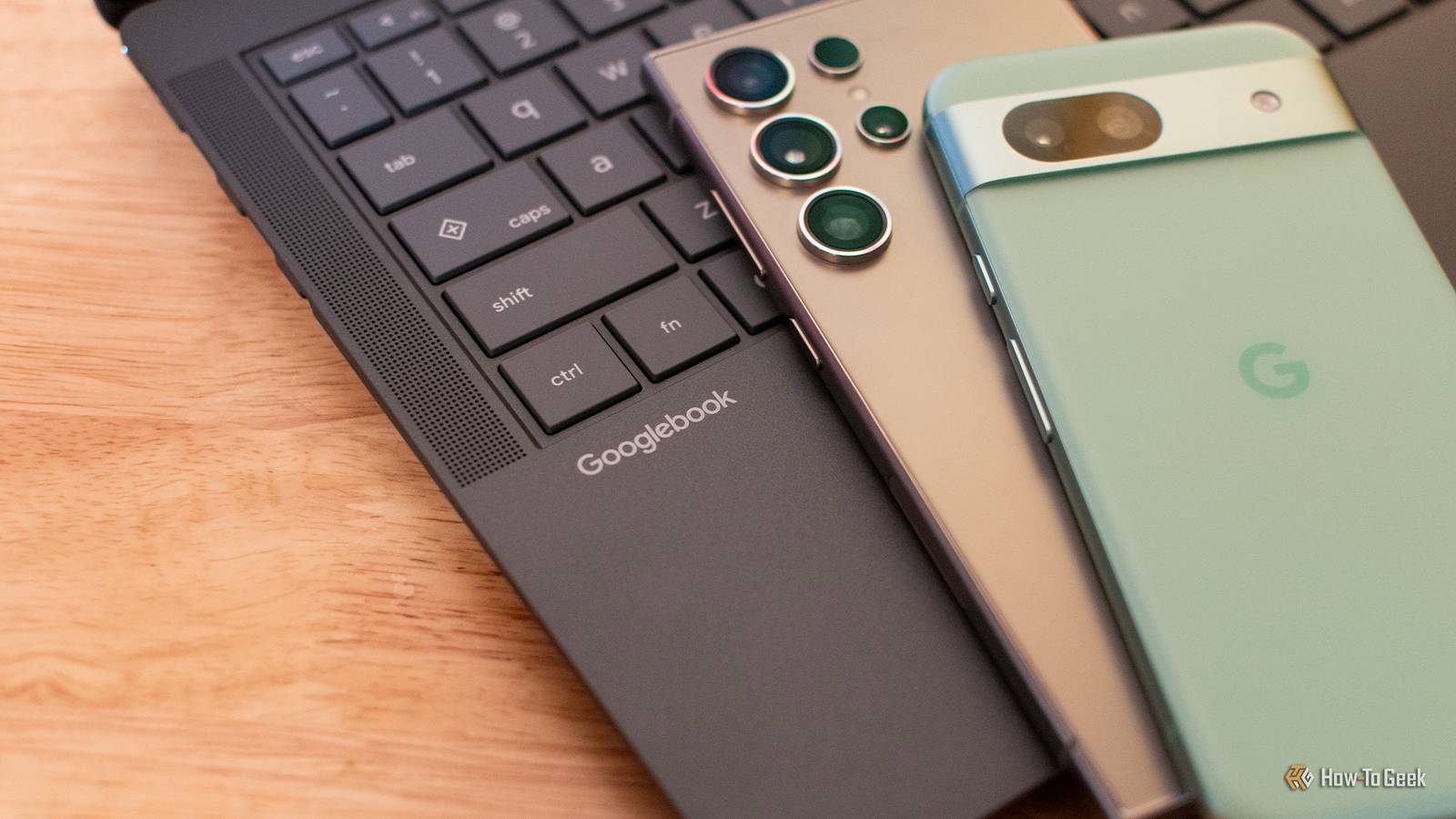
Published Oct 21, 2026, 11:30 AM EDT Just give me a Chromebook. Or literally anything else. Being an early adopter isn't fun anymore, and two weeks with the ASUS Googlebook 14 was all the proof I needed Have you ever shown up to a party only to realize that you're about 10 years too late? While I see some potential in the ASUS Googlebook 14, it feels like a clumsy effort that should've happened a long time ago. The extreme pricing certainly doesn't help, nor does my growing impatience for "early adopter" quirks. I don't have much to say about the ASUS Googlebook 14 itself, as the hardware is essentially perfect. So, this is mostly a review of Googlebook OS, the Chrome OS successor that aims to bring deep Gemini and Android integration into a Chromebook-like platform. Did I expect more from Googlebook OS? Not really, but I assumed that its headlining features would actually work, which is too big of an ask, apparently. Asus Googlebook 14 5/10 Operating System Googlebook OS CPU Intel Core Ultra 5 325 RAM 16GB LPDDR5X Storage 256GB or 512GB The ASUS Googlebook 14 features excellent hardware, but Googlebook OS is still an immature platform. It may be worth buying if you genuinely want to be an early adopter. If you'd prefer something more refined, then you should avoid Googlebooks for now. Pros & Cons Beautiful hardware An excellent haptic trackpad that rivals MacBooks High-quality OLED display with anti-glare finish Headlining features are broken at launch Android app availability is too limited The AI integration feels lazy Less functionality than a Chromebook or an Android tablet Price and availability The ASUS Googlebook 14 is available at Best Buy and the ASUS web store for $1,300. Best Buy's version features a 512GB SSD, while the model on the ASUS web store has a 256GB SSD. So, if you choose to buy the ASUS Googlebook 14, get it from Best Buy. Specifications Operating System Googlebook OS CPU Intel Core Ultra 5 325 RAM 16GB LPDDR5X Storage 256GB or 512GB Battery 70WHrs Display (Size, Resolution) 14-inch 16:9 (2880 x 1800) Ports 2x Thunderbolt 4, 2x USB 3.2 Type-A, Headphone jack, HDMI 2.1 Network Wi-Fi 7, Bluetooth 6 Weight 2.18 lbs Keyboard Backlit chiclet keyboard, 1.5mm travel Display type OLED, anti-glare finish Webcam 1080p with privacy shutter ASUS nailed the hardware More laptops should feel like this Before I launch into a 2,000-word beatdown of Googlebook OS, I want to clarify that ASUS is not the problem here. In fact, ASUS is the best part of this laptop. The hardware is top-notch. Weighing in at just under 2.2 pounds, the ASUS Googlebook 14 is lighter than my MacBook Air and far more comfortable to carry around in a bag or backpack. It's got a wonderful magnesium-aluminum chassis that has a soft, matte touch. The keyboard is excellent, the matte finish on the 120Hz OLED touchscreen makes working near a window less of a hassle, plus the speakers are surprisingly detailed, albeit a bit too bass-heavy. I'm completely enamored by the haptic trackpad, too. It's the best trackpad I've tested outside of the MacBook ecosystem. I use a trackpad full-time, even at my desk (though I occasionally swap in a trackball mouse), so this is something I seriously value in any laptop. If you play around with a store model, take note that Googlebook OS' default pointer speed is way too slow. It feels a lot better when you go into settings and crank it to like 80%. Under the hood, the ASUS Googlebook 14 packs an Intel Core Ultra 5 processor, 16GB of RAM, and 256GB of storage (or 512GB of storage if you buy from Best Buy). These specs aren't bad by any means, but they're somewhat underwhelming for the price. I should also point out that some other models of Googlebook use Snapdragon processors. The Intel models take a slight performance hit when translating Android apps to x86, but they're expected to be the ideal platform for developers and Linux enthusiasts in the long term because of native x86 support. The battery life is excellent, too. ASUS' 16-hour estimate is overly optimistic, but you'll absolutely get over 10 hours of battery if you're just browsing and watching videos. Android games that demand a bit more from the machine, like Minecraft (which I had to sideload—more on that in a bit), knock the battery life down to the 5 to 10-hour range, which is fine by me. My sole hardware complaint is the light bar on the outside of the Googlebook's screen. It only lights up when you're using Gemini. So, you can't see the light bar when it's active, and it tells everyone in the room that you're in slop mode. Evidently, Google mandated this for all models of Googlebook. I guess the logic is that other people will be so impressed by the rainbow LED on the back of your laptop that they'll ask you about it, and you'll say "I love my Googlebook soooo much, it's the best laptop ever, and none of its features are broken!" The light bar is a good metaphor for Googlebook's current predicament. Manufacturers like ASUS are going above and beyond to give Googlebook a chance at success while Google sabotages itself by excessively marketing a product that can barely do what it's supposed to do. I know that things will get better with time, but I was asked to review a launch model, so I have no choice but to detail the launch experience. Unjustified growing pains You'd be better off with a Chromebook Plus laptop, at least for now First-gen products are rarely perfect. Googlebook faces a bit of an uphill battle because customers expect the new platform to do everything that Chrome OS is capable of, plus everything that an Android tablet can do, which is quite a challenge. A lot of features just aren't here at launch, with Linux GUI app support being one of the most notable shortcomings. But Google's been proactive about keeping people up to date on the situation, so I don't see a reason to complain about it yet. I think the bigger problem is that Googlebook OS fails to deliver on headlining features that should be near-perfect (or at least functional) at launch. Phone Link, which lets you mirror your mobile device's screen to your Googlebook or transfer mobile tasks to your laptop, is straight up broken for myself and other early users. I can't get it to work on a Pixel 8a, and my Galaxy S24 Ultra can't use Phone Link because it doesn't have Android 17 yet (which the Phone Link interface does not explain, by the way). None of my colleagues can get Phone Link spun up on the Googlebooks that they're testing, so I know it's not just me, although I've seen some people on Reddit have better luck with it. Quick Share also feels stunted. It doesn't work with my Samsung phone, and it doesn't appear to support AirDrop file transfers to iPhones or MacBooks—a feature that was introduced on select Android devices last year. Other smartphone integrations, like Messages, work fine. But the Messages experience is grossly underwhelming. It's just a PWA of the web-based Messages client that you can already access on any device from any browser. The OS-level notifications for text messages are appreciated, but you can achieve something similar with Microsoft Phone Link in Windows. And the Chrome browser is unfinished, which is insane for a platform that relies so heavily on web browsing. At first blush, Chrome feels solid. It's certainly better than other Android browsers available on the Play Store. But it's missing some important features at launch, the most notable of which is profile switching. I have several Google accounts, including one for my job, so this feature's absence makes Googlebook a complete non-starter for me at a professional and personal level. The weird thing is that other Google apps, like Gmail or Drive, are happy to let you switch between Google accounts on the fly. There's a lot of small bugs and quirks in Googlebook OS, too, but they're mild and easy to overlook. The only one that I really feel like pointing out, because it's funny to me, is that there's an auto-rotate button in my Googlebook's Quick Settings. To Google's credit, updates are rolling out at a very rapid pace. Some of the stuff I'm complaining about might be fixed before my review is published. I also appreciate the work that Mishaal Rahman is doing in his community engagement role at Gooogle, as he's done a great job providing support, news, and tips for early adopters on Reddit. Android app compatibility isn't being utilized properly "Better on the website" is a hilarious summary of the situation Googlebook OS is technically compatible with all Android apps. But a lot of apps aren't optimized for desktop at all. If you open a touch-only app or game, Googlebook asks you to map your keyboard to taps and gestures in a process that I genuinely don't understand—I stuck with the touchscreen in unoptimized apps for this reason. More alarmingly, the apps that you'd expect to be front and center on this thing aren't available yet. Minecraft is one of many good examples. It's been available on Chrome OS for years, the Android version is already optimized for large screens and keyboards, it's one of the biggest games of all time, yet it isn't listed on the Googlebook's Play Store at launch. I suspect that a lot of this comes down to developer commitment and cost. If you buy a game on the mobile Play Store, you can download it for free on your Googlebook. Some developers are happy to optimize their app for a new platform because it gives them a shot at a new audience. Others have no problem giving loyal customers a cross-platform experience for free. But the Venn diagram that joins those two mindsets isn't as big as you might hope for it to be. Google should've made a better effort to secure developer commitments or address cost concerns before launching the Googlebook. By the way, the answer is "yes," I sideloaded a Minecraft APK to see if it would work on Googlebook. It ran just fine. Sideloading is a breeze, too—it's easier here than it is on mobile. On a lighter note, the Play Store does a good job categorizing apps based on how well they work on desktop. There's the super-rare "Made for desktop," the equally-exciting "Optimized for desktop," and the accurate-but-slightly-misleading "Compatible with desktop." The latter of the three should be called "supports keyboards," since that's essentially what it means, but I'm not mad about it. There's also the dreaded "Built for mobile," which speaks for itself, as well as the wonderfully blunt "Better on the website" label. A lot of apps are "Better on the website" right now, including Duolingo. This isn't an AI laptop "A laptop designed for Gemini intelligence" shouldn't have such lazy Gemini integrations Months ago, my friend and former colleague Michael Crider described the Googlebook as a "Trojan horse for Gemini." It's a description that kept popping in my head as Google and its partner brands slowly filled my inbox with more and more pre-release info. I came to understand three things about the Googlebook—it uses expensive hardware, it runs an operating system that is functionally (but not literally) "Android for desktop," and it has Google's premiere AI tools baked in at a system level. Oh, and when you use Gemini on the Googlebook, its external LED bar lights up, turning you into a fleshy billboard for artificial intelligence. To my surprise, all of the landmark AI features and Gemini integrations required consent at setup. I breezed through the process, hitting "no" or "deny" on everything, and the Googlebook didn't bother me about it later. In fact, I had trouble re-enabling these features afterwards. And some of the Googlebook's AI features are tucked a little too far out of sight, in my opinion. Circle to Search might be the best example—you have to hold the Action button in the taskbar (or hit Action Key + A on the keyboard) to use it. The truly excellent Rambler speech-to-text model is briefly mentioned in a popup before going completely out of sight and out of mind (Rambler is one of the few selling points of this machine right now, in my opinion), and while Google's AI widget creator is cool, widgets are a lot more useful on the limited space of a smartphone screen than they are on a laptop. But here's where the AI thing really falls apart, at least at launch: if you ask Gemini how to do anything on Googlebook OS, it'll talk about Chromebooks instead. So, if you ask it where to change a setting, for example, it'll give you instructions that don't line up with Googlebook OS. Ask it about running a full Linux desktop in a VM or setting up Steam, and it'll enthusiastically give you instructions that don't work because neither of those things are supported on Googlebook OS right now. Things get even more embarrassing when you try to use Googlebook OS' Gemini screen-sharing feature. The whole purpose of this feature is to show the AI your screen and ask it questions in real time, but it acts like it's never heard of a Googlebook before. Whether you give it hints or tell it outright, it's convinced that you're using ChromeOS or Android. The image-recognition algorithm in the Files app has the same problem. While I do appreciate this feature, it labeled all of my screenshots of the Googlebook desktop as "Android desktop with various apps." Why didn't Google take the time to provide Gemini with Googlebook documentation? Are they waiting for sites like How-To Geek to pump out Googlebook guides that Gemini can ingest? I'm being facetious, but I get the impression that there's a bit of a "the left hand doesn't know what the right hand is doing" situation going on internally at Google, because you'd think that "a laptop designed for Gemini" would actually be designed for Gemini. It's also worth mentioning that none of these AI integrations feel particularly deep or exclusive. You can get similar functionality on Windows, Linux, or macOS without being locked into Gemini. Roughly $600 in free subscriptions, with an important catch It's not as good as it looks Manufacturers, retailers, and enthusiasts are justifying the Googlebook's extreme pricing by pointing to all the free trial subscriptions that are included with each laptop. You get three months of YouTube Premium Lite, Photoshop, Premiere, CapCut Pro, and BandLab Pro, plus an entire year of GeForce NOW cloud gaming, a year of Luminal photo editing, and importantly, one year of Google AI Pro. Google AI Pro normally costs $20 a month and comes with an absolute feast of perks, like 5TB of cloud storage, Health Premium access, plus expanded access to Google's frontier AI tools, specifically Gemini 4 Argon, the Jules agent, and Antigravity. Sounds great, right? Unfortunately, the free Gemini AI Pro trial is more like "AI Pro Lite." It doesn't provide access to Argon. It doesn't let you use third-party models in Antigravity. Trial accounts can't buy extra credits when they hit their limit in tools like Antigravity, despite the fact that paid subscribers can buy extra credits whenever they want. Developers who bought the Googlebook because they wanted to use these tools and contribute to the new ecosystem are furious about what feels like a bait-and-switch. Google claims that the AI Pro trial is a "$239.88 value" when it clearly isn't. And although the trial's restrictions are listed in documentation, this stuff should be spelled out on the official Googlebook web page and on digital storefronts. Who is this for? Being an early adopter isn't fun anymore Googlebook launched at the worst possible time. Everything's too expensive right now, including computer hardware, so the idea of blowing a minimum of $800 on what is essentially an Android-ified Chromebook (with fewer features, plus first-gen growing pains) isn't very appealing. Maybe Google should've waited a few months? Or maybe this thing is just a decade too late. Outside of pricing, the big problem that I see is a lack of enthusiasm. You can call, text, and fool around with your Android phone from your Googlebook—okay, cool, Windows PCs got those features years ago, and Google Messages for Web fills the gap everywhere else. Android integration would've been a much bigger deal if Google had implemented it in 2016. Plus, the Android community just isn't what it once was. Forums where people used to obsess over every scrap of the Android operating system are dead. The ROMs scene is gone. Journalists who were talented enough to pick apart and leak the internal details of Android development now work at Google. The r/googlebook subreddit should be full of tinkerers and enthusiasts doing things with their Googlebook that would send Sundar Pichai into convulsions, but instead, it's just a bedlam of people arguing whether the launch was a failure or not. If a friend told me they were interested in buying a Googlebook, I'd tell them to get a Samsung Galaxy tablet instead. Android tablets support more apps than Googlebooks, they offer more features, they're guaranteed to retain at least some trade-in value for a later upgrade, and the Samsung-branded models have the DeX desktop, which works wonderfully with external monitors. Or you could just buy a refurbished M1 MacBook Air for like $600. I see a lot of people rolling their eyes at this idea on the r/googlebook subreddit, but "man, you just don't get it" is only a selling point if you specifically want to be an early adopter. I suspect that the average person just wants a laptop that can do the things it's supposed to be able to do. Asus Googlebook 14 5/10 Operating System Googlebook OS CPU Intel Core Ultra 5 325 RAM 16GB LPDDR5X Storage 256GB or 512GB The ASUS Googlebook 14 features excellent hardware, but Googlebook OS is still an immature platform. It may be worth buying if you genuinely want to be an early adopter. If you'd prefer something more refined, then you should avoid Googlebooks for now.
ASUS Googlebook 14 Review: Being an early adopter isn't fun anymore
Full Article
Original Source
Read the full article at Howtogeek →KhanList aggregates and links to publicly available news content. We do not host full articles from third-party sources. Always verify important information with original sources.