
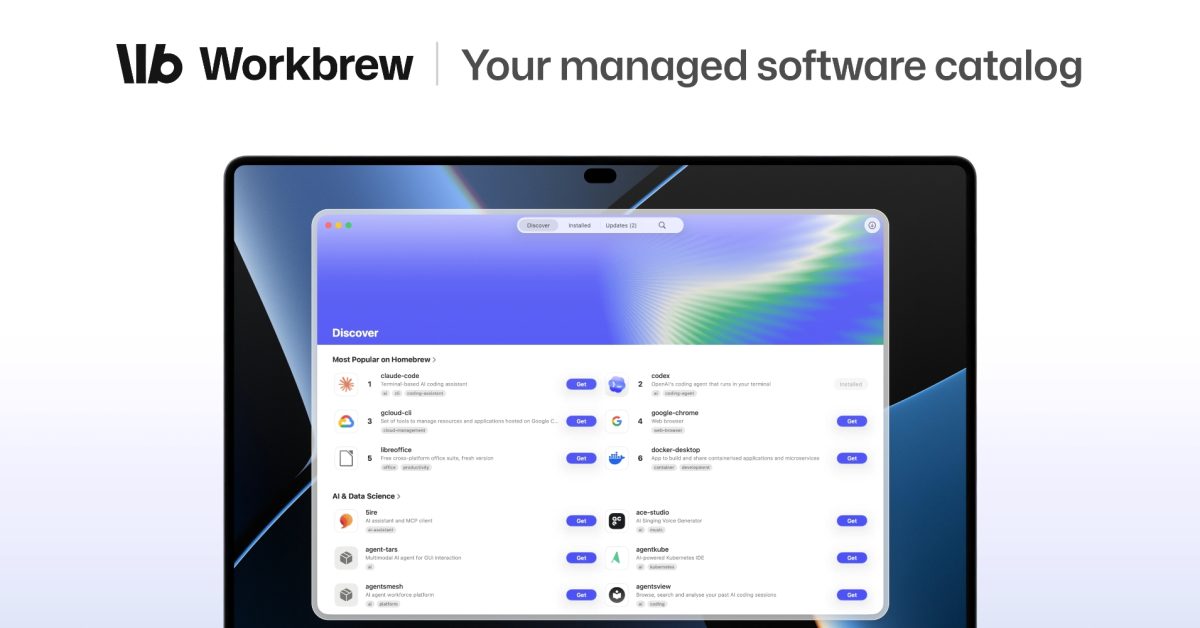
Apple @ Work is exclusively brought to you by Mosyle, the only Apple Unified Platform. Mosyle is the only solution that integrates in a single professional grade platform all the solutions necessary to seamlessly and automatically deploy, manage, and protect Apple devices at work. Over 45,000 organizations trust Mosyle to make millions of Apple devices work ready with no effort and at an affordable cost. Request your EXTENDED TRIAL today and understand why Mosyle is everything you need to work with Apple. If you ask any Mac admin for a list of the software on their fleet, they’ll pull up their device management inventory and show you the apps they’ve deployed. Ask them what their developers installed with Homebrew last month, which VS Code extensions they are running, or what npm pulled into a project on Tuesday, and you’ll get a different response. That software was never procured by finance, never approved, and never inventoried. It’s also where a growing share of the risk lives in the AI era. Workbrew 2.0 treats that gap as a problem worth solving for IT teams. About Apple @ Work: Bradley Chambers has been an Apple IT admin since 2009. Through his experience deploying and managing firewalls, switches, a mobile device management system, enterprise grade WiFi, 1000s of Macs, and 1000s of iPads, Bradley will highlight ways in which Apple IT managers deploy Apple devices, build networks to support them, train users, share stories from the trenches of IT management, and ways Apple could improve its products for IT departments. The software your device management server can’t see Device management is built around the software IT deploys. Apps from Apple Business Manager, apps preloaded via your device management vendors’ packages, packages you upload, and profiles you push out. That model solves the problem for native macOS apps. It doesn’t cover what happens when the Mac becomes the default developer machine. Developers install what they need with a single command in Terminal, and Homebrew alone has more than 16,000 packages. You then add millions of npm packages and hundreds of thousands of IDE extensions, and the list of software on a Mac that IT didn’t put there is longer than the list it did. That used to be a developer-only problem. It isn’t anymore, in the vibe-coding era. AI tools have turned marketers, analysts, and ops people into builders, and those builders install packages too. Workbrew 2.0 Workbrew started as a management layer for Homebrew: an agent that reports what’s installed, flags known vulnerabilities, and lets IT push updates across the fleet. Version 2.0 expands the catalog to include npm packages, VS Code extensions, and macOS apps, all in a single inventory. The company says it has patched more than 10 million vulnerabilities for customers since its launch, and it’s now ISO 27001-certified. The part that is critical for everyone who isn’t a developer is the new Workbrew app, a native Mac app for finding, installing, and updating approved software. Workbrew calls it “the app store for your entire company.” Employees can browse what IT has approved, install it without opening Terminal, and request anything that isn’t on the list. IT approves or denies in the Workbrew Console, and if it’s a no, the employee gets an answer on why. The app comes from the Updatest team, which Workbrew acquired as part of this release. Updatest is the indie Mac app that keeps thousands of users’ software up to date, and it remains a separate product for individuals and families. For business customer, that experience is now the Workbrew app, and it’s included on every plan, including the free Team plan with no device or user limits. With Workbrew, we finally have real visibility into what developers are using in Homebrew. Fleet-wide updates are effortless, and the team stays secure without being slowed down. Chris Merrell, Director of IT, End User Services, Camping World Where it fits next to your device management system Workbrew isn’t a device management tool and isn’t trying to be one. Your device management system deploys the Workbrew agent, and Workbrew handles software your device management system lacks visibility into. If your fleet consists entirely of office workers on managed apps, there’s nothing here for you. If you have developers, or you’ve noticed the marketing team installing things to run AI scripts, you have the problem whether you’ve discovered it or not. Wrap up AI tools have changed how we think about app management, because apps get installed differently now. Workbrew 2.0 provides IT with a list of development tools on the Mac and gives employees a sanctioned way to get what they need. Workbrew 2.0 is now available with a free Team plan and no device or user limits. Apple @ Work is exclusively brought to you by Mosyle, the only Apple Unified Platform. Mosyle is the only solution that integrates in a single professional grade platform all the solutions necessary to seamlessly and automatically deploy, manage, and protect Apple devices at work. Over 45,000 organizations trust Mosyle to make millions of Apple devices work ready with no effort and at an affordable cost. Request your EXTENDED TRIAL today and understand why Mosyle is everything you need to work with Apple. FTC: We use income earning auto affiliate links. More.
Apple @ Work: Workbrew 2.0 is an inventory for the development software your employees installed without asking
Full Article
Original Source
Read the full article at 9to5mac →KhanList aggregates and links to publicly available news content. We do not host full articles from third-party sources. Always verify important information with original sources.