
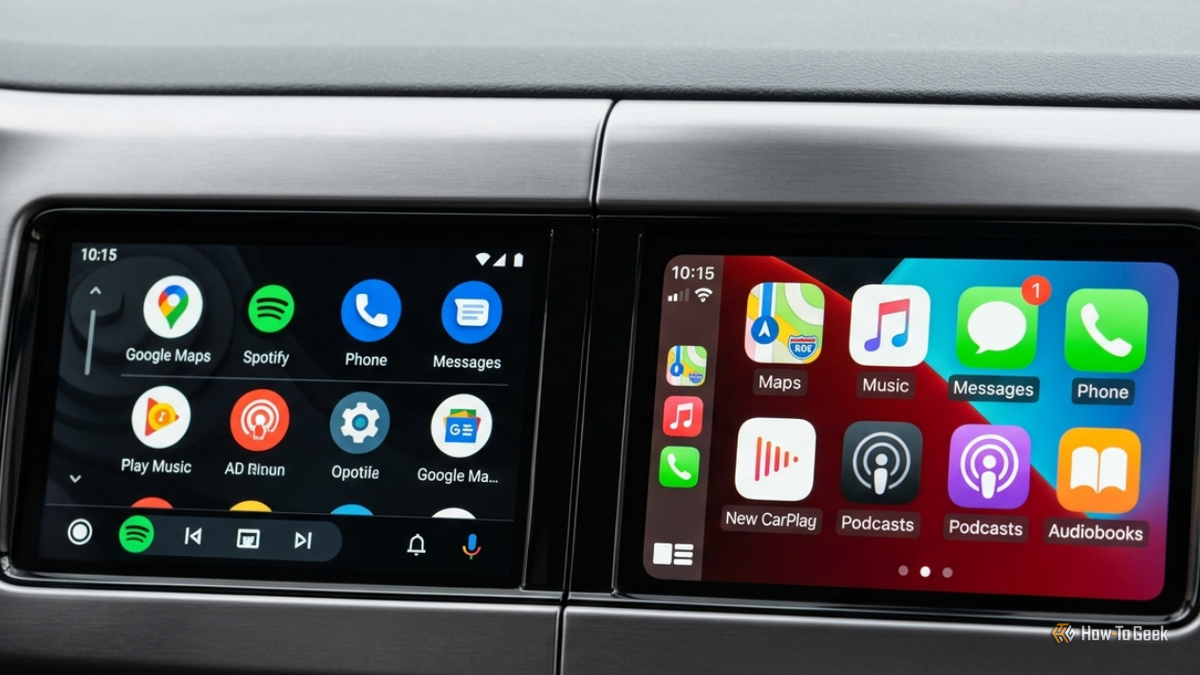
Published Nov 17, 2026, 9:00 AM EST A Computer Engineer turned tech-savvy. Sanya is part of the How to Geek team, and she covers Android, Samsung, Google, apps, and everyday technology, combining hands-on experience with thorough research. She helps readers understand technology without getting lost in technical jargon. My husband and I have a small ongoing rivalry over our car’s infotainment system. I’m Team Android Auto. He’s Team Apple CarPlay, and neither of us is particularly interested in admitting the other one has a point. I use Android Auto almost every day, while he sticks to CarPlay. We’ve both made up our minds about which one we prefer, but we’ve never really compared how much control each platform gives us over its interface. So I put them side by side and compared their app launchers, widgets, dashboards, and visual customization options. I had a feeling I’d defend Android Auto, but I wasn’t ruling out a surprise from CarPlay. We started with app launchers I didn’t expect us to disagree on this, too CarPlay vs Android Auto screen I went straight to the app launchers because I like keeping my most-used apps within easy reach. On Android Auto, I can open the Android Auto settings on my phone and search for Customize launcher, hide apps I never use, and move my favorites to the top. Google Maps, Spotify, and WhatsApp are usually the first apps I look for, so I don’t want to scroll around to find them. My husband can do the same on CarPlay, but he has to open Settings -> General -> CarPlay -> [your car] -> Customize on his iPhone to rearrange or hide apps. I thought I’d have more to brag about here, but CarPlay makes app organization pretty easy, too. My husband can move his favorite apps around or get rid of the ones he doesn’t need, just like I can. Google also announced a big Android Auto redesign with a new interface and more personalization options, but those changes aren’t something I’d count on until they reach my car. So, for now, neither of us has a clear win. I’m not giving him victory just yet. This is where the two get interesting This is where I think CarPlay has an advantage. I like having Google Maps and Spotify ready on Android Auto, but sometimes I wish I could see more information without switching between apps. Looking at CarPlay’s widget screen, I liked how he could see useful information without opening each app. With iOS 26, Apple brought widgets and Live Activities to CarPlay, and iOS 27 adds more ways to personalize the experience. There’s more room to make the dashboard useful instead of just filling it with app icons. Android Auto is getting a similar upgrade, and I’m actually looking forward to it. Google’s announced redesign promises widgets for things like weather, clock, contacts, Google Home controls, and Photos, along with phone wallpaper integration. I would love to have those controls on my car screen. But until the redesign reaches my Fold 6, CarPlay takes this round. Which screen looks more like ours? Wallpapers and themes make a difference I usually spend a little time tweaking my phone’s wallpaper, colors, and overall look, so I wanted the same kind of control over my car screen. Android Auto already picks up color accents from my phone’s wallpaper, which gives the interface a bit of personality. I like that I don’t have to change much to make it feel familiar. Google’s upcoming redesign promises a more expressive interface with updated fonts, smoother animations, and further visual changes. I’m looking forward to seeing how it looks on my Fold 6. CarPlay has more to offer right now. I checked the options on my husband’s setup, and he can choose from Apple’s built-in wallpapers and switch between light and dark appearances. The iOS 27 update also brings a fresh collection of wallpapers and updated Liquid Glass app icons. I wish Apple allowed users to set their own photos as CarPlay wallpapers, but it doesn’t. Still, there’s more room to change the screen’s look than I currently have with Android Auto. Hands-free controls matter, too Neither of us wants to touch the screen while driving I’m a big fan of using voice commands while driving, especially when my daughter is in the back, and I don’t want to keep reaching for the screen. Android Auto lets me use Gemini to ask for directions, play songs, make calls, and send WhatsApp messages. I can even speak naturally instead of remembering exact commands. My husband can do similar things with Siri on CarPlay, including navigation, calls, messages, and music. The difference is that Gemini can handle more conversational requests, while Siri is limited to supported commands and apps. Gemini can also get things wrong, so I wouldn’t trust either assistant with anything that needs a safety-critical decision. I still think my side has the edge After comparing both, I have to give CarPlay credit for a few things. Its widgets and visual customization options are genuinely good, and I’d love to see Android Auto offer the same level of control. But I’m still happy with my setup. I’m really looking forward to Google’s redesigned interface reaching my Fold 6, though. Until then, my husband can enjoy his little CarPlay victory. I’m still not switching sides, and I doubt he will either.
Android Auto vs. CarPlay: Which offers better customization?
Full Article
Original Source
Read the full article at Howtogeek →KhanList aggregates and links to publicly available news content. We do not host full articles from third-party sources. Always verify important information with original sources.