
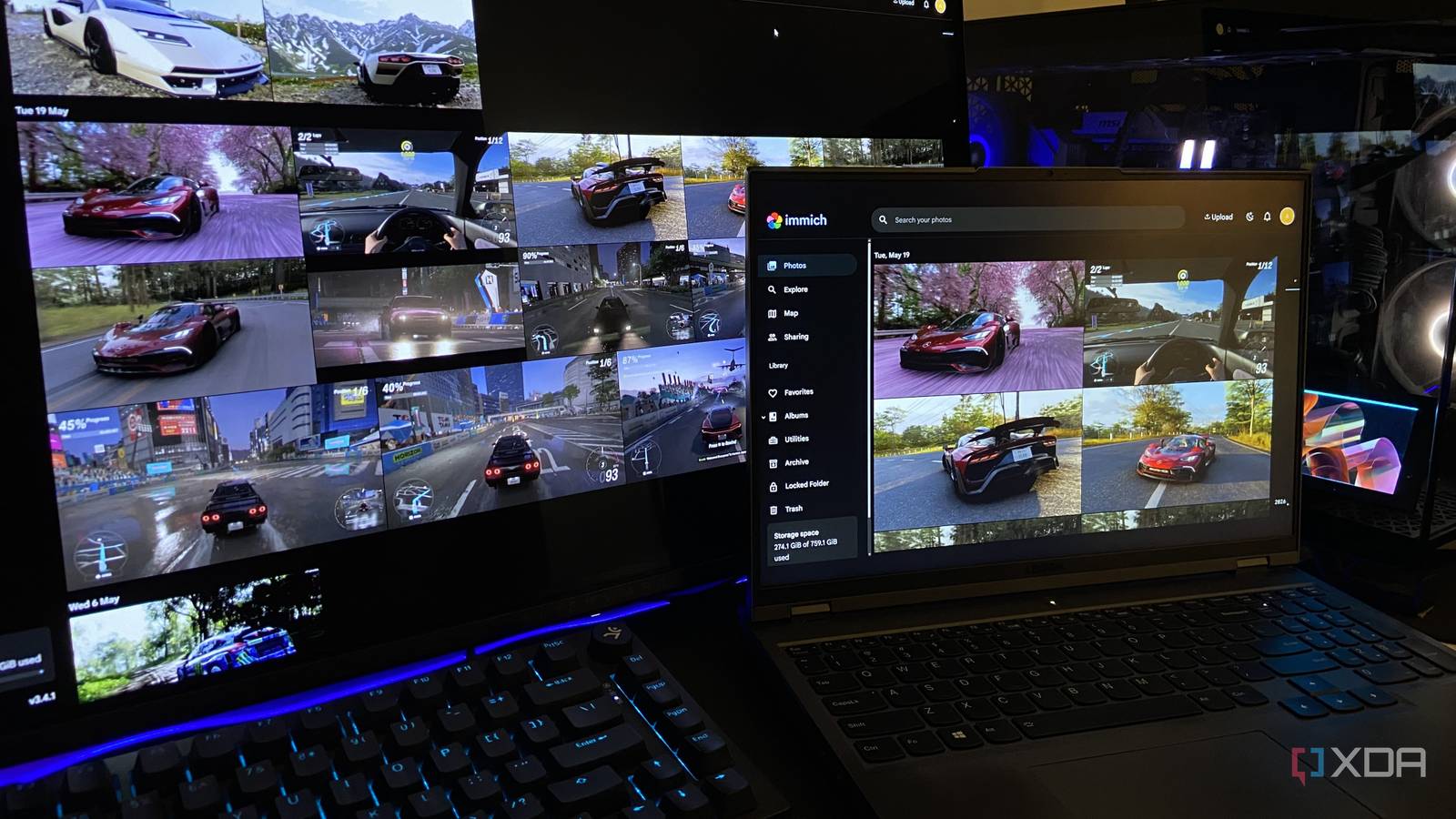
Published Nov 19, 2026, 7:00 AM EST Abhinav pivoted from a career in banking to pursue his first love in writing. Even while working full-time, he continued contributing as an editor-at-large, a role he has held for more than 7 years. A lifelong tech enthusiast who has built three gaming and productivity powerhouse PCs since 2018, his passion for technology keeps him closely following the semiconductor industry, from NVIDIA and AMD to ARM. His MSc dissertation explored how artificial intelligence will reshape the future of work, reflecting his curiosity about the wider social impact of emerging technologies. When I built my DDR5 PC with a Ryzen 5 7600X and an RTX 4070 Ti Super, I saw less and less of my Lenovo Legion 5 Pro laptop that carried me through university. For the first month, I'd use it every once in a while to look up and migrate files that I needed, but over the next few years, it became something I'd only open to look back on my work or share photos with friends and family. Unfortunately, that seems to be the fate of most old laptops, which are replaced with newer, more powerful machines. It occurred to me, however, that a machine equipped with 32GB of DDR4 memory and an RTX 3070 mobile GPU felt wasted in a drawer, bundled up with its charger. In the last few weeks, I have experimented with it by turning it into a network-wide ad blocker, but I found myself wondering if there's any reason to stop here. Here's how my 4-year-old laptop is serving Immich and Jellyfin to my entire home network through Docker, for a grand total of zero dollars. Docker was almost too easy to set up A few commands invited the Penguin to the home server party The first step involved in transforming a dusty old laptop into a powerful home server, as you may have guessed already, is setting up Docker. On Windows 11, Docker Desktop runs its containers through Windows Subsystem for Linux (WSL), so the Penguin had to move in first. That was about as simple as sending one command to PowerShell and a quick restart after. I installed Docker Desktop through winget, which is Windows' built-in package manager, but if you're attempting something similar, you can go through the official setup as well. My Legion 5 Pro is running Windows 11 26H2 Home, which runs Docker Desktop version 4.99 without complaint. From here, every app install came down to retrieving the recipe file and an accompanying Docker Compose command. Immich alone pulled four containers, one of which was a machine learning engine (which I find very impressive), while Jellyfin needed just one. Fifteen minutes after installing WSL, both services were up and running, and the setup files for both fit in two folders on my C: drive. Docker Desktop lists all 5 containers in its clean UI, and starting or stopping any app is one click away. Immich brings my dead iPhone 7 back to life Its camera roll, at least Before my iPhone 7 went black, I dumped its entire camera roll onto my laptop. Since then, those photos have been confined to a plain folder of 576 files named IMG_ followed by a number, which is about as far from a photo library as it gets. I uploaded the whole folder through Immich's web app, and the phone app I'd normally use for automatic backups had nothing to do here, since there's no phone left to back up. Once the upload finished, Immich read the date and location stored inside each photo and rebuilt the camera roll the way it would appear on my phone's Photos app, sorted by day. But, it gets even better. The machine learning container got to work on the laptop itself, and it grouped the faces that it found, pinned every photo with location data onto a map, and let me search the whole collection by describing a scene. All of those things would've been impossible, or at the very least, extremely tedious to do by manually scrolling through file names. All of it happened on my home network, and nothing needed the phone that took the photos in the first place. Jellyfin turned my old game clips into something I'd actually rewatch Recorded on a mobile 3070, rewatched on a 4K TV Most of the clips this laptop's RTX 3070 recorded came from some very interesting matches on Fortnite with my friends, which were saved automatically by Nvidia Highlights. All of them ended up in an Epic Games folder, and that's where they just stayed, unwatched, for four years, never to be revisited even once. Now, I'm aware of the fact that Jellyfin is something that's known for being a home for movies and a competitor to Netflix to an extent, but its home video library type suits my gameplay clips as well. The Jellyfin app on my Google TV connects seamlessly to the laptop with nothing more than its address, and now I get to play all of those matches I was a part of four years ago and stream them to my 55-inch TV. Whenever my friends are around, I can watch them together for the first time since we played them. My laptop hands back its own memories, and serves them to the house A few weeks ago when I pulled the Legion out of its drawer, I expected something of a spare machine that could possibly block a few ads and make browsing the internet a smoother experience. With Immich and Jellyfin, I got myself a server that hands back years of memories that I'd accumulated over time, including a dead phone's camera roll and forgotten clips from Fortnite that would probably never have been revisited otherwise. All of it cost nothing more than 15 minutes of my time, and perhaps a minute of getting the server to shake hands with everything that would be streaming the contents of my 4-year-old laptop.
An old laptop from my drawer became my first home server, running Docker, Jellyfin, and Immich without buying anything
Full Article
Original Source
Read the full article at Xda-developers →KhanList aggregates and links to publicly available news content. We do not host full articles from third-party sources. Always verify important information with original sources.