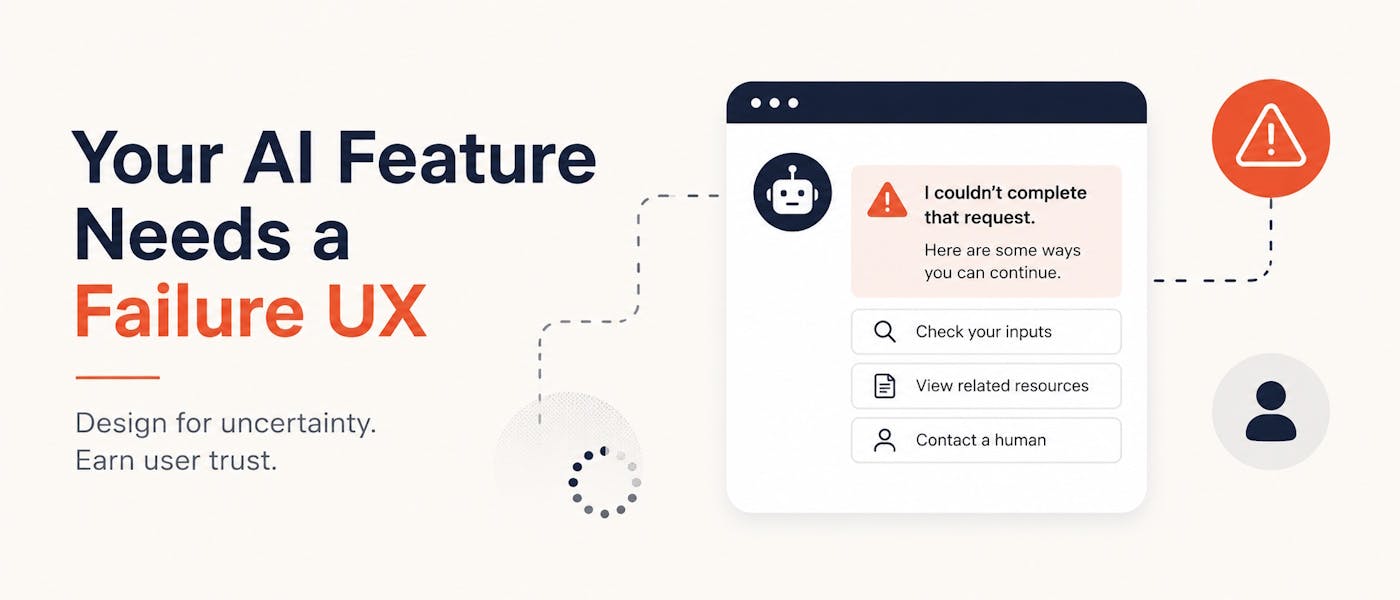
An AI feature can fail without crashing. The API may return a 200 response. The latency dashboard may remain green. The output may be valid JSON. Nothing appears broken from the infrastructure side. Then a customer reads the answer and realizes it is wrong. This is one of the stranger problems in building AI products. Traditional software usually gives teams a visible failure signal. A request times out. A database rejects a transaction. A page fails to load. An exception reaches the monitoring system. AI can return a polished answer while failing at the task. Most product teams respond by working on model quality. They improve prompts, retrieve better context, add evaluation sets, test another model, or place a second model behind the first one. Those steps matter, but they address only part of the problem. No model will produce the right answer every time. Retrieval will occasionally miss the relevant document. External model services will slow down. Safety filters will block legitimate requests. Tool calls will fail. Input data will be incomplete. Some questions will remain too ambiguous for the system to answer safely. The product still needs to decide what the user sees next. That decision is the failure UX. The AI Race Is Creating a Product Design Debt Companies have strong reasons to move quickly. AI spending, adoption, and market forecasts are pushing leadership teams to add AI capabilities before competitors do. A collection of artificial intelligence statistics published by WeblineIndia cites forecasts such as India’s AI market reaching $6.28 billion by 2030. The same collection points to growing use of AI tools, chatbots, and automated systems across regions and industries. Numbers like these explain the urgency. They do not tell teams how users should experience an AI feature when it cannot complete a task. That question often arrives late. During a demo, the team controls the prompt, the data, and the expected result. The model gets a clean request and returns an impressive response. The meeting goes well. Real users are less cooperative. They paste incomplete information. They refer to documents the system cannot access. They ask several questions at once. They expect the tool to remember something from last week. They enter sensitive data. They phrase requests in ways the evaluation set never covered. A successful demo proves that an AI feature can work. It does not prove that the product knows how to fail. A Retry Is Not a Failure Strategy A common response to an unsatisfactory model output is to retry the request. Sometimes that works. The second response may be clearer or more accurate. A temporary service error may disappear. A different retrieved passage may reach the context window. Blind retries also create new problems. They increase token usage. They make response times unpredictable. They can repeat the same error with different wording. In agent workflows, retries can trigger duplicate actions unless every tool call is designed to be idempotent. A retry is a technical mechanism. It is not a product decision. The product still needs rules for questions such as: How many retries are allowed? Should the user know a retry occurred? What happens after the retry fails? Can the task continue without AI? Should a human review the result? Is a partial answer safer than no answer? Can the system explain what information is missing? Without clear answers, teams tend to hide failure behind a spinner and hope the next request works. That may be acceptable in a prototype. It becomes frustrating in a product people depend on. AI Failure Has More Than One Shape Product teams often group all bad AI responses under one label: hallucination. That label is too broad to guide good product behavior. AI features can fail in several different ways, and each one calls for a different response. The system does not know The requested information may not exist in the available context. A support assistant may lack the relevant account history. A document tool may not have access to the latest file. A search feature may retrieve nothing useful. The safest response is usually to state that the necessary information was not found. The worst response is to fill the gap with a plausible guess. The system is not sure The model may have enough information to produce an answer but not enough to support it confidently. This is where products often misuse confidence scores. A numeric score can look scientific while hiding weak calibration. A better interface may expose the source material, ask the user to confirm a detail, or offer two possible interpretations. The system cannot act An agent may understand the request but fail to complete a tool call. The payment service may be unavailable. A calendar API may reject permission. A database write may time out. The product should separate reasoning failure from action failure. “Your meeting could not be scheduled because calendar access expired” is useful. “Something went wrong” is not. The system should not act Some requests cross a risk boundary. A model may be able to draft a response, change an account setting, delete records, approve a transaction, or publish content. That does not mean it should do so without review. A refusal can be a successful product outcome when it protects the user from an unsafe action. The system is too slow AI latency varies with model load, context size, tool calls, retries, and network conditions. A feature that usually answers in four seconds may occasionally take thirty. A generic loading animation gives the user no sense of whether the task is progressing or stuck. For longer workflows, the interface should show meaningful stages such as: Reading the supplied documents Checking account data Preparing the response Waiting for approval This does more than keep the user occupied. It helps the product explain which stage failed. Design the Non-AI Path First One useful way to design an AI feature is to ask a slightly uncomfortable question: What can the user still accomplish when the model is unavailable? The answer reveals whether the product has a fallback or merely an apology message. Consider an AI-assisted customer support form. The ideal path may look like this: The user describes the issue. The model identifies the category. It retrieves relevant help content. It drafts a response. It suggests the next action. When the model fails, the product could still: let the user choose an issue category manually; show the most relevant help articles based on keywords; save the request for a support agent; display account and order details without an AI summary; provide a structured form instead of a conversational interface. The fallback may feel less magical, but it still moves the task forward. This principle applies to many AI products. An AI coding assistant can preserve ordinary search and documentation access. An AI analytics tool can show the underlying chart and query results. An AI writing tool can retain the user’s draft and editing controls. An AI scheduling assistant can fall back to a calendar form. An AI document reviewer can show matched clauses even when it cannot produce a reliable summary. The non-AI path is not dead weight. It is the product’s safety net. Replace Generic Error Messages With Recovery Choices Traditional error messages tell users what went wrong. Good AI failure messages should also tell them what they can do next. Compare these two responses: Sorry, I couldn’t generate an answer. Please try again. and: I could not find the cancellation terms in the documents available to me. You can upload the agreement, search the document library, or send this question to the legal team. The second response does four useful things: It admits the limitation. It names the missing evidence. It avoids inventing an answer. It offers practical next steps. The wording should match the actual failure. For missing context: I need the latest invoice to check this amount. For conflicting evidence: The policy document and account record show different renewal dates. Please confirm which source should be used. For a failed action: The refund was not submitted because the payment service did not respond. No account changes were made. For a risk boundary: I prepared the account closure request, but an authorized employee must approve it before any records are removed. These messages are less impressive than a confident AI answer. They are far more trustworthy. Uncertainty Should Change the Interface Many AI products treat every output the same way. A response appears in the same container, with the same typography and the same confident tone, whether it is supported by five source documents or generated from thin context. That is a design mistake. Uncertainty should affect what the product allows the user to do. A well-supported response might be shown directly with source links. A weakly supported response might require confirmation. A high-risk response might remain a draft. A conflicting response might show both sources. An unsupported response might stop before making a claim. This can be expressed as a simple decision table: Evidence state Product response Strong evidence, low-risk task Show the answer with sources Partial evidence, low-risk task Show a qualified answer and ask for confirmation Conflicting evidence Display the conflict and request a decision Missing evidence State what is missing and offer another path Strong evidence, high-risk action Prepare the action but require approval Tool or service failure Confirm that no action occurred and offer a retry or manual path The goal is not to show users a mysterious confidence percentage. The goal is to make product behavior match the level of evidence. Do Not Let the Model Write Its Own Failure Policy A prompt such as “admit when you are uncertain” sounds sensible. It is not enough. The same model producing the answer is being asked to judge whether its answer is reliable. It may follow the instruction in some cases and ignore it in others. Prompt behavior can also shift after model updates. Failure decisions should be supported by code, data checks, and product rules outside the model. For example: if required_sources == 0: return MISSING_EVIDENCE if sources_conflict: return NEEDS_USER_REVIEW if action_risk == "high": return HUMAN_APPROVAL_REQUIRED if tool_call_failed: return ACTION_NOT_COMPLETED if evaluation_score < release_threshold: return SAFE_FALLBACK The exact rules will vary by product. The point is to keep critical boundaries deterministic where possible. HackerNoon contributor Sneha Gullapalli makes a related case in AI Agents Need an Evidence Gate, Not Root Access in Production: agents should cite evidence, stay within a defined scope, and operate through decision tiers rather than receiving broad authority. Those controls should affect the interface, not remain buried in the backend. When an agent lacks permission, the user should see that approval is required. When evidence is incomplete, the interface should request the missing input. When a tool call fails, the product should state whether any change took place. Measure Recovery, Not Only Accuracy Model evaluation often focuses on whether the first answer was correct. That misses a large part of the product experience. A system can return an imperfect first response and still help the user recover quickly. Another system can score well in a test set yet leave users trapped whenever it encounters an unfamiliar request. Teams should track metrics such as: Recovery completion rate After an AI failure, how often does the user complete the original task through another path? Abandonment after failure How many users leave immediately after an uncertain answer, refusal, timeout, or tool error? Repeated prompt rate How often do users rephrase the same request because the first response did not help? Human handoff quality When a task moves to an employee, does the employee receive the user’s context, source material, prior attempts, and failure reason? False success rate How often does the system mark a task as completed when the requested action did not occur? Time to a useful outcome How long does it take users to reach a correct answer or completed action, including retries and manual steps? Fallback usage Which fallback paths are used, and which ones lead to completion? These metrics turn failure UX into something teams can improve. A useful AI product is not one that never fails. It is one that fails without wasting the user’s time or hiding what happened. Human Handoff Needs More Than a Button “Contact support” is often treated as the final fallback. It can also become another dead end. A poor handoff forces the user to explain everything again. The support agent cannot see the model’s attempted answer, the source documents, the failed tool call, or the reason the request was escalated. A better handoff includes: the original request; relevant conversation history; documents or records already checked; actions attempted; actions that succeeded; actions that failed; areas of uncertainty; a plain-language summary for the reviewer. The user should also know what was shared. This matters for privacy and trust. A conversation may contain personal, financial, health, or business data. Escalating every detail by default can expose information the reviewer does not need. The handoff should carry enough context to continue the task, not the entire session history without limits. Test Failure Paths as Seriously as the Happy Path AI product testing often starts with a list of prompts and expected answers. Failure UX needs a different set of tests. Try removing a required document. Return two sources with conflicting values. Revoke tool permission. Slow the model response. Return malformed structured output. Block a legitimate request with the safety layer. Let the external API accept a request but time out before confirming success. Send the same action twice. Change the model version without changing the prompt. Ask a question outside the product’s intended scope. Each test should answer three questions: What does the user see? What state is the system left in? What can the user do next? This is where product designers, QA engineers, backend developers, ML engineers, and support teams need to work together. The model’s behavior is only one layer. The surrounding product decides whether a model mistake becomes a minor inconvenience or a serious incident. HackerNoon’s article Your LLM Stack Is Not Ready for Production: Here’s What You’re Missing argues for tracking cost, latency, feedback, audits, and rollback capability. Failure-path testing adds the user-facing side of that discipline. A Practical Failure UX Checklist Before releasing an AI feature, ask: Evidence Can the system identify which sources support an answer? What happens when no source is available? What happens when sources disagree? Can the user inspect the evidence? Actions Does the user know whether an action was completed? Are duplicate actions prevented? Which actions require approval? Can failed actions be retried safely? Latency Does the interface show meaningful progress? Is there a timeout limit? Can the user leave and return later? Does the product preserve work after a timeout? Recovery Is there a non-AI path? Can the user correct missing or misunderstood information? Can the task move to a person without starting over? Does the fallback still help the user reach the original goal? Language Does the message state what is known and unknown? Does it avoid pretending the model has emotions or intent? Does it explain the next step? Does it avoid blaming the user? Monitoring Are silent semantic failures sampled and reviewed? Is abandonment after failure measured? Are repeated prompts tracked? Can the team identify which fallback paths work? A product does not need every fallback on day one. It does need an intentional response to the most likely failures. The Real Product Begins Where the Demo Ends AI demos reward confidence. Products earn trust through honesty. The difference becomes clear when something goes wrong. A demo can restart. A real user may be trying to resolve a billing problem, understand a contract, fix broken code, schedule medical care, or finish work before a deadline. That user does not need the product to pretend it knows everything. They need it to preserve their work, explain its limits, avoid unsafe actions, and offer another route to the outcome. Better models will reduce some failures. They will not remove uncertainty, service outages, missing data, permission errors, conflicting evidence, or risky requests. That is why failure UX should not be treated as an error screen added after the AI feature is built. It is part of the feature.
AI Features Are Easy to Demo. Reliability Is What Users Actually Pay For
Full Article
Original Source
Read the full article at Hackernoon →KhanList aggregates and links to publicly available news content. We do not host full articles from third-party sources. Always verify important information with original sources.