
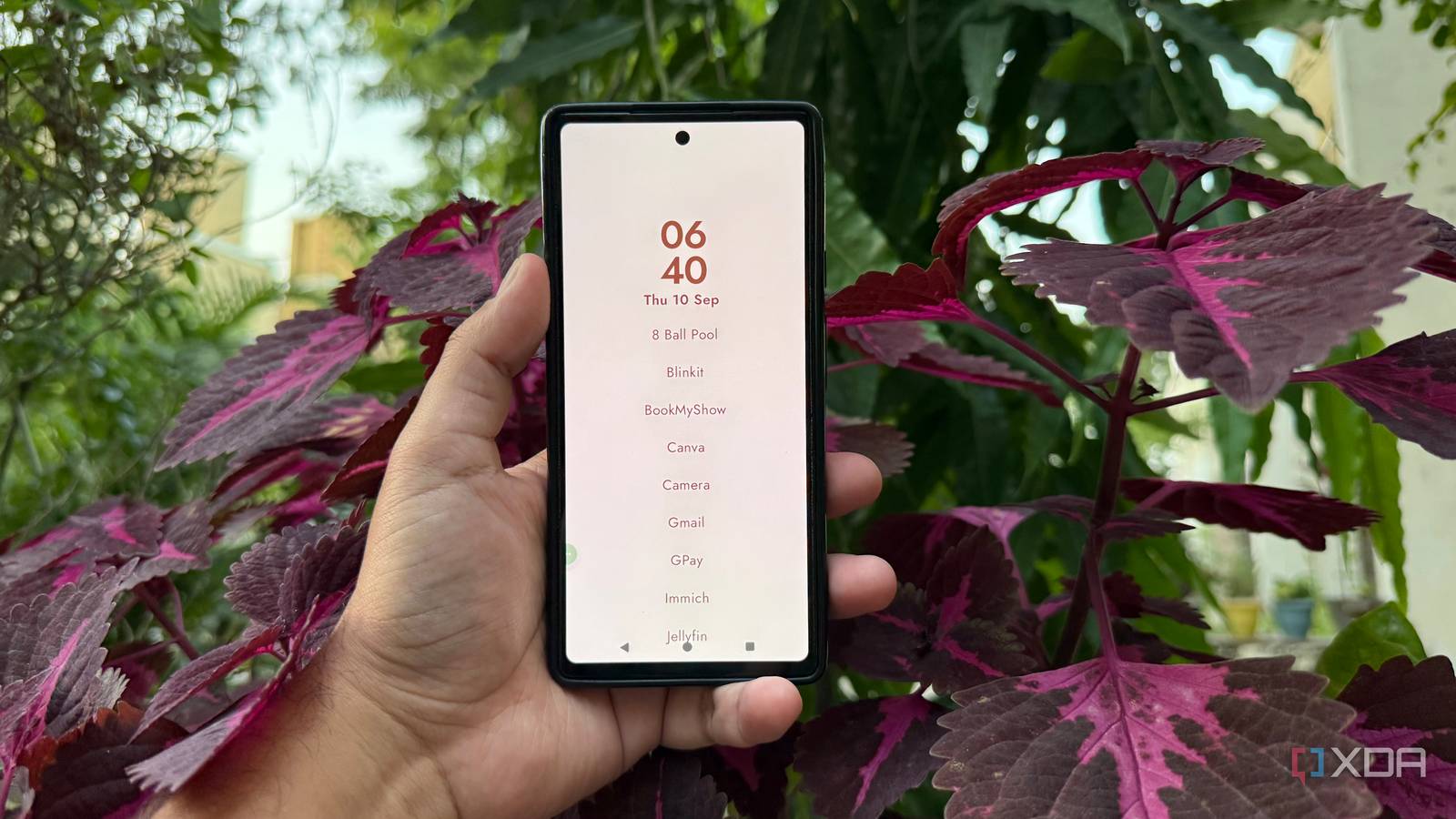
Published Sep 12, 2026, 4:00 PM EDT Beginning his professional journey in the tech industry in 2018, Yash spent over three years as a Software Engineer. After that, he shifted his focus to empowering readers through informative and engaging content on his tech blog – DiGiTAL BiRYANi. He has also published tech articles for MakeTechEasier. He loves to explore new tech gadgets and platforms. When he is not writing, you’ll find him exploring food. He is known as Digital Chef Yash among his readers because of his love for Technology and Food. I've tried plenty of Android launchers over the years, but I rarely found a reason to change the one I was already using. Niagara Launcher had become my default, so switching to something unfamiliar wasn't high on my list. Then I came across Escape Launcher, an open-source project that takes a noticeably different approach to the Android home screen. I installed it mostly out of curiosity, expecting to test it briefly and move on. Instead, I kept coming back to it. The experience made me look differently at what I actually want from a launcher, and whether a simpler approach can work better for me. I prefer Niagara launcher for years Niagara was hard to replace For years, I relied on Niagara Launcher for my Pixel device. Once I got used to its layout, going back to a traditional Android home screen felt unnecessarily busy. I liked having my most-used apps within easy reach instead of spreading icons across multiple pages. What worked for me was how little maintenance it needed. I didn't have to keep rearranging icons or deciding which apps belonged on which screen. My phone felt organized without requiring much effort from me. Even when I installed new apps, I rarely felt the need to change how everything was set up. It kept things focused on the apps I actually opened. After using it for so long, the interface became second nature. I knew where everything was, and that familiarity made it difficult to imagine replacing it with another launcher. At that point, Niagara was simply the way I used my Android phone. Escape launcher made me rethink This minimalist launcher caught me off guard Escape Launcher caught my attention because it approached the home screen from a completely different angle. Instead of giving me another collection of icons, widgets, and customization options to manage, it felt almost like a blank space. The initial time was strange because I was so used to Niagara's familiar layout. What stood out to me was the simplicity of the interface. Escape Launcher doesn't try to fill the screen with information or make the phone look impressive. It feels deliberately plain, and I found that surprisingly refreshing. There was something appealing about opening my phone and seeing so little competing for my attention. Escape Launcher is open source and available through F-Droid. That made it easy for me to try without committing to another closed launcher ecosystem. The more I looked at it, the more I realized I had been thinking about launchers in terms of what they could add to my phone. Escape Launcher made me consider the opposite: what if a launcher worked better by getting out of my way? That question was enough to make me keep using it. It changed my daily phone habits Less friction in my daily routine After using Escape Launcher for a while, I noticed that its features were changing how I interacted with my phone. The simple text-based interface meant I wasn't constantly looking at a grid of colorful icons. I could search for an app, open it, and move on without much fuss. I also liked having quick access to apps and other parts of my phone without filling the home screen with shortcuts. The launcher keeps the interface focused, so I didn't feel the need to arrange everything around me. Even basic things like finding an app or returning to the home screen felt more deliberate. Another feature I appreciated was the ability to customize what appears in the launcher without turning it into a complicated setup process. I could keep the experience suited to how I actually use my phone instead of spending time tweaking every small detail. It is not better at everything It's great, but not for everyone As much as I like Escape Launcher, I wouldn't say it is a better launcher for everyone. Its approach is quite specific, and that can be a drawback if you want your Android home screen to do more. I can see some users missing the visual flexibility of a conventional launcher. If you enjoy setting up widgets, arranging icons, using custom layouts, or changing the look of your home screen regularly, Escape Launcher may feel too restrictive. It isn't really designed for people who treat their home screen as a space for personalization. There is a small adjustment period, and the stripped-back design can feel unusual if you're coming from a more traditional launcher. For me, those limitations don't outweigh what I like about it. But that's the important point: Escape Launcher works because its minimal approach fits how I want to use my phone. For someone with different priorities, another launcher could easily be the better choice. Sometimes, the best launcher is the one you forget I didn't expect to replace Niagara Launcher after using it for so long, but Escape Launcher changed my perspective. It isn't trying to be the most feature-packed option, and that's exactly what makes it interesting. After giving it a proper chance, I found myself choosing it without thinking about the switch anymore. For my Android setup, that says more than any feature list ever could.
After years with Niagara Launcher, this open-source alternative finally won me over
Full Article
Original Source
Read the full article at Xda-developers →KhanList aggregates and links to publicly available news content. We do not host full articles from third-party sources. Always verify important information with original sources.