
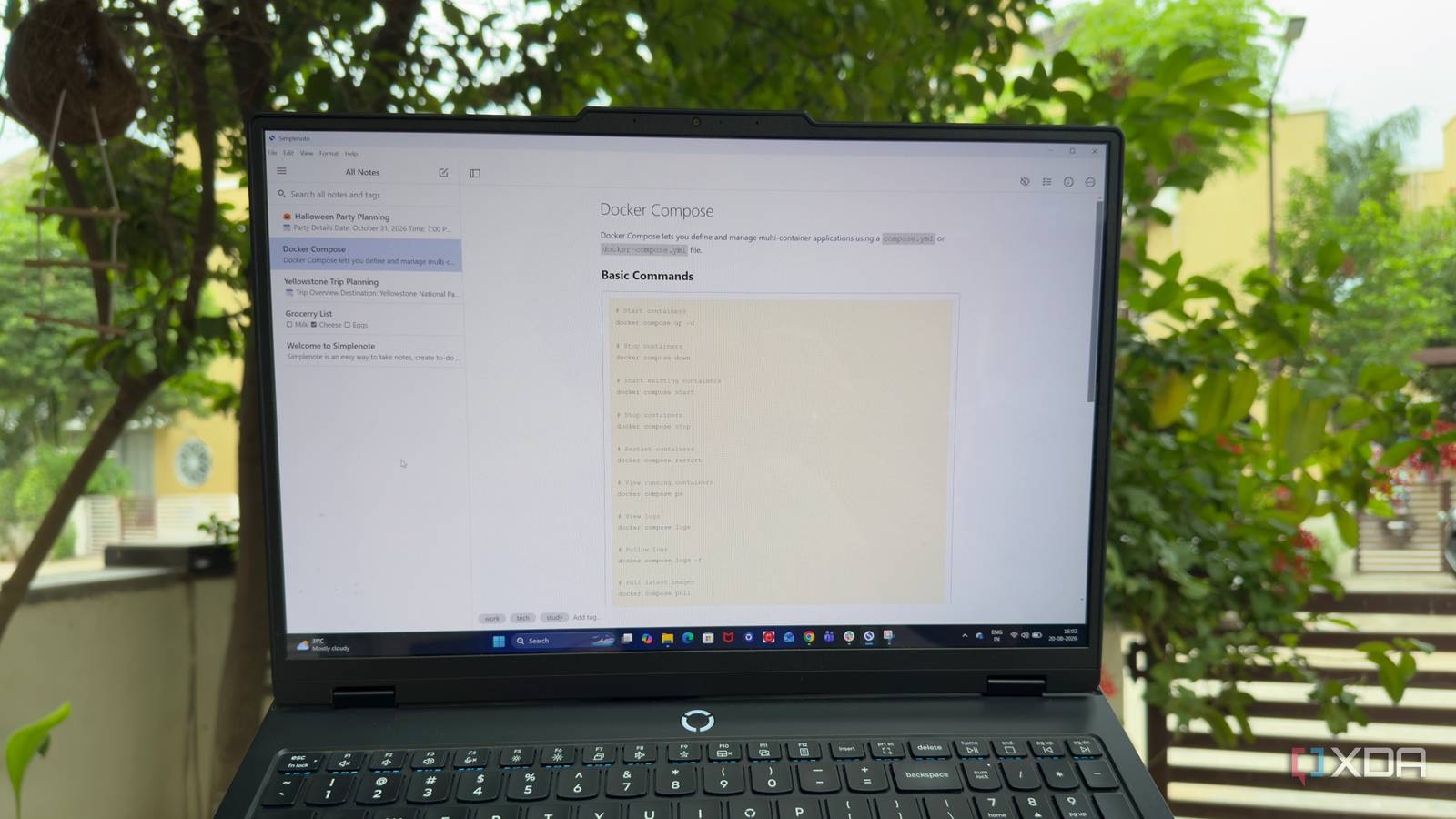
Published Aug 26, 2026, 6:00 AM EDT Beginning his professional journey in the tech industry in 2018, Yash spent over three years as a Software Engineer. After that, he shifted his focus to empowering readers through informative and engaging content on his tech blog – DiGiTAL BiRYANi. He has also published tech articles for MakeTechEasier. He loves to explore new tech gadgets and platforms. When he is not writing, you’ll find him exploring food. He is known as Digital Chef Yash among his readers because of his love for Technology and Food. I’ve tried plenty of note-taking apps over the years, and I usually gravitated toward the ones with the longest feature lists. The more they could do, the more useful I assumed they would be. But that also meant spending more time figuring out how I wanted to use them. Recently, I tried Simplenote, and it gave me a different perspective. Instead of making me think about everything a note-taking app could offer, it made me focus on what I actually use. After spending some time with it, I started wondering whether I had been making note-taking more complicated than it needed to be. Simplenote is simple It’s lightweight and lightning fast Simplenote is a lightweight note-taking app built around one simple idea: give me a place to write things down without getting in my way. Unlike many modern note-taking apps that can feel more like complete productivity systems, Simplenote keeps the experience focused on notes. When I open it, I don't have to think about how I want to structure my workspace or which system I should follow. I can simply start writing. The lightweight app takes a different approach by keeping the interface clean and the overall experience easy to understand. I also like how lightweight it feels in everyday use. It doesn't feel like I'm opening a heavy productivity suite just to jot down a thought. For quick notes, ideas, and everyday writing, Simplenote feels refreshingly straightforward. It reminds me that a note-taking app doesn't always need to do more. Sometimes, it just needs to make writing effortless. Markdown support with amazing features The features I actually use The feature I use most in Simplenote is Markdown support. I can write in plain text and use simple Markdown syntax whenever I need formatting. Headings, bold text, italic text, bullet lists, numbered lists, links, and code formatting are all easy to add without interrupting my writing. I also like the live preview, which lets me check how the formatted note will look without changing the original Markdown. For someone who writes regularly, this makes Simplenote useful for more than quick notes. I can use it for article outlines, drafts, research notes, and other text-heavy work. I also found a few other useful features. I can pin important notes, add tags to group related ones, and use the revision history to restore an earlier version when needed. Simplenote also supports sharing and collaboration, which is handy when I need someone else to review or edit a note. These features make writing and managing text more practical, while keeping the core experience centered around notes. Fast sync makes Simplenote more useful My notes stay updated across devices The biggest practical advantage I noticed with Simplenote is how quickly my notes stay updated across devices. Simplenote has apps for Windows, macOS, Linux, Android, and iOS, along with a web app, so I can access the same notes from almost anywhere. This fits well with the way I work. I might jot down an article idea on my phone while I’m away from my desk, then open Simplenote on my Windows PC when I’m ready to work on it. The note is already there, so I can keep going without manually transferring anything. The best part is that the changes sync automatically. If I edit a note on one device, I don't have to worry about creating another copy or remembering to update it elsewhere. The latest version follows me across my devices. For me, this makes Simplenote more practical than a basic offline notes app. I can use whichever device is convenient at the moment without changing how I manage my notes. The cross-platform support also means I'm not locked into a particular operating system just to access my notes. It made me question my note-taking requirements I realized I didn't need as much as I thought Simplenote made me rethink what I actually expect from a note-taking app. I usually look at feature lists and assume that more capabilities mean a better app. But when I looked at how I actually use my notes, most of those features weren't necessary. I mainly need a place to capture ideas, keep useful information, and find it when I need it. I don't need every note to be connected to another note or organized into a complex system. That doesn't mean advanced note-taking apps aren't useful. If you rely on databases, backlinks, plugins, or detailed knowledge management, those features can make sense. They just aren't essential for my everyday use. A minimal yet optimal note-taking app Simplenote may not have everything, but it has enough to make note-taking easy. I liked that it gives me the tools I need without adding unnecessary complexity to the experience. After using it, I found that its simple approach works well for everyday writing, quick ideas, and keeping notes within reach. The app strikes a good balance between simplicity and usefulness. It proves that a note-taking app can be minimal without feeling incomplete. Simplenote If you want a basic note-taking app that works across every platform, Simplenote is for you. It's free to download and use across platforms.
After years of using complex note-taking apps, this one simple tool changed how I work
Full Article
Original Source
Read the full article at Xda-developers →KhanList aggregates and links to publicly available news content. We do not host full articles from third-party sources. Always verify important information with original sources.