
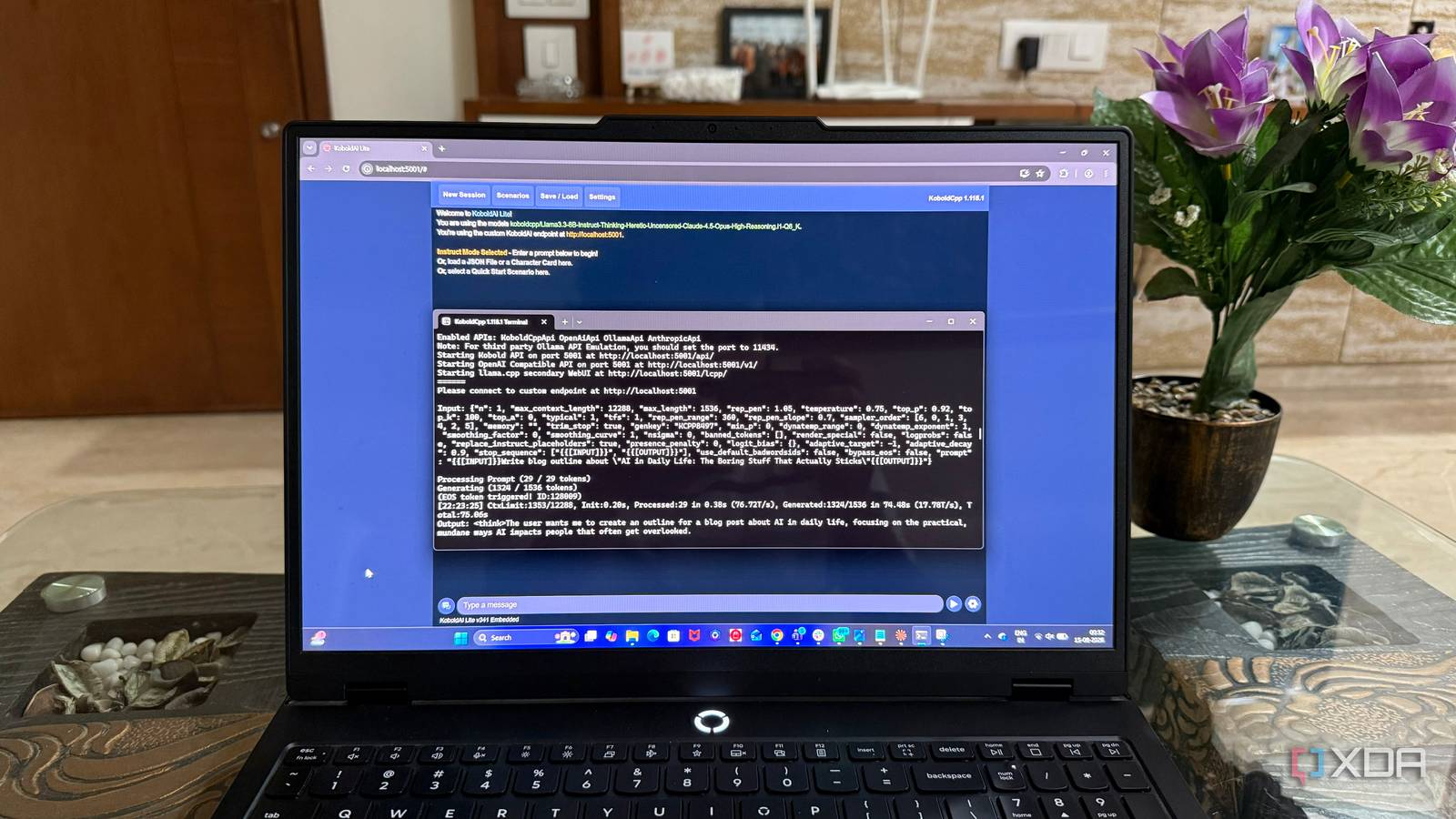
Published Aug 21, 2026, 12:30 PM EDT Beginning his professional journey in the tech industry in 2018, Yash spent over three years as a Software Engineer. After that, he shifted his focus to empowering readers through informative and engaging content on his tech blog – DiGiTAL BiRYANi. He has also published tech articles for MakeTechEasier. He loves to explore new tech gadgets and platforms. When he is not writing, you’ll find him exploring food. He is known as Digital Chef Yash among his readers because of his love for Technology and Food. I’ve been experimenting with local AI models for more than a year now, and I’ve tried quite a few along the way. Over time, I realized I don’t need one model to handle everything. Different models work better for different tasks, and I’ve found myself returning to the same few again and again. My current setup isn’t about installing the most models. It’s about keeping the ones that I actually find useful. Each model has a specific job in my workflow, whether I need help with code, everyday tasks, deeper reasoning, or creative work. My setup The hardware behind my local AI I run my local models on a machine with 32GB of RAM, an Nvidia GeForce RTX 5070, a 1TB SSD, and an Intel Core Ultra 9 processor. It’s more than enough for the models I regularly use, and the RTX 5070 makes a noticeable difference when running larger models locally. I can keep my workflow responsive without depending on a cloud service for every prompt. I use KoboldCpp to run these models. I prefer it because the setup is straightforward, and it gives me plenty of control without adding unnecessary complexity. I can download a model, load it into KoboldCpp, adjust the settings I need, and start using it locally. Since everything runs on my own hardware, my prompts and files stay on my machine. This setup has also made it easier for me to experiment with different models. I can keep several models installed and switch between them based on what I’m working on. Qwen 3.6 27B My pick for serious coding Coding is the job I give to Qwen 3.6 27B. I’m running the Qwen3.6-27B-Fable-Fus-711-UnHeretic-NM-DAU-NEO-MAX-NEO-Q5_K_S quantized model. The model is roughly 18GB, making it one of the heavier models I keep installed. The Q5_K_S quantization works well for my setup. It keeps the model manageable while still giving me good output quality. With my RTX 5070 and 32GB RAM, it runs comfortably, although it isn’t the fastest model in my collection. I mainly use it for code creation, debugging, refactoring, and understanding existing code. Code creation does take a bit of time, especially when I ask it to generate larger pieces, but I’m generally happy with the results. The extra wait is worth it when I get cleaner and more usable code instead of having to fix everything afterward. For me, this is the model I load when quality matters more than speed for coding. Gemma 4 12B My everyday local AI workhorse Gemma 4 12B is my everyday model. I reach for it when I want something quick and responsive for regular tasks. I use the gemma-4-12B-it-Q4_0 version, a Q4_0 quantized build that takes roughly 7–8GB of storage. The smaller size makes a noticeable difference in day-to-day use. It loads faster than my larger models and feels more responsive when I jump between tasks. I use it for quick questions, summarizing information, explaining concepts, brainstorming, and smaller coding tasks. What I like about Gemma 4 12B is that I don't have to think too much about which model to load. If I have a simple task in front of me, I can just start it and get a response quickly. It also leaves more system resources available for other things while it runs. For me, Gemma 4 12B is the convenient all-rounder that I keep ready for everyday local AI use. GPT OSS 20B The model I use to dig deeper GPT OSS 20B is the model I use when I need deeper reasoning. I’m running the gpt-oss-20b-Q6_K version, which uses Q6_K quantization and takes roughly 11–12GB of storage. It’s a fairly large model, but my hardware handles it well enough for regular local use. This is the model I turn to when a question has multiple layers, and I want it to spend more time working through the problem instead of giving me a quick answer. I use it to break down complicated questions, compare different options, work through problems, and check whether an idea actually makes sense. The main trade-off is speed. It takes a little longer to generate responses than my smaller models, particularly when I give it a large prompt. But when I want better reasoning and more detailed thought, I’m usually willing to wait. Llama 3.3 8B My creative playground Llama 3.3 8B is my creative writing model. I’m using Llama3.3-8B-Instruct-Thinking-Heretic-Uncensored-Claude-4.5-Opus-High-Reasoning.i1-Q6_K, a Q6_K quantized version that takes roughly 7GB of storage. I use it for stories, character ideas, brainstorming, and experimenting with different writing styles. I like how easily it handles open-ended prompts and keeps the writing flowing without making every response feel overly structured. The 8B size also makes it quick to load and responsive during longer creative sessions. I can generate an idea, tweak the prompt, and try another direction without much waiting. It’s not the model I use for everything, but for creative work, it has earned a permanent spot in my local setup. It’s fast, flexible, and easy to experiment with. The right model for the job I’ve found that local AI works best when I stop expecting one model to do everything. Keeping a few models for different jobs gives me more flexibility without complicating my setup. I also like that I can test new models whenever I want and keep only the ones that actually fit my workflow. For me, that’s the biggest advantage of running AI locally: I choose the models, the hardware, and how I use them.
After trying 20+ local LLMs, these are the 4 I keep installed for different jobs
Full Article
Original Source
Read the full article at Xda-developers →KhanList aggregates and links to publicly available news content. We do not host full articles from third-party sources. Always verify important information with original sources.