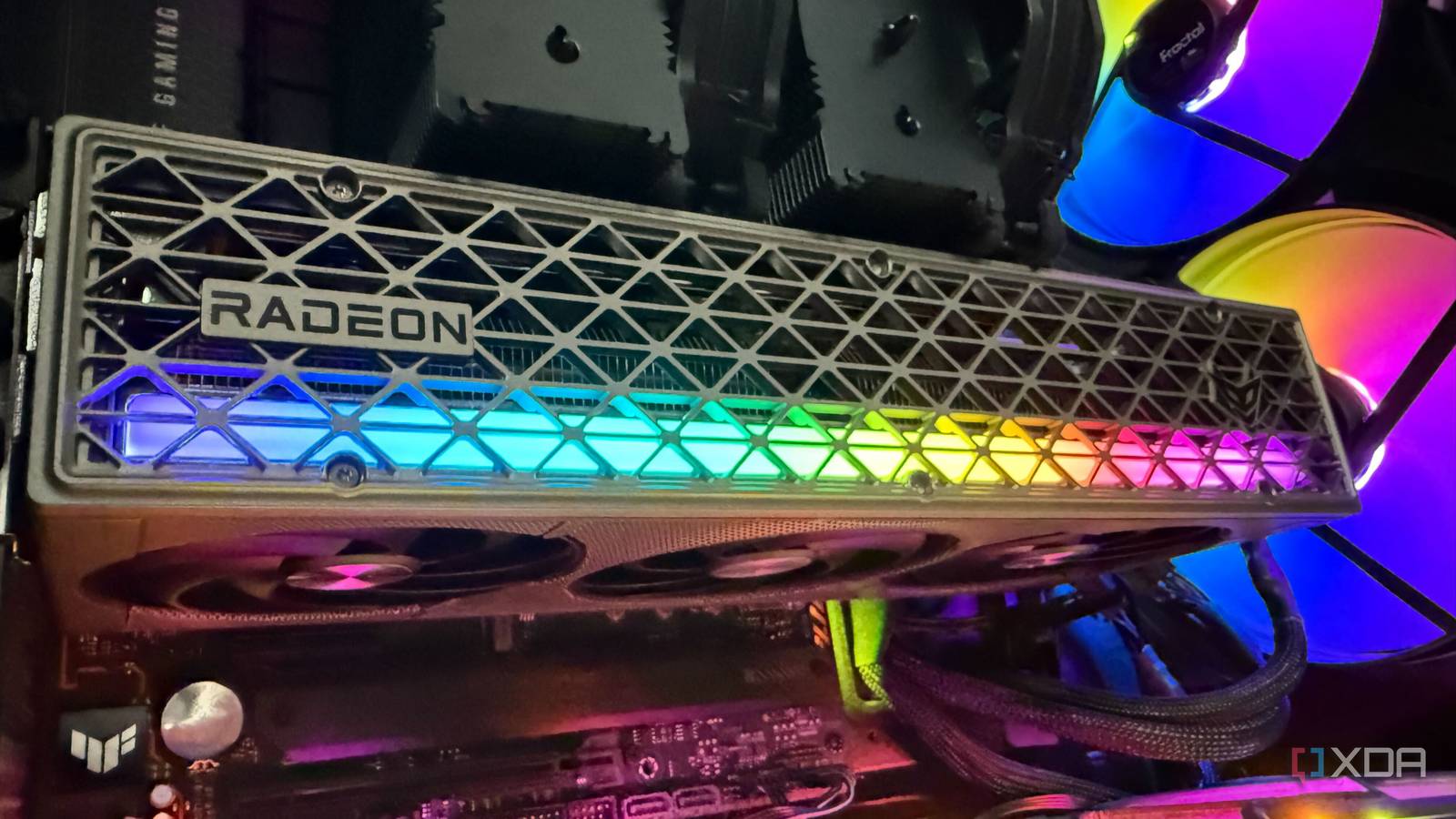
Updated Jul 23, 2026, 7:00 PM EDT His love of PCs and their components was born out of trying to squeeze every ounce of performance out of the family computer. Tinkering with his own build at age 10 turned into building PCs for friends and family, fostering a passion that would ultimately take shape as a career path. Besides being the first call for tech support for those close to him, Ty is a computer science student, with his focus being cloud computing and networking. He also competed in semi-pro Counter-Strike for 8 years, making him intimately familiar with everything to do with peripherals. I've frequently hopped between AMD and Nvidia when it comes to the discrete GPU. I've been firmly locked into AMD's ecosystem the last two generations, however. My last Nvidia GPU was the GeForce RTX 4060 Ti before moving to the Radeon RX 7900 XT from AMD and finally the RX 9070 XT, which just so happens to be the absolute sweet spot for my 4K gaming. What I (and many who make the switch) didn't expect were some notable differences between teams Green and Red. 4 AMD's Linux support feels more integrated Install your favorite distro and start gaming Nvidia's Linux drivers aren't terrible. The company updates them regularly, performance is generally good and modern Nvidia cards can use its open-source GPU kernel modules. However, the complete Nvidia graphics stack still relies heavily on components distributed and maintained by Nvidia. AMD's Linux support feels more closely integrated with the operating system. Modern Radeon GPUs normally use the open-source amdgpu kernel driver, with Mesa providing drivers such as RadeonSI for OpenGL and RADV for Vulkan. Most gaming-focused distributions already include the necessary components. When I moved my primary gaming desktop from Nvidia to AMD, I was able to remove the Nvidia-specific driver packages and rely largely on the graphics stack already supplied by my distribution. That made the system feel simpler and reduced the number of separate components I needed to think about. The downside is that Linux users don't receive an official equivalent to the full Windows versions of Nvidia App or AMD Software. I missed having a polished graphical interface for adjusting settings for individual games, monitoring performance and managing the GPU. There are community-made alternatives. Linux GPU Configuration and Monitoring Tool, better known as LACT, is one I frequently use. It provides GPU monitoring, fan control, power management and overclocking options through a graphical interface. It is particularly useful on an all-AMD system, such as my Framework Laptop 13 with its Ryzen 7040-series processor and integrated Radeon 780M graphics. Thankfully, Nvidia addressed the old GeForce Experience software pushing us all toward signing in wtih its replacement, Nvidia App, now only requiring it if you want to redeem rewards. 3 FSR isn't quite as good as DLSS AMD continues to close much of the gap Credit: AMD FidelityFX Super Resolution (FSR) isn't exactly new, but AMD has been working hard on its DLSS equivilent for Radeon hardware. FSR 4 is the latest iteration of the technology, poised to go up against DLSS 4.5 and now DLSS 5. Hardware isn't where much of the war is happening within the GPU market. It's the software and accompanying AI and machine learning (ML) technologies that can help squeeze out more visuals from the same physical parts. DLSS 5 is not merely another version of Super Resolution. Nvidia describes it as a neural-rendering model that modifies lighting and material appearance, which is likely where AMD and Intel will consider moving to next. Whether you're in the camp of firmly being against anything relating to super-sampling and upscaling or use it daily, there's no question just how impressive these features are when implemented right. At 4K, a good quality-mode upscaler can provide a large performance improvement without making the image look obviously reconstructed. AMD's latest solution is much more competitive than earlier versions of FSR, but Nvidia still offers the broader and more mature package. DLSS is actually a suite of tools, combining Super Resolution, Frame Generation, Ray Reconstruction and increasingly sophisticated override options through Nvidia App. That does not make AMD's offering bad, and it has not been a deal-breaker for me. The difference is often subtle during normal gameplay. Nevertheless, anyone moving from Nvidia to AMD should check which technologies are supported by the games they play most frequently. 2 Lower GPU temps don't result in less heat It's all about that cooler design My RX 9070 XT reports surprisingly low temperatures. During gaming, it rarely climbs far beyond 60 degrees Celsius (140F), which looks excellent beside some of the cards I've previously owned and tested. However, it doesn't mean the RX 9070 XT produces less heat than my RTX 4060 Ti did, because that Nvidia card had a total graphics-power rating of approximately 160 to 165W, depending on the model. AMD rates the RX 9070 XT at 304W. The Radeon card is more powerful, has more kit under the hood, and has a much higher thermal power rating. That means under sustained load, the Radeon liekly consumes considerably more electricity and release more heat into the room, even when its GPU sensor reports a lower temperature. What surprised me was not the RX 9070 XT's total heat output, but how effectively its cooler handles that heat, especially compared to the RTX 5090. ASRock's design is fantastic with a large heatsink and capable fans, matched by increased case airflow and a highly-optimized fan curve all influence the temperature shown by monitoring software. So, does the 9070 XT produce less heat? Not at all, it just means it is better equipped at handling the higher power load. AMD cards have not always had the best reputation for temperatures, but the Radeon cards I've used recently have been impressively well cooled. 1 Ray tracing remains the biggest draw for Nvidia Rasterized performance doesn't tell the entire story The biggest performance compromise when moving from Nvidia to AMD isn't necessarily visible in games that rely mostly on traditional rasterized rendering. It becomes more apparent when a title makes heavy use of ray tracing or path tracing, such as Cyberpunk 2077. AMD improved ray-tracing performance with RDNA 4, and FSR "Redstone" now includes an ML-powered Ray Regeneration feature.It works much better than previous iterations, but Nvidia has a more established ray-tracing software ecosystem. This won't matter to everyone. I still spend more time playing games where conventional rendering performance is the priority, so the RX 9070 XT still makes sense for my system. Players who regularly enable path tracing, however, may place considerably more value on Nvidia's additional hardware and software features, which is something AMD continues to struggle to compete against. I'm prepared to switch back I'm no brand snob and will follow which company offers the best bang for my buck. AMD just so happens to be that company right now, be it a gaming CPU or GPU. I've not once regretted my decision to go with AMD over upgrading to an RTX 4080 or even a mid-tier 4K-capable 50-series GPU. There are some things I still miss about Nvidia's ecosystem, namely DLSS, but even that isn't really that much of a factor these days with further development of FSR.
After ditching Nvidia for AMD, here are 4 things that actually surprised me about the switch
Full Article
Original Source
Read the full article at Xda-developers →KhanList aggregates and links to publicly available news content. We do not host full articles from third-party sources. Always verify important information with original sources.