
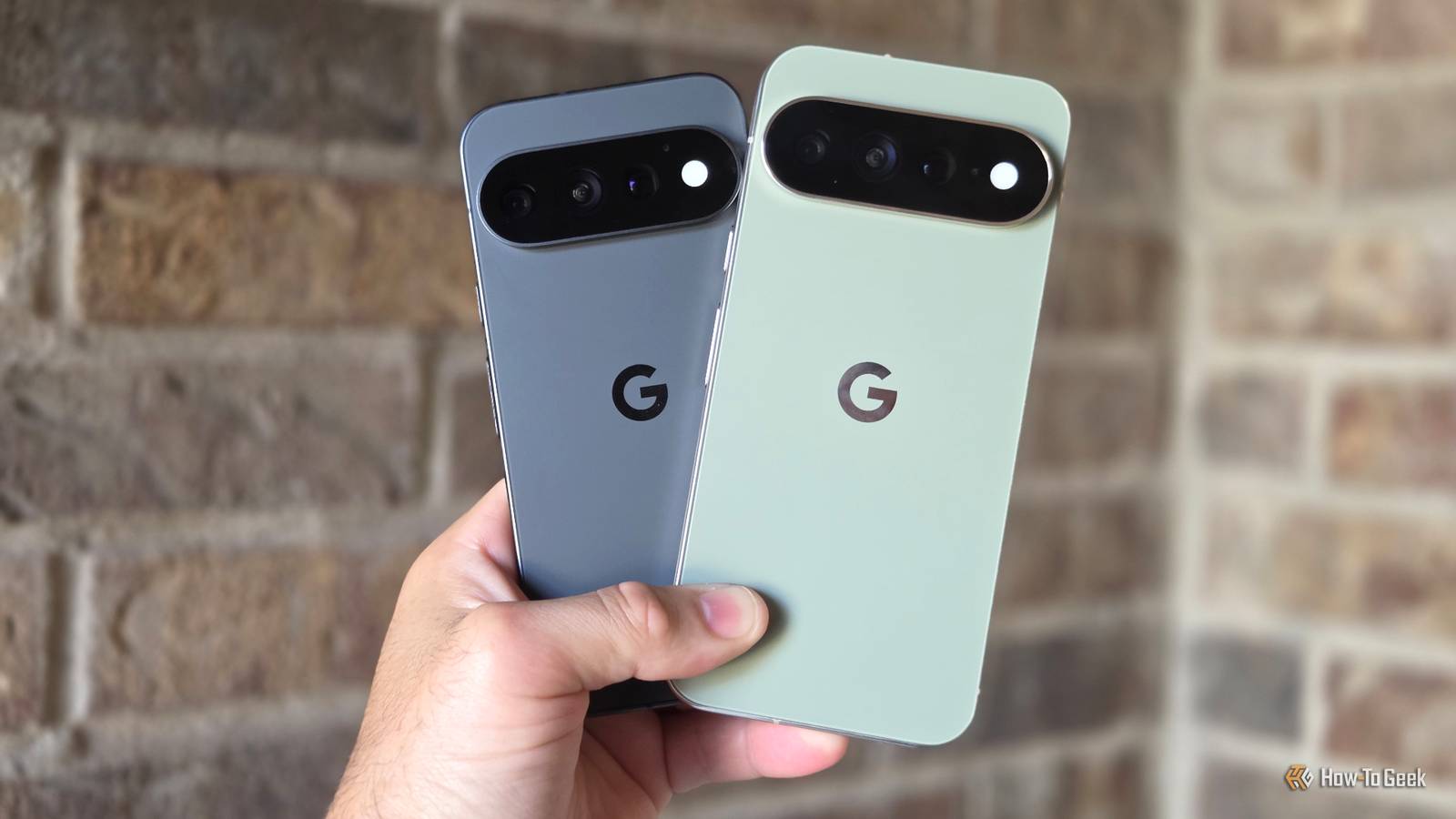
Published Sep 10, 2026, 9:00 AM EDT Cory Gunther is a senior author and Newsletter Editor at Valnet, covering cutting-edge tech, Android, and more for How-To Geek. He's covered Android, cars, and technology for over a decade. When he's not reviewing the latest gadget, you can find him off-roading in his Toyota truck, fixing said truck, or doing something outdoors with friends and family. He's covered CES, SEMA, and MWC and reviewed countless phones, TVs, speakers, EVs, e-bikes, and more. Before Valnet, Cory worked for GottaBeMobile. His writing has also appeared on SlashGear, InputMag, and AndroidCentral. He's written over 9,000 articles. The first 24 hours with a new device are always exciting as you set things up and check out new features. But it's after using it for several weeks that you start to find the hidden gems. And while the Pixel 11 series is getting a lot of negative attention for being so similar to the outgoing model, there's a lot that's new. Here are four features I haven't seen mentioned enough. Google's all-new Pixel 11 Pro is a pretty great phone, even if it's giving me déjà vu of the Pixel 10. The cameras are excellent, as always, Android 17 is snappy and customizable, and Gemini actually delivers useful AI features this time around. You've probably seen the new Magic Capture camera feature or Gboard's rambler tool, but here are a few other features I've been enjoying. A better "Extreme Charging" mode More juice when you need it most Credit: Cory Gunther / How-To Geek Early on, Pixel phones were among the best at fast charging, but over the last few years, they've lost a lot of ground to Samsung, Apple, and other Android manufacturers. Thankfully, across the entire Pixel 11 line, you'll find a new "Extreme Charging" mode buried deep in settings. Sure, the base models are getting better, and the Pixel 11 charges at 30W. Then there's the bigger Pixel 11 Pro XL, which can charge at up to 45W via USB-C. I've noticed my Pixel 11 Pro XL charges a bit slower than expected, and after digging through settings, I found a new "Extreme Charging" mode that turns off a bunch of features and lets the phone recharge faster than ever. Credit: Cory Gunther / How-To Geek Head into Settings > Battery & charging > and scroll down to Extreme Charging. As long as your Pixel 11 series is below 50%, you can enable Extreme charging, which pauses background activity, app updates, and similar processes to allow for a faster charge. It's a pretty odd feature, and you have to turn it on every single time you want to use it. The setting doesn't stick. This is likely for battery longevity reasons, but when you really need a fast charge, give it a try. You can also add it as a quick setting toggle in the notification bar, which should make turning it on a little easier. Reaction videos made easy Credit: Cory Gunther / How-To Geek Next, I wanted to highlight a pretty neat feature that isn't getting enough attention. And while this isn't limited to the Pixel 11, and is actually an Android 17 feature for the Pixel 6 or newer, you'll love it all the same. Thanks to the latest Android 17 update for Pixel phones, Google's built-in screen recorder now offers the option to record the screen and your front-facing camera simultaneously. More importantly, it'll turn the front camera into a green screen and employ AI to remove objects or backgrounds. Why would anyone want to use this? Well, think about the millions of "reaction videos" you see all over social media like TikTok. That's one of the many things you can do with the Pixel's new "screen reactions" feature. Pull down the notification bar twice to access quick settings, tap the screen recorder feature, then make sure to toggle on the front-facing camera. Now, you'll see your face while you record whatever is on the screen, complete with customization tools, audio controls, and background colors, and you can resize or move your face as you see fit. Your app drawer is a universal search tool Credit: Google If you're anything like me, you swipe open the Pixel app launcher and then start typing the name of the app in the search bar, rather than scrolling through the huge list of icons. It's the fastest and easiest way to open apps that aren't on your home screen. You've probably noticed that the Pixel Launcher will search for more than just apps. It can also look through your Contacts, the Play Store, Settings, and even Google Wallet. However, on the new Pixel 11 series, the Pixel Launcher is much more powerful for search. I'm not talking about the Google Search widget on your phone, but the "search bar" inside the Pixel app tray. On the Pixel 11, I use the Pixel launcher for universal search and start typing to find all sorts of things. Looking for a specific conversation, just search for it—without even opening Google Messages. So far, I've noticed that it can search through your Calendar, Contacts, Drive, Files by Google, the Play Store, Messages, Photos, Gmail, Pixel Screenshots, and more. The Pixel 11 app tray is basically a Spotlight-like search function. It's just weird that it only works in the app tray, not in the home screen search bar. Haptics that match your ringtone Along with several custom vibration settings Google Pixel phones have always had some of the best haptic motors of any smartphone. I'm talking about the vibrations during incoming calls and notifications, or the haptic vibration feedback while typing and such. The new Pixel Sounds app, which debuted on the Pixel 11 series, takes things to an entirely new level. Go to Settings > Sounds & vibration, select Ringtone, and choose the ringtone you want. That's nothing new. However, there's a new "Vibrations" button that'll take you to a new menu with 11 custom vibration patterns. As usual, you can customize vibration intensity, but there's a new option that lets you set vibrations and haptics to match the ringtone. Instead of the usual pulse, it'll literally match the ringtone with vibrations and drum beats, and it resonates through the entire device in a pretty impressive way. It sounds silly to mention that the vibration matches your ringtone, but now that I've tried multiple ringtones, including custom ones, it's pretty neat to feel the music through my Pixel 11. And yes, all these new patterns and controls are customizable on a per-contact basis, too. It's a small feature, but one that gives the phone a feeling of polish that I quite appreciate. And that's not all In closing, these are just a few of the many exciting new aspects or additions to these phones that I think many of you will enjoy. You'll love the improved zoom on the Pixel 11 Pro XL, and don't forget to check out all the Creator Suite tools in the camera app. It's also worth mentioning that the Pixel 11 series features stronger Qi magnets inside for a more secure fit, along with Qi2.2 support for faster charging and better accessories.
After a month with the Pixel 11—these are the 4 things not enough people are talking about
Full Article
Original Source
Read the full article at Howtogeek →KhanList aggregates and links to publicly available news content. We do not host full articles from third-party sources. Always verify important information with original sources.