
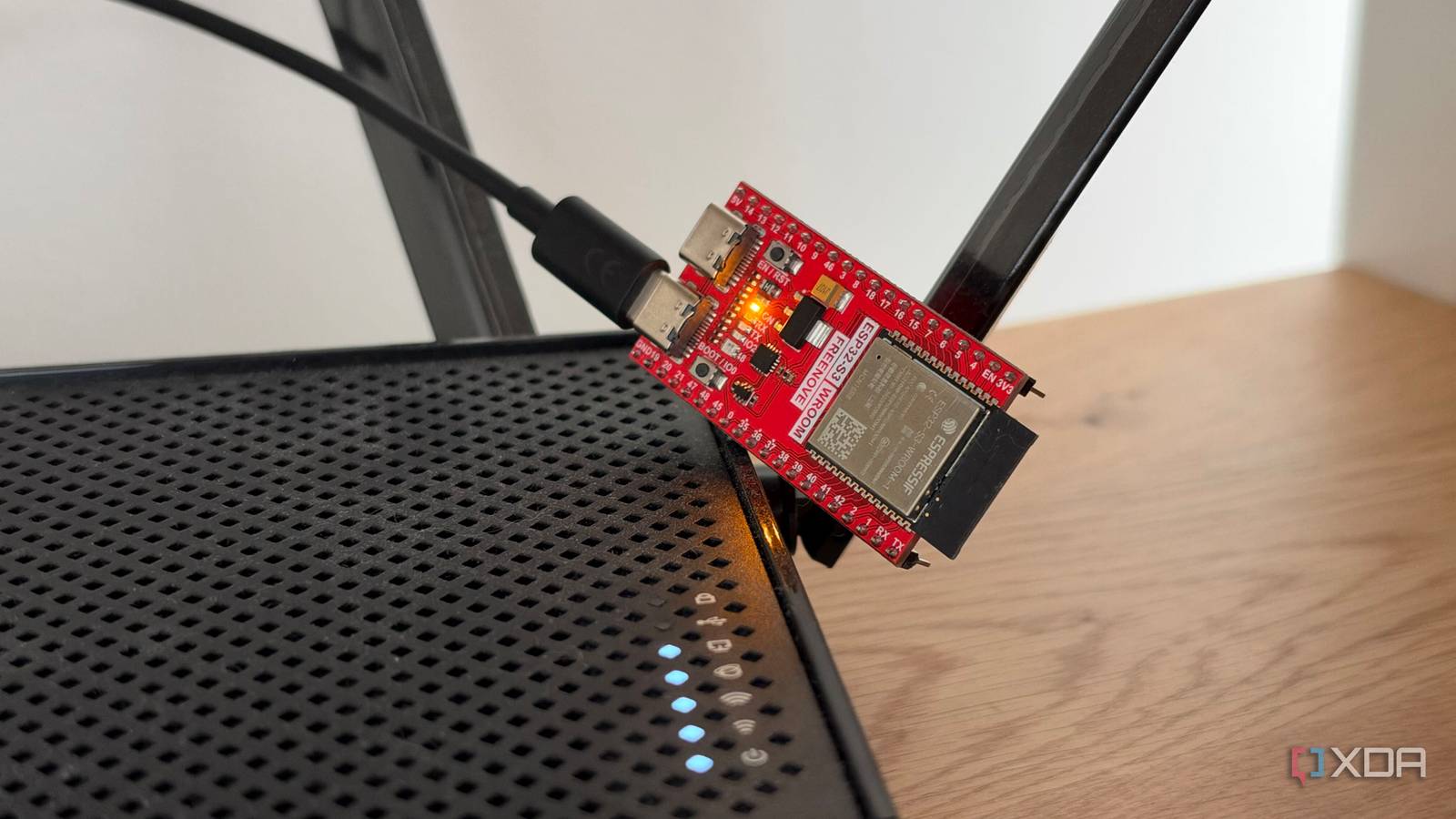
Published Sep 24, 2026, 11:00 AM EDT His love of PCs and their components was born out of trying to squeeze every ounce of performance out of the family computer. Tinkering with his own build at age 10 turned into building PCs for friends and family, fostering a passion that would ultimately take shape as a career path. Besides being the first call for tech support for those close to him, Ty is a computer science student, with his focus being cloud computing and networking. He also competed in semi-pro Counter-Strike for 8 years, making him intimately familiar with everything to do with peripherals. Setting up a DNS sinkhole through Pi-hole is almost a rite of passage for self-hosting these days, and for good reason. Its namesake, the Raspberry Pi, fits the ad-blocking bill almost perfectly, but there's something else that can block ads across your whole network almost just as well, and it does so while being less than half of the size and costing far less: the ESP32 microcontroller. It's a mainstay in the IoT world, and it might sound under-equipped for being a DNS sinkhole, but setting one up for myself showed me that it's actually one of the best tools for the job. An ESP32 is enough for this job You just need enough memory The project I used is s60sc's ESP32_AdBlocker, an Arduino sketch that turns an ESP32 into a DNS sinkhole. When a device asks it to look up a domain on its blocklist, it answers with 0.0.0.0, an address that leads nowhere, so the ad or tracker never loads. Any domain not on the list gets passed to an upstream DNS server as usual, and in my case, that's Cloudflare's 1.1.1.1 and 1.0.0.1. It's the same idea behind Pi-hole, just running on a microcontroller instead of a Linux machine, and also without the robust dashboard and monitoring. You can't just use any ESP32 for this, however. Memory is the key constraint here, and the project's documentation states that the board needs PSRAM to hold a modern blocklist. An ESP32-S3 with 8MB can host a full-size list, while an older ESP32 with 4MB may have to cut it short. My board is an N16R8 variant, meaning 16MB of flash storage and 8MB of PSRAM. The board joins my network over 2.4GHz Wi-Fi, runs from a USB power adapter, and has no fan and no Linux install to keep patched. Getting the rest of the network to use it is incredibly simple. I reserved an IP address for the board in my router's settings, and then set the board's address as the primary DNS server. This way, I'm not changing DNS settings per-device, and in cases where a device's DNS settings can't be accessed, the ad-blocker can still work. Processing power is not a limitation A DNS sinkhole doesn't need much An ESP32 isn't nearly as powerful as a full-fledged SBC. Even a Raspberry Pi Zero has significantly more processing power than an ESP32, and you'd think that it'd be a far better device to run a sinkhole on, but DNS is far lighter than you might think. DNS only translates a domain name into an IP address. Once a device has that address, it connects directly to the server, and your downloads, streams, and game traffic never touch the ESP32. It has no effect on your bandwidth at all, as it only handles the moment a connection is being set up, and even then, devices and browsers cache the answers, so many repeat visits never ask it at all. The most common misconception is that the sinkhole acts as a sole ingress and egress point in your network, and it's just not true. The lookups that do reach it don't ask much. The project's documentation puts a blocklist check at under 50 microseconds on an ESP32-S3 with 8MB of PSRAM. For a domain that isn't blocked, most of the wait is the round trip to Cloudflare, which is the same trip my router would make if it handled DNS itself. If anything slows it down, it's probably going to be the Wi-Fi connection rather than the chip. The ESP32-S3 only supports 2.4GHz Wi-Fi, so a board hidden behind a TV on a crowded channel can add delay or drop lookups entirely. Where you put it matters more than how fast it is. The daily blocklist refresh is also real work for the board, so it's worth scheduling it to run overnight. It can't do everything a Pi-hole can There are some key limitations Docker failing to deploy a Pi-hole containerCredit: An ESP32 can make a great DNS sinkhole, but Pi-hole is the more capable tool. The ESP32 accepts one blocklist URL, so you need a single combined list, and its size is capped by the board's PSRAM. Pi-hole takes as many blocklists as you want and can apply them to specific groups of devices, identified by IP or MAC address. That lets you block more on specific devices, and can be useful for something like parental control on a child's device. The ESP32 does show running counts and a live log, but Pi-hole keeps a long-term query database broken down by device, and put into a nice and clean web interface. It can also act as a DHCP server, though it's not recommended. One of the best ways to use a microcontroller Ad-blocking on an ESP32 shouldn't replace a dedicated Pi-hole instance, but it is one of the best ways to set one up if you currently don't run a DNS sinkhole. For a household that wants blocking it can set up once and forget, most of those gaps don't matter much. The ESP32 skips the features power users rely on, but it covers the basics on hardware that costs less than a takeout lunch and draws only a trickle of power.
Ad-blocking doesn't need a Raspberry Pi — a $15 ESP32 handles it just fine
Full Article
Original Source
Read the full article at Xda-developers →KhanList aggregates and links to publicly available news content. We do not host full articles from third-party sources. Always verify important information with original sources.