
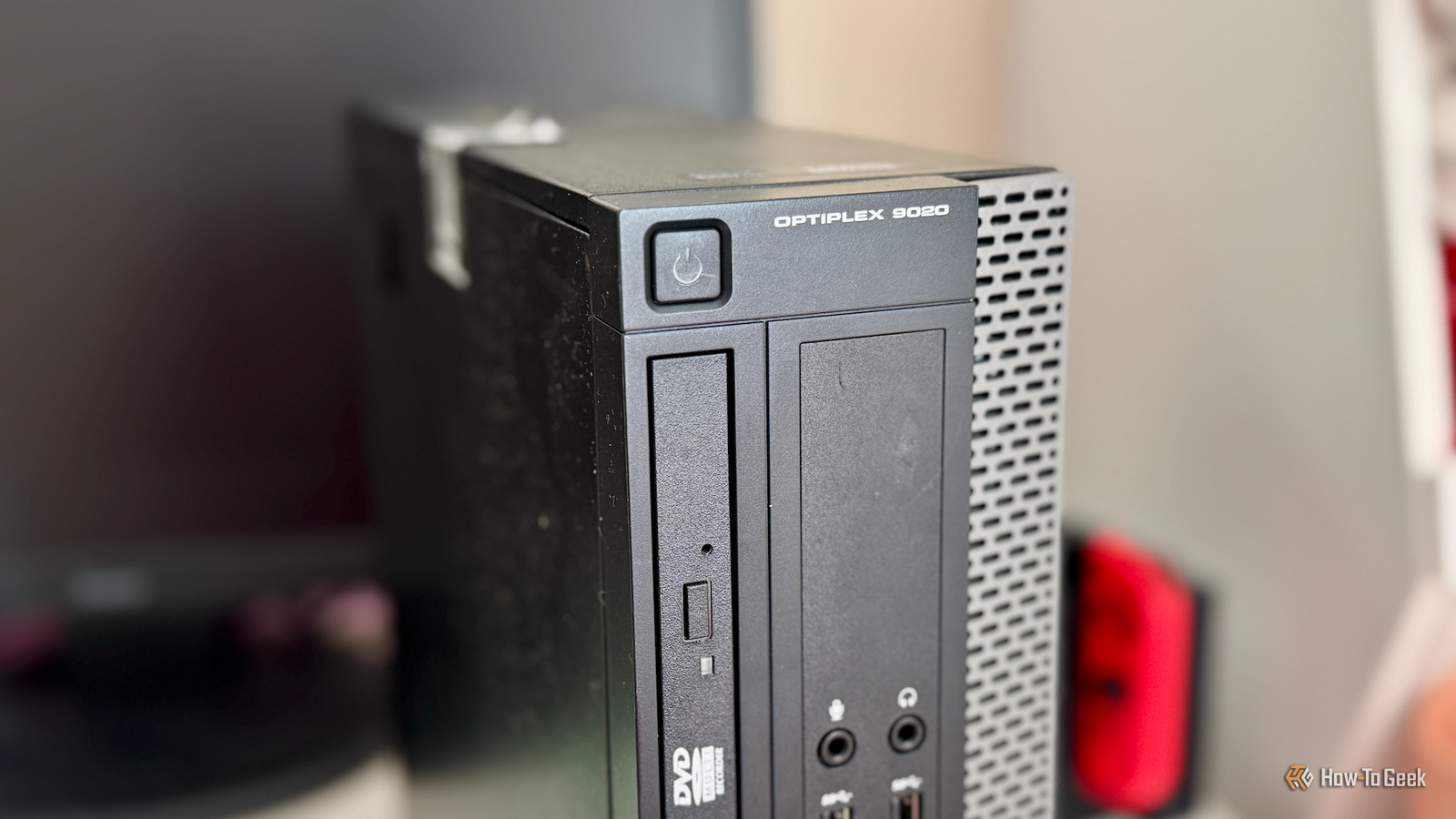
Published Oct 30, 2026, 7:30 AM EDT Patrick Campanale has been in the tech space for well over a decade, specializing in PC/gaming news and reviews, as well as maker-focused products to build small businesses. With a start in technology back in 2010 surrounding the Palm/webOS ecosystem, Patrick spent his formative years developing mobile applications as well as blogging for various publications, eventually leading to starting his own website in 2014. After running a technology blog for a few years, he stepped out of that role and into the world of high-end custom PC manufacturing and building, with a focus on YouTube video production and overclocking. Then, in 2017, Patrick joined the 9to5Toys team as an editor/writer/reviewer with over 14,000 articles being published during his time there, ranging from deals and roundups to in-depth reviews on the latest technology, video games, 3D printers, and more. In his free time, Patrick loves to create projects from wood using various robots and methods, including leveraging the technologies of CNCs and lasers. If Patrick isn't working on a computer or playing video games, he's likely in his 2-car garage workshop creating something unique. In addition to all this, Patrick is also the media director at his local church where he feels God has called him to serve, and he loves every minute of it. Are you tired of paying for tons of cloud subscriptions? What if I told you a sub-$100 homelab could pay for itself? Here’s what you need to get started with homelabbing and how canceling just three subscriptions can pay off your investment in around two months. You don’t have to spend a fortune on starting your homelab A used mini PC or old system you already own is all you need to get started I’ve run into a lot of people who think that you need expensive equipment to start a homelab—you don’t. I actually recommend starting a homelab with cheaper hardware, like a used mini PC or desktop off Facebook Marketplace unless you already have an old system sitting around collecting dust. You see, a homelab doesn’t need a ton of processing power. Most computers made in the past 10 to 15 years are actually more than capable of running self-hosted applications, especially when you compare those PCs to something like a Raspberry Pi 3B, which has been staple in the homelab community for over a decade. As far as software goes, you’ll probably want to start out with Docker. Docker is my favorite homelab software because it makes deploying services extremely simple and there’s tons of online documentation for it. Plus, Docker runs on basically every operating system, including Linux, macOS, and Windows. Replace the easiest subscriptions first Audible, Netflix, and photo backups are the best place to start Once you have the hardware you’re going to start your homelab with, it’s time to start looking at what services that homelab is capable of replacing. My own homelab has replaced dozens of services that I used to pay for, from Audible to Netflix and Hulu, Minecraft servers, actual paid web hosting, and more. To start with, though, I’d recommend replacing a few simpler services before diving too deep down the homelab rabbit hole. The first one I’d look at replacing is Audible, as it’s the easiest, in my opinion. Audiobookshelf is a fantastic piece of self-hosted software and it works great. The thing with audiobooks is there are actually retailers that sell them without DRM, so you can fairly easily get any audiobook you want to host on Audiobookshelf. This especially becomes evident when you realize that Audible’s subscription is mostly good for getting a free book or two per month. Audible does have a large library that is now included with your subscription, but that library can be easily replicated by finding other sources of audiobooks, like the free places you can download them from, or by visiting the thrift store to pick up some CDs to rip. Once you have your Audiobookshelf setup going, though, it’s time to move onto replacing Netflix. Netflix (or any streaming service) is relatively easy to replace, too. It’s a little more time-consuming though, as publishers of movies and TV shows don’t often sell their content DRM-free. Instead, you’ll need to purchase DVDs and Blu-rays and rip them to your computer. This can take quite a while depending on how many movies and TV shows you’re starting with, so be ready to swap discs often and have a good amount of storage on hand for the library if you have a lot of content to digitize. The third thing that I would replace is a cloud photo subscription. iCloud Photos and Google Photos can both become pretty costly to pay for monthly depending on how many pictures you have. The more pictures you have, the more it costs. In your homelab, Immich provides almost the exact same experience that Google Photos does but for a fraction of the price—free. The only thing you have to pay for is storage and power. Immich is pretty straightforward to set up, and you can make it so your phone backs up outside of your network via Tailscale or a reverse proxy, or just have it wait until it’s back home on Wi-Fi to back up, since Immich has a mobile app for both Android and iOS. Remember to set up 3-2-1 backups A properly backed up homelab should never keep all its storage in one place The one thing that I think too many people neglect when they start a homelab (including myself years ago) is proper backups. This is one of the main benefits that online services offer over self-hosted services don’t—redundancy for failures. Not everything needs to be backed up elsewhere. For instance, your audiobooks and movies don’t need it because you can re-download the audiobooks and re-rip the movies. Your photos, however, definitely should be backed up elsewhere. I personally pay for Google’s AI Pro plan because it gives me 5TB of storage for $20 per month. That’s just $4 per TB, which is about $3 per month less than the $7/TB that Backblaze charges. Of course, that’s yet another cost and might be something that you’re wanting to avoid. So, you could always buy a second mini PC or NAS to store at a friend or family member’s house and back up to. This is a one-time investment, and as long as you trust the person who’s house it’s at, then you’re good. Just don’t make the same mistakes I did early on and not have backups of your most precious data. Ideally, you should have three copies of all important data, on two different types of media, with one kept offsite. Thankfully I never lost anything, but I very well could have and it would have been my fault with no way to get it back. A homelab pays for itself faster than you realize The services I just mentioned above could easily cost $60 per month, if you’re paying $15 for Audible, $10 for iCloud Photos or Google Photos, and another $25 for Netflix. If you can replace just those three services, then you’ve paid for a $100 homelab in around two months—and that’s just the start.
A sub-$100 homelab can pay for itself by replacing just 3 cloud subscriptions
Full Article
Original Source
Read the full article at Howtogeek →KhanList aggregates and links to publicly available news content. We do not host full articles from third-party sources. Always verify important information with original sources.