
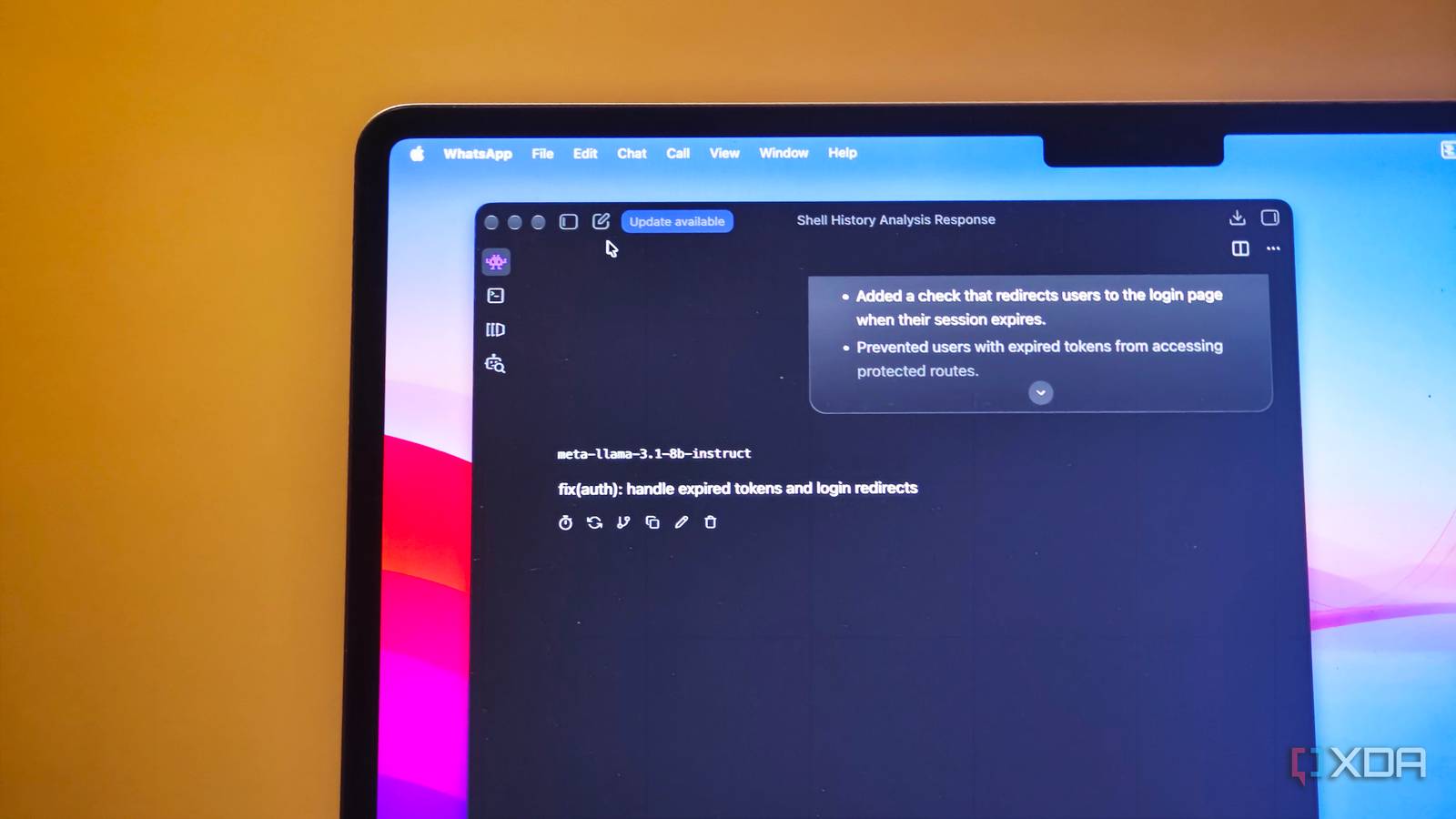
Published Nov 29, 2026, 5:30 PM EST Anurag is an experienced journalist and author who’s been covering tech for the past 5 years, with a focus on Windows, Android, and Apple. He’s written for sites like Android Police, Neowin, Dexerto, and MakeTechEasier. Anurag’s always pumped about tech and loves getting his hands on the latest gadgets. When he's not procrastinating, you’ll probably find him catching the newest movies in theaters or scrolling through Twitter from his bed. I've tried using local LLMs for all sorts of things, from coding and troubleshooting to managing my smart home. However, smaller models struggle with most of those tasks, and getting them to produce desired results requires more effort than doing the work yourself. I've had much better luck giving them simple, repetitive jobs that don't require much reasoning. For example, I regularly work with Git, take screenshots for my articles, and follow RSS feeds to keep up with tech news. These involve several small tasks that I'd rather automate. So I started using local models to generate commit messages, give screenshots descriptive filenames, and summarize articles from my RSS feeds. I used models with fewer than 3 billion parameters for these automations, running locally on my MacBook Air. My local LLM handles Git commit messages Automating one of Git's repetitive tasks I use Git regularly for my coding projects, and I often get lazy about writing commit messages. Sometimes, I'll make several changes across different files and then spend more time than I'd like figuring out how to describe them in a short, meaningful message. I figured this was an obvious task to hand over to a local LLM. For this, I used Qwen3-1.7B, a relatively small model that runs locally on my MacBook. The setup is fairly straightforward. A script extracts the changes I've staged using git diff --staged and passes them to the model through my local inference server. I also instructed the model to follow the Conventional Commits format, which uses prefixes like fix, feat, and refactor to describe different types of changes. For example, if I modify an app's authentication logic to handle expired tokens and fix a login redirect, the model can generate something like fix(auth): handle expired tokens and login redirects. You don't even need to write your own script to accomplish this. Tools like ollama-commit can generate commit messages from staged changes using models running through Ollama. You can also build a similar workflow with other local inference servers. Of course, the model isn't going to understand every change perfectly, particularly when dealing with large diffs or complicated code. However, for routine changes, it has enough info to generate a reasonably descriptive message. And since the script only reads staged changes, I don't have to feed it my entire codebase. My local LLM renames my screenshots Giving screenshots more descriptive filenames I take a lot of screenshots, especially when I'm working on articles, testing applications, or experimenting with Home Assistant. Most of them end up with generic filenames like Screenshot 2026-11-27 at 10.43.21.png, which tell me absolutely nothing about what's in the image. When I need to find a particular screenshot later, I usually have to open several files before finding the right one. To automate this, I used Qwen3.5-2B, a small vision-language model that can analyze images and generate text based on their contents. Unlike the model I use for commit messages, this one can actually inspect screenshots. I connected it to a Python script that monitors my screenshots folder, sends new images to the model, and asks it to generate a short, descriptive filename. For example, a screenshot showing Home Assistant's temperature and humidity dashboard could be renamed to home-assistant-temperature-dashboard.png. I instructed the model to use lowercase letters, separate words with hyphens, and keep filenames short enough to be readable. You can accomplish something similar with other lightweight vision models, including SmolVLM2. There are some limitations, though. Screenshots containing lots of small text or unfamiliar interfaces are harder for a small vision model to interpret, and the resulting filenames can be too generic or inaccurate. I also configured the script to preserve the original file extensions and avoid overwriting existing files. Getting through articles much faster I follow quite a few RSS feeds to keep up with developments in technology, particularly around self-hosting, local AI, Home Assistant, and Android. But there's always more content than I have time to read. Some days, dozens of new articles appear across my feeds, and going through each one individually takes a considerable amount of time. I already use n8n for several automations on my home server, so I integrated a local LLM into an RSS summarization workflow. The setup uses n8n to fetch new articles from my RSS feeds, extract their contents, and pass the text to Qwen3-1.7B running locally. I instructed the model to generate a short summary covering the main development and its important details. These summaries are then collected into a digest that I can go through whenever I have time. For example, if an article covers a new Home Assistant release, I'm usually interested in the new integrations, improvements to existing features, and anything that could be useful for my setup. The model can condense those details into a few sentences. You can also build a similar setup using FreshRSS, which has extensions that support summarization through locally hosted models. I prefer n8n because I already have it running and can easily integrate the summaries into my existing automations. Small local models deserve more attention I've found that giving smaller models specific, repetitive jobs makes them far more useful than trying to turn them into general-purpose assistants. They run on hardware I already own, and I can process as many requests as I want without worrying about cloud API charges.
A local LLM writes my commit messages, renames my screenshots, and summarizes my RSS feeds, and none of it needs a big model
Full Article
Original Source
Read the full article at Xda-developers →KhanList aggregates and links to publicly available news content. We do not host full articles from third-party sources. Always verify important information with original sources.