
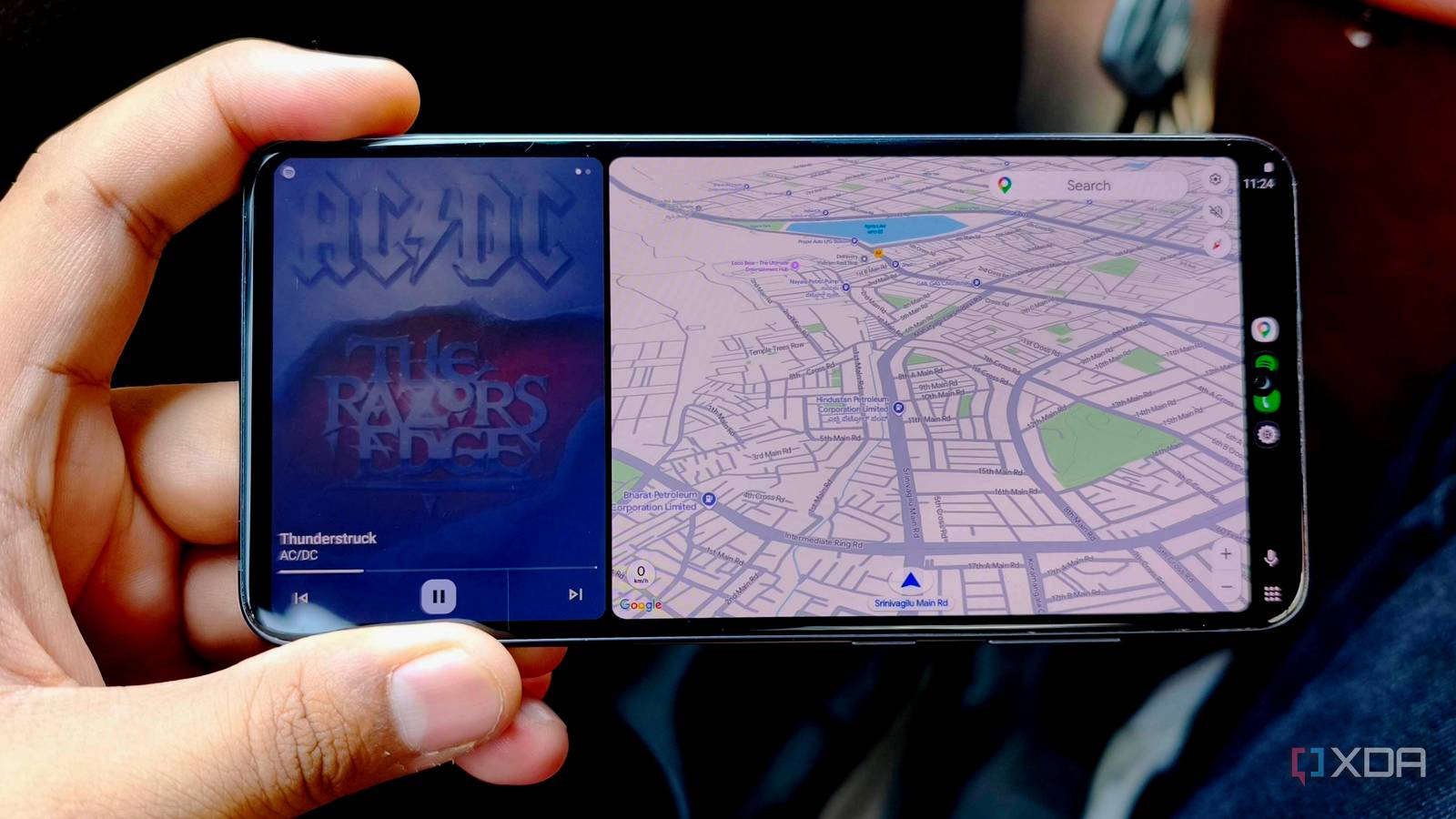
Published Oct 13, 2026, 6:00 PM EDT Anurag is an experienced journalist and author who’s been covering tech for the past 5 years, with a focus on Windows, Android, and Apple. He’s written for sites like Android Police, Neowin, Dexerto, and MakeTechEasier. Anurag’s always pumped about tech and loves getting his hands on the latest gadgets. When he's not procrastinating, you’ll probably find him catching the newest movies in theaters or scrolling through Twitter from his bed. I've been having issues with the head unit in my car, and I want a dedicated screen for navigation and music without pulling my phone out of my pocket every time I get in. Since I already have an old Samsung Galaxy S21 FE that I bought from a friend for a few hundred bucks, I decided to put it to good use. It's a few generations old now, and you can pick one up second-hand for much less than it originally cost. The screen is still perfectly useful for displaying a map. I could use it independently, with Android Auto and the receiver app running on the same phone. However, that would require setting up my apps on another phone and giving it internet access through a separate SIM or my regular phone's hotspot. I'd rather keep everything on the phone I already carry. With an Android Auto receiver app, the S21 FE can display the interface sent wirelessly from my main phone and let me control it through the touchscreen. My main phone does most of the work Old phone acts more like a head unit The Galaxy S21 FE has more processing power than I need for this setup because Android Auto runs on my regular phone. That phone runs the navigation and music apps, uses its GPS for directions, and accesses the internet through its mobile connection. I use this app called Open Headunit, which receives the interface over Wi-Fi and displays it on the S21 FE. When I tap a button on the Galaxy, it sends that input back to my main phone. This also means I don't need a SIM in the spare phone or have to sign in to my music account again. My apps, saved places, and playlists stay on the phone I already use. You still need a spare phone with working Wi-Fi and enough performance to decode the video smoothly. I'd also pay attention to screen brightness and battery condition, especially when buying second-hand. If the display is hard to read in daylight, it's a problem no matter how fast the processor is. Setting up the wireless connection I'm using Open Headunit as the receiver app As mentioned above, I'm using Open Headunit as the receiver app on the Galaxy S21 FE. It supports wireless Android Auto projection, including a Wi-Fi Direct connection between the two phones. It's completely free if you download it from GitHub. I found that out the hard way after paying a one-time $4 fee for the Play Store version. The app needs permission to discover nearby devices and use the microphone. Your main phone needs Android Auto, with Wi-Fi, Bluetooth, and mobile data enabled. Inside Open Headunit's settings, select Native Mode under Android Auto Mode. Choose Wi-Fi Direct for the connection. This creates a direct wireless link between the phones without requiring you to turn on your main phone's hotspot manually. Your main phone continues using mobile data for navigation and streaming. Start the wireless connection from Open Headunit and keep both phones unlocked for the initial pairing. Accept the connection requests and complete any Android Auto setup prompts on your main phone. Use wireless receiver mode here. I've used the setup for almost a week now, and I haven't had any issues with navigation, music playback, touch controls, or voice commands. I can lock my main phone and keep it in my pocket, and the projection continues on the old Galaxy. The disconnection and reconnection between the two also happen seamlessly, so I can leave the phone in my car and come back to reconnect without any issues. If you want to use an old phone as a full-time Android Auto screen, you need a secure mount and power from a car charger for longer drives. When mounting it, be careful where you park. Direct sunlight can heat the phone, damage the battery, and, if the phone is very old, pose a fire hazard. This is something I would be very careful about. The old phone can run Android Auto itself But you shouldn't use it that way Open Headunit also has a Self Mode that lets you run Android Auto and the receiver app on the same device. You get the driving interface on its screen without projecting anything from your regular phone. If you want a phone dedicated entirely to the car, this is another option. For this arrangement, you need Android Auto on the old phone along with your navigation and music apps. Sign in to the accounts you want to use, then select Self Mode in Open Headunit. Internet access is what puts me off this option. A separate SIM would let my S21 FE run navigation and streaming independently, but I'd have to maintain another mobile plan. Using my regular phone's hotspot would also work, although that adds to the hotspot connection I want to avoid. If you go with this method, your old phone also handles navigation, media playback, and Android Auto processing. Its battery condition and ability to manage heat matter more when it's doing all that with the screen on and a charger connected. Plus, the calls and messages on your regular phone will still need their own arrangement because Self Mode runs from the old phone's apps and accounts. I'd use Self Mode if I want the old phone to work even when someone else drives the car without my phone. For my own use, I prefer keeping the apps and mobile connection on my regular phone and using the Galaxy S21 FE as the screen. Open Headunit
A cheap secondhand phone now runs Android Auto in my car full-time, and my real phone stays in my pocket
Full Article
Original Source
Read the full article at Xda-developers →KhanList aggregates and links to publicly available news content. We do not host full articles from third-party sources. Always verify important information with original sources.