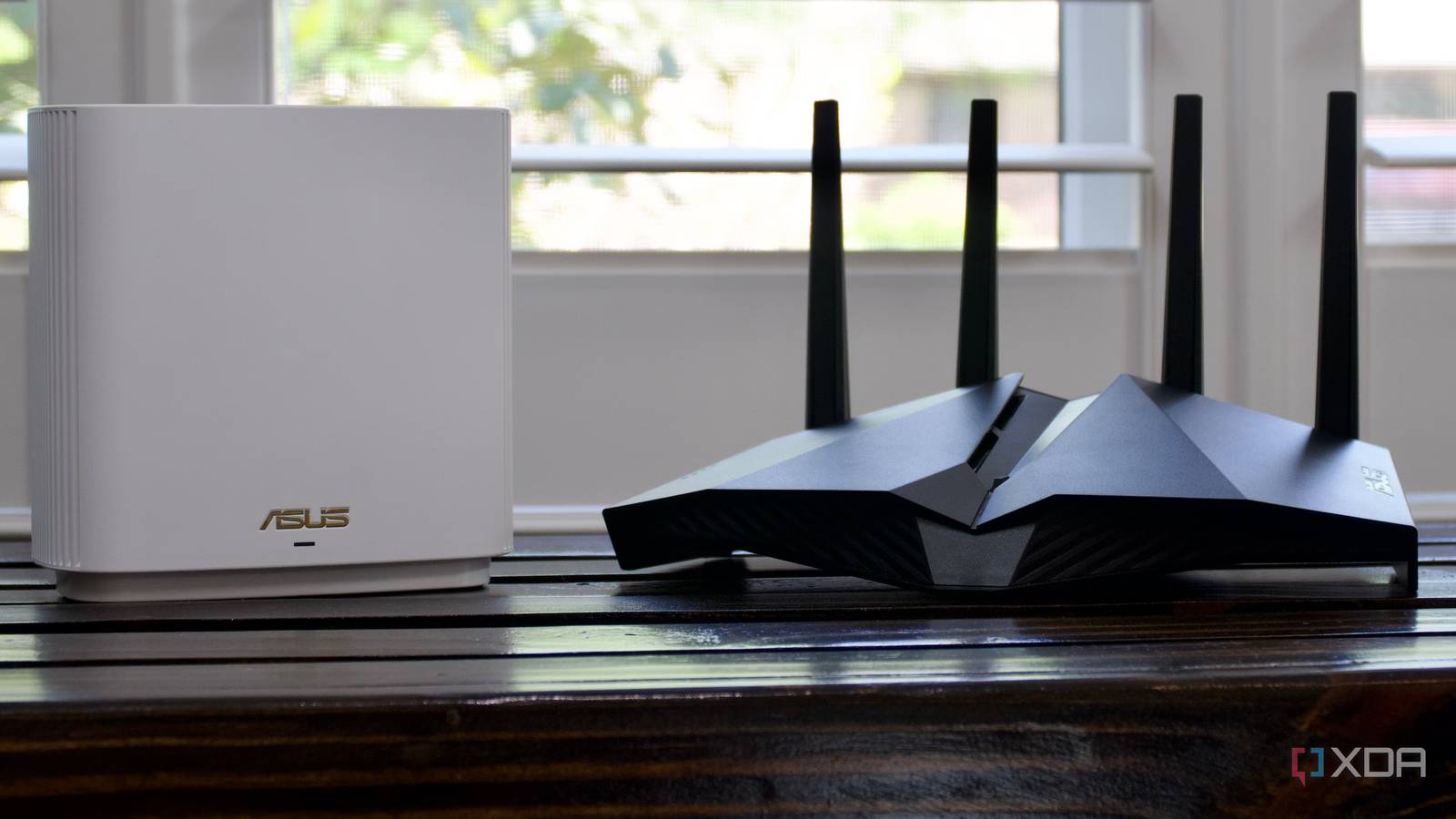
Published Jul 28, 2026, 1:30 PM EDT Korbin is a Linux system administrator who spends most of his time in a terminal figuring out how things actually work. Over the last decade he's written hundreds of articles about Linux configuration, troubleshooting weird problems, and using open-source tools in the real world. He also works a lot with Windows systems and networking, especially in mixed environments where things don't always behave the way the documentation says they should. Writing things down is how he makes sense of it all and hopefully saves someone else a few hours. The universally accepted solution to bad Wi-Fi is to buy a bigger and better router. You know, the ones that come with a million antennas and a spec sheet of technical jargon. Those work fine in some situations, but only if the problem with your Wi-Fi is related to how powerful the router is. I tried a couple of them, and both times the coverage in my house had the same issue. Identifying the issue wasn't entirely straightforward because none of the rooms in my house had a dead zone. My phone always showed a connection, and speed tests came back normal. But video calls would die somewhere between my office and kitchen, and I'd have to toggle my phone's Wi-Fi on and off to get it behaving again. It ended up being a handoff problem. And a bigger router can't fix that if it doesn't have anywhere to hand off to. A mesh kit with two nodes fixed the problem in an afternoon. It's not even a powerful model, but giving my devices multiple places to connect to allowed them to maintain a strong, continuous signal. Your phone decides when it should roam And it's really bad at it As long as my phone has some inkling of a Wi-Fi connection, it holds onto it for dear life. There's a setting in my iPhone that tells it to hop onto the cellular network to supplement a shoddy Wi-Fi connection, and I've turned that on, but the problem persists regardless. There's nothing I can configure on my router to boot my phone off when the connection dips, so I'm at the mercy of my phone deciding when it should get off the network, which is essentially only when it physically leaves the property. As long as packets keep limping through, my phone is content to stay put. The same thing happens on other devices, too. Carrying my iPad down the hall to a different room causes the Plex stream to start buffering. My iPad doesn't even have a mobile network to fall back on, so I'm stuck waiting for the connection to sort itself out. It doesn't seem to matter that I'm on a gigabit LAN; file transfers will fly in one room and then crawl into another. Mesh systems solve this problem by letting you place several nodes throughout the house, ideally in places where the connection typically dips in and out. Your devices know about each node thanks to the 802.11k standard, which is a neighbor report generated by the router. That way, the client device knows where to go instead of blindly guessing. The router also uses 802.11v (BSS transition management), which is how it tells your devices when they should move along to the next node. These settings can be configured on the router, though they should be automatically enabled if you buy a full mesh kit, which shaves off some setup time. My router lives wherever the coax entered the house The ISP picked that spot, and I've been stuck with it There's a second problem that a router upgrade cannot address: you rarely get to pick where the router resides. My ISP picked that spot decades ago, in a place that they and the previous homeowner felt was convenient. It's in the basement of the house, and the router has a tough time sending a decent signal through the floors to devices upstairs. Every router I've owned has gone there, which already puts it at a disadvantage. So the strongest radio in my house is in the corner of my basement, with half of its signal covering the yard through the wall, and the rest of it covering the house itself. At the opposite corner of the house upstairs, the signal gets really spotty. Running new cable would be a legitimate fix, but that's a much bigger project than swapping one product for a better-suited one. A mesh network sidesteps the issue without me needing to change my house's configuration. The router stays in the usual spot, and the nodes are placed where people spend most of their time in the house. I have one in my office, where I run several devices at all times, and one in the living room that the TV connects to, as well as the devices of whoever's plopped on the sofa. Mesh networks are weaker than one good router But throughput was never the issue Mercusys mesh wifi system changed my life after I struggled with a WiFi extender for so long. The inherent disadvantage of a mesh network is that your connections are now routing through an extra hop. Ideally, you'd want your device to connect to the router directly, without the middleman. What I can say, though, from my experience, is that my connection's throughput has remained largely the same; it's just much more consistent now. I would still avoid a mesh network if your home's layout doesn't explicitly need one for your devices to work smoothly. That added latency of the extra hop only becomes noticeable if you were using all the available bandwidth in the first place. What I really needed was a consistent connection with a handoff that doesn't make everything stall, and that's what a mesh setup did for me. Fortunately, the node in my office could be wired in, since there was already Ethernet going there for my home lab. The node in the living room is totally wireless. Between the router and the two nodes, my devices get a steady connection no matter which room I happen to be in. A bigger router wasn't the answer Two of the problems in my house were placement and handoff, and a powerful router in a bad spot in the basement solves neither one. My devices always maintained a signal but lacked a better place to go when that signal got too weak. The mesh kit solved both of my problems and ended up costing less than a single powerful router.
A bigger router didn't fix my Wi-Fi, but a weaker mesh network did
Full Article
Original Source
Read the full article at Xda-developers →KhanList aggregates and links to publicly available news content. We do not host full articles from third-party sources. Always verify important information with original sources.