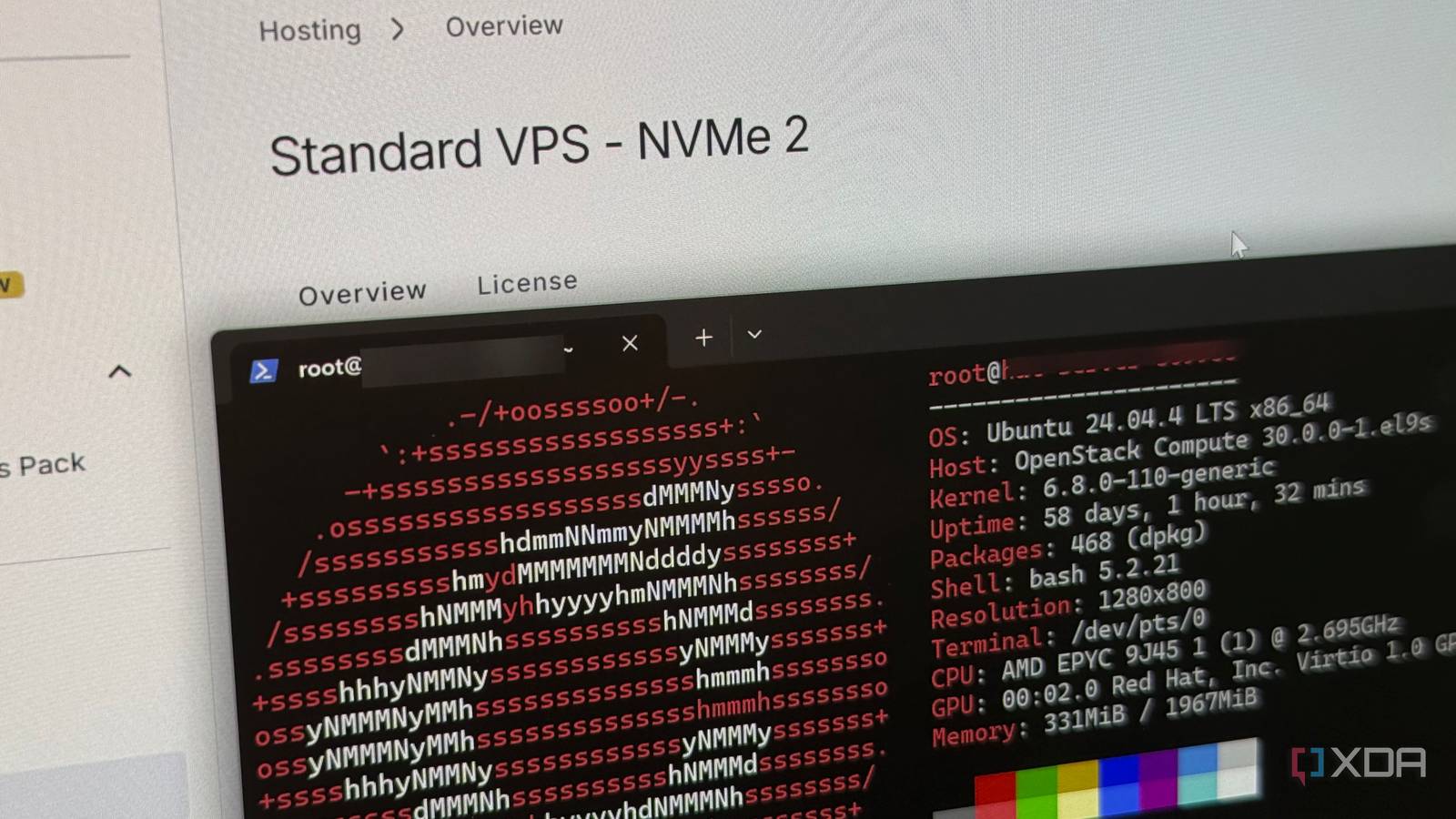
Published Jul 24, 2026, 10:00 AM EDT His love of PCs and their components was born out of trying to squeeze every ounce of performance out of the family computer. Tinkering with his own build at age 10 turned into building PCs for friends and family, fostering a passion that would ultimately take shape as a career path. Besides being the first call for tech support for those close to him, Ty is a computer science student, with his focus being cloud computing and networking. He also competed in semi-pro Counter-Strike for 8 years, making him intimately familiar with everything to do with peripherals. Self-hosting as a hobby is quite often framed as a local hardware and software problem first, and that's pretty accurate. A user needs to get the system, get the drives, and on the software side, install the hypervisor and spin up the containers. The networking part is what comes after, and this is where some hit a wall they can't surpass by simply deploying more local hardware and software. A small, modestly specced VPS is the perfect way to get around that wall, whether it's because your ISP put you behind CGNAT, or you're just not comfortable exposing bare ports to the internet. You can accept inbound connections without exposing your own IP and configure secure remote access from anywhere, all for the price of a coffee every month. CGNAT takes this decision out of your hands It's the reason I rented a VPS If your ISP has put you behind carrier-grade NAT, the address on your router's WAN interface isn't a public address. It's shared, it's not yours, and there's no port on it for you to forward, even if the option is exposed to you in the firmware. This is different from the merely annoying problem of a dynamic IP, which has workarounds. CGNAT mostly doesn't, at least not any you can configure from your side of the line. This is where a rented VPS host can come in handy, and it's the reason I took the plunge on one initially. Something like NetBird or Headscale gives you a WireGuard mesh with a control plane you run yourself, and the VPS is where that control plane lives. Your traffic isn't permanently riding through the rented box, either; peers prefer a direct path and only fall back to the relay when they can't negotiate one. What the VPS gives you is an address that answers, so your peers can find each other in the first place, and that's really just scratching the surface of the benefits. It makes your home IP much harder to find Even if you're not behind CGNAT, a VPS can act as further insulation Many users aren't behind any sort of carrier-grade NAT and can port forward just fine, but just because you can, doesn't mean you should. Forward a port and the DNS record for your service resolves to the same address your household browses the internet from. Anyone who looks up that hostname now has your residential connection. If you rent a VPS and deploy the same aforementioned VPN tunnel and reverse proxy, the public DNS points at the VPS, and TLS terminates on that machine, not yours. The only thing that your home network originates is an outbound connection to a host that already knows it's there. A fixed entry point you don't have to babysit Set and forget While a VPS still has setup and some maintainence, a home-hosted entry point carries a lot more baggage. It could be dynamic DNS clients that don't update or records and renewals that don't properly execute. Whatever the case is, the onus is on you to keep every part of the system running. A VPS doesn't keep your home services online if your home loses power or connection to your ISP, but it does help ensure peers reconnect on their own once everything comes back up. To me, that alone is worth paying the small yearly fees. It's the piece of the puzzle that's most likely to be taken down by something outside of your control, so making sure it stays online keeps a lot of self-hosting headaches at bay. You can expose web services without renting anything And without port forwarding in many cases While renting a VPS to insulate your public IP is a good idea with regard to security, the shortest path to getting a self-hosted service online is by forwarding a port. The stronger alternative case is Cloudflare Tunnels, which work behind CGNAT, doesn't require a public IP or rented host, and doesn't even need an open port. The cloudflared service makes outbound-only connections to Cloudflare's network, which hides your home address the same way a VPS does. It's free, easy to set up, and only requires a registered domain. What the free options actually cost you You can't tunnel everything Port forwarding gets the short answer, because CGNAT is the true barrier there. If there's no public address, there's nothing to forward, but Cloudflare Tunnels has its own set of downsides. The first is scope. Tunnel does handle non-HTTP protocols including SSH, RDP, and arbitrary TCP, so the common claim that it's web-only is wrong. But routing those to a public hostname requires end users to install cloudflared or the WARP client on their own devices. At that point you've installed client software on every machine, which was the thing the tunnel was supposed to avoid. The second is trust. Cloudflare terminates TLS at its edge, which means that they can technically see all traffic coming in and out. That's quite different to a WireGuard mesh setup that terminates on hardware you own or even rent. Obviously, Cloudflare probably isn't looking through your Immich library, but the point is an architectural one. The third and probably biggest downside, are the restrictions. The current CDN restriction says the CDN is for caching and serving web pages, and that non-Enterprise customers need a paid service like Stream, Images, or R2 to serve video or a disproportionate share of large files. Cloudflare reserves the right to limit access if you do, so setting up something like Jellyfin or Immich behind it will probably get you limited in a hurry. Renting a VPS can be the best home lab upgrade you make A rented box with modest specs is definitely the least interesting machine in your home lab setup, but it can be one of the most transformative. It runs none of your services and holds none of your data, but can unlock remote access and hosting in a way that keeps everything secure for an incredibly low monthly fee.
A $5-a-month VPS solved every self-hosting problem my home network couldn't
Full Article
Original Source
Read the full article at Xda-developers →KhanList aggregates and links to publicly available news content. We do not host full articles from third-party sources. Always verify important information with original sources.