
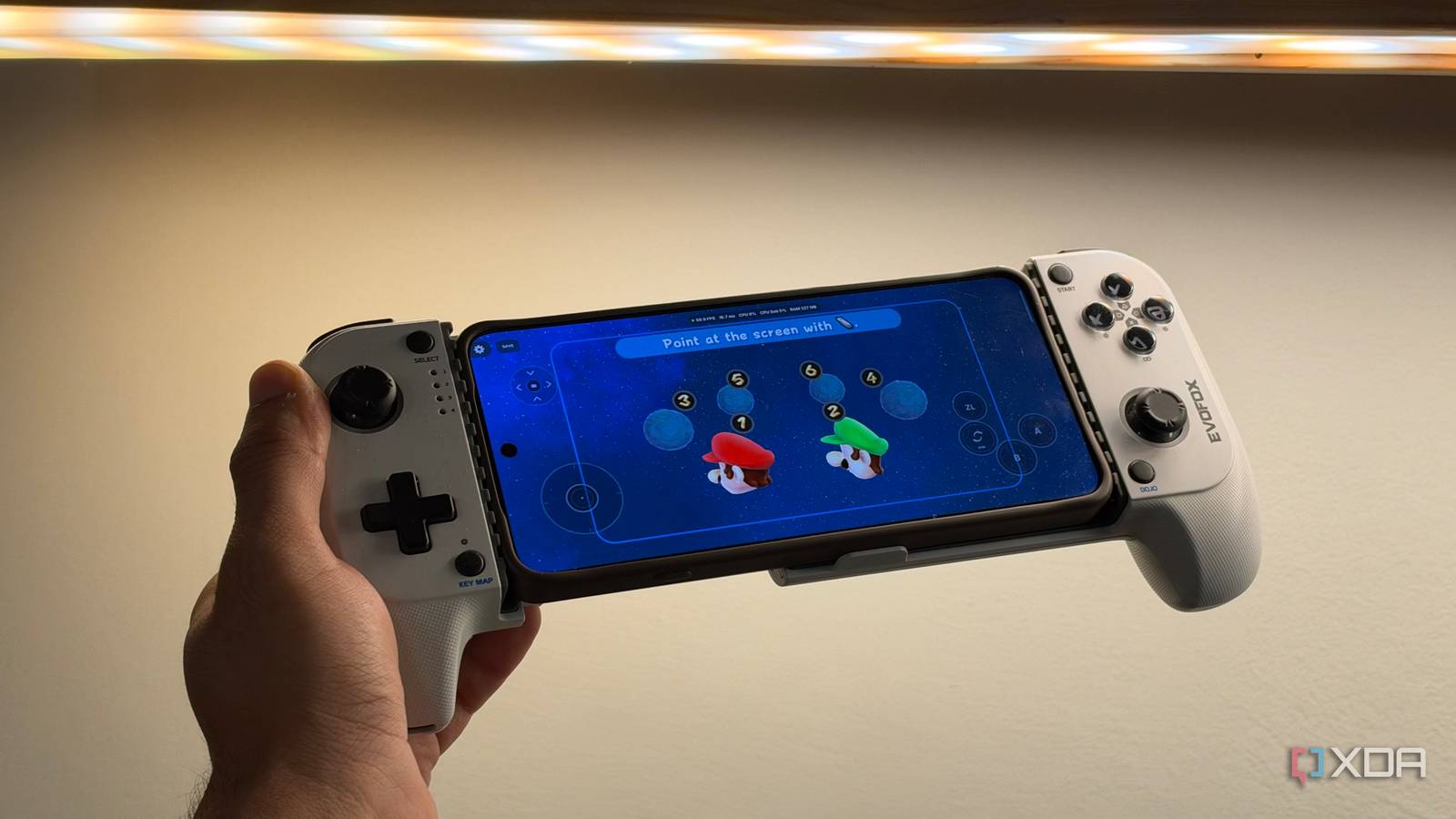
Published Nov 1, 2026, 4:30 PM EST Dhruv Bhutani has been writing about consumer technology since 2008, offering deep insights into the personal technology landscape through features and opinion pieces. He writes for XDA-Developers, where he focuses on topics like productivity, networking, self-hosting, and more. Over the years, his work has also appeared in leading publications such as Android Police, Android Authority, CNET, PCMag, and more. Outside of his professional work, Dhruv is an avid fan of horror media spanning films and literature, enjoys fitness activities, collects vinyl records, and plays the guitar. Budget-priced retro handhelds are super popular right now, and they might seem like the way to go if you're trying to build a handheld retro gaming library. But what you might not realize is that under the hood, these handhelds pack specs similar to any old Android flagship. In fact, the real difference tends to be just the addition of controls and a nice-looking skin. And if the goal is to save money with a cheap handheld, you might just be better off with an old Android flagship sitting in your drawer, paired with an inexpensive controller. In fact, you might just be surprised that your phone offers a brighter display, a just-as-capable chip, more storage, and better connectivity. Tack on a cheap telescopic controller, and you can build yourself the exact same, if not better, gaming experience. Your old flagship has the expensive parts already A capable phone can handle a big back catalog with ease When you're buying a retro handheld, you're paying for the complete package. This includes a display, battery, processor, storage, and controls. Your old smartphone sitting in a drawer has all these except the last one. That's an important distinction because Android phones are mature, and even something from a few years ago can have an ultra-sharp display and more than enough processing power for emulating 3D consoles. Of course, the exact ceiling will depend on the phone and games. Older 2D titles and many PlayStation One, Nintendo 64, and Dreamcast titles are easy targets. But if your phone isn't too old, you might be able to pull off PS2 and PS3 emulation as well. Emulators keep getting more efficient, and patches for individual games can improve performance too. All that is to say that an older flagship can be a great fit for a large back catalog. Using a phone also gives you more flexibility in your front-end choice. You could go with RetroArch, which remains a popular choice. The software combines multiple emulator cores behind a single interface, giving you a single spot to configure and run multiple gaming systems. But RetroArch is just the start. There's no dearth of aesthetic frontends that you can tweak and tune till you find the one that's perfect for you. So, all that's left are the controls. A $40 controller makes your phone feel like a handheld I prefer a telescopic controller, but you've got options A controller is the purchase that turns your smartphone from a casual retro gaming setup into something that's a bit more purpose-built. There are plenty of options on the market, but I tend to prefer telescopic models that clamp around the phone. Particularly, I prefer models with analog sticks, a proper directional pad, and the same face buttons I'm used to from my full-fledged console controllers. While prices go all over the spectrum, you can easily land a controller for under $40. That's dramatically cheaper than even a basic retro gaming handheld that can run you hundreds of dollars. Even more so since your old phone already handles the processing. Depending on the controller, you might connect it to your phone over USB or Bluetooth. Regardless of the connection type, most frontends can automatically configure controls and settings for the external controller. When picking out a controller, the one thing you'll definitely want to keep in mind is the fit. Controllers come in all shapes and sizes, with some being more optimized for specific titles and aspect ratios. So while a bottom-mounted controller might be great for classic Game Boy titles, it won't be very comfortable for later generations of consoles. In my experience, telescopic controllers offer the best balance between fit and versatility. When closed down, they barely occupy any space in a jacket pocket or bag. Pulled open, they can comfortably fit around even the largest phones, giving you a widescreen gaming experience perfect for 3D titles from the PlayStation era. And, most importantly, these controllers tend to have all the essential controls needed to actually play those games without shuffling between physical and digital controls. Personally, I prefer Bluetooth controllers as they avoid unnecessary strain on my phone's USB port and have a bit more leeway in positioning. Of course, as good as this setup is, there are some trade-offs that can't exactly be fixed. When combined with a controller, phones tend to be heavier than a dedicated handheld. The latter also tends to be more ergonomic because it has been designed from the ground up for a singular task. And battery life is another concern. Emulation can put a dent in battery life, and if you're out and about often, a phone that's low on battery because you got too engrossed in a game is a real concern. But you can work around all of these issues. Start with a spare Android phone first If you've been eyeing a gaming handheld, I'd recommend starting with a spare Android flagship and plugging in a cheap gaming controller, then see where that goes. You might be surprised to learn how capable the setup is and how little you are missing out on compared to a dedicated retro gaming handheld. GameSir X2s Type-C Controller 7/10 Platform iOS, Android Connectivity USB-C male, USB-C female Programmable Yes Weight 171.6g The GameSir X2s is a budget mobile gaming controller that uses a USB-C connector to connect to phones from different brands. It'll work with the iPhone 15 series and higher, as well as Android phones with a USB-C port. The layout is a bit wonky, but the joysticks use hall-effect technology. Overall, the build quality could be better, but it's solid for the price.
A $40 controller turned my old flagship into a retro gaming handheld
Full Article
Original Source
Read the full article at Xda-developers →KhanList aggregates and links to publicly available news content. We do not host full articles from third-party sources. Always verify important information with original sources.