
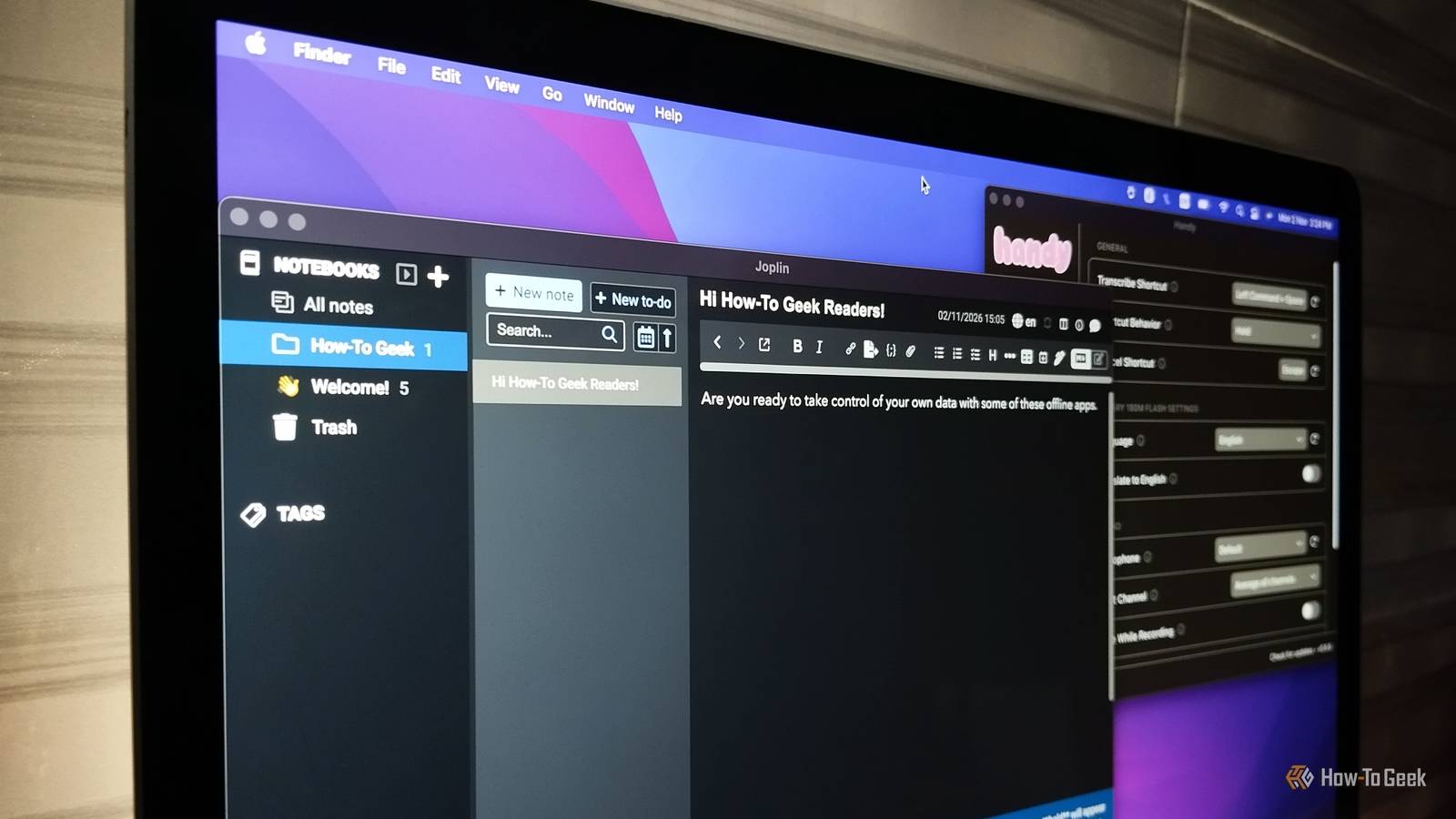
Most everyday apps share a quiet habit. They send your passwords, notes, financial records, voice recordings, and AI prompts to a server you don't control. Your data is stored under terms you probably never read and kept for as long as the company decides. Data breaches, policy changes, and shutdowns have shown how fragile that arrangement can be. However, there's a better way. You don't have to give up useful software to keep more control over your data. Try these seven free, open-source, and actively developed apps that run on your device and handle everyday tasks without depending on cloud storage. Some offer optional sync, while others need an initial download before working locally. The important difference is that their core jobs don't require you to hand your data to a cloud service. KeePassXC Keep your passwords in an encrypted database A password manager shouldn't need to know your passwords. KeePassXC stores your logins, notes, URLs, and other sensitive details in an encrypted database file that stays under your control. You protect that database with a master password, then use the app to generate strong passwords, organize entries, and fill in credentials through supported browser integrations. Supported platforms: Windows, macOS, Linux and BSD The database is a local file, so you don't need an account or cloud storage. But what if you want to access your passwords across multiple devices? KeePassXC supports KeeShare, which lets you share database entries between compatible KeePassXC installations. You can also store your database in a folder synchronized through a service of your choice, including a self-hosted Nextcloud server or a cloud storage provider. This gives you control over where your password database lives instead of locking you into a password manager's subscription-based sync service. However, that control comes with the responsibility of backing up your database. If you lose the database file or forget its master password, you could lose access to your credentials. Joplin Notes and to-do lists that never have to leave your device Note-taking apps can end up holding everything from shopping lists to your work details. Joplin is an offline-first, open-source note-taking and to-do app that saves your data on your computer or phone, so you can create, search, edit, and organize notes without an internet connection. It supports Markdown, notebooks, tags, attachments, and a web clipper for saving online material. Supported platforms: Windows, macOS, Linux, Android, and iOS You can also sync your notes across devices, but it's entirely optional. If you enable sync, turn on end-to-end encryption first to prevent the sync provider from reading your notes. Just remember that synced copies may be stored outside your devices, depending on the destination you choose. Joplin is free and open source, but Joplin Cloud is an optional paid service. LibreOffice A complete office suite with no login and no cloud If you mostly use a word processor, spreadsheet, or presentation app to create and edit files, you don't need a browser-based office suite. LibreOffice includes Writer, Calc, Impress, and other desktop tools for working with documents, spreadsheets, and presentations. Supported platforms: Windows, macOS and Linux LibreOffice covers much of what Microsoft 365 and Google Docs offer. It opens and saves Microsoft Office formats, so switching is usually straightforward, although some formatting may shift when sharing files with Microsoft Office users. Your documents are stored locally by default unless you choose to upload or share them elsewhere, so you don't need a cloud account. Actual Budget Track your finances without handing over your finances Credit: David J. Buck/How-To Geek Your budget can reveal where you shop, what you earn, which bills you pay, and how much debt you're carrying. Actual Budget is an open-source personal finance app that uses envelope-style budgeting and is designed around local-first use. It enables you to create budgets, import transactions, categorize spending, and review reports without setting up a hosted sync server. The desktop app works offline out of the box, so you can enter transactions manually or import them from a file. Syncing between devices and connecting to your bank are optional. If you want to sync your budgets, you can run your own server instead of relying on a third-party service. Supported platforms: Windows, macOS and Linux It also offers a web app that can be installed as a PWA on mobile devices, with offline support. Bank connections and multi-device syncing introduce online services, so skip them if you want to keep the whole workflow local. Handy Dictate text without uploading your voice Most voice typing tools send your audio to a remote server for processing. Voice recordings might contain names, private conversations, business ideas, and other details you may not feel comfortable sharing. Handy takes a different approach. It's a free, open-source speech-to-text app that runs locally using models such as Whisper or Parakeet. Press a keyboard shortcut, speak, and Handy transcribes your words directly into the text field you're working in. Supported platforms: Windows, macOS and Linux Because Handy processes audio locally, your voice recordings never leave your computer. It also works offline once you've downloaded a model, so you can dictate without an internet connection. Handy is still a relatively new project, so expect updates as it develops. It's useful for drafting messages, taking notes, or writing longer passages when typing isn't convenient. Keep in mind that transcription speed and accuracy depend on your hardware, the model, and the language you use. Calibre Keep your reading collection of the cloud If your e-books are scattered across folders, devices, and storefront libraries, Calibre gives you one place to organize them. This free, open-source, offline e-book manager lets you catalog books, edit metadata, convert between formats, transfer files to compatible readers, and open books in its built-in viewer. You can manage your existing collection without signing in or uploading your library to a reading service. Supported platforms: Windows, macOS and Linux Fetching metadata, downloading news, and using its content server require internet access. Ignore those extras and use Calibre as a local library, especially if you own books in several formats or use multiple e-readers. Jan A private AI assistant that runs on your own hardware You don't have to send every question, draft, or document to a hosted AI chatbot. Jan is a free, open-source desktop app that lets you download and run AI models locally. After installing Jan and downloading a model, you can start chats without an account, API key, or internet connection. Supported platforms: Windows, macOS and Linux Jan can also connect to cloud AI providers, but those integrations are optional. When using a local model, your prompts and conversations stay on your system, and you can chat offline after the initial model download. Performance depends on your hardware, particularly its memory and processing power. Smaller models are easier to run but may be less capable than the largest hosted models. Still, they can handle everyday tasks such as writing help, summaries, brainstorming, and coding questions. Keep control of where your data goes Pick one or two apps, perhaps KeePassXC and Joplin, and move your most sensitive data first. Each change removes one more company from the list of those holding your information, and you can add the rest at your own pace. Privacy doesn’t have to cost money or convenience. Sometimes it just means keeping your data on your own device.
7 free, open-source apps that keep your personal data out of the cloud
Full Article
Original Source
Read the full article at Howtogeek →KhanList aggregates and links to publicly available news content. We do not host full articles from third-party sources. Always verify important information with original sources.