
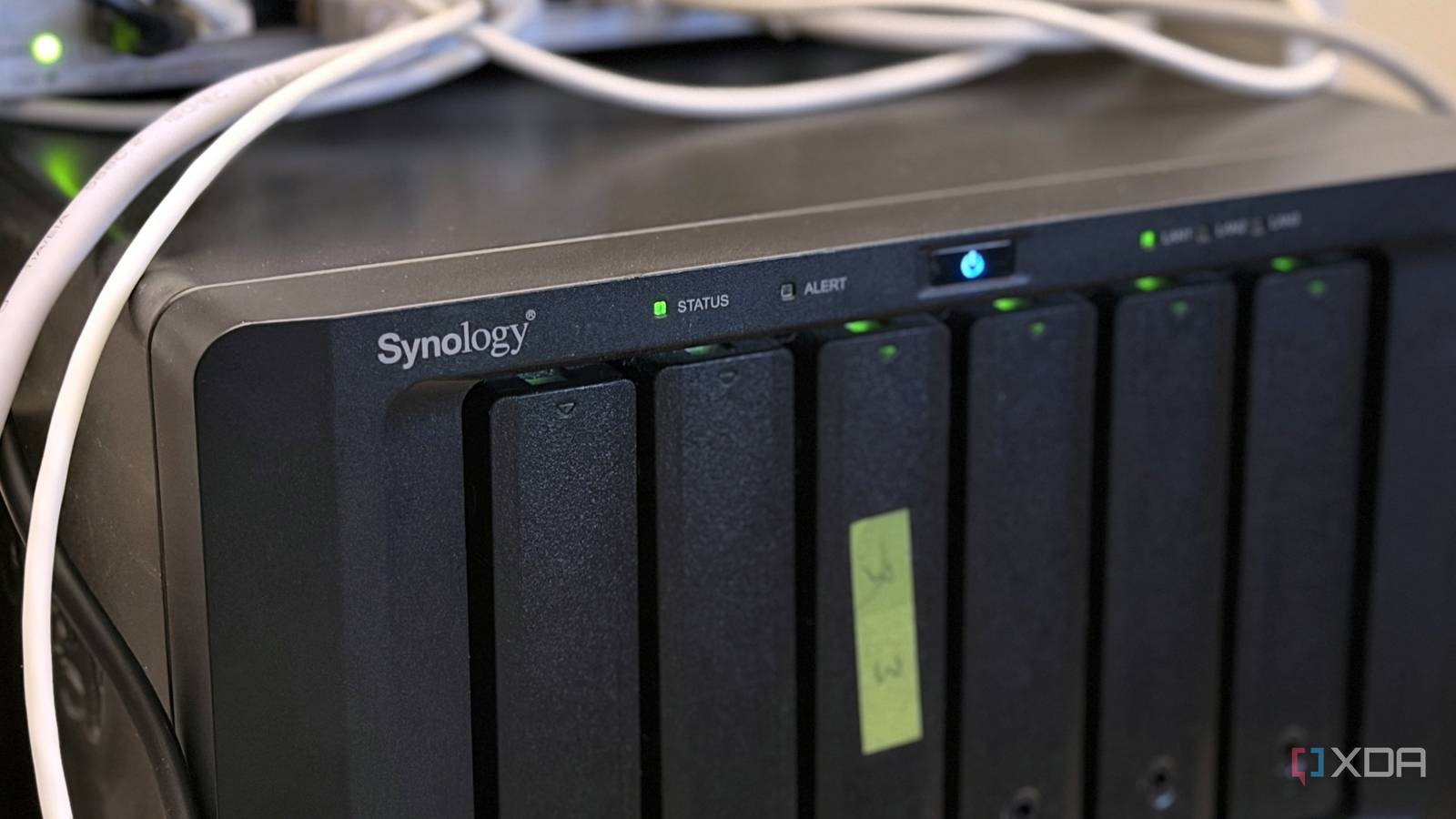
Published Sep 17, 2026, 10:00 AM EDT Maker, meme-r, and unabashed geek, Joe has been writing about technology since starting his career in 2018 at KnowTechie. He's covered everything from Apple to apps and crowdfunding and loves getting to the bottom of complicated topics. In that time, he's also written for SlashGear and numerous corporate clients before finding his home at XDA in the spring of 2023. He was the kid who took apart every toy to see how it worked, even if it didn't exactly go back together afterward. That's given him a solid background for explaining how complex systems work together, and he promises he's gotten better at the putting things back together stage since then. I've owned my Synology NAS for a long, long time, and it's done a good job of keeping my files safe. It's survived two full drive replacements, one move, and a whole ton of Ethernet traffic. It's got six bays, two M.2 slots for cache, and more RAM than my first three PCs put together, and has sat in the rack quietly humming along while it backed up my other devices. And apart from hosting Home Assistant, as the one computer I knew I'd never turn off in the house, that's about all it has done. Every time I needed something for a project, I'd spin up another container or VM on Proxmox, and never thought about using the NAS. Plus, it's a Synology, which is famous for locking down what else you can plug into it physically. Except it's hard to lock down USB or Ethernet, and that gave me some ideas of what I could use. After all, DSM is just Linux in a nicer tuxedo, and the command line never really goes away. A UPS cable for graceful shutdowns Keep your drives happy by giving them a power backup The data on your NAS is almost sacred, and one thing that could damage it is an unplanned shutdown from power loss. It's why enterprise units have battery backups or redundant power supplies, and all you need to guard against it is a fairly modest UPS. It's not like your desktop PC, where most data is transient and doesn't matter as much if it glitches. Your NAS is storing backups, your media library, and a whole bunch of other things that can't afford power interruptions. Your NAS is also designed to run 24/7, making it a perfect candidate for running NUT to safely shut down your other devices. See, most UPS have one USB connector that supplies a shutdown signal if it detects a mains outage. But with NUT, you turn the NAS into a shutdown server, which then sends the same shutdown signal over the network to your other devices, so everything shuts down gracefully. It still requires those devices to be plugged into backup power, but it saves your network rack from ruin if the neighborhood power goes out. A USB hub Because you can never have enough ports One thing that most NASs lack is enough USB ports. More than other computers, because you often have one or two ports and that's it. That's not enough to plug in the essentials, let alone fancier things that you might want to use. That makes a powered USB dock one of the best things you can add to your NAS, after storage, that is. I use mine to transfer SD card contents and other portable drives into storage without clogging up my network or using up the precious USB ports on my laptop. But you can use them with most of the devices on this list, and if you only have 1 GbE on your NAS, you might be able to get faster networking depending on the dock you pick. A USB-to-serial adapter Turn your NAS into a console server Serial monitoring on your PC has mostly disappeared, but it's still there on enterprise gear and lots of home lab appliances. The problem is that serial requires two ends, so a USB-to-Serial adapter is needed. But that's only part of the equation, because putting ser2net in a container on your NAS turns it into a console server for your managed switch, or anything else with a serial header. That makes your NAS even more powerful, because you can always reach it from your other devices, so you don't have to move your laptop to the switch for management. Google Coral USB Accelerator Give your NAS some AI chops You can't put a GPU into most NAS for AI acceleration, but that doesn't stop the Coral USB Accelerator if you can find one. It gives you just enough TOPS for image identification and other tasks that you might want to run on your NAS, without having to fight with pesky allowlists or other locks. Newer NAS devices often have enough TOPS without any additional hardware, but for older units with weaker CPUs, this is still one of the best options. You might have to trawl eBay and other second-hand outlets, though, as Google has abandoned the accessory. Coral USB Accelerator The Coral USB Accelerator helps you run AI workloads on your NAS. A cellular modem Who says you can't use the internet if the cable goes out Not every NAS will let you plug in a USB cellular modem, but not every cellular modem needs USB. The GL.iNet Mudi 7 has 5G and a 2.5 GbE port to connect to your NAS and create its own network, as a backup in case your main network connection goes down. I'm not going to pretend it's a permanent solution, but it's enough to keep you from being stuck without your files if you need them. GL.iNet Mudi 7 (GL-E5800) Give your NAS redundant network access with a cellular modem. Powered speakers Audio Station turns your NAS into a networked Hi-Fi Synology's Audio Station turns your local music files into your own personal Spotify, but you still need another device to listen in. Or, you could add some powered speakers to your NAS via USB, and turn your file storage into your Hi-Fi. It might feel a little odd connecting to your NAS to control playback, but it gives you a lot for not much effort. Your NAS manufacturer might limit what can be plugged into PCIe, but it can't block everything None of this is what Synology (or any other NAS manufacturer) sells you a six-bay NAS for, but that doesn't mean you can't. Some might need you to SSH in to get the device working, but that's a useful skill to know for getting the most out of the hardware you own. And if you're wondering why none of these were PCIe-based, that's because Synology has a very short list of approved hardware that can go in that slot, mostly sold by them at a huge markup. That's the drawback of using a managed appliance instead of building your own NAS, where you can't add any old network card, GPU, SSD adapter, or capture card. But you pay for the ease of use for the rest of the box, and that's a tradeoff many find acceptable.
6 things I plugged into my Synology NAS that have nothing to do with storing files
Full Article
Original Source
Read the full article at Xda-developers →KhanList aggregates and links to publicly available news content. We do not host full articles from third-party sources. Always verify important information with original sources.