
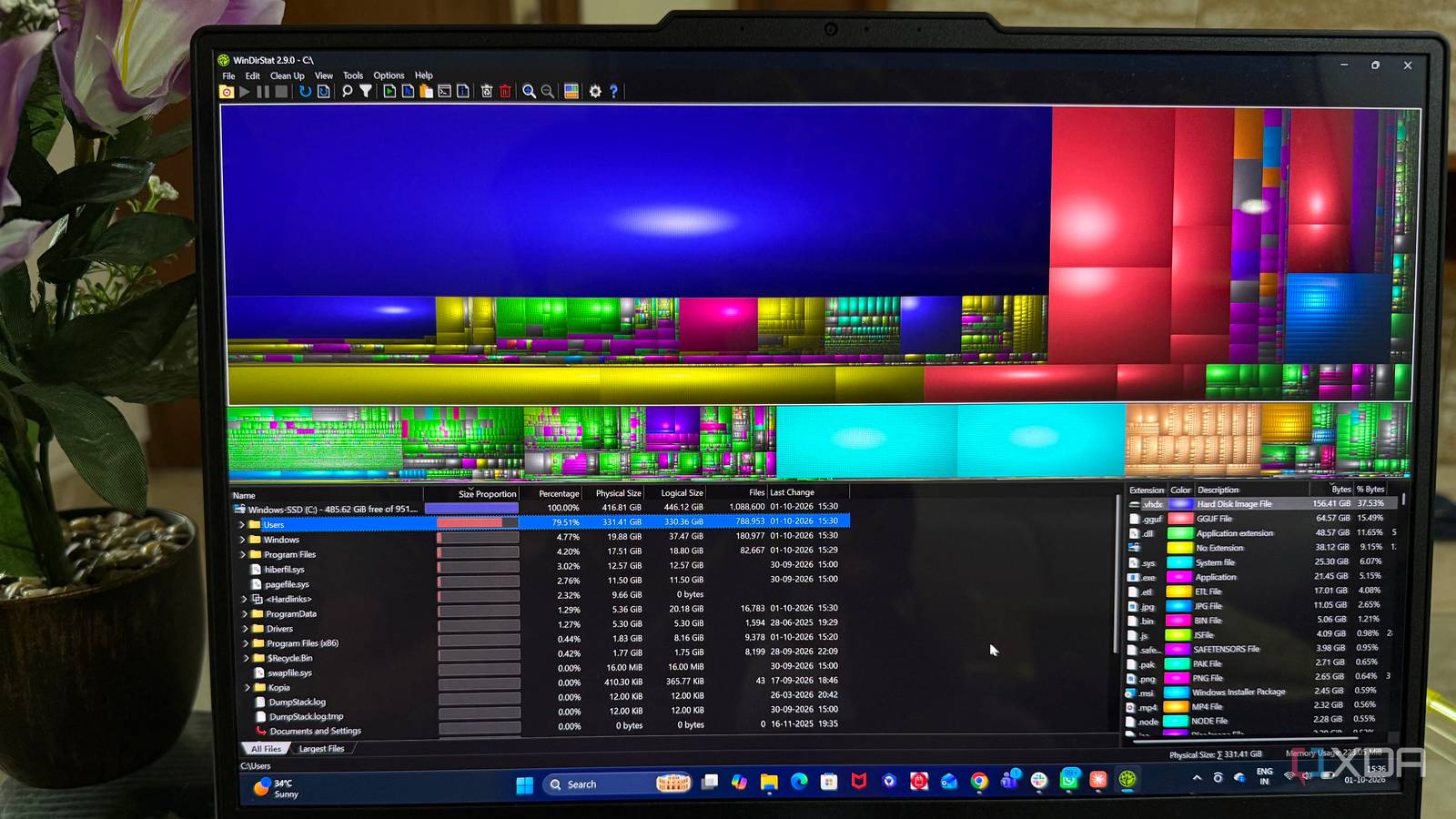
Published Oct 1, 2026, 7:00 PM EDT Beginning his professional journey in the tech industry in 2018, Yash spent over three years as a Software Engineer. After that, he shifted his focus to empowering readers through informative and engaging content on his tech blog – DiGiTAL BiRYANi. He has also published tech articles for MakeTechEasier. He loves to explore new tech gadgets and platforms. When he is not writing, you’ll find him exploring food. He is known as Digital Chef Yash among his readers because of his love for Technology and Food. Productivity software has changed a lot over the years. Every few months, there seems to be a new app promising to organize my work, save time, or completely change how I get things done. I’ve tried plenty of those tools myself, and some have genuinely been useful. But I’ve also noticed that a few much older apps keep surviving every new wave. They may not have flashy interfaces or the latest features, but they continue to earn a spot on my PC. After using them for years, I’ve realized there is something valuable about software that simply stays useful without constantly trying to reinvent itself. Everything Fastest way to find files Everything is one of those Windows apps I installed years ago and never really had a reason to remove. I often keep it open in the background because it makes finding files feel almost instant. Instead of digging through folders or remembering exactly where I saved something, I can start typing the filename and get to it quickly. What I like most is how predictable it feels. I don't have to change how I work just because I'm using it. I type what I'm looking for, scan the results, and open the file. That's it. I’ve used it for everything from tracking down old documents to finding files buried several folders deep. It has become one of those small utilities I barely think about until I have to use a computer without it. Then I immediately notice it's missing. Everything Individual pricing Free Platforms Windows Everything indexes all the files on your computer within seconds, and you can find any file or folder you are looking for quickly. 7-Zip My go-to tool for archives 7-Zip is another old-school app that has quietly stayed on my computer for years. I use it whenever I need to package a group of files together or open an archive someone has sent me. It handles the job without making me think about which app should open the file or whether I need another tool installed. I especially like how it fits naturally into File Explorer. I can right-click a file or folder, choose the 7-Zip option, and get the task done without opening a separate application first. It feels like a utility that belongs in Windows rather than something I have to actively manage. There are plenty of newer archive tools around, but I rarely feel the need to look for alternatives. 7-Zip has been reliable enough that I simply keep using it whenever I need it. 7-Zip 7-Zip is the best and most powerful replacement for paid archiving software. Ditto The old-school clipboard tool I trust My clipboard used to be one of those small things that constantly interrupted my workflow. I would copy something, copy something else, and then realize I needed the previous item again. That changed once I started using Ditto. I use it when writing, researching, and moving information between different apps. I can copy several pieces of text one after another and come back to them whenever I need. It is especially useful when I am collecting information from different sources and don't want to keep switching between windows. What makes it stick around is how naturally it fits into my workflow. I don't need to plan around it or change how I work. I simply copy things as usual and use the clipboard history whenever I need something I copied earlier. It solves a small problem that comes up surprisingly often. Ditto Ditto is a simple clipboard manager for Windows that adds a lot more functionality, including the ability to remember copied files and retain items indefinitely. WinDirStat My visual guide to disk space Whenever my storage starts getting crowded, I like having a simple way to see what is actually taking up all that space. That is where WinDirStat still comes in handy for me. Instead of looking at a long list of folders and trying to guess which ones are responsible, I can scan a drive and get a visual breakdown of its contents. The colorful blocks make it easy to spot unusually large files and folders without spending much time digging around. I find that especially useful when I know my storage is filling up but cannot immediately figure out why. I don't use WinDirStat every day, but that is part of why I still keep it around. When I need to understand my disk usage, it gives me a clear picture quickly and lets me decide what actually needs my attention. WinDirStat WinDirStat is one of the best ways to visualize what's using your storage on a Windows PC. Notepad++ A no-fuss editor for everyday work I still open Notepad++ whenever I need to quickly edit a text file without turning the task into a bigger project. It feels much lighter than opening a full development environment, especially when I only need to make a few changes. I use it for editing configuration files, checking snippets, or making quick changes to plain text. The tabbed interface is another reason it has stayed in my workflow. I can keep several files open at once and switch between them without creating a mess of separate windows. Features like syntax highlighting and search also make it more useful than the basic Windows Notepad. What I appreciate most is that it never tries to do too much. I can open it, make the changes I need, save the file, and close it. For small editing jobs, that simplicity still works for me. Notepad++ Notepad++ is a free, open-source code editor for programmers and coders The simple player that always works There are still plenty of times when I just want to open a video or audio file and have it play without thinking about compatibility. That is when I turn to VLC Media Player. Over the years, I have come across all kinds of media files, and VLC has rarely given me a reason to search for another player. I like that I can throw a file at it and usually get straight to watching or listening. I don't have to spend time figuring out which format I have or install a separate player for something unusual. The controls are also familiar enough that I never have to relearn the app. I have tried newer media players over the years, but VLC keeps finding its way back onto my PC. It is one of those apps I install on every Windows setup without much thought. VLC VLC is one of the best open-source media players ever created. The apps I never feel the need to replace After years of watching productivity software change, I’ve realized that I don’t always need the latest tool to improve my workflow. Some apps earn their place simply by being dependable and familiar. I may experiment with newer software, but I still come back to tools that have proven themselves over time. For me, that is what makes old-school software so difficult to replace.
6 forgotten open-source apps that survived every productivity trend by keeping things simple
Full Article
Original Source
Read the full article at Xda-developers →KhanList aggregates and links to publicly available news content. We do not host full articles from third-party sources. Always verify important information with original sources.