
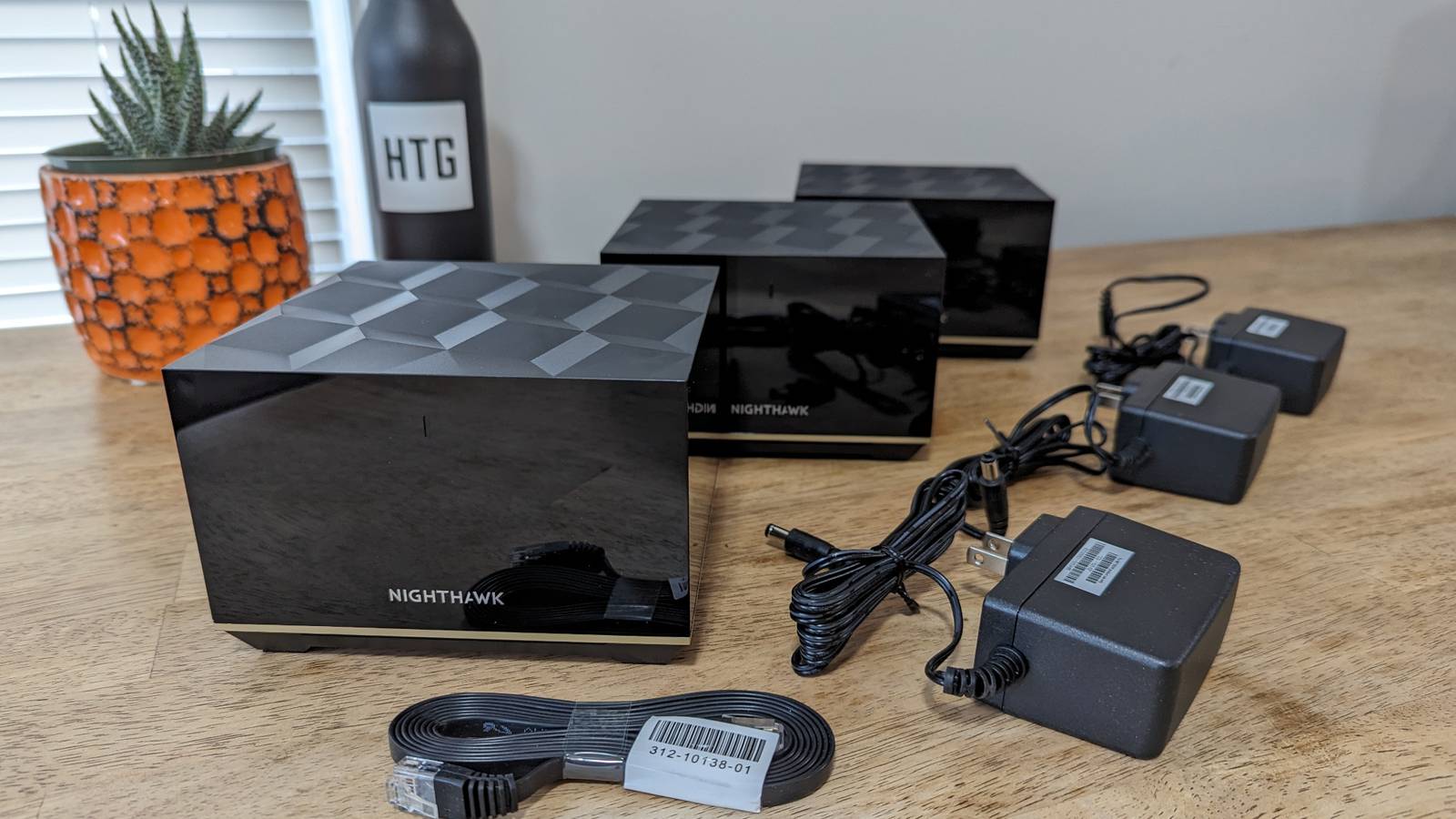
Credit: Jordan Gloor / How-To Geek Published Aug 19, 2026, 9:15 AM EDT Arol is a tech journalist who currently works as a contributor at How-To Geek since 2022. He first began writing online for the short-lived portal of Spanish-language gaming forum Emudesc in 2013. Years later, in 2017, he got his true start in tech journalism working for a small Google-focused site called Pixel Spot. He transitioned to a news and feature writer role at XDA Developers that same year, where he worked until 2021 before making the jump to other websites. Arol brings nearly a decade of writing experience, and the occasional hot take, to his writings. While he's a technology lover at heart, he holds computer hardware and smartphones particularly close to heart. You'll normally find him covering news, although he has also written the occasional deal, buyer's guide, how-to post, and round-up. He's also written for Android Police and MakeUseOf. He's also a Political Science student. When he's not writing, you'll probably find him hitting the gym, trying to ace a new hobby, reading his textbooks, or traveling. You can reach him at me@arolwright.com. Sign in to your How-To Geek account If you have a big house, or if you just have thick walls, a mesh network is a really good way to make your network reach every corner of your home. But you'd be surprised by how many people mess up the installation. If you're having signal or speed problems with your mesh network, it may or may not be related to some of the following issues. Your nodes are too close to each other Too much interference! Credit: Justin Duino / How-To Geek Placement is key. And getting placement wrong is extremely common. One common issue with mesh networks is having the nodes too close to one another. Many operate under the false assumption that overlapping signals create a stronger, more robust "blanket" of Wi-Fi. In reality, placing nodes too close to one another—sometimes in the same room or just down the hallway—creates a phenomenon known as co-channel interference. When wireless access points are broadcasting on the same frequency channels within a short range, they essentially shout over one another. This raises the noise floor of the radio frequency environment, making it difficult for your devices to distinguish clear data packets from the background noise generated by your own network hardware. You want to prevent your signals from overlapping more than what's absolutely necessary. Furthermore, insufficient spacing creates significant confusion for client devices like smartphones and laptops. These devices rely on roaming algorithms to decide which node offers the best connection. When two nodes are placed too closely, their signal strengths (measured in dBm) are nearly identical. This causes your device to constantly hop between nodes or, conversely, stubbornly cling to the first node it connected to even if it is technically closer to the second one. This is often referred to as the sticky client problem. Instead of a seamless handover as you walk through your home, you might experience stuttering on video calls or lag in gaming because your device is paralyzed by the choice between two equally loud signals. Your nodes need to be placed at a location where it can still receive a strong signal from the main router, but far enough away that it extends the network’s reach rather than just duplicating the signal in an area that already has coverage. Quiz8 Questions · Test Your KnowledgeMesh WiFi networks: history, tech, futureTrivia challengeFrom military roots to whole-home coverage — how well do you really know mesh WiFi?HistoryTechnologyBrandsFuture TechFun FactsBeginThe concept of mesh networking was originally developed for use in which field before it reached consumer homes?AHospital patient monitoring systemsBMilitary and battlefield communicationsCSatellite television broadcastingDEarly cable TV infrastructureCorrect! Mesh networking grew out of military research, particularly DARPA-funded projects aimed at creating self-healing, decentralized communications that could survive partial network destruction. The idea was that if one node went down, traffic would reroute automatically — a very useful feature on a battlefield.Not quite. Mesh networking has its roots in military and DARPA-funded research, designed to create resilient, self-healing communications networks for battlefield use. The decentralized nature meant no single point of failure — a concept that later translated beautifully to home WiFi coverage.ContinueWhat is the primary technical difference between a traditional WiFi extender and a true mesh WiFi system?AMesh systems use a dedicated backhaul channel to communicate between nodesBMesh systems always require ethernet cables between every nodeCWiFi extenders operate on the 6 GHz band while mesh uses 5 GHz onlyDMesh systems broadcast multiple separate SSIDs for each nodeSpot on! True mesh systems use a dedicated backhaul — often a separate radio band — exclusively for node-to-node communication. This keeps the bandwidth used by your devices separate from the bandwidth used to pass data between nodes, resulting in far less congestion and much better performance than a traditional extender.Not quite. The key differentiator is that true mesh systems use a dedicated backhaul channel between nodes, keeping device traffic and inter-node traffic separate. Traditional extenders reuse the same band for both, effectively halving available bandwidth — which is why they often disappoint in practice.ContinueWhich company is widely credited with popularizing consumer mesh WiFi when it launched its first product in 2015?ANetgearBTP-LinkCEeroDGoogleCorrect! Eero launched in 2015 as one of the first consumer-focused mesh WiFi systems and essentially kicked off the home mesh revolution. Its simple app-based setup and attractive hardware stood out in a market dominated by ugly router boxes covered in antennas. Amazon later acquired Eero in 2019.Not quite — Eero gets the credit here. Founded in 2014 and launched to consumers in 2015, Eero was a pioneer in making mesh WiFi accessible and appealing to everyday users. Its clean design and smartphone-based setup felt revolutionary compared to traditional router management interfaces.ContinueA mesh WiFi network behaves similarly to which surprisingly ancient human communication system?AThe Pony Express relay systemBRoman signal fire chains along Hadrian's WallCGossip spreading through a village — each person tells the nextDThe semaphore flag relay towers of Napoleonic FranceGreat analogy — and you got it! Mesh networking mimics the way gossip spreads: each node receives information and passes it along to the nearest neighbor, with multiple paths available if one route is blocked. Computer scientists actually call one mesh routing method 'gossip protocol' for exactly this reason.Fun guess, but the best analogy is gossip spreading through a village. In mesh networking, data hops from node to node along the best available path — just like a rumor finding its way through a crowd. Computer scientists even formally named one routing approach 'gossip protocol' in honor of this similarity.ContinueWiFi 6E and WiFi 7 mesh systems introduced support for which frequency band that older mesh hardware cannot use?A900 MHzB3.6 GHzC6 GHzD10 GHzCorrect! WiFi 6E opened up the 6 GHz band for consumer use, giving mesh systems a much less congested slice of spectrum to use — especially valuable as a clean, fast backhaul channel. WiFi 7 expands on this further with multi-link operation, letting devices use multiple bands simultaneously.The answer is 6 GHz. WiFi 6E was a significant leap because it unlocked the 6 GHz band — a largely empty, high-capacity range of spectrum that dramatically reduces interference, especially in apartment buildings packed with competing networks. Mesh systems use it as a super-clean backhaul highway.ContinueBefore dedicated mesh systems existed, some creative users built their own mesh-like home networks using open-source firmware called what?AOpenWrtBFreeNASCpfSenseDDD-WRTWell done! DD-WRT was the go-to open-source router firmware for enthusiasts who wanted to squeeze extra performance and features out of consumer routers — including running multiple routers in coordinated configurations that resembled mesh behavior. It's still actively developed today and has a devoted following.Not quite — the answer is DD-WRT. This legendary open-source firmware let tech-savvy users replace the factory software on routers from brands like Linksys and Netgear, unlocking advanced features including multi-router setups that approximated mesh networking years before polished consumer mesh products existed.ContinueWhich emerging concept would take mesh networking beyond the home and create a massive, self-organizing internet built from billions of everyday devices?AEdge computing clustersBThe Wireless Web (WWW 2.0)CDecentralized People-Powered Internet (DPPI)DThe Internet of Things (IoT) meshExactly right! The Internet of Things vision includes smart devices — thermostats, lights, sensors, appliances — forming spontaneous mesh networks with each other, passing data along without relying on a central router or ISP infrastructure. Standards like Thread and Matter are already pushing this concept into real homes today.The answer is the IoT mesh. The Internet of Things roadmap envisions billions of smart devices forming organic, self-organizing mesh networks — communicating peer-to-peer without needing a traditional router as a middleman. Protocols like Thread (used in Matter-compatible smart home devices) are making this a reality right now.ContinueWhat quirky real-world project demonstrated mesh networking by connecting an entire island community with a DIY WiFi mesh built mostly from recycled hardware?AThe Faroe Islands Fiber Mesh ProjectBGuifi.net in Catalonia, SpainCProject Loon in New ZealandDThe Aloha Network in HawaiiCorrect! Guifi.net, launched in rural Catalonia in the early 2000s, grew into one of the world's largest community-owned mesh networks with tens of thousands of nodes. It was built by volunteers using cheap or recycled hardware to bring internet access to areas ignored by commercial ISPs — a remarkable grassroots achievement still operating today.The answer is Guifi.net. This incredible volunteer-built mesh network in Catalonia, Spain, started in the early 2000s and eventually grew to over 35,000 active nodes, making it one of the largest community mesh networks on the planet. It proved that determined communities could build their own internet infrastructure without relying on big telecoms.See My ScoreChallenge CompleteYour Score/ 8Thanks for playing!Try Again Your nodes are too far from each other That dead zone was dead for a reason Credit: Rich Hein/HowToGeek.com Now that we've established that nodes being too close is a problem, the exact opposite is also a huge problem. While clumping nodes causes interference, placing them at the absolute edge of your coverage area creates a different, equally frustrating set of connectivity issues. A common mistake is placing a satellite node in a "dead zone" hoping to bring it to life. For example, if your bedroom has no Wi-Fi, placing a node directly on the bedroom nightstand is usually the wrong move. This is because a mesh node requires a strong wireless backhaul connection to the main router to function. You want to be close to the node for a good signal, but the node also needs to be close enough to the main satellite to actually replicate the signal. If the satellite is placed in a location where the main router’s signal is already weak or unstable, the satellite will simply pick up that degraded signal and rebroadcast it. Your phone might show full Wi-Fi bars because it has a strong connection to the nearby satellite, but the internet speed will be abysmal because the satellite has a poor connection to the modem. To fix this, you must understand the physics of radio waves and attenuation. 5GHz and 6GHz signals, which provide the fastest speeds, struggle to penetrate dense materials like brick, concrete, or even large appliances. If you stretch the distance between nodes too far, the system may fall back to the slower 2.4GHz band for communication between units, drastically reducing your total throughput. The ideal placement follows a daisy-chain or star topology logic where the satellite is placed roughly halfway between the main router and the dead zone. This "Goldilocks" zone ensures the satellite can receive a high-speed data stream from the main hub and then throw that signal effectively into the area where you actually need it. You are essentially creating a wireless bridge; if the foundation of that bridge is too far from the shore, the structure will collapse under the weight of heavy data traffic. You have way too many nodes The most common mesh Wi-Fi problem Credit: Jerome Thomas / How-To Geek It is a common marketing trap to believe that a larger home automatically requires a three-pack or four-pack mesh system. Or you might have just been tempted by that huge bundle of nodes that was heavily discounted last Black Friday, without thinking about whether you actually need so many nodes. Consumers often purchase the bundle with the most hardware units, assuming that more hardware equals better performance. Instead, you end up with spectral congestion, which is a major performance killer. Wi-Fi is a half-duplex medium, meaning that on a given frequency, only one device can transmit at a time. Every additional node you add to the network requires airtime to communicate with the main router and coordinate network traffic. These management frames and "beacons" consume valuable bandwidth that could otherwise be used for streaming or downloading. If you place three powerful mesh nodes in a 1,200-square-foot apartment, you are oversaturating the environment. The nodes will interfere with each other's broadcasts, leading to higher latency and lower overall speeds. This is similar to having too many speakers playing different music in a small room; the volume is high, but the clarity is lost. For many medium-sized homes, a two-piece system (one router and one satellite) is vastly superior to a three-piece system. The efficiency of modern Wi-Fi 6 and Wi-Fi 7 standards means that a single router can cover significantly more square footage than routers from a decade ago. By installing unnecessary nodes, you are essentially paying extra money to degrade your own network performance. The goal should be to use the minimum number of nodes required to achieve coverage, maintaining the cleanest possible radio spectrum for your actual devices. Your main router is in an awkward place Give the command center some room to breathe The placement of your primary mesh unit—the one physically connected to your ISP’s modem—dictates the success of the entire network. Unfortunately, aesthetic preferences often override technical requirements—been there, and sadly, done that. A lot of folks frequently hide their main router inside TV cabinets, behind large flat-screen monitors, inside utility closets, or on the floor behind a sofa. This happens even with regular, non-mesh networks, but with a mesh network, you might feel even more compelled to do so since you'll have nodes replicating the signal throughout the house. It's still extremely counterproductive, though. This creates immediate physical obstructions that dampen the signal before it even has a chance to reach your satellite nodes. Wi-Fi signals radiate outward and downward from the antennas; placing a router on the floor means a significant portion of your signal is being absorbed by the ground or the foundation of your house. Placing the main unit in a far corner of the house, simply because that is where the cable company installed the jack, forces the signal to travel diagonally through the entire length of the building to reach other nodes. This is the least efficient path for radio waves, as they must pass through more walls and obstacles at oblique angles. Specific materials found in these very awkward hiding spots are particularly damaging; mirrors, metal shelving units, and fish tanks are essentially Wi-Fi kryptonite. Metal reflects signals, causing erratic behavior, while water absorbs radio energy almost completely. If you want your mesh system to operate at peak efficiency, the main unit should be elevated, ideally on a shelf or mounted on a wall, and located as centrally in the home as possible. A strong core signal will allow your other nodes to work as well as they can. You're mixing and matching routers Don't cobble together a mesh network from scratch Finally, a mesh network relies on a unified system where all nodes speak the exact same language to manage traffic, hand off devices, and optimize backhaul channels. So when users attempt to build a "Frankenstein" network by keeping their old service provider router and trying to mesh it with a new third-party system, or mix different generation nodes from the same manufacturer that are not fully compatible, it's not ideal. When you mix incompatible hardware, you usually end up with a "Double NAT" (Network Address Translation) situation, which can break secure connections, online gaming, and VPN usage. Even if you successfully connect an old Wi-Fi extender to a new mesh system, you break the seamless roaming capability that makes mesh attractive in the first place. A true mesh system uses a single SSID (network name) and essentially "guides" your phone to the best node seamlessly. If you mix disjointed hardware, your phone sees them as separate entities. You will likely find yourself physically standing next to the new, fast router, while your phone stubbornly remains connected to the old, slow router at the other end of the house because it doesn't know how to execute the handover. Additionally, mixing dual-band nodes with tri-band nodes can cripple the network, as the faster nodes often have to slow down to the speed of the weakest link in the chain to maintain communication. For a stable experience, the hardware must be homogeneous and controlled by a single, master operating system. Take some time to audit your mesh setup If you made any of the above mistakes, a few adjustments around your house will likely greatly improve your experience going forward.
5 ways you are accidentally ruining your mesh Wi-Fi speed
Full Article
Original Source
Read the full article at Howtogeek →KhanList aggregates and links to publicly available news content. We do not host full articles from third-party sources. Always verify important information with original sources.