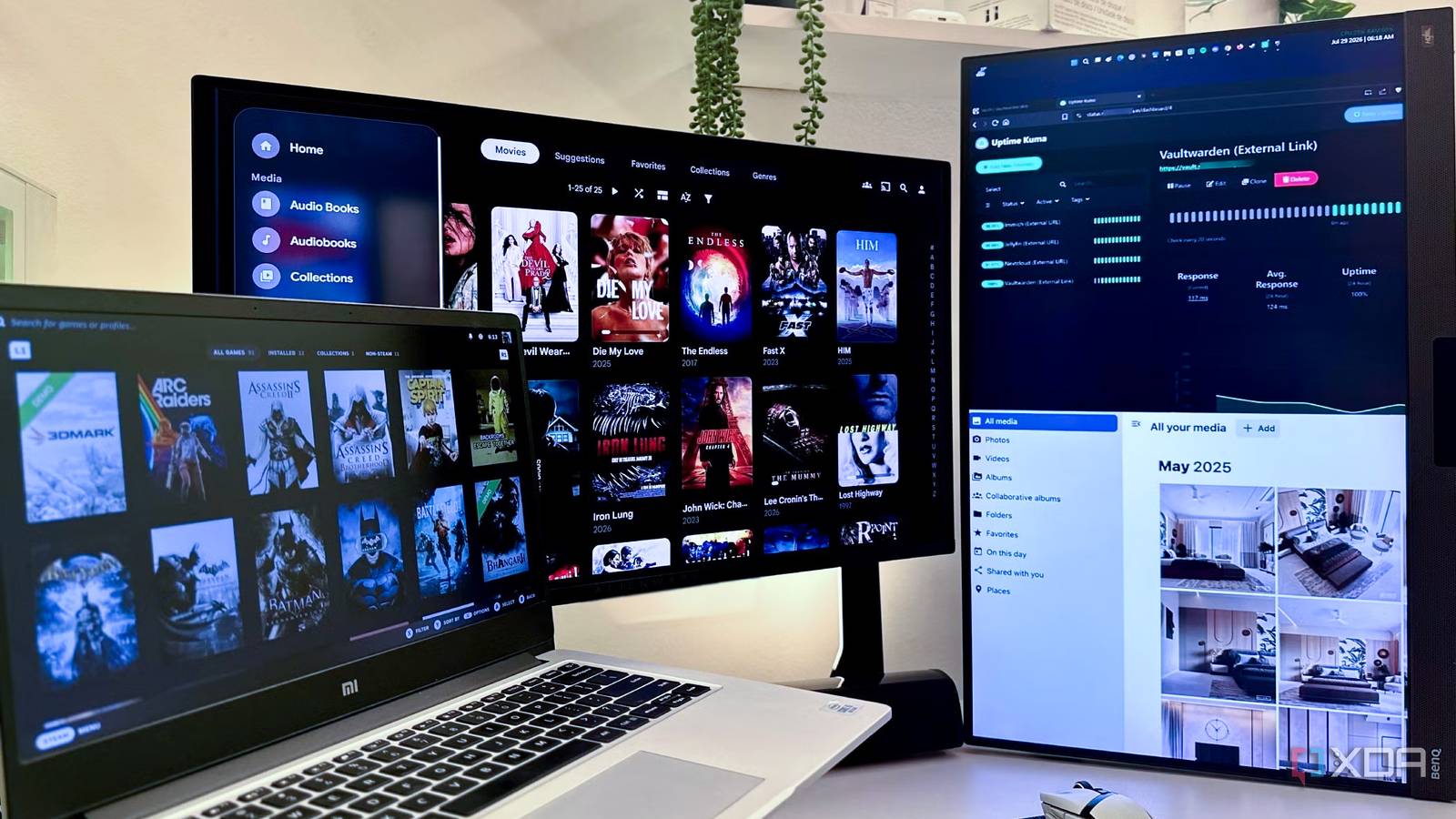
Published Jul 31, 2026, 3:00 PM EDT Gaming has been Samarveer’s greatest passion, and the Literature graduate in him takes immense joy in dissecting games for their themes, messages, and impact. Samarveer holds a deep appreciation of gaming, and considers the platform to be the most immersive and impactful across all media. He can be found engaging with gaming communities online, always ready to debate the finer points of ray tracing or itching to write an 8-page collegiate thesis on any game that impacts him emotionally. Not too long ago, I used to believe that self-hosting was a rabbit hole best reserved for Linux enthusiasts with too much time on their hands. It wasn't until I realized I could buy a shiny new pair of sneakers every two months with the money I was spending on subscription-based services that I decided to move a few of them to my home server. That was when I went down the rabbit hole myself, with one experiment turning into another, and each weekend, more subscription charges disappeared from my bank statement. Not all the self-hosted alternatives I tried were automatically better. In fact, I've even tried a few that demand far more maintenance than they were worth, but that's a conversation for another day. Some of them, however, have earned a permanent place on my server. Nextcloud replaced Google One for me, permanently Four terabytes beat another monthly bill When I turned an old Windows laptop into a permanently running home server, I paired it with a dusty 4TB external USB HDD that had been sitting in a drawer for a couple of years now. Instead of letting it collect bit rot, it now stores every photo and video my partner and I care about. That single setup replaced my Google One subscription, my iCloud storage, and even my partner's iCloud plan. Convincing her took some effort, but the moment she realized she could have four entire terabytes available without worrying about another monthly payment, she was sold (pun intended). Using Nextcloud has been refreshingly uneventful, too, which is exactly what I want from cloud storage. The photos and videos upload pretty reliably for the most part, and the mobile apps feel familiar enough that neither of us had to relearn how they manage their memories, and browsing years' worth of media is just as effortless as it should've been. We've naturally fallen into the habit of coming home after a trip and letting everything upload over our own network. I've yet to set up a port forwarding system for uploading to Nextcloud on mobile data, but the trade-off so far has been absolutely worth it, especially when it means exercising complete control over our storage without paying another subscription. Nextcloud OS Windows, macOS, Linux Key highlights Self-hosted, open source iOS compatible Yes Android compatible Yes Desktop compatible Yes Moonlight ensures I'll never pay for GeForce Now Why stream from someone else's PC when mine is better? Technically, I never replaced a GeForce Now subscription because I never had one. My desktop already has the hardware I want to game on, and I have paid for Game Pass as well. At home, my network delivers excellent coverage in every room, meaning I can use Moonlight and Vibepollo to stream my games to any device in the house. Adding a Tailscale tunnel helps me stream my own gaming PC anywhere without paying for someone else's hardware. While Moonlight is a fantastic client for game streaming, the host app can differ between Sunshine, Apollo, or even Vibepollo, depending on what fits your user preferences. The experience has been good enough that I rarely think about it anymore. I could be playing from the couch, the bedroom, or away from home, and my games, saves, mods, and graphics settings are exactly how I left them, because it's all running off my own PC. I don't have to pay for a subscription model, hope for less latency, and then queue up to get my chance to play the games I want. Granted, this isn't the right setup for everyone, but if you do already own a capable gaming PC, then paying another company to stream it is rather unnecessary. Moonlight Ollama completely replaced Claude Code for me Unlimited coding beats better coding Finding the right local model took far longer than installing Ollama itself, because I spent days downloading, testing, and discarding models to see what my 12GB RTX 4070 Ti could realistically handle. Eventually, I settled on Qwen 3.5:9B. No, it's not the most capable coding model available, but my needs are fairly modest. Most of my vibe-coding sessions involve tiny utilities, little experiments, or something wonderfully pointless that I'm sure would make my partner smile. The bigger reason for switching, however, went beyond just model quality. Freedom is what Ollama and Qwen give to me, which Claude doesn't provide even to monthly paying customers. Nothing really beats Claude Code's output, but my workflow was constantly interrupted by hourly usage limits and token caps that even paying Pro and Max subscribers still have to live with. Running Qwen locally also means my prompts stay on my own machine, which is far more comfortable when I'm working with personal information or unfinished projects. Qwen 3.5:9B will never match Anthropic's best models, and those who rely on absolute coding quality would be better off still paying for Claude Code. For me, though, unlimited iterations, complete privacy, and never worrying about hitting another usage ceiling are benefits I'd actually happily pay for before I'd pay for Claude Code itself. Ollama Released July 3, 2023 Developer(s) Jeffrey Morgan and Michael Chiang Price model Free Ollama is a platform to download and run various open-source large language models (LLM) on your local computer. Vaultwarden made paying for 1Password feel unnecessary My passwords never feel secure if they're on any server other than mine Password managers are a service I'd never recommend replacing with a spreadsheet, or even a piece of paper stuffed in the bottom drawer of your desk. I wanted the security and convenience of 1Password without another recurring bill, and Vaultwarden turned out to be exactly that. It runs quietly alongside the rest of my self-hosted services, works with all my devices, and ever since I set it up, I've never really had to sweat too much about it. That's about the highest compliment I can give any password manager — autofill works as expected, generating strong passwords is downright effortless, and every single login is available whenever I need it. I've had to sacrifice absurdly little in moving from 1Password to Vaultwarden. The apps and browser interface for this software genuinely feels polished enough that I've stopped noticing I wasn't using a commercial service anymore. Like most of my self-hosted setup, Vaultwarden asks for a little effort and elbow grease upfront, but then it rewards you by disappearing into the background while keeping your passwords under your own roof instead of someone else's. Vaultwarden Key highlights Self-hosted Bitwarden alternative Jellyfin is finally ready to leave Plex behind forever A little elbow grease beats another subscription I genuinely liked and used Plex for years, but it gradually became harder to ignore how many features were finding their way behind another subscription tier. Paying to stream movies and shows that already live on my own server never sat quite right with me. Jellyfin, by comparison, asks for a ton of time and effort instead of money, and I was happy to make that trade. The setup isn't nearly as polished out of the box, and getting the true Plex experience meant installing several plugins, tweaking metadata providers, and setting up stacks of utilities, spending weekends experimenting until everything looked and behaved exactly right. There's definitely a ton of elbow grease involved, but that's also where Jellyfin starts to shine. Once everything clicked into place, I stopped missing Plex almost entirely. It sure took a while, but now, my media library is still available where I need it. I haven't lost any features that matter to me, and the server now feels like it belongs entirely to me instead of a subscription plan. Jellyfin iOS compatible Yes Android compatible Yes Desktop compatible Yes Jellyfin is one of the best Plex alternatives you can get, and that's thanks to its open-source nature and powerful set of features. There are apps for basically every platform and it's completely free to run your very own server. Start with one app, then see where it takes you It's nice not to have to spend as much money as I used to, but it was much more fun to build a setup that felt unmistakably mine. Every service taught me something new, and every problem had such a satisfying solution. In fact, each successful migration made the next one feel a little less intimidating. Self-hosting is now one of my favorite weekend hobbies, and I don't see that changing anytime soon. That's also why I don't think everyone should self-host everything. Sure, sometimes paying for convenience is the smarter decision by a mile, and there's nothing inherently wrong with that at all. But if you're even slightly curious, then start with just one service, not ten.
5 self-hosted apps that replaced my expensive paid subscriptions without feeling like a downgrade
Full Article
Original Source
Read the full article at Xda-developers →KhanList aggregates and links to publicly available news content. We do not host full articles from third-party sources. Always verify important information with original sources.