
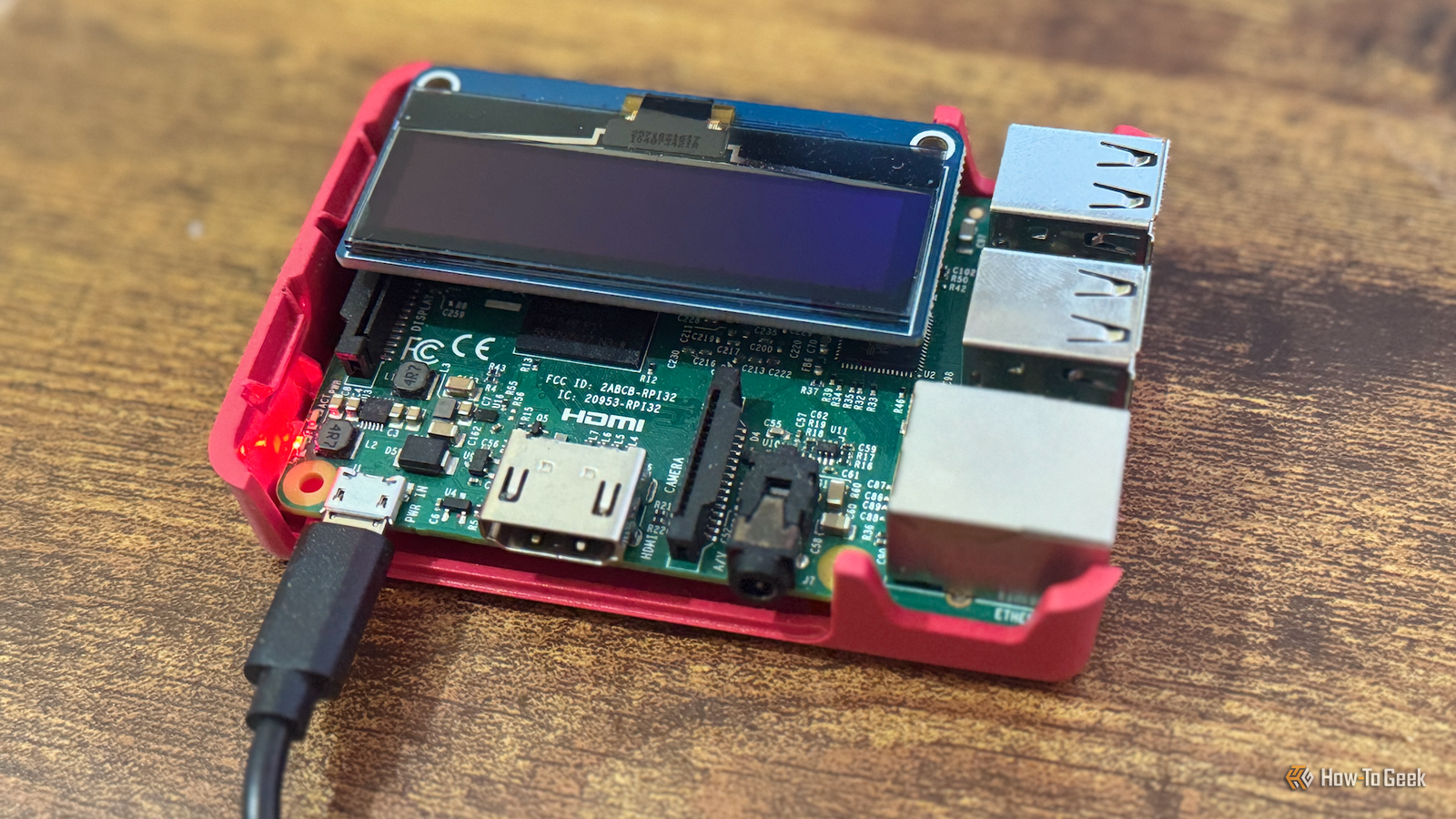
Published Sep 12, 2026, 12:30 PM EDT Adam has a degree in Engineering and has a life-long interest in technology. He has been writing for over a decade for various print and online publications, with a focus on consumer tech. He joined How-To Geek in 2024 while working at Pocket-lint. As well as being a long-term fan of Apple products, he also has a strong interest in smart home tech, running a Home Assistant server at home to automate all his smart home devices. He believes that the ideal smart home should work with minimal interaction from the user, with automations running as if by magic rather than requiring you to push buttons on a control panel. You can find more of his work on Muck Rack. The Raspberry Pi was once an easy recommendation for low-cost tinkering projects, running smart home software, and more. Recently, newer models have gotten so expensive that they're no longer low-cost. Here are some reasons why the older Raspberry Pi 3B+ still beats these newer models. A Raspberry Pi 3B+ sips power Newer models are thirstier Credit: Adam Davidon / How-To Geek One of the biggest benefits of using a Raspberry Pi is that it requires very little power, especially when idle. If you're running Home Assistant, for example, you need the smart home software to keep running 24/7. You can run Home Assistant on a desktop or laptop, but it will use a fair amount of power to keep running all day and all night. A Raspberry Pi uses far less power than a typical desktop PC, and the Raspberry Pi 3B+ is more frugal than the later models. Raspberry Pi recommends a 12.5 W power supply for the 3B+, compared with a 15 W supply for the Pi 4 and a 27 W supply for the Pi 5. While these figures don't directly correspond to how much power each device uses, the lower-performance hardware of the 3B+ means lower power consumption, particularly under load. Newer models offer more performance to go with their increased power requirements, but if you're not running anything that a Pi 3B+ can't handle, then a newer model will draw more power for little benefit. A full-size HDMI port No need for micro-HDMI adapters This one is something that's easy to overlook. I've set up several Raspberry Pi projects over the years that have involved hooking up a Raspberry Pi to a TV or monitor, from retro game consoles to movie night poster displays. Using a Raspberry Pi 3B+, it's trivial to connect the Pi to a TV, because it has a full-size HDMI port. I just needed to pull one of the many HDMI cables I've acquired over the years out of my messy box of cables, and I could hook everything up. Newer Raspberry Pi models no longer include full-size HDMI ports, having replaced them with micro-HDMI ports instead. It means you can't just grab an old HDMI cable to connect everything up; you need a micro-HDMI adapter or a micro-HDMI to HDMI cable. The fewer adapters I have to rely on, the better. A Pi 3B+ runs cooler Credit: Sydney Louw Butler/How-To Geek I've never used extra cooling with my Raspberry Pi 3B+. The fairly modest specs of the 3B+ mean cooling is much less of a concern, and I've mostly kept mine in a ventilated case with no issues. For newer models, this isn't always the case. A Raspberry Pi 5 won't get overly hot under normal use, but under sustained heavy loads, an uncooled Pi 5 can get hot enough to start throttling, defeating the point of paying for more powerful hardware. This is illustrated by the accessories that Raspberry Pi sells. There's a case fan available for the Pi 4, and an active cooler and fan-equipped official case for the Pi 5. There are no official cooling products for the Raspberry Pi 3B+, because you're unlikely to need them. It's cheaper than newer models A Pi 3B+ is enough for many projects Credit: Patrick Campanale / How-To Geek One of the most obvious benefits of a Raspberry Pi 3B+ over newer models is the price. Currently, you can buy a Raspberry Pi 3B+ for $40, which comes with 1GB of RAM. The 1GB Raspberry Pi 4 variant costs around $40, and the 1GB Raspberry Pi 5 is around $45. For 1GB variants, the price difference isn't huge. When you look at the top-of-the-range models, however, the difference becomes stark. An 8GB Pi 4 is currently selling for $165 on some sites, while the 16GB Pi 5 is selling for as much as $350, almost ten times the price of a Raspberry Pi 3B+. Another issue with newer models is that they can also be harder to get hold of. Many sites are currently out of stock of some Pi 4 and Pi 5 models, but there seems to be plenty of stock for the Raspberry Pi 3B+. The reason that this may be the case brings me to my final point. The Raspberry Pi 3B+ is immune to RAM prices You don't have to fear the Rampocalypse Credit: Hannah Stryker / How-To Geek You'd have to have been living under a rock not to be aware that the cost of some RAM has gone through the roof, fueled in part by the huge demand for memory for AI data centers. Raspberry Pi said in April 2026 that the cost of the LPDDR4 DRAM used in the Pi 4 and Pi 5 had increased sevenfold over the past year, forcing the company to raise prices. The Raspberry Pi 3B+ escaped these price increases because the older Pi uses LPDDR2 memory. Raspberry Pi says that it has a significant inventory of this memory and doesn't anticipate any increases in the price of the Raspberry Pi 3B+ due to the current RAM scarcity. It seems that while the prices of newer Pi models are likely to continue to rise in the short to medium term, the Raspberry Pi 3B+ will be staying at a genuinely low price. It may also explain why you're likely to find it far easier to get your hands on a Raspberry Pi 3B+ than the newer models. You can do a lot with a Raspberry Pi 3B+ I ran Home Assistant for a good couple of years on a Raspberry Pi 3B+, without any significant issues. I only upgraded to a mini PC when I wanted to add heavier add-ons. A Raspberry Pi 3B+ can be more than enough for popular projects such as creating a retro gaming machine, while the newer models may simply be expensive overkill.
5 reasons why the Raspberry Pi 3B+ still beats newer models for most projects
Full Article
Original Source
Read the full article at Howtogeek →KhanList aggregates and links to publicly available news content. We do not host full articles from third-party sources. Always verify important information with original sources.