
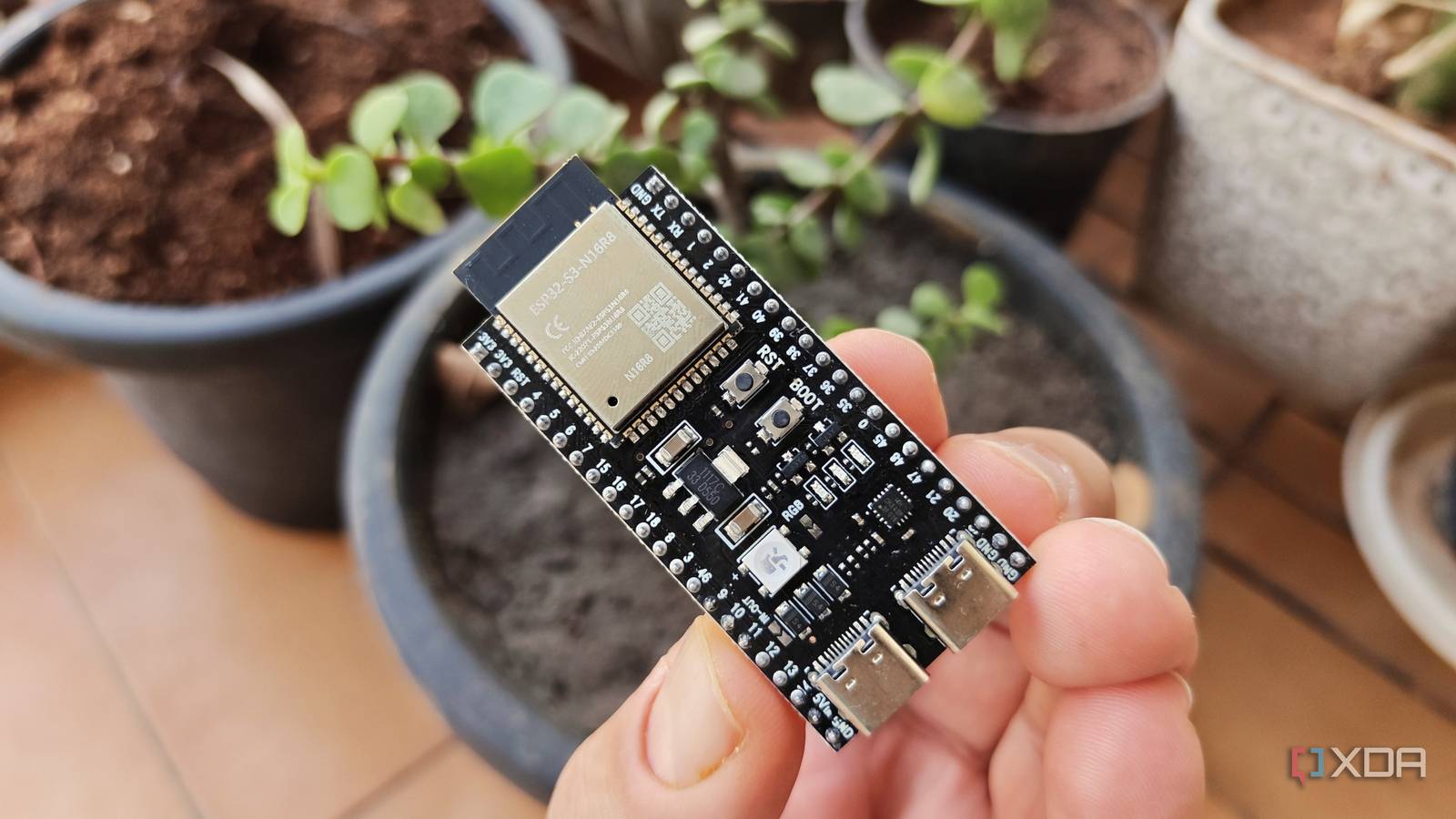
Published Nov 26, 2026, 3:30 PM EST After a 7-year corporate stint, Tanveer found his love for writing and tech too much to resist. An MBA in Marketing and the owner of a PC building business, he writes on PC hardware, technology, and Windows. When not scouring the web for ideas, he can be found building PCs, watching anime, or playing Smash Karts on his RTX 3080 (sigh). If you've been on the fence about getting into DIY electronics, ESP32 is arguably the best place to start. Compared to Arduino or Raspberry Pi, it strikes the right balance of power and affordability. You get a wide variety of ESP32 boards to choose from, based on the type of project you want to build. And you don't even need to write a single line of code to run most projects you can think of. Building practical ESP32 projects you can actually use long-term is possible with a handful of sensors and an IDE running in your browser. From vision and distance to simple Bluetooth-based projects, your ESP32 can help with real-world problems — no expensive off-the-shelf devices needed. Besides, building your own parking assistant or security camera is way more fun than buying an overpriced device. Smart door sensor You can never be too careful You may be careful enough never to let your main door open, but it's easy to forget about the back or side door of the house. If you want a fail-safe that sends an alert to your phone whenever this happens, you just need a cheap ESP32 board connected to a magnetic reed switch and a small battery. Using ESPConnect, you can flash the necessary firmware in a browser window instead of using ESPHome's desktop client. Declaring a binary sensor, defining the GPIO pin you want to monitor, and applying the rest of the settings is simple enough once you have a decent guide to follow. You don't need to solder anything, and a single 18650 battery can keep the device running for months on end. Your ESP32 only needs to wake from deep sleep to send an alert if it detects the door open for, say, a minute. You can use an RTC GPIO wake-up interrupt with MQTT to configure it. And if you're looking for a low-power board, the ESP32-C3 is the one to get. Note that ESPConnect only runs on Chromium-based browsers, such as Google Chrome, Microsoft Edge, Brave, Arc, and others. Bluetooth proxy for dead zones in your smart home You don't even need a sensor for this one If you have too many home automation devices in your house, it's more than possible that some of them are out of reach of your smart home network. This is where cheap ESP32 boards can be used as Bluetooth proxies to capture BLE signals from a device and send them to Home Assistant over Wi-Fi. You can refer to this Bluetooth proxy guide by fellow writer Ayush for the detailed steps. Hardware-wise, this project needs only an ESP32 board with Bluetooth and Wi-Fi capability. An ESP32-C3 or ESP32-S3 are great choices here, since they're pretty capable without being too expensive. You'd want to avoid batteries for this project, since constant Wi-Fi and BLE signals can drain them pretty fast. Wire your ESP32 to a wall outlet with a phone charger. ESP32-S3 ESP32-S3 comes with a dual-core Xtensa LX7 microcontroller. It has 16MB of flash memory and 8MB of PSRAM with years of maturity to be ready for a variety of projects. Soil moisture monitor to keep your plants alive Use a capacitive sensor instead of a resistive one I can never keep plants alive in my house, and while a lack of regular watering is just one reason, it's certainly one you can easily prevent. Wiring a generic capacitive soil moisture sensor to your ESP32 board is all you need for your soil monitoring system. A resistive sensor is prone to corrosion since it exposes the metal to water. If you're using Arduino IDE on the web, the Gravity Soil Moisture Sensor in the Library Manager tab will give you the code you need. You should probably use a battery to power the board instead of running a live wire to your garden. And to make the board last longer, you can configure it to wake up and measure the soil moisture only twice a day. It can then trigger your water dispensing mechanism to water the plant, if necessary. DIY security camera Inexpensive hardware and free software Instead of paying a company for a security camera (and the subscription), you can make your own with an ESP32-CAM. This development board comes with a 2MP camera (usually the OV2640) on a standard ESP32, with built-in Wi-Fi, Bluetooth LE, and an LED. You'll need a USB-to-UART adapter board to use the ESP32-CAM for this project. Alternatively, an ESP32-S3 camera board can be used. You'll need to power it with a wall outlet or a power brick for a reliable 2A supply. A DIY security camera like this one keeps your data local rather than sending it to the cloud. The ESP32 CameraWebServer in the Arduino IDE can serve a live stream to a browser, or you can integrate it with Home Assistant for advanced dashboards and alerts. ESP32-CAM Parking assistant with an ESP32-S3-Matrix Make your old garage smart Creating your own parking assistant is deceptively simple with the right ESP32 board. I recommend the ESP32-S3 Matrix dev board, since it comes with a 64-LED (8x8) matrix that you can use to show bright, unmistakable symbols. You'll need an HC-SR04P Ultrasonic Distance Sensor to measure the distance between your car and the wall. It runs on 3.3V, unlike other sensors, so you don't need an extra resistor to step the voltage down. Your garage probably has a wall outlet to power the board. Mount the ultrasonic sensor to the front wall at bumper height and the ESP32 at eye level, so you can see the LEDs clearly. Based on the safe distance you configure in the Arduino IDE, the LEDs can be configured to show a red circle or whatever else you feel like. Useful ESP32 projects don't need to be complicated You don't need a lot of hardware or complex coding to create practical ESP32-based devices. A single sensor, a battery, and a browser IDE are enough to start experimenting with ESP32. While enclosures and soldering can beautify the result, they aren't necessary to learn about ESP32 tinkering.
5 practical ESP32 projects you can build with nothing but a browser and some sensors
Full Article
Original Source
Read the full article at Xda-developers →KhanList aggregates and links to publicly available news content. We do not host full articles from third-party sources. Always verify important information with original sources.