
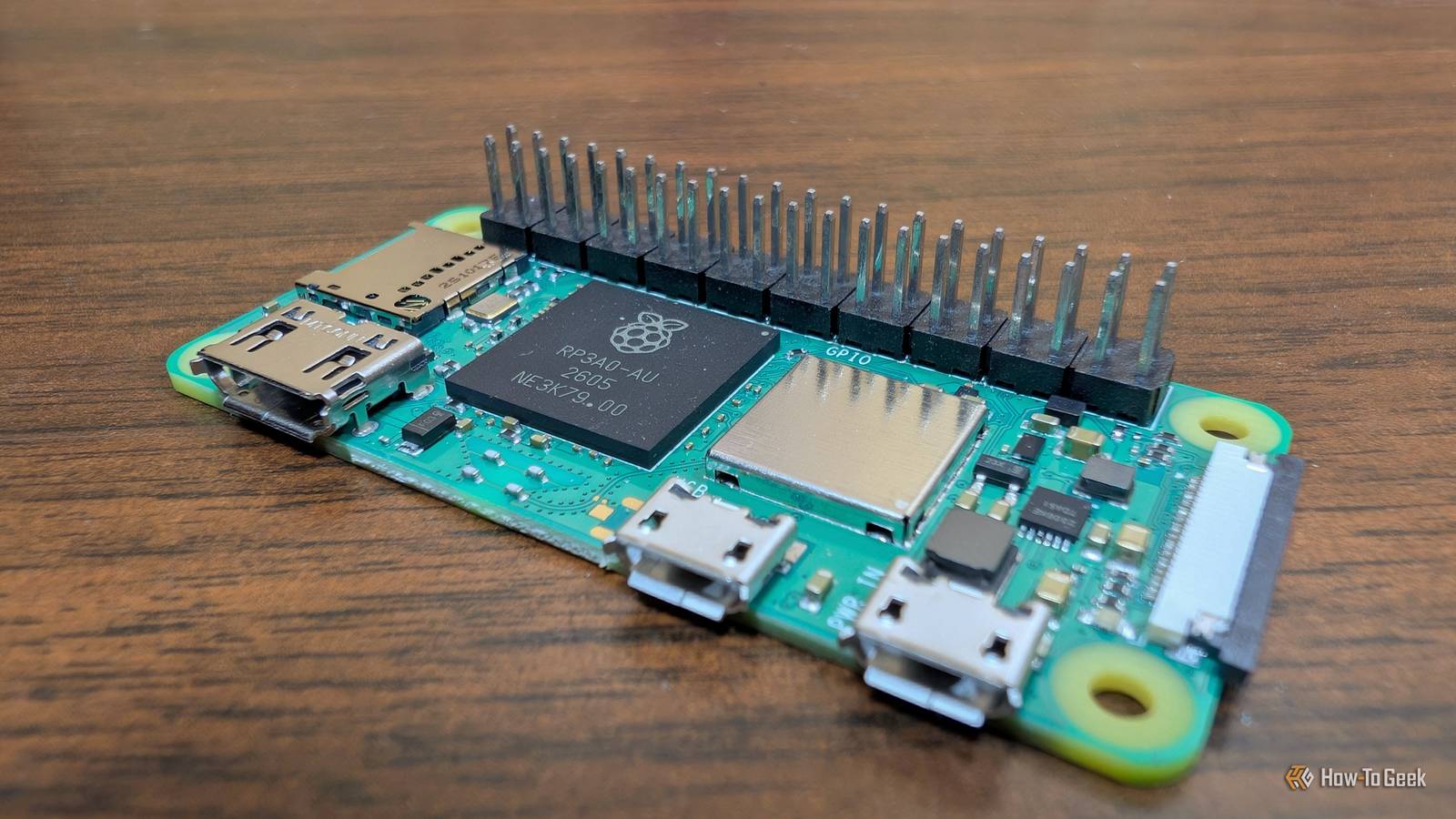
Published Nov 1, 2026, 12:00 PM EST Nick Lewis is an editor at How-To Geek. He has been using computers for 20 years --- tinkering with everything from the UI to the Windows registry to device firmware. Before How-To Geek, he used Python and C++ as a freelance programmer. In college, Nick made extensive use of Fortran while pursuing a physics degree. Nick's love of tinkering with computers extends beyond work. He has been running video game servers from home for more than 10 years using Windows, Ubuntu, or Raspberry Pi OS. He also uses Proxmox to self-host a variety of services, including a Jellyfin Media Server, an Airsonic music server, a handful of game servers, NextCloud, and two Windows virtual machines. He enjoys DIY projects, especially if they involve technology. He regularly repairs and repurposes old computers and hardware for whatever new project is at hand. He has designed crossovers for homemade speakers all the way from the basic design to the PCB. Nick enjoys the outdoors. When he isn't working on a computer or DIY project, he is most likely to be found camping, backpacking, or canoeing. The Raspberry Pi Zero and Zero 2 W are both still very affordable despite price hikes across the rest of the lineup. They're not powerful devices, but they play essential roles in my homelab today, and I'm sure I'll be using them until the early 2030s at least. These are 5 great ways to put a Raspberry Pi Zero 2 W to use—all you need is the Pi, a power supply, and a microSD card. Pi-hole Network-wide ad and tracker blocking doesn't require a powerful computer Pi-hole works by selectively preventing some DNS requests from devices on your network from reaching DNS servers. Effectively, that allows you to block ads, trackers, and even some malware websites for every device on your network, even if they can't normally run an ad blocker. That is exactly the kind of job a Pi Zero 2 W is good at, since filtering DNS requests doesn't require a ton of RAM or processing power. It also doesn't use very much energy, which means it won't drive up your electric bill. Unfortunately, Pi-holes also introduce a single point of failure for your network. If the Pi-hole goes down, most devices won't connect to the internet. Here again, the Pi Zero proves itself. Between the low cost, tiny footprint, and minuscule cost of operation, adding a second fallback Pi-hole that can take over if the first one fails is pretty affordable. Uptime Kuma A watchdog works best if it isn't on your main server Uptime Kuma monitors HTTP(S), TCP ports, DNS, ping, and a handful of other things to let you know when one of your self-hosted services goes down. It can then send you a notification using practically any channel you want—it supports more than 90. Uptime Kuma doesn't require a powerful PC to run, so it performs well on a Pi Zero 2 W as long as you're not checking 100 services once every second. Uptime Kuma won't run on a regular Pi Zero. Running it on a Pi Zero 2 W also physically separates it from your main server, which is important. If your whole server crashes because of a problem with the boot drive or memory, you don't want your uptime monitor to go down with it—you'd carry on thinking everything was fine until you actually tried to use one of your services. A tiny local dashboard One bookmark for every service in the house Credit: Glance One of the best changes I ever made to my homelab was the addition of a dashboard that links to every self-hosted service I run. It also pipes in data from Uptime Kuma to make keeping an eye on everything a little easier. Most dashboards are a bit too heavy for a Pi Zero or Zero 2 W, but something like Glance runs pretty well even on minimal hardware. It offers widgets for RSS feeds, weather, server stats, Docker container stats, and more. If you need a lightweight, out-of-the-box dashboard for a Pi Zero 2 W, Glance should be the first thing you try. Alternatively, you could write your own small website, by hand or with an AI's help, that handles most of those things. WireGuard Reach your whole home network from anywhere Credit: Jorge Aguilar / HowToGeekCredit: Jorge Aguilar / HowToGeek I don't use reverse proxies anymore; they're just more trouble than they're worth for my setup. But I do still need and want a way to access my home network when I'm away. WireGuard is a lightweight VPN protocol that you can self-host on almost anything, including a Pi Zero 2 W. Just set up the server using wg-easy, pick a few configuration options, and open the right port in your router. My main WireGuard VPN runs on my main server, but to ensure that a single problem with the server won't lock me out of my network completely, I also run a backup on a Pi Zero 2 W. It isn't as fast as a regular PC, and you'll notice the limitations of both the CPU and the network interface if you try to move large files. However, as an emergency backup for troubleshooting, it can't be beat. If you just needed basic SSH access for remote management, it would be more than enough. ntfy Send alerts to your phone or desktop ntfy, as the name suggests, is a notification service that you can configure to communicate with other services on your network. Your backups, Uptime Kuma, and temperature checks can all ping your phone or PC directly without requiring another subscription. ntfy runs on both a Pi Zero and a Pi Zero 2 W. DNS filtering, monitoring, dashboards, remote access, and alerts are hardly "exciting" services, but they become essential once your homelab grows to a certain size. In reality, you could actually run several of these services on a single Pi Zero 2 W. I've run Pi-hole, WireGuard, and ntfy all on one Pi Zero 2 W without an issue. Uptime Kuma could easily have run on that Pi too, but I prefer to keep Uptime Kuma completely isolated on its own hardware.
5 home network projects for a $15 Raspberry Pi that don’t require extra purchases
Full Article
Original Source
Read the full article at Howtogeek →KhanList aggregates and links to publicly available news content. We do not host full articles from third-party sources. Always verify important information with original sources.