
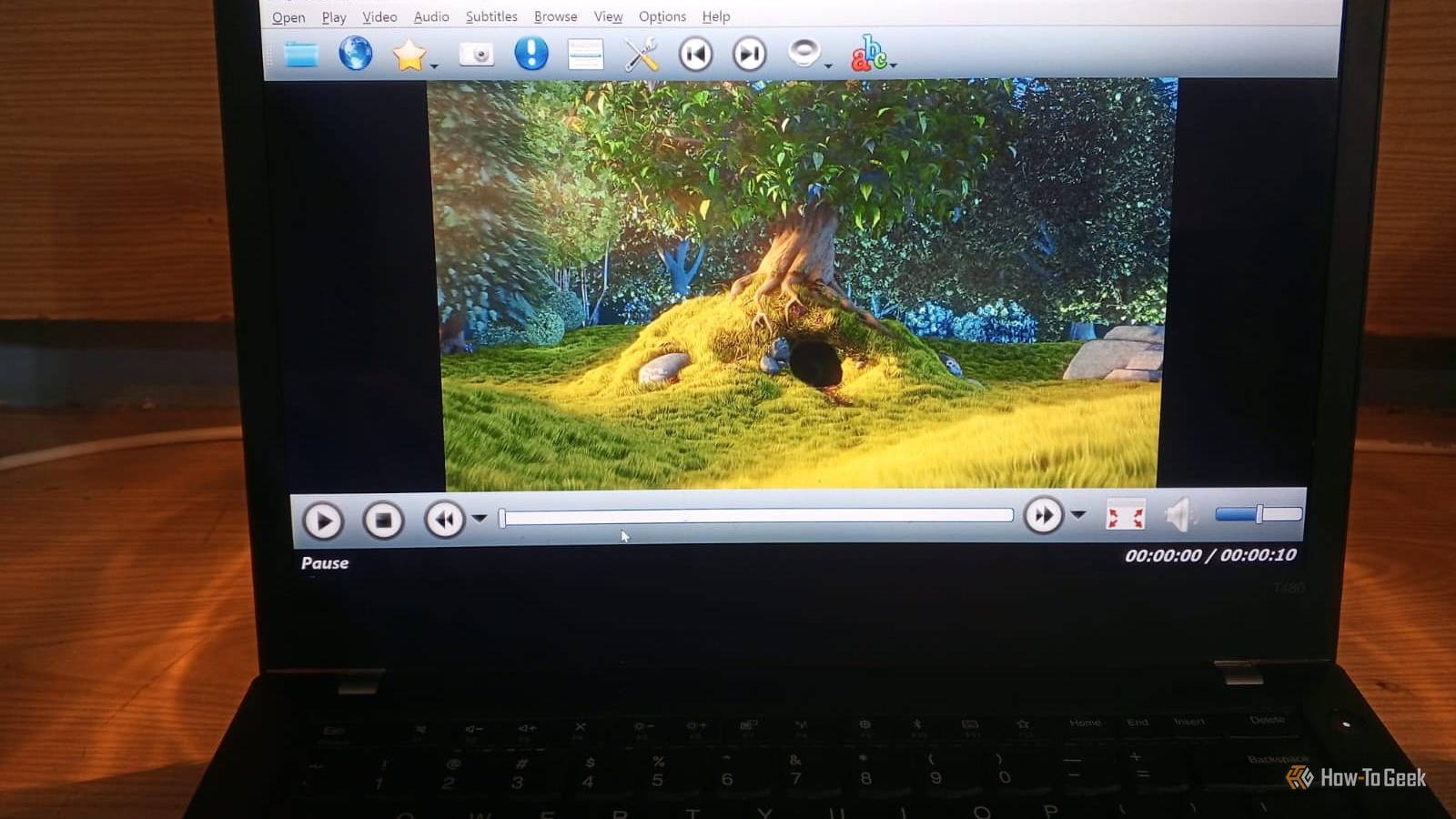
Published Oct 14, 2026, 5:00 PM EDT Nimrah has spent the last five-plus years writing about technology, with Linux being one of her favorite subjects to explore. Her work covers everything from Linux and open-source software to databases, cybersecurity, and everyday software. She has contributed to Baeldung, Make Tech Easier, and LinuxHint. She particularly enjoys turning a concept that initially seems complicated into something anyone can understand. Away from tech, she loves to read, cook new recipes, and try new restaurants and cuisines. If I asked you to name a media player, I'm sure VLC would be one of the first to come to mind. There's no doubt VLC has earned its place on just about every desktop, but it isn't the only free media player worth installing. Some alternatives give you more control over playback, others pack in features you might not expect, and a few can even turn your PC into a home theater. If you're looking for something beyond VLC, these five alternatives are worth a try. All of them are free, open-source, cross-platform, and actively maintained. And even if you try them all and end up going back to VLC out of habit, that's perfectly fine. You might just discover a player that suits you better. mpv A player for people who want performance and customization mpv is a lightweight, open-source media player with a command-line interface. It supports a wide range of video and audio formats, hardware-accelerated decoding, and advanced video output options. It also supports scripting, allowing you to extend its behavior beyond what a typical media player offers. It's also the engine behind several other players on this list, so you can benefit from its capabilities even if you never use it directly. Supported platforms: Windows, macOS, and Linux The biggest difference you'll notice is mpv's minimal interface. It doesn't surround your video with lots of menus and buttons. Most controls appear when you interact with the player, while keyboard shortcuts, configuration files, and scripts let you fine-tune the experience. This makes mpv appealing if you enjoy tweaking software to work exactly as you want. That flexibility comes with a learning curve, though. You may need to consult the documentation or edit a configuration file to change certain behaviors. SMPlayer An old-school style player that actually remembers your settings If mpv feels too bare, try SMPlayer. It offers a more traditional interface, with menus, playback controls, and settings that are easier to find. Its design has an old-school Windows feel, but it doesn't take long to get comfortable with. It supports a wide range of familiar media formats and codecs. One of its most useful features is the ability to remember your preferences for each video. It saves your playback position, subtitle choice, and audio track, which is handy for long movies or TV series you watch across multiple sittings. SMPlayer uses playback engines such as MPlayer and mpv to handle media playback. Supported platforms: Windows, macOS, and Linux You also get playback-speed controls, audio and video filters, and support for YouTube videos. However, the online-video feature wasn't reliable in my testing. When I tried playing a video from a URL, SMPlayer reported that it couldn't find the URL and asked me to update its YouTube support. I updated the support component, but the same error kept appearing. Your experience may differ as these integrations change. Despite that hiccup, I liked SMPlayer for playing local videos. If you mostly watch downloaded videos and want your playback preferences to stick, it's worth a try. MPC-QT A modern take on Media Player Classic If you miss the classic Media Player Classic layout, MPC-QT is the one to try. It reproduces most of MPC-HC's interface and functionality while using libmpv, the playback library behind mpv, to handle your videos. You get the classic media player experience without giving up the capabilities of a modern playback engine. When I tried it, the interface felt clean and straightforward, with nothing getting in the way of the video. MPC-QT isn't just a nostalgia trip, either. It supports multiple playlists, displays thumbnail previews when you hover over the seek bar, and can play online videos through yt-dlp. Supported platforms: Linux and Windows If you want a straightforward desktop player with a classic look and modern playback features, MPC-QT is worth exploring. QMPlay2 More than a player for local videos QMPlay2 is one of the more feature-packed alternatives on this list. It supports all audio and video formats supported by FFmpeg, along with Audio CDs, raw files, and chip tunes. It also offers an equalizer, playlist support, YouTube playback, a downloader, a subtitle browser, streaming engine, and video filters, including an FPS doubler. Most players make you hunt for add-ons to do these things. QMPlay2 just has them. My favorite feature, though, is internet radio. Having radio streams sit right next to your video player is the kind of thing you don’t know you want until you try it. It makes QMPlay2 feel like one app for everything you watch and listen to. Though, having all these features means a busy interface. You can expect to spend a few minutes finding your way around before everything clicks. Supported platforms: Windows, macOS, and Linux If you're looking for a media player that packs plenty of audio and video features into one tool, give QMPlay2 a try. Or, if you're like me, just use it at least once to listen to different countries' radios for fun. Kodi A media player that grew up to be a media center KodiCredit: Kodi Kodi isn't exactly a VLC replacement. It's a free, open-source media center, and that's what makes it worth including on this list. Rather than focusing on opening individual files, it organizes your movies, TV shows, music, and other media into a browsable library. It supports both local media and content stored on network locations, so your entire collection doesn't have to live on one device. Once you've added your media sources, Kodi can display artwork, descriptions, episode information, and other metadata. This makes browsing a large collection much easier than opening folders and checking filenames one by one. Its interface is also designed with TVs and remote controls in mind, making it a natural fit for a living-room media center. Supported platforms: Linux, Windows, macOS, Android, iOS, tvOS, Raspberry Pi, and webOS If you only open a video file now and then, Kodi is probably more than you need. But if you have a large media collection or want to build a home theater setup, its library-focused approach can make watching your content a much better experience. VLC can stay, but there's no harm in giving these a shot None of these players is a perfect VLC replacement, and that’s the point. Each one is better at something specific. mpv gives you more control, SMPlayer remembers your preferences, MPC-QT offers a clean and familiar interface, QMPlay2 packs in useful extras, and Kodi turns your collection into a media center. They’re all free, so you can install a couple, keep the one you like, and delete the rest. VLC will still be there if you miss it.
5 free VLC alternatives that play everything and cost nothing
Full Article
Original Source
Read the full article at Howtogeek →KhanList aggregates and links to publicly available news content. We do not host full articles from third-party sources. Always verify important information with original sources.