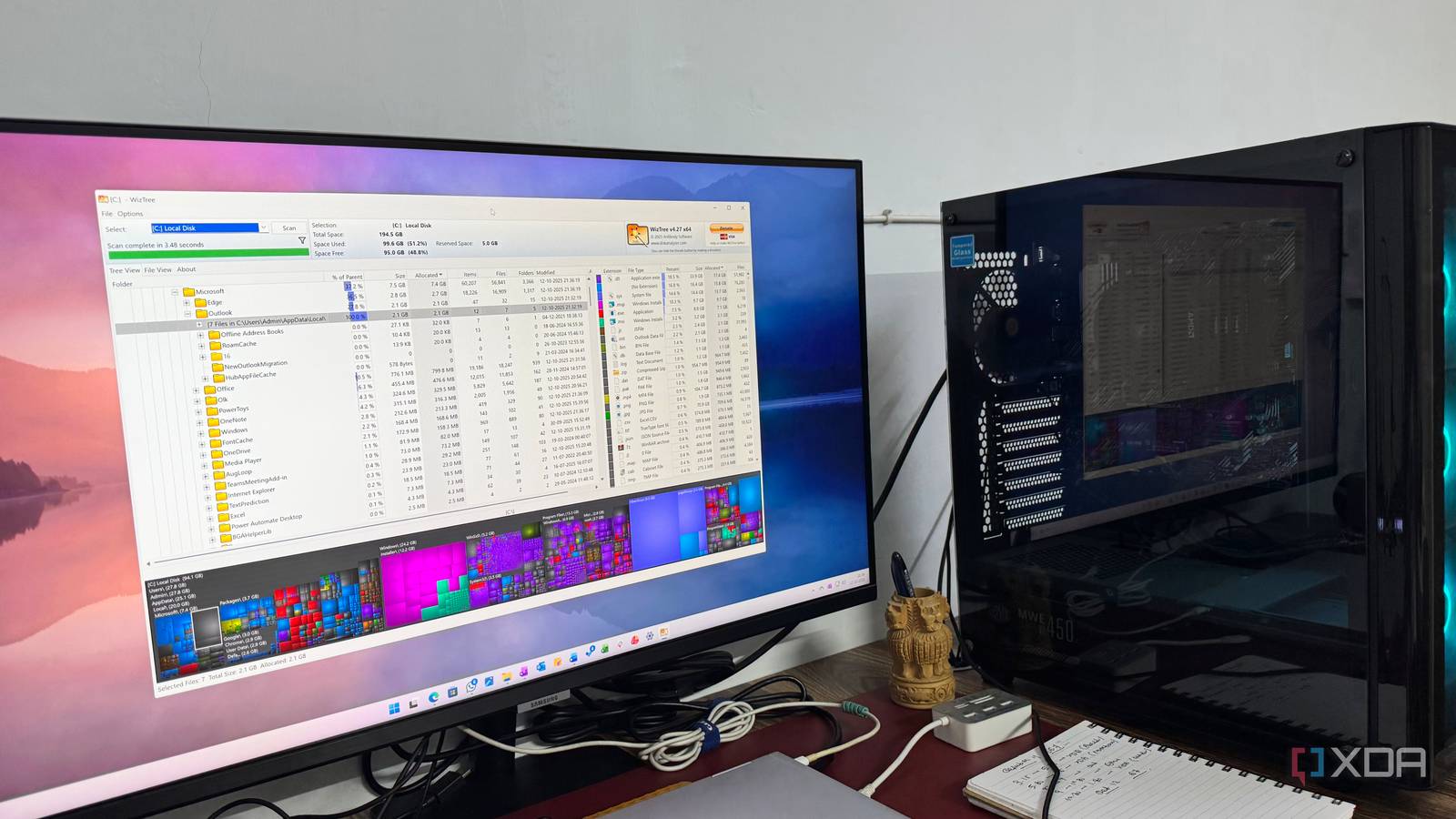
Published Aug 7, 2026, 10:30 AM EDT Beginning his professional journey in the tech industry in 2018, Yash spent over three years as a Software Engineer. After that, he shifted his focus to empowering readers through informative and engaging content on his tech blog – DiGiTAL BiRYANi. He has also published tech articles for MakeTechEasier. He loves to explore new tech gadgets and platforms. When he is not writing, you’ll find him exploring food. He is known as Digital Chef Yash among his readers because of his love for Technology and Food. Sharing a computer completely changed the way I look at certain apps. When I had a PC all to myself, I ignored plenty of tools because they didn't seem useful enough to justify installing. But once family members started using the same machine, I began running into small problems that kept repeating every day. That's when I gave some of these apps another chance, and they turned out to be far more practical than I expected. They made the shared PC easier to manage, reduced common frustrations, and helped everyone use the computer more comfortably. These are the free apps that changed my mind. VeraCrypt I never cared about encrypting files until other people started using my PC Before sharing my computer, I never saw the point of using VeraCrypt. Once family members started using the same PC, I needed a simple way to protect sensitive files without having to move everything. VeraCrypt lets me create an encrypted virtual drive that stays completely inaccessible until I mount it with my password. When I'm done, I simply unmount it, and the files disappear from File Explorer. I use it to store tax documents, password backups, recovery codes, and work files that I don't want anyone opening accidentally. The encryption is automatic, so I don't have to manually lock individual files or folders. It takes only a few seconds to mount the drive, and everything inside stays protected until I unlock it again. VeraCrypt VeraCrypt should be your go-to for file encryption. It's completely free, cross-platform, and easy to use. Plus, it's open source. Firefox Multi-Account Containers Separate browser profiles solved more problems than I expected I used to think browser profiles were only useful if you had multiple accounts for work and personal use. That changed after I started sharing my computer with my family. I didn't want my bookmarks, saved passwords, browsing history, or open tabs mixing with everyone else's. That’s why I prefer Firefox to create completely separate profiles, each with its own extensions, cookies, history, downloads, and settings. My profile stays signed in to my accounts, while other family members use their own without affecting anything. It also prevents accidental logins, mixed autofill suggestions, and clutter from someone else's browsing. Instead of constantly signing in and out or clearing browser data, everyone gets their own private browsing space while using the same Firefox installation. Firefox Firefox is a free, open-source browser popular for its privacy and ease-of-use LocalSend Sharing files around the house has become much simpler Sharing a computer with family also means constantly moving files between different phones, tablets, and the PC. That's where LocalSend has become one of the most useful apps on my computer. It lets me transfer photos, videos, documents, and other files directly between devices over my local Wi-Fi network. There's no need to upload files to cloud storage, plug in a USB drive, or create an account. I simply select the receiving device and send the files in a few clicks. Since everything stays on my local network, transfers are fast and private. Whether someone wants to copy vacation photos from their phone or I need to send a PDF to another laptop, LocalSend handles it quickly without any unnecessary steps. LocalSend LocalSend is a free and open source mobile app to send files between devices securely so long as they are on the same Wi-Fi network. WizTree Finding storage hogs became much easier When you share a computer with your family, the storage fills up much faster than expected. Photos, videos, downloads, and random files from everyone quickly start eating up disk space. Instead of manually checking folders, I use WizTree to see exactly what's taking up storage. It scans my drive in seconds and displays the largest folders and files in an easy-to-read visual layout. I can immediately spot duplicate downloads, old videos, or folders that have grown unexpectedly. It has saved me from wasting time digging through File Explorer whenever I get a low storage warning. Before deleting anything, I know exactly where the space is being used, making it much easier to clean up the shared computer without accidentally removing important files. WizTree WizTree is a fast way to analyze your disk space, and it's free for personal use. Cold Turkey Blocker It made the shared computer more family-friendly Once I started sharing my computer with family, I realized I needed an easy way to control what kids could access. That's where the Cold Turkey Blocker became surprisingly useful. It lets me block specific websites, desktop apps, and even entire categories of distractions with just a few clicks. I can also create schedules so that social media, YouTube, games, and other distracting sites automatically become unavailable during study hours or late at night. What I like most is that the blocks are intentionally difficult to bypass, so simply restarting the browser or ending the program doesn't remove the restrictions. That makes it much more reliable than basic browser extensions. It isn't a complete parental control solution, but for a shared family computer, it provides enough control to create a safer, more focused environment without constantly watching over everyone's screen or reminding children to stay on task. Cold Turkey Blocker Cold Turkey Blocker is a powerful productivity and website/app blocking desktop software for Windows and macOS. Sharing a computer changed how I judge useful apps Before sharing a computer, I mostly looked for apps that made my workflow better. Once other people started using the same PC, I realized that convenience isn't the only thing that matters. Privacy, organization, file sharing, storage management, and keeping the computer safe and easy to use became just as important. Many of these apps stayed installed long after I first tried them because they solved everyday problems without adding complexity.
5 free apps became more useful after I started sharing my PC
Full Article
Original Source
Read the full article at Xda-developers →KhanList aggregates and links to publicly available news content. We do not host full articles from third-party sources. Always verify important information with original sources.