
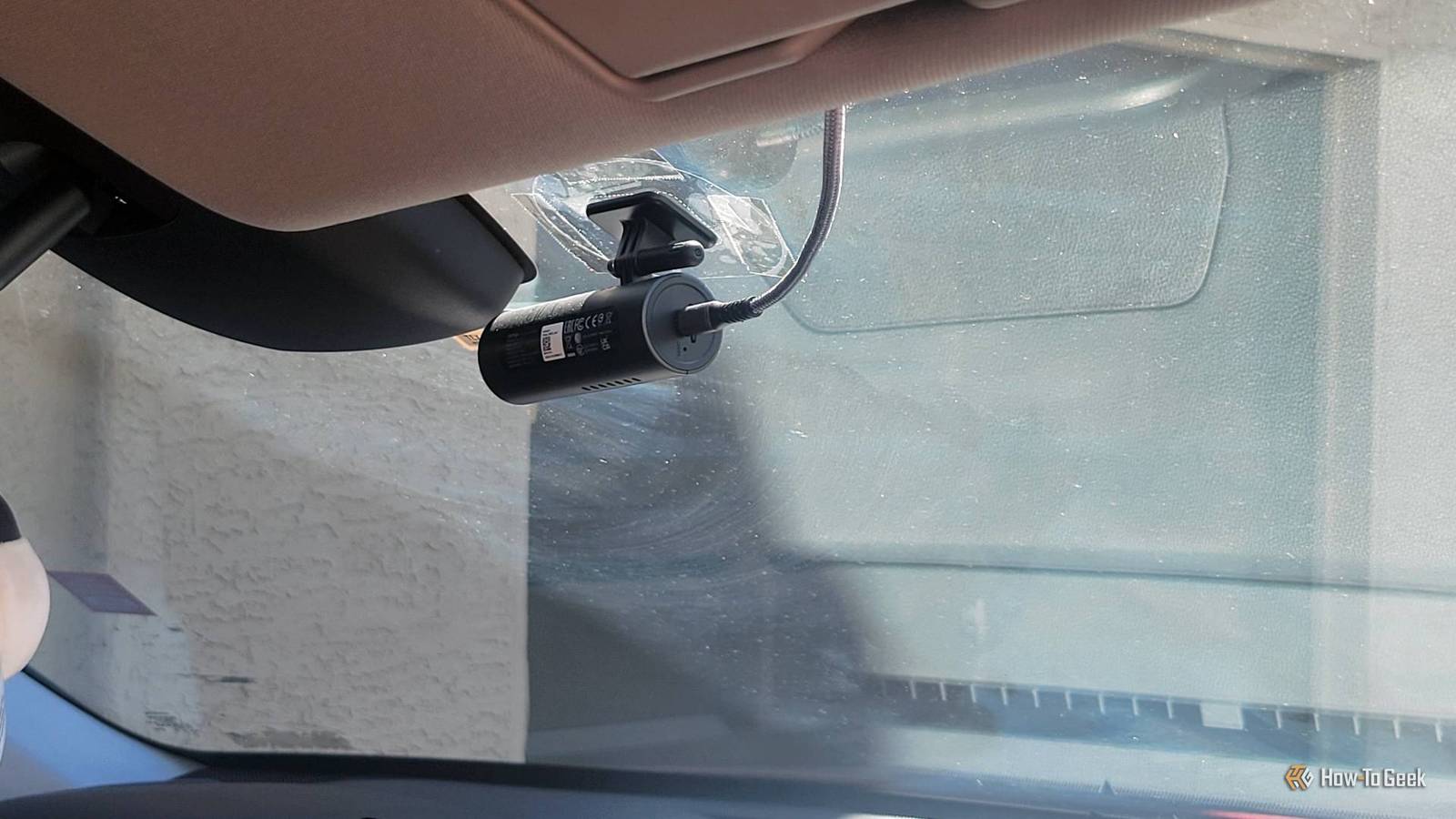
Published Sep 15, 2026, 12:30 PM EDT Aggy is a veteran writer and editor in the technology and gaming space. Having served as a Managing Editor for high-traffic digital publications, alongside being an editor and consultant for over a dozen sites. Aggy's published work spans a wide and respected array of tech and gaming outlets, including WePC, Screen Rant, How-To Geek, Android Police, PC Invasion, and Try Hard Guides. Beyond editorial work, Aggy's direct experience in the tech sphere extends to app development. Aggy has published two games under Tales and is always eager to learn and do more. He also likes working on computers and researching in his spare time. He knows about Windows, Linux, Audio, Video, and much more. My car came with more USB ports than I thought I would need, and it's understandable to ignore any that don't charge your phone. But you can do a lot more with your ports than just charge a battery. Once you have a cable that works and isn’t useless, you can use those same ports to do a lot more to your car. You can update your car with a flash drive Wireless updates fail way too often 2026 Jeep Recon Moab interior photo showing the infotainment screenCredit: Joel Stocksdale / CarBuzz / Valnet An Over-the-Air (OTA) bypass through USB is just manually updating your car's infotainment software with a flash drive instead of Wi-Fi or 5G. That matters because wireless OTA updates fail all the time. There are plenty of reasons, like bad cell reception, network throttling, subscription paywalls, or the automaker just being slow to push it out. Wireless updates over a shaky connection are pretty risky. If the firmware patch gets interrupted mid-transmission, you can corrupt files and brick the head unit. Delivering the files directly by USB kills the network dependency and gives you a clean, block-level flash. To do it, just go to the manufacturer's portal or support site. There's usually a ZIP download. Once it's formatted, extract the update files straight to the root folder, so the bootloader can find the config files. With the drive ready, plug it into the data USB port in the car. Avoid the rear or console ports; those are charge-only. Keep the vehicle running or in accessory mode and turn off any automatic engine shutoff. In your car settings, pick the update prompt and let it run. Music sounds a lot better through a flash drive Bluetooth cuts out the parts that make music sound good Credit: Ismar Hrnjicevic / How-To Geek Streaming uncompressed audio from a USB drive just means playing lossless files straight through your car's media player. Bluetooth is convenient, but it uses lossy codecs to squeeze audio into a tiny wireless bandwidth pipe. That compression throws away real musical detail. You'll notice it if you're actually paying attention. USB is a wired connection, so the digital bitstream goes to the head unit bit for bit. You don't need to worry about wireless compression or processing latency. That means factory systems and good aftermarket setups can actually hit their full potential. To actually use this, you need the lossless files. You can rip CDs to WAV files or buy 24-bit studio master downloads from high-res platforms. Then organize the files into nested folders, artist name up top, album subfolders inside. Make sure you have good tags like title, artist, album art, genre, and then let the car's background indexer build everything up and load it from your USB. A cheap dongle will turn your car into a hotspot You can keep everyone online without melting your phone Credit: Jorge Aguilar / How To Geek A USB hotspot maker is basically a tiny 4G/LTE or 5G modem dongle. Once it's plugged in, it creates its own Wi-Fi network inside the cabin. That lets passengers run phones, tablets, handheld consoles, laptops, and smart car accessories all at once. Since the dongle handles all the data routing, your phone doesn't get cooked. The setup is pretty simple. Buy an unlocked 4G/5G USB Wi-Fi dongle and drop in a SIM from a carrier with a cheap data-only plan. Plug it into an active primary or accessory USB port in your center console or dash. When you switch the ignition to accessory mode or start the engine, the dongle powers up, boots its OS, and starts broadcasting its SSID. On your device, find that SSID and enter the default password printed on the label or scan the setup QR code. Then open a browser and enter the dongle's gateway IP. From there, you can set custom APN carrier settings, change WPA2 keys, add firewall rules, or view real-time data usage. A dashcam is cheap insurance It only takes a few minutes to stick one on your glass A USB-powered dashcam is a standalone camera that plugs into a cabin USB port and records. Mine cost about $46 and works as well as the $200 one I got before. The whole point is cheap insurance and a little extra security with almost no installation. All you have to do is mount the camera on your windshield or rear glass with the adhesive bracket so it has a clear view. Then route the thin USB cable to a USB port. I like to use tape and glue to keep it from looking messy. It also keeps it from snagging when people come in and out. Do not plug it into the data USB port. Just use the USBs that give power; that's all you need. Your camera will start loop recording as soon as it gets power, which is great for accidents. A good camera will start recording the minute there is a bump or loud noise. A little display keeps your speed at eye level It solves the problem of not seeing your gauges Credit: Docbraces A USB digital speedometer is a small dashboard display that calculates your speed using a GPS receiver inside it. It gets all its power from USB. The whole point is to show your speed at eye level so you don't have to keep glancing down. I have an SUV, but the gauges are blocked because I like my seat particularly high. So the cover that protects the gauges from sunlight makes them harder to see. I'm sure I'm not the only one. Run the USB cable to any port you've got, and you'll find the speedometer works like a charm. Not all cars come with this many USBs Not everything here will apply to every car or every driver. While an SUV comes with plenty in the front and back, a regular sedan will usually have only a couple under the dash. So it's better to only use what you need. In my case, I would never drive a car without some form of dashcam, so make sure to get one if you don't have one. WOLFBOX X3 PRO Dash Cam Front Camera Resolution 1440p Field of View 106 Degrees You get both a front and back dash cam with this WOLFBOX combo, letting you be able to protect yourself from all angles.
5 features hiding behind your car's USB port
Full Article
Original Source
Read the full article at Howtogeek →KhanList aggregates and links to publicly available news content. We do not host full articles from third-party sources. Always verify important information with original sources.