
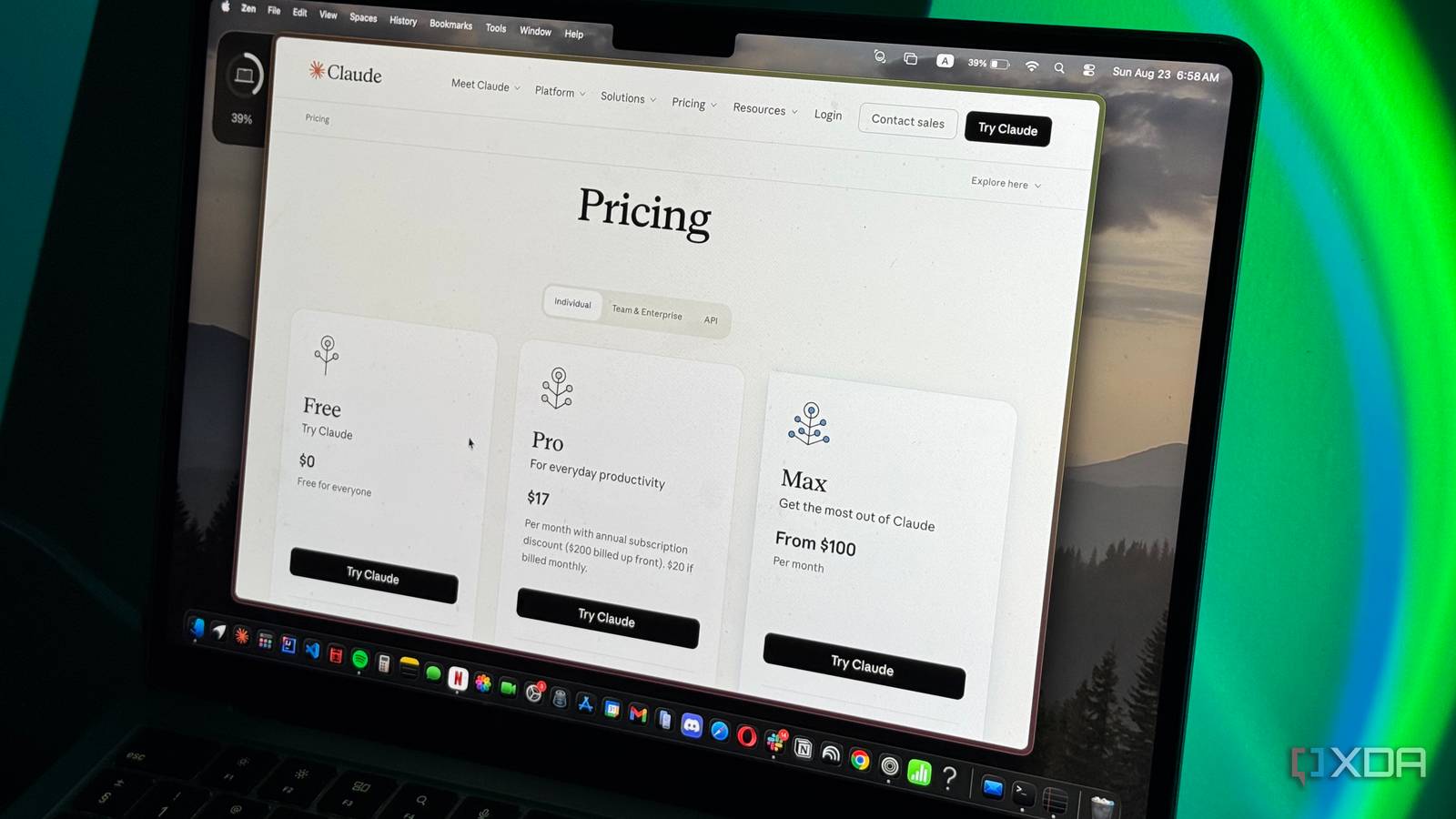
Published Aug 24, 2026, 5:30 PM EDT Mahnoor Faisal is a tech journalist covering AI and productivity tools with bylines at XDA, SlashGear, MakeUseOf, Laptop Mag, and Android Police. She's been writing professionally since she was sixteen, and has since penned hundreds of articles. This includes in-depth coverage of AI tools like NotebookLM to breaking news across the AI space. Her passion for technology started when she received her first iPod Touch (4th generation) on her 8th birthday, and she's been deep in the tech world ever since. Currently pursuing a degree in computer science, Mahnoor brings both a journalist's eye and a technical foundation to her coverage of how AI is reshaping the way we work and learn. Almost four years ago, the idea of paying $20 a month for an AI chatbot that simply responded to your queries would have sounded ridiculous. ChatGPT was the tool that introduced millions of people to the concept of generative artificial intelligence, and paying a recurring subscription just to talk to an AI was hardly something most of us had budgeted for. Fast forward to 2026, and as dystopian as it sounds, AI subscriptions have become strangely normal. The majority of chatbots reserve some of their best features for paying users, and I've gotten used to assuming that anything useful will eventually come with a price tag. While Anthropic has largely followed the same trend of tightening its free plan, it has interestingly taken several features that once required a paid subscription and gradually handed them down to free users. Projects The continuity fix is free now On the 25th of June, 2024, Anthropic announced Claude Projects. The company describes these as self-contained workspaces with their own chat histories and knowledge bases. While Claude can continue to access the web within a project to search for information, the context it has otherwise is confined to what you give it. It won't reference your unrelated chats or pull in context from elsewhere in Claude unless you've added it to that project. I wrote an article comparing Claude Projects with NotebookLM and ChatGPT Projects a few months ago, and I described Claude's version as a combination of the best parts of both. You get NotebookLM's source-grounding feel, while still retaining web access when Claude needs to look something up beyond the material you've provided. The biggest issue I've had with AI tools is continuity, and feeling like I'm working with a completely different assistant every time I start a new chat. Projects solves a lot of that by giving me a dedicated space where I can keep related conversations, files, and context together, rather than having to explain what I'm working on from scratch every time. You can also give a Project persistent instructions, where you define things like how you want Claude to respond, the role it should take on, or any other preferences you want it to follow across every chat within that Project. I have different Projects set up for work-related tasks, college, admin, travel and other parts of my life where I tend to revisit the same information or workflows. Projects weren't always something free Claude users could use, though. Anthropic originally launched the feature for paid users, but today, anyone on the Free plan can create up to five Projects. There are still some paid perks, most notably enhanced project knowledge with RAG, which can expand a Project's knowledge capacity by up to 10x. However, the core feature itself no longer requires a subscription! Memory Claude stopped charging to remember me Another AI feature that solves the continuity problem I've mentioned is memory. Instead of treating every new conversation like a completely blank slate, memory allows Claude to retain useful context from past chats and carry it forward into future ones. When it comes to Claude specifically, it uses Memory to remember things like your role, ongoing projects, communication preferences, working style, and technical preferences. It builds up individual memory entries from your chats and uses those when they're relevant. You can view, edit, or delete these memories from Claude's settings. In addition to picking up information about you as you continue to use Claude, you can also explicitly tell it to remember something, and that information will be carried into future conversations. While you'd expect what now feels like a basic AI feature to be available to everyone, this wasn't always the case. Anthropic initially rolled Memory out across its paid plans, beginning with Team users in September 2025 before expanding it to Enterprise, Max, and Pro. It wasn't until March 2026 that Memory finally made its way to Claude's free plan! Creating actual Word, Excel, PowerPoint, and PDF files The finished file is finally free When AI tools were still in their honeymoon phase, the workflow was basically that you'd give the tool a prompt and get output in text form. If you were working on creating a presentation, the best a tool would give you back then was content for the slides, which you'd still have to manually copy over and format yourself. That eventually changed, and AI tools can now go beyond simply telling you what to put in a file and actually create the finished file for you. Claude, for instance, can generate and edit PowerPoint presentations, Word documents, Excel spreadsheets, and PDFs directly from a prompt. The company explains in its support documentation that Claude creates and edits files by executing code within an isolated, sandboxed container. Claude got this capability on September 9, 2025, and back then, the feature was limited to Max, Team, and Enterprise users. Even users on the $20 Pro tier were excluded from it and only got access a few weeks later. Anthropic upgraded the Free tier to include file creation in February 2026 when it launched Sonnet 4.6! Connectors My apps can finally talk to Claude Another reason why I struggled to integrate AI into my workflow was that the AI tools I used were very disconnected from everything else I used. I'd copy something from one app, paste it into the AI, get a response, and then copy that response back somewhere else. It worked, but there was a lot of manual work involved. Connectors change that by allowing Claude to access the apps and services you already use, retrieve information from them, and, depending on the connector, actually take actions inside them. Anthropic has a directory of connectors for services like Google Workspace, Slack, Notion, Asana, and more. You can also add custom connectors through remote MCP servers, which essentially lets Claude connect to services that aren't already available in its directory. Anthropic describes MCP as an open standard it created for connecting AI applications to external tools and data. This is easily one of my favorite ways to use Claude. For instance, I can connect Gmail and Google Calendar and ask Claude to search through emails, check my availability, or manage calendar events without constantly switching between tabs. Connectors can also work together in the same conversation, so I could have Claude find important press emails from my inbox, pull out the information I need, and then use another connected app as part of the same workflow. That's the point where Claude starts feeling less like a chatbot and more like something that can actually work with the rest of my setup. Connectors weren't originally a Free feature, though. When Anthropic introduced what it then called Integrations in May 2025, they were only available in beta to Max, Team, and Enterprise users, with Pro access arriving the following month. It wasn't until the launch of Claude Sonnet 4.6 in February 2026 that Anthropic upgraded its Free tier to include Connectors. Today, Anthropic says web Connectors are available to all Claude users, while custom Connectors are also available on Free, although free users are limited to one custom connector. Skills Teach Claude once, for free You might've noticed that the launch of Sonnet 4.6 is what brought a lot of previously paid features to Claude's free tier. Alongside file creation and Connectors, Skills were another feature Anthropic made available to free users with the model's launch in February 2026. Skills are essentially sets of instructions, scripts, and resources that teach Claude how to complete a particular task in a repeatable way. Instead of explaining the same workflow every time you start a new conversation, you can package those instructions into a Skill and have Claude apply them whenever they're relevant. Claude automatically looks through the Skills available to it, figures out which ones apply to what you're asking, and loads what it needs. There are Skills created and maintained by Anthropic, including ones for things like creating Excel spreadsheets, Word documents, PowerPoint presentations, and PDFs, but you can also create your own Custom Skills. I've found the latter much more useful because you can tweak them specifically to the way you work. So, while you can rarely get an AI tool's entire feature set without paying, Claude's free plan has become surprisingly capable over time. If only Anthropic would make the limits a little less restrictive...
5 features Claude used to make you pay for that are now free
Full Article
Original Source
Read the full article at Xda-developers →KhanList aggregates and links to publicly available news content. We do not host full articles from third-party sources. Always verify important information with original sources.