
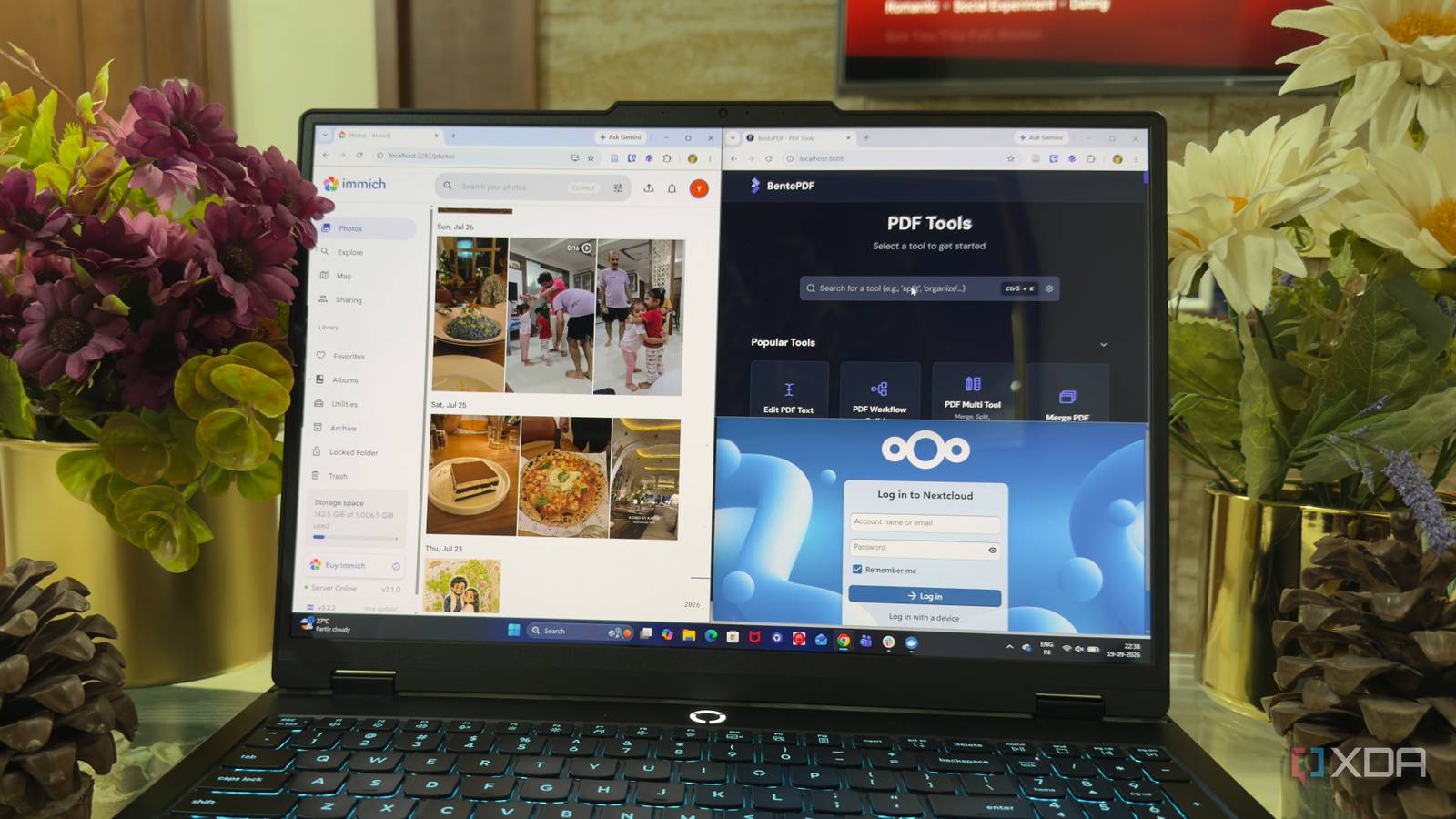
Published Sep 20, 2026, 2:00 PM EDT Beginning his professional journey in the tech industry in 2018, Yash spent over three years as a Software Engineer. After that, he shifted his focus to empowering readers through informative and engaging content on his tech blog – DiGiTAL BiRYANi. He has also published tech articles for MakeTechEasier. He loves to explore new tech gadgets and platforms. When he is not writing, you’ll find him exploring food. He is known as Digital Chef Yash among his readers because of his love for Technology and Food. Subscriptions have slowly become one of those expenses I barely notice until I look at the total. A few dollars here and there doesn't seem like much, but several services can quickly turn into a sizable monthly bill. Since I already run Docker on my own hardware, I started looking at the software I use differently. Instead of automatically signing up for another service, I now check whether there is a self-hosted option that can do the job. This doesn't mean I self-host everything. I still use plenty of cloud services. But a few Docker containers have helped me remove several recurring costs from my setup. BentoPDF My simple PDF workflow needs less BentoPDF is now the tool I reach for when I need to work with PDFs. My workflow is fairly simple, so I don't need all the features that come with Adobe Acrobat. I mostly merge documents, split pages, compress files, rotate pages, and make quick changes before sharing something. I used to rely on Acrobat for these tasks, but paying for a subscription didn't make sense when I used only a small part of what it offers. BentoPDF covers the PDF features I actually need without adding another monthly expense. I run it as a Docker container and access it whenever I need to work on a PDF. The interface is straightforward, and I don't have to jump between different tools for basic PDF tasks. For my workflow, it has become a simple replacement for Acrobat that does exactly what I need. n8n Automations without another monthly subscription n8n is another Docker container that has helped me cut down on subscriptions. I use it whenever I want different apps or services to work together automatically. Before using it, I would often rely on services like Zapier for simple automations, even when the workflow itself wasn't particularly complicated. With n8n running on my own server, I can build those workflows myself. I can connect APIs, trigger actions with webhooks, move data between services, and set up scheduled workflows without paying for every automation or task I run. I also like having more control over how these workflows are set up. Instead of handing everything over to a third-party automation service, I can see exactly what each workflow is doing and change it whenever I want. For the kind of small automations I regularly need, n8n has become an easy way to avoid another recurring subscription. Nextcloud My own cloud, without another bill Cloud storage was one of those subscriptions I kept paying for mostly out of convenience. I needed a place for documents, work files, and other data that I access from multiple devices, but I didn't necessarily need another feature-packed service. That is where Nextcloud fits into my setup. I run it in Docker and use it as my own cloud storage, giving me a central place for the files I need regularly. I can access them through the web interface and keep important folders synced across my devices. What I like most is that I have more control over where my files live. I manage the storage myself instead of putting everything into another company's cloud. It also means I can decide how much storage I want to make available rather than upgrading a subscription whenever I run out of space. Immich Stopped renting space for photos Photos were another area where I didn't want to keep adding storage to my existing subscriptions. I take a lot of photos, and having them automatically backed up and organized is useful, but I don't need another cloud service just for that. Immich gives me a dedicated place for my photo library that I can run on my own hardware. I can back up photos from my phone and browse them through its web and mobile apps whenever I need them. The experience feels much closer to the photo services I'm already used to, rather than a basic folder of uploaded images. I especially like having my full library under my control. I can keep the original files on my own storage and decide how I want to manage backups. Once Immich became part of my setup, paying separately for a photo-storage service started to feel unnecessary. It is now one less subscription I need to budget for each month. Jellyfin My own streaming service I don't watch enough movies and TV shows to justify paying for another streaming or media-server subscription, especially when I already have my own collection of media files. Jellyfin fits nicely into that setup and gives me a simple way to watch everything from one place. I run Jellyfin in Docker and use it to organize my movies, shows, and other video files into a proper media library. Instead of opening folders and searching for individual files, I get a familiar streaming-style interface with my collection neatly organized. It also works across the devices I use, so I can continue watching without being tied to my desktop. The setup takes some initial work, but once everything is running, I rarely need to touch it. I’m paying for less and getting more control I didn't set out to replace every subscription I use. I simply started questioning whether I actually needed to keep paying for services that I could replace with a self-hosted alternative. These Docker containers showed me how much software I can run myself without complicating my setup. The bigger win isn't just the money I save each month. I also have more control over the tools I use and the data I create, which makes the effort of self-hosting worthwhile for me.
5 Docker containers replaced my most expensive subscriptions
Full Article
Original Source
Read the full article at Xda-developers →KhanList aggregates and links to publicly available news content. We do not host full articles from third-party sources. Always verify important information with original sources.