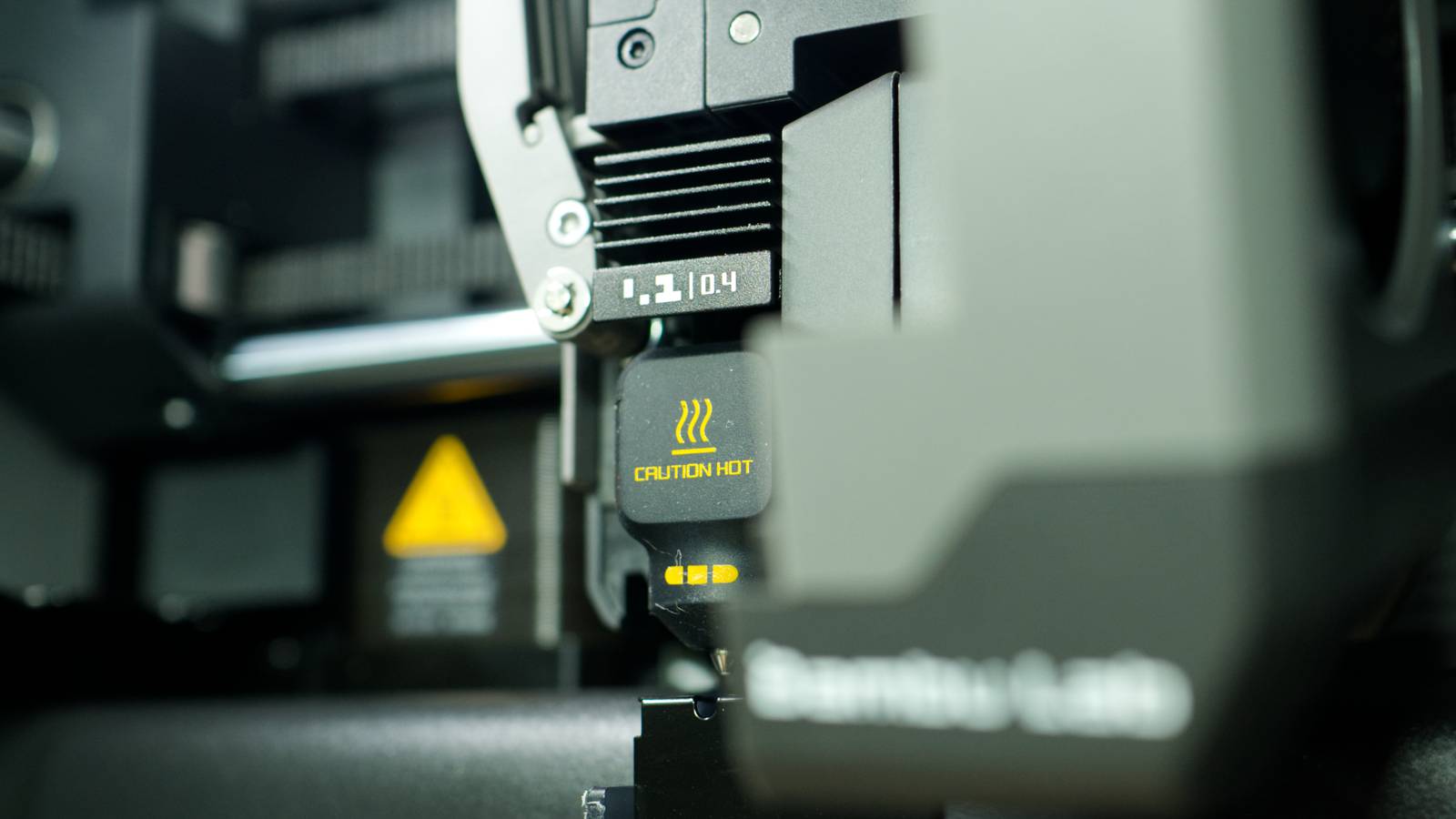
Published Aug 13, 2026, 7:00 AM EDT Tim has been covering technology for almost 20 years, in that time spanning a broad range of topics from security to product reviews. He is especially focused on the Apple ecosystem, productivity, and consumer advice. Over the years Tim has written thousands of articles, reviews, and round-ups in addition to producing video content and original photography. A graduate of journalism, he found his footing as a freelancer with a laptop and loves how he is able to work from practically anywhere. Now a Senior Editor for iPhone, Mac, and Smart Home at How-To Geek, Tim still loves to write. He can also be found crafting round-ups and productivity posts for the Zapier blog. Earlier in his career Tim spent nearly a decade as a writer and eventually Apple section editor for MakeUseOf. Tim currently lives in Brisbane, Australia. Outside of work he loves to hike and work out, play video games, and spend quality time with his wonderful partner and two cats Inka and Roger. Your 3D printer’s hotend is responsible for melting filament so that it can be extruded and formed into new shapes. This printer component can be damaged if you don’t take enough care, putting your printer out of action and costing you money in new parts or repairs. Here are four things you should avoid doing to keep your hotend in good shape. Printing abrasive filaments without the right nozzle A damaged nozzle requires replacement A 3D printer’s hotend refers to the whole mechanism responsible for receiving, melting, and depositing filament. The very last stage of this process involves filament passing through the nozzle, which helps to decide the size of the layer lines in your print. Finer layer lines (like those from a 0.2mm nozzle) mean slower prints with more detail; larger layer lines (like those from a 0.8mm nozzle) mean faster prints that are stronger with reduced detail. What the nozzle is made of should decide which filaments you use. For basic PLA, anything from soft metals like brass to harder stainless steel is fine. For more abrasive filaments, like blends that contain carbon fiber, wood dust, glass, and metal (and especially glow in the dark filament), a tougher nozzle is required. Hardened stainless steel is a bare minimum for these types of filament (though you can also invest in nozzles made from even harder materials, like silicon carbide and tungsten carbide). Using a “soft” nozzle with a “hard” filament will cause the nozzle to rapidly degrade. The nozzle will quite literally be eaten away by the filament as it passes through the small opening, widening the opening and causing you all manner of headaches down the line. Fortunately, the fix isn’t massively expensive since all you need to do is replace the nozzle. Cleaning the hotend with the wrong wire brush Match the brush and nozzle type Credit: Cottam / Amazon It’s normal for filament to become stuck on or within your nozzle when 3D printing. If the filament is still hot, you can—carefully, while wearing heat-proof gloves—pull the filament off and keep going. But all too often you won’t notice the problem until it’s too late, possibly even after a catastrophic print failure. Removing stuck filament is as simple as brushing the nozzle lightly with a wire brush. But hitting the nozzle with the wrong brush will destroy it. A stainless steel brush on a brass nozzle is a terrible idea, so make sure you pay extra close attention when performing routine maintenance like this. If you end up damaging your nozzle, you’ll have to replace it. Ignoring extrusion problems caused by a partial clog Small problems turn into big problems Credit: Tim Brookes / How-To Geek Extrusion problems can occur for a variety of reasons, but one of the most common is a partial clog. This occurs when filament becomes stuck within the hotend assembly, usually the nozzle itself, without causing a complete blockage. This leads to reduced filament flow, gaps in extrusion, layers that are too small, and generally ruined prints. Ignoring these issues—like waiting for a print to finish completely before taking action—might not only result in an unsatisfactory print. A partial clog can quickly become a full clog, especially if the dreaded filament blob starts to form on the end of your nozzle. Modern printers with cameras and fault detection will likely catch this and sound the alarm, but older models won’t (it’s one reason that some people aren’t happy leaving their 3D printers working unattended). You can clear a partial clog by putting a thin needle into the nozzle while the nozzle is at printing temperature or by performing a cold pull where filament is melted, cooled, and retracted quickly in a bid to pull out any debris. If nothing works, you might want to replace the nozzle entirely to prevent further damage and wasted filament from spoiled prints. Damaging fragile wires used in the hotend assembly Less of a printing issue and more of a maintenance mistake Credit: Patrick Campanale / How-To Geek Changing nozzles is a normal part of owning a 3D printer. Nozzles will wear out over time, and if you’re thinking of printing small objects like keycaps or miniatures, you might want to swap in a smaller nozzle from time to time. The process for doing this varies depending on which printer you have, but at the very least you’ll need to disassemble part of the hotend to gain access. Take care not to damage any of the fine wires you may encounter, which connect components like the heating element, thermistor, and cooling fans to the rest of the printer. Modern printers make this a lot more straightforward; for example, Bambu Lab’s P2S is a tool-less operation, whereas the older P1S requires the removal of screws and unplugging of the aforementioned wires. Consult your 3D printer’s documentation and, for safety’s sake, always turn off your printer at the switch or the wall before you do this. While you might be concerned about your 3D printer’s nozzle, there are other parts that you should also keep an eye on—like the PTFE tube through which your filament travels.
5 dangerous 3D printing mistakes that can ruin your printer's hotend
Full Article
Original Source
Read the full article at Howtogeek →KhanList aggregates and links to publicly available news content. We do not host full articles from third-party sources. Always verify important information with original sources.