
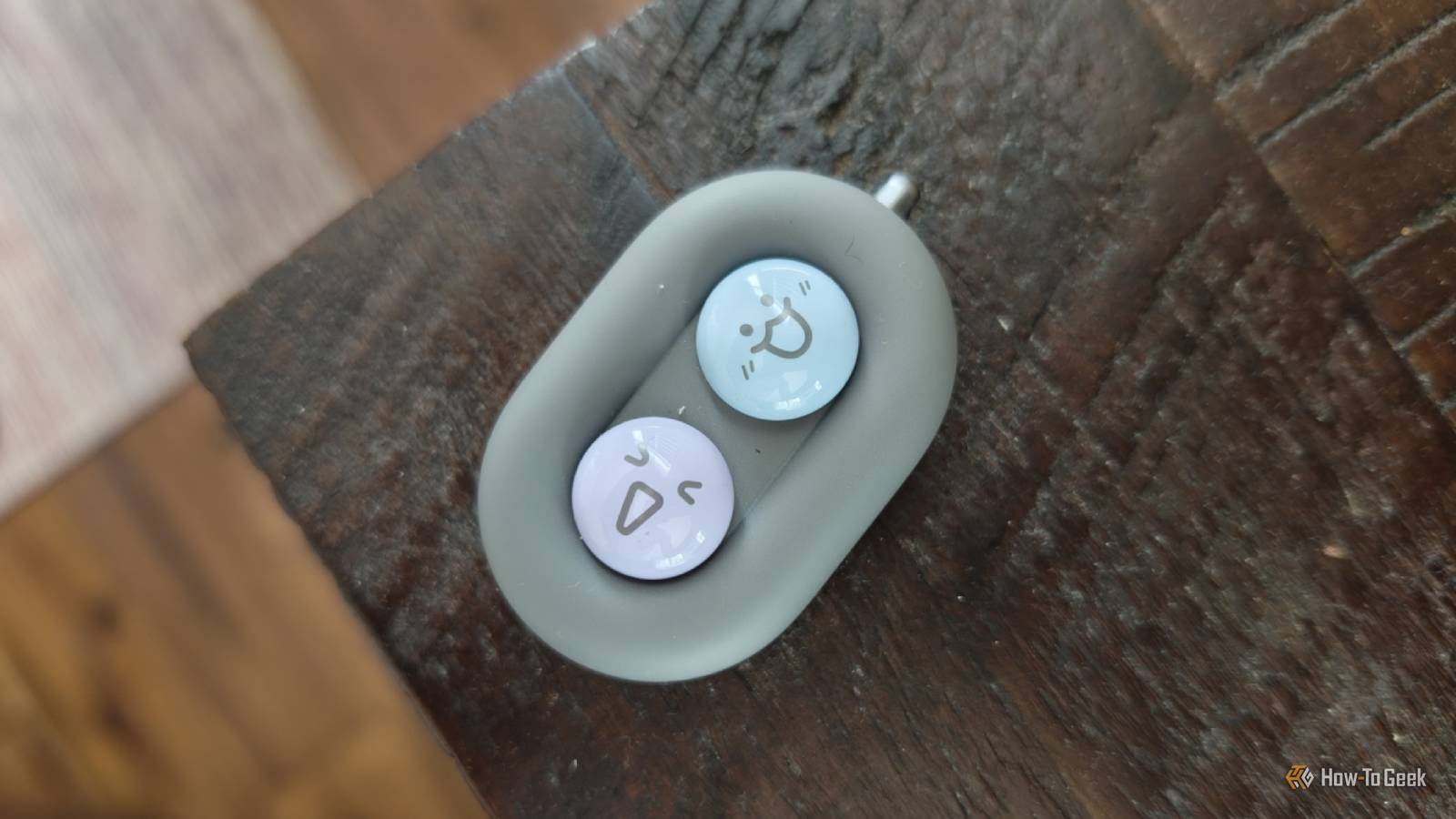
Published Oct 10, 2026, 7:00 PM EDT Bertel is a lifelong tech enthusiast with over a decade of experience writing thousands of articles about Android devices, Linux, and more. Before joining the How-To Geek team, Bertel wrote for the likes of MakeUseOf, MakeTechEasier, and Android Police—at the latter he wrote over 3,500 articles. He delights in helping others decide which tech to bring into their lives... and which tech to do without. Bertel graduated from the College of William and Mary in 2012 with degrees in History and Government. He has spent his entire career as a tech journalist covering Android, Linux, wearables, smart home devices, and more. Our phones aren't just personal computers we carry with us — they're the ones we use to control everything else, from speakers and smart home devices to portable power stations. In this world of devices we connect to our phones, there are some quirky but fun accessories you might not even know exist. Bluetooth Page Turners A must-have accessory for heavy ebook readers I'll admit I kind of laughed when I first heard about Bluetooth page turners. Why would I need a wireless button to control a device that is likely in my hand anyway? Is it really so inconvenient to reach up and manually tap the screen of an eReader or phone that's sitting on a stand? But after receiving the DuRoBo Moodi, I learned from my mistake. I love this device's adorable design; it doesn't take itself too seriously. It has two buttons that switch between pages or skip between music tracks. These buttons have faces you can pop off and swap for others included in the box. If I have one complaint about my unit, it's that it seems to die quickly if I don't remember to turn it off when I'm done. Thankfully, it charges quickly as well. Smart Telescope You won't get a better view of the sky, but you will get better photos There is a reason observatories are giant buildings with telescopes protruding from the ceiling, so when I received the DWARF mini Smart Telescope, the name itself was reason enough to be skeptical. That said, I have a proper telescope, and I've rarely pulled it out because it's big. I get the appeal of a smaller alternative that is easier to set up and hopefully good enough. Don't expect a tiny smart telescope to deliver stunning views of the sky. After setting up my review sample, I could barely see anything at all on the screen. Only after I tell the phone to take a photo do I get the appeal. These are usable images of the night sky, far better than anything I get from aiming my smartphone upward and hoping for the best. There is a bit of a learning curve despite the app's helpful guidance, but if you have ever wished you could save a night-sky view to look back on later, this is a luxurious upgrade to your nighttime photography game. Thermal Camera An investment that pays for itself Since heating and cooling make up most of our energy use, finding and sealing leaks can have a big impact on your electric bill. You can find them by placing your hand near windows and doors to feel drafts, but it's easier to scan them with a thermal camera. Now you can get a tiny one that plugs into your phone's USB-C port. I wasn't prepared to buy one myself, but I was happy to try out the Rision Magic Pro thermal camera. After downloading the app, setup was virtually non-existent. Simply plug the camera into the bottom of a phone, grant the app the necessary permissions, and watch the phone's screen turn into a viewfinder. You can expect windows and doors to glow bright red, but if you have other leaks, this is an easy way to find them. The Pro costs $300, over twice the price of the $140 Rision Magic for a higher-resolution image. This is cheaper than similar options from FLIR and Seek Thermal. On the flip side, you can find a stand-alone thermal camera on Amazon for under a hundred bucks if you're fine with a smaller display. A tiny SSD for your phone For when a regular external SSD just won't do Lexar Muse portable SSD.Lexar Muse portable SSD. Phones have long connected to external portable hard drives, but when I plug in my external Samsung SSD, it feels like I'm using a productintended for a PC. Lexar is changing this with a super-thin external drive designed specifically for smartphones. The Lexar Muse is currently the world's thinnest SSD. This product is new, and I don't have one, but my colleague tried one at this year's IFA. The SSD is thin enough to slide into a tiny case that attaches to the back of your phone. It's so low-profile that you don't realize it's there. As pricey as external storage can be, it may still be cheaper than trading in your phone for a model with more storage — especially if your phone still has many years of life left. Plus, if you don't need your SSD to be quite this thin, you can save some money by buying last year's model. The best accessories connect to your phone From drones to security cameras to robot vacuums, everything has shifted from a standalone device to a phone accessory. There are downsides to this, but it makes many things easier to control than they would otherwise be. From experience, configuring a smartphone using a phone is better than pressing physical buttons and squinting at the tiny digital screen on my conventional one. As someone who uses my phone to replace nearly all the things, I'm happy to see the innovation.
4 weird but useful things you can connect to a phone
Full Article
Original Source
Read the full article at Howtogeek →KhanList aggregates and links to publicly available news content. We do not host full articles from third-party sources. Always verify important information with original sources.