
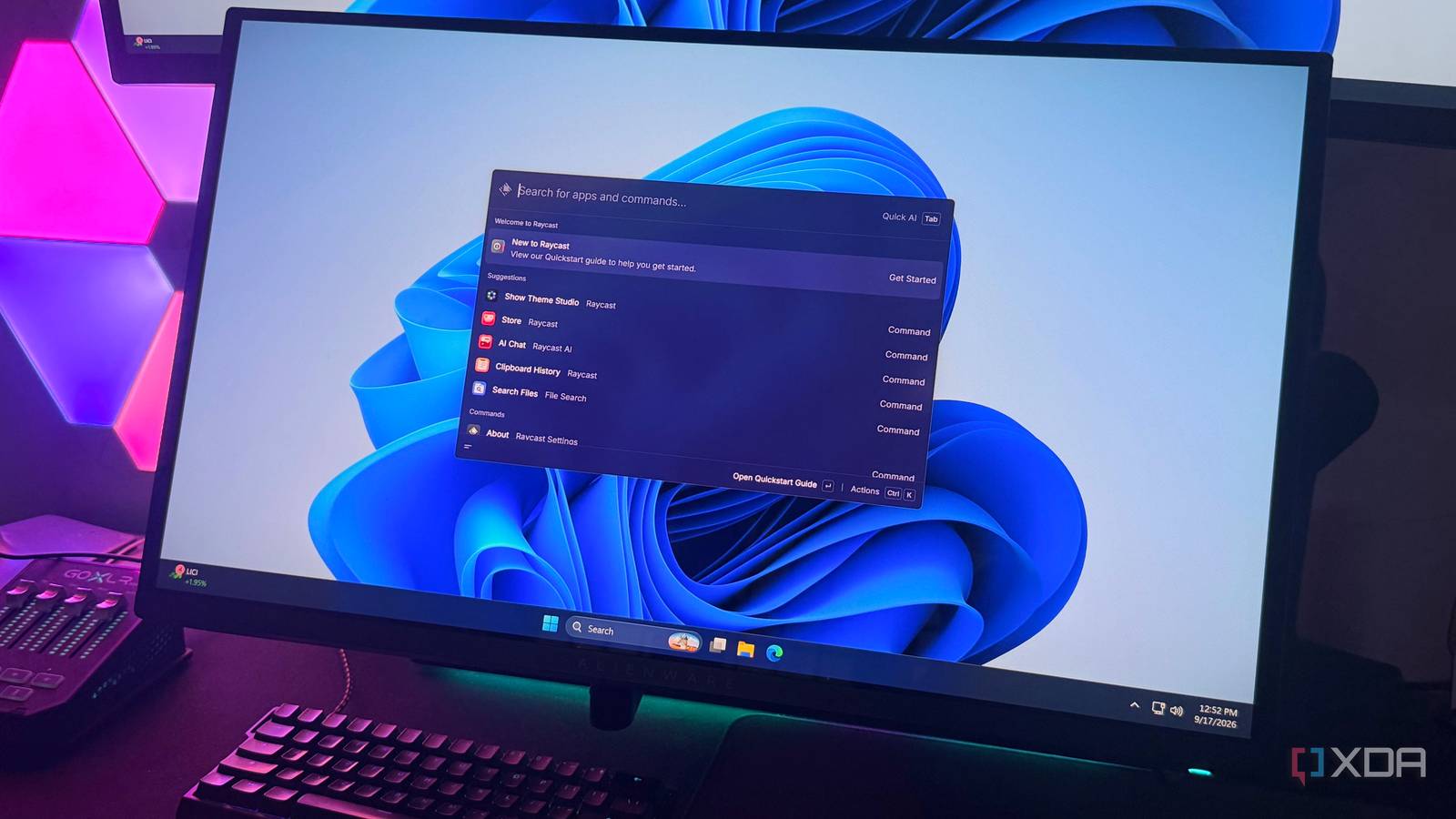
Published Sep 17, 2026, 5:30 PM EDT Hamlin has been in the tech field for over nine years. Since 2017, his work has appeared on MakeUseOf, Android Police, OSXDaily, Beebom, and more. He served as the Senior Editor at Valnet's MakeUseOf for over two years before joining XDA. He uses a high-end gaming rig for desktop use and a MacBook for traveling, but dislikes some of the quirks of macOS. You're more likely to catch him at the gym or on a flight than anywhere else. I still remember installing Microsoft PowerToys for the first time a couple of years ago just because I wanted to replace Windows Search with something simpler. At the time, I just wanted to get away from unnecessary web results and Start menu recommendations when I tried to open an app. But then, when Raycast rolled out on Windows as a beta last year, I decided to give it a shot since I used to rely on it quite a bit on my MacBook Air. Now that it's finally available as a stable build, I feel more comfortable talking about it. On the surface, Raycast and PowerToys Run are similar: you can use them to launch apps, find files, or do calculations. But to know how capable Raycast really is, you need to stop treating it like a search box because it's packed with features that let you get things done without leaving the launcher. And the fact that I can just use the Windows key to bring it up instead of a separate keyboard shortcut makes it feel much more like a proper replacement for Windows Search. Raycast has AI built right in And the integration is actually well thought out In 2026, you're probably not even surprised that a third-party launcher has AI integration, but I really like how Raycast has gone about it. Sure, you can open AI Chat and use it like pretty much any other chatbot, with plenty of models to choose from. But that's the least interesting part. Quick AI lets me type queries without leaving the launcher, which is perfect for those one-off questions. In fact, I haven't had to open the full interface even once. The best part about Raycast's implementation, though, is Screen Awareness, which uses whatever I'm looking at as context. For instance, if I want a summary of an article I'm reading, I can bring up Raycast and just type "summarize this article" instead of copying and pasting the whole thing. I've even used it to summarize YouTube videos when I'm short on time. You also have things like Quick Fix to fix spelling and grammar, AI Commands for repeated prompts, and AI Extensions to connect it to apps you use. Raycast AI is only available on the Pro plan, which costs $8/month, but you do get a 7-day free trial to see if it's worth it. Snippets are a huge time-saver You don't have to type the same things over and over This is a feature I didn't really care much about until recently. Think of Snippets as text replacement on an iPhone or a Mac. You create a snippet inside Raycast, give it a name, save the text you want it to insert, and then assign a keyword if you want it to expand automatically without opening the launcher every time. You can have paragraphs of text saved inside a single snippet, so you're not limited to simple things like an email address or a URL. This is perfect if you're someone who sends the same kind of emails every day at work. And you can even use dynamic placeholders for things like the current date, time, and whatever you have copied to your clipboard, so a snippet can change depending on when you use it. You can also choose where the cursor ends up after the text expands, which is handy if there's a part you need to fill in manually every time, like someone's name. Quicklinks are shortcuts that do more You can use them to open websites, files, and content inside apps It's easy to assume Quicklinks are basically just bookmarks that I can access through Raycast, but they're quite a bit more useful than that. Besides websites, you can point them to files and folders you regularly open, or even specific content inside an app. For instance, instead of opening Spotify and finding a playlist yourself, you can create a Quicklink that takes you straight there from Raycast. You can create one by searching for Create Quicklink in Raycast. Give it a name, enter the link or path you want to open, and choose the app you want Raycast to open it with. If you're already on the webpage you want to save, Raycast can fill in the URL for you. Like Snippets, it supports dynamic placeholders, so you can have it automatically use things like text from your clipboard when opening a Quicklink. You can also add arguments, meaning you can create a Quicklink for YouTube, type whatever you want to search for directly into Raycast, and have it take you straight to the results. The Extension Store is the final piece Because it connects Raycast to even more apps and services At this point, you probably already have a good idea of how much more capable Raycast is than PowerToys Run on its own, but the Extension Store is the icing on the cake. You can find hundreds of community-built extensions for third-party apps like Notion, Slack, Spotify, 1Password, and more. Depending on the extension, you can search for content, trigger actions, or pull information without opening the app first. It's not as extensive as Raycast for Mac, but considering the Windows version has only been around for a year, I'm still very impressed. You can search for extensions directly in the launcher after opening Store or browse through them on Raycast's website. Once you install an extension, its commands will show up alongside everything else in Raycast, so you don't really have to think of them as separate add-ons. PowerToys Run, on the other hand, has plugins, but you have to dig through GitHub repos and install them manually, so it's not really comparable to a dedicated store. PowerToys narrows the gap with Command Palette, though To be fair, PowerToys Run is outdated at this point, and Microsoft has already started pushing users toward Command Palette. It's basically the future of PowerToys Run since it closes some of the gaps I've talked about here. Extension Gallery and Bookmarks are Command Palette's equivalents of the Extension Store and Quicklinks, respectively. So, if you're already using PowerToys, I'd definitely try Command Palette before switching to Raycast. I've used Command Palette for a while myself, but I still think Raycast has the edge with its AI integration and Snippets. So, unless Microsoft adds these features down the line, I don't see myself going back to it anytime soon. Raycast Raycast is arguably one of the best launchers for Windows and Mac, giving you instant access to apps, commands, shortcuts, AI, and more to streamline your workflow.
4 things Raycast on Windows does that PowerToys Run still can't
Full Article
Original Source
Read the full article at Xda-developers →KhanList aggregates and links to publicly available news content. We do not host full articles from third-party sources. Always verify important information with original sources.