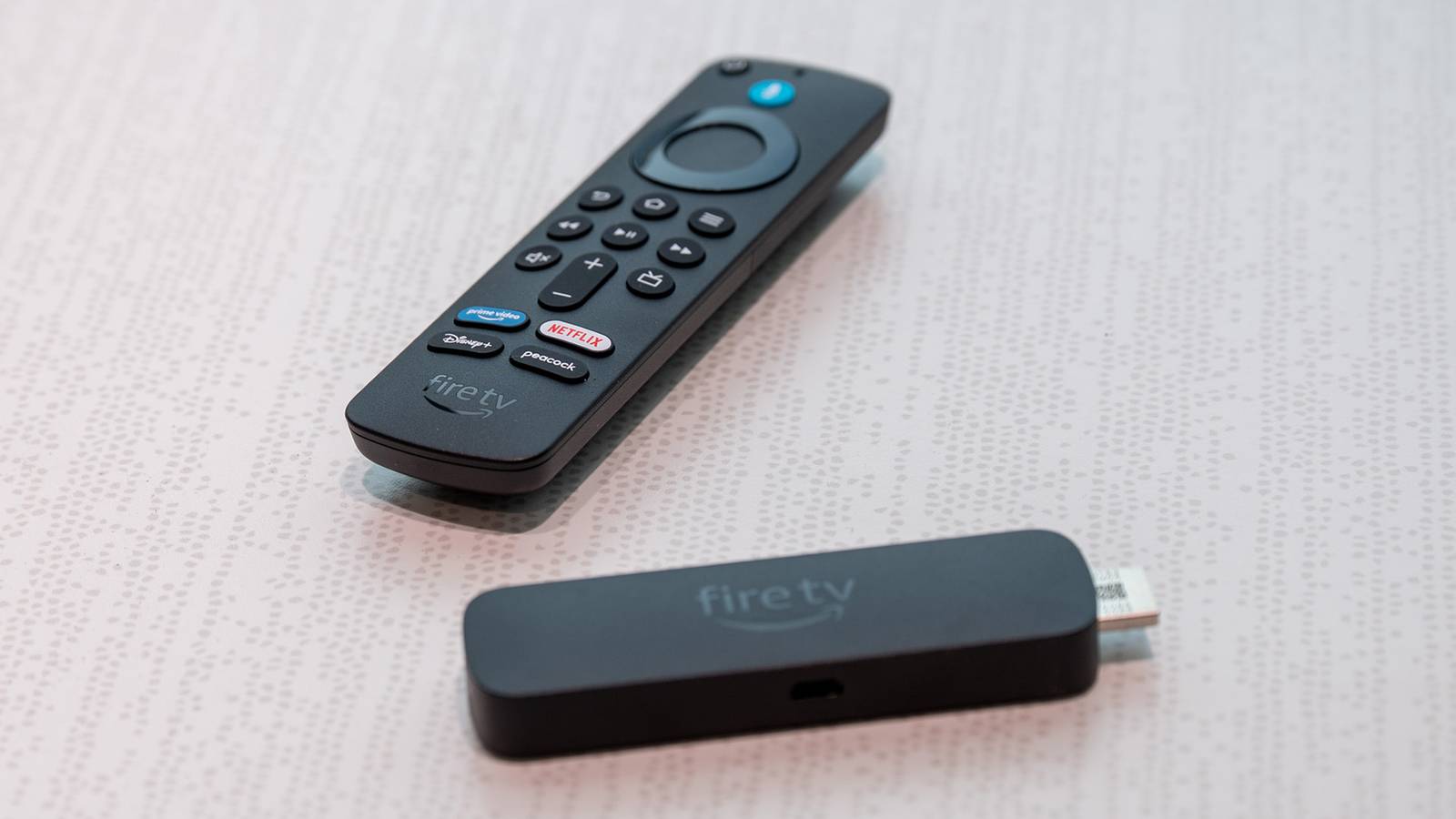
Published Jul 23, 2026, 12:15 PM EDT Aggy is a veteran writer and editor in the technology and gaming space. Having served as a Managing Editor for high-traffic digital publications, alongside being an editor and consultant for over a dozen sites. Aggy's published work spans a wide and respected array of tech and gaming outlets, including WePC, Screen Rant, How-To Geek, Android Police, PC Invasion, and Try Hard Guides. Beyond editorial work, Aggy's direct experience in the tech sphere extends to app development. Aggy has published two games under Tales and is always eager to learn and do more. He also likes working on computers and researching in his spare time. He knows about Windows, Linux, Audio, Video, and much more. Smart TVs looked like the obvious move when they launched. One less box under the TV, everything built in, nothing extra to buy. A few years later, many people are watching their menus get slower every month, waiting for apps to load, and realizing their TV hasn't seen a meaningful update in years and no longer feels new. A $20 Fire TV Stick doesn't fix the screen, but it quietly fixes almost everything else. Your smart TV will get slower over time A streaming stick stays fast because it has less work to do Credit: Jorge Aguilar / HowToGeek When you first unbox a new smart TV, everything feels pretty fast. But that tends not to last. The processors inside most smart TVs are built on a budget, and over time, you start to notice the cracks. Menus take longer to respond, apps are slow to open, and the whole thing starts to feel slow in a way it didn't when it was new. It happens because a smart TV's chip is doing a lot at once. It handles everything the screen needs to actually function on top of apps, like adjusting colors, managing local dimming, and smoothing out motion. Every time you try to navigate a menu, the processor is pulled in multiple directions at the same time. As the TV gets older and apps get bigger and heavier with each update, that juggling gets harder and harder to keep up with. Quiz8 Questions · Test Your KnowledgeAmazon Fire TV StickTrivia challengeThink you know your streaming stick inside and out? Put your Fire TV knowledge to the test.SetupFeaturesHardwareAppsHistoryBeginIn what year did Amazon first release the original Fire TV Stick?A2012B2013C2014D2015Correct! Amazon launched the first Fire TV Stick in November 2014, offering a more affordable alternative to the full-sized Fire TV box. It plugged directly into an HDMI port and quickly became one of Amazon's best-selling devices.Not quite. The original Fire TV Stick was released in November 2014. It came out about seven months after the original Fire TV box and was positioned as a budget-friendly streaming option for cord-cutters.ContinueHow does the Amazon Fire TV Stick connect to your television?AUSB-A portBDisplayPortCComposite AV portDHDMI portCorrect! The Fire TV Stick plugs directly into an HDMI port on your TV. This is what gives it its distinctive stick shape, and it draws power via a separate Micro-USB or USB-C cable depending on the model.Not quite. The Fire TV Stick connects via HDMI, which is why it has that signature dongle shape. It also requires a power cable — either Micro-USB or USB-C — to function, as HDMI alone doesn't supply enough power.ContinueWhich voice assistant is built into the Amazon Fire TV Stick remote?AGoogle AssistantBSiriCAlexaDCortanaCorrect! Amazon's own voice assistant, Alexa, is integrated into the Fire TV Stick remote. You can use it to search for content, control playback, check the weather, and even control smart home devices.Not quite. The Fire TV Stick uses Alexa, Amazon's proprietary voice assistant. Pressing and holding the microphone button on the remote lets you speak commands, making it easy to find shows or control compatible smart home gadgets.ContinueWhat type of network connection does the standard Fire TV Stick use to stream content?AEthernet (wired)BBluetooth onlyCWi-FiDCellular LTECorrect! The standard Fire TV Stick relies on Wi-Fi to stream content. Unlike some competitors and the Fire TV Cube, the basic stick does not include a built-in Ethernet port, though adapters are available.Not quite. The standard Fire TV Stick uses Wi-Fi for its internet connection. If you need a wired Ethernet connection for a more stable signal, you would need a separate Ethernet adapter or consider upgrading to the Fire TV Cube.ContinueWhat is the maximum streaming resolution supported by the Fire TV Stick 4K Max?A1080p Full HDB2K (1440p)C4K Ultra HDD8K Ultra HDCorrect! The Fire TV Stick 4K Max supports streaming up to 4K Ultra HD resolution. It also supports HDR formats including Dolby Vision, HDR10+, and HLG, delivering excellent picture quality on compatible TVs.Not quite. The Fire TV Stick 4K Max tops out at 4K Ultra HD resolution. It also supports advanced HDR formats like Dolby Vision and HDR10+, making it one of the most capable streaming sticks in Amazon's lineup.ContinueWhich app store is used to download streaming apps on a Fire TV Stick?AGoogle Play StoreBApple App StoreCAmazon AppstoreDSamsung Galaxy StoreCorrect! Fire TV Stick uses the Amazon Appstore to download apps and games. Because it runs a forked version of Android, the Google Play Store is not available, though many popular streaming apps like Netflix and Disney+ are still offered.Not quite. The Fire TV Stick uses the Amazon Appstore, not the Google Play Store. While the device runs a modified version of Android, Amazon's ecosystem replaces Google's, so you browse and install apps through Amazon's own storefront.ContinueWhich of the following audio formats is supported by the Fire TV Stick 4K for enhanced surround sound?ADolby AtmosBDTS:X ProCTHX Spatial AudioDSony 360 Reality AudioCorrect! The Fire TV Stick 4K supports Dolby Atmos, which delivers immersive three-dimensional surround sound. You'll need a compatible soundbar or AV receiver to experience the full effect, but it's a significant audio upgrade over standard surround sound.Not quite. The Fire TV Stick 4K supports Dolby Atmos for immersive audio. While the other options are real audio technologies, Dolby Atmos is the surround sound format officially supported and promoted by Amazon on its 4K Fire TV devices.ContinueWhat feature introduced in the Fire TV Stick 4K Max (2nd generation) allows for faster app switching and smoother performance?ATurbo ModeBWi-Fi 6E supportCDual-core processingDCloud Boost technologyCorrect! The second-generation Fire TV Stick 4K Max introduced Wi-Fi 6E support, which provides faster wireless speeds and reduced interference compared to older Wi-Fi standards. This results in smoother streaming and quicker load times when your router also supports Wi-Fi 6E.Not quite. The headline new feature of the second-generation Fire TV Stick 4K Max was Wi-Fi 6E support. This next-generation wireless standard operates on the 6 GHz band, reducing congestion and enabling faster, more reliable streaming performance than previous models.See My ScoreChallenge CompleteYour Score/ 8Thanks for playing!Try Again Also, the TV is constantly running things in the background like tracking, analytics, and automatic updates. While there are ways to fix a laggy TV, it’s better to get a stick. A Fire TV Stick sidesteps most of these issues. It doesn't have to worry about running the display; it leaves that to the TV. So all of its processing power goes to running the streaming interface quickly and smoothly. Furthermore, Fire Stick tends to feel noticeably more responsive than a smart TV, and it stays that way even years later, even after years of heavy use. TV brands usually stop updating their software A Fire Stick gets regular updates for a long time Credit: Jorge Aguilar / HowToGeek Smart TVs don't always get the best software support over the long term. Instead of pushing out meaningful updates, many brands settle for the occasional security patch and call it a day, leaving their TVs stuck on older software. For a long time, the only real fix was buying a new TV entirely, just to get a fresher interface or updated apps. That's frustrating when the screen itself works perfectly fine. Some manufacturers have tried to extend support by pushing newer software onto older hardware, but that creates its own mess. That's an easy way to get more performance problems, crashes, and memory issues, because the older chip simply wasn't built to handle the extra load. Credit: Cory Gunther / How-To Geek Amazon usually gives at least four years of security updates from the last date a device is sold, so if a Fire TV Stick sells for two years, it's basically supported for six. So the Fire TV Stick 4K Max, Stick Lite, and Stick HD are all covered through at least the end of 2030, with newer models stretching further. That's a much longer lifespan than most built-in TV platforms ever see. Instead of being held hostage to whatever software your TV shipped with, you get regular updates, new features, and ongoing security patches for years. And when a streaming stick does eventually reach the end of its life, replacing it costs a small fraction of what a new TV would. You can't take your smart TV on a trip A streaming stick lets you bring your apps anywhere Credit: Samsung Smart TV software is stuck to the hardware it runs on. Your 65-inch TV might look incredible in the living room, but that's where it will stay unless you want to move the TV. Your accounts, your watch history, and your recommendations will not come with you. So when you're traveling for work or on a family vacation, you're back to hotel TVs with clunky interfaces, overpriced rental movies, or hunching over a laptop. The TV you spent hundreds of dollars on is now an expensive piece of furniture that can't help you at all. The Amazon Fire TV Stick fits in your pocket. The whole thing, remote and power cable included, takes up so little space in a bag that it is pretty negligible. When you get to wherever you're going, you plug it into the HDMI port on any TV, and suddenly you're looking at your own setup like you never left home. Everything you're subscribed to is already there waiting for you: no logging back in, no hunting for passwords, and no worrying about leaving your Netflix signed in for the next person who checks into the room. Also, Fire TV Sticks handle the annoying login screens that hotel Wi-Fi networks throw at you, like those that ask for your room number before they let you online. The device detects that and opens a browser so you can get through it without a hassle. And if the hotel network is particularly difficult, pairing the stick with a travel router or your phone's hotspot gets you around it entirely. Smart TVs limit the apps you can download Amazon gives you a much bigger app store When you rely entirely on your TV's built-in OS, you're really boxing yourself in. These need developers to build and maintain separate apps for each TV brand, using HTML5, CSS, and JavaScript tuned specifically for that ecosystem. That's expensive, so most developers don't bother unless they're a major streaming service. This means you could get a pretty thin app selection. If a niche fitness app, a regional sports broadcaster, or an independent media server hasn't carved out the budget to build for your specific TV's platform, you're out of luck. A Fire TV Stick pulls from the Amazon Appstore, which is a big name to begin with. You're not at the mercy of whatever app partnerships your TV manufacturer managed to strike or whether they've bothered keeping their software store alive. With a smart TV, you are limited by what the manufacturer supports. A Fire Stick just gives you a library that is big enough for developers to care about. This isn't perfect, but it's much better than what you have None of this means a Fire TV Stick is flawless. You're adding a dongle to a device that was supposed to not need one, and pairing it with a bad TV remote situation can get annoying fast. If your smart TV is new and still running well, you probably don't need one yet. However, if your TV is starting to slow down or you're tired of missing apps and waiting for updates that never come, a Fire Stick is a hard thing to argue against at its price. Amazon Fire TV Stick (HD) $20 $35 Save $15 A simple and affordable streaming device that supports all your favorite services in HD.
4 things a $20 Fire TV stick still does better than your smart TV
Full Article
Original Source
Read the full article at Howtogeek →KhanList aggregates and links to publicly available news content. We do not host full articles from third-party sources. Always verify important information with original sources.