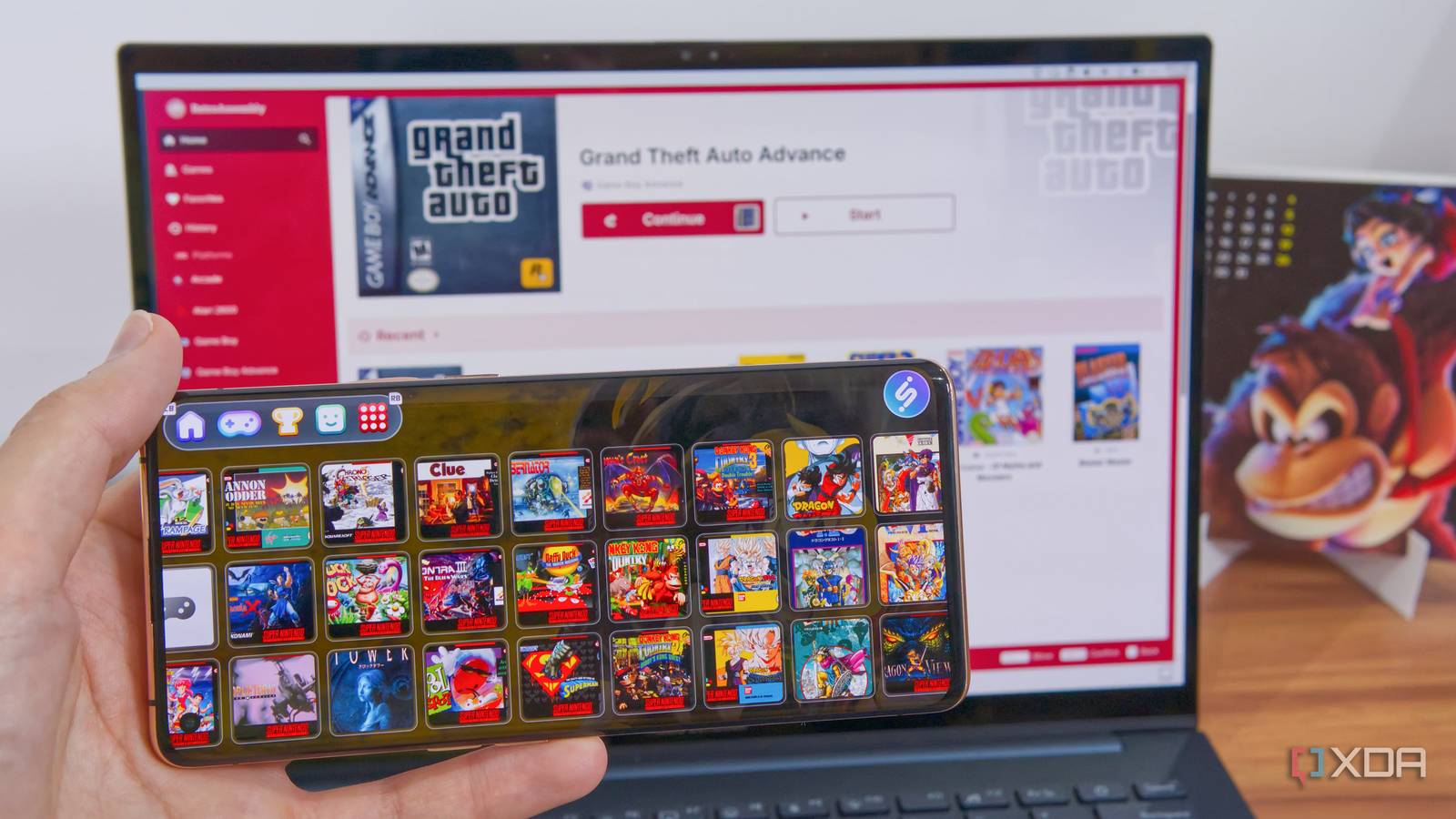
Published Jul 19, 2026, 4:30 PM EDT João has been covering the tech world for over 7 years, with a heavy focus on laptops and the Windows ecosystem. I also love all things tech and videogames, especially Nintendo, which he's always happy to talk about. Prior to joining XDA in 2021, he worked at Neowin: https://www.neowin.net/news/poster/jo%C3%A3o-carrasqueira/ Your old PC or phone can sometimes feel like a burden lying around at home, but there are great ways to put it to good use. Whether it's an impromptu home lab or a simple dashboard for your smart home, there's quite a bit you can do with it. And that includes gaming, even if modern games are too resource-intensive to handle. Retro gaming is more enticing than ever given the state of the modern gaming industry, and enjoying those old games is extremely easy, even on old devices. So much so that many projects are designed to make this even easier. If you're looking to have fun while making your older devices useful, projects like Batocera and ES-DE may be exactly what you're looking for. ES-DE, EmuDeck, or RetroDeck Turn your computer into a nostalgia machine EmulationStation, or ES-DE, is one of the best projects for turning your old PC into a retro gaming beast, and my first recommendation for anyone looking into this topic. ES-DE is a program that runs on all major desktop operating systems, and it turns your library of old games into a veritable museum of gaming. ES-DE is just a frontend, but it's highly customizable and capable. The default theme is clean and simple, but it already does a great job presenting the consoles you have access to and the games you have for each one. By using the built-in data scraper, ES-DE also pulls descriptions, box art, screenshots, and even trailers for games in your library, so perusing it becomes a fun nostalgia trip where you can see all these pieces of history before playing them yourself. EmuDeck and RetroDeck are two projects built on the back of ES-DE, and which you choose depends entirely on how much work you're willing to do. Because ES-DE is only a frontend, you may still need to download the required emulators to actually play the games, and that's what these solutions help with. When you set up EmuDeck or RetroDeck, the necessary emulators are automatically downloaded, plus you get some customization right off the bat with the included custom themes. RetroDeck is my personal favorite, but it's only available on Linux, so if you want the easiest way to get started, EmuDeck is the way to go. Pure ES-DE requires a little more work on your part, but it's the only option if you're on macOS. EmuDeck OS Windows, Linux, Android Batocera Why do anything else? If you're keen on using an old PC just for retro gaming, and you don't really want a full operating system bogging it down, then Batocera may be a solution for you. Batocera is a Linux-based operating system, and it's a very basic one at that, since it's entirely focused on running ES-DE and the necessary emulators to give you that retro gaming fix. Indeed, this is still a solution based around ES-DE, but this time, you get an extremely lightweight operating system, with a desktop that only exists with the purpose of importing games into your library. You're not going to be browsing the internet or editing documents on any computer running this OS, but that's okay, because it can run especially well on older, weaker hardware. Linux is already lighter than Windows most of the time, but Batocera strips out many components to make it even lighter. Personally, I find it easier to install ES-DE on a typical operating system, but Batocera is a great option for a living room retro console that isn't going to do anything else, and it's still highly recommended for low-power machines. batocera iiSU A beautiful frontend for Android Don't have an old PC, but a phone instead? Then iiSU is the project for you. This is a very recent project focused on creating a frontend for your gaming library, much like ES-DE, but with a completely original UI built from the ground up to be intuitive and beautiful. The UI is clearly inspired by Nintendo's Wii U, which is an odd choice to say out loud, but it actually looks beautiful and has been modernized for higher-resolution screens. iiSU is an absolutely commendable and very ambitious project. It isn't just a frontend for your games; it also offers many interesting integrations. You can link your Discord account for basic messaging built right into the UI, link to the RetroAchievements websites to see the things you've accomplished in your retro titles, and more. No emulators are included, but you can set it up to use the emulators of your choice for each platform. Everything in iiSU is presented beautifully, and there's even some soft background music that really adds to the vibe. This, paired with a phone controller, would make for a wonderful portable gaming setup. iiSU is still in early alpha stages, though, so you have to be ready to deal with some quirks for now. Still, the project is incredibly exciting for the future. iISU RetroAssembly (or RomM) Stream your retro games to any device Finally, if you want your old computer to become a server that makes your retro games accessible anywhere, we have RetroAssembly. This is a Docker container you can deploy on any PC or in a home lab, and it organizes your retro game collection and makes it playable on any device on your network. RetroAssembly is accessible through a web browser, and the data is stored on the server you create, so your games can be accessed on any device as long as the server is running. And importantly, so can your save data, so you can start playing on your PC in your bedroom, then continue right where you left off using your phone on the couch. Not only does the app support typical keyboard input, but on mobile it also offers touchscreen buttons, so you don't need any extras to get started. This one is best suited if you already have a home lab set up; otherwise, you'll need to keep your old PC running at all times to keep the games accessible. Alternatively, you can start self-hosting more services on it to make it even more useful so that power consumption doesn't go to waste. Either way, this is a great project. RetroAssembly Your old devices can become a lot more fun Whatever route you end up taking, these projects show that an old PC or phone is far from useless, and, in fact, it can become a lot more fun once its main purpose has been fulfilled. Retro games are still some of the best experiences you can have, and they teach you a lot about gaming history, so it's never a bad idea to have them ready to go for some fun.
4 retro gaming projects that transform dusty old hardware into a nostalgia machine
Full Article
📰 Original Source
Read full article at Xda-developers →KhanList aggregates and links to publicly available news content. We do not host full articles from third-party sources. Always verify important information with original sources.